
Introduzione
Thank you for choosing the Altec Lansing Comfort Pro Over Ear Bluetooth Headphones. These headphones are designed to provide a high-quality audio experience with advanced features such as Active Noise Cancellation (ANC), Environmental Noise Cancellation (ENC), Spatial Audio, and a long-lasting battery. This manual will guide you through the setup, operation, and maintenance of your new headphones.
Cosa c'è nella scatola
- Altec Lansing Comfort Pro Wireless Headphones
- Cavo di ricarica USB-C (non elencato esplicitamente ma implicito per la ricarica)
- Audio Cable (not explicitly listed but common for wired use)
- Carrying Case (implied by images)
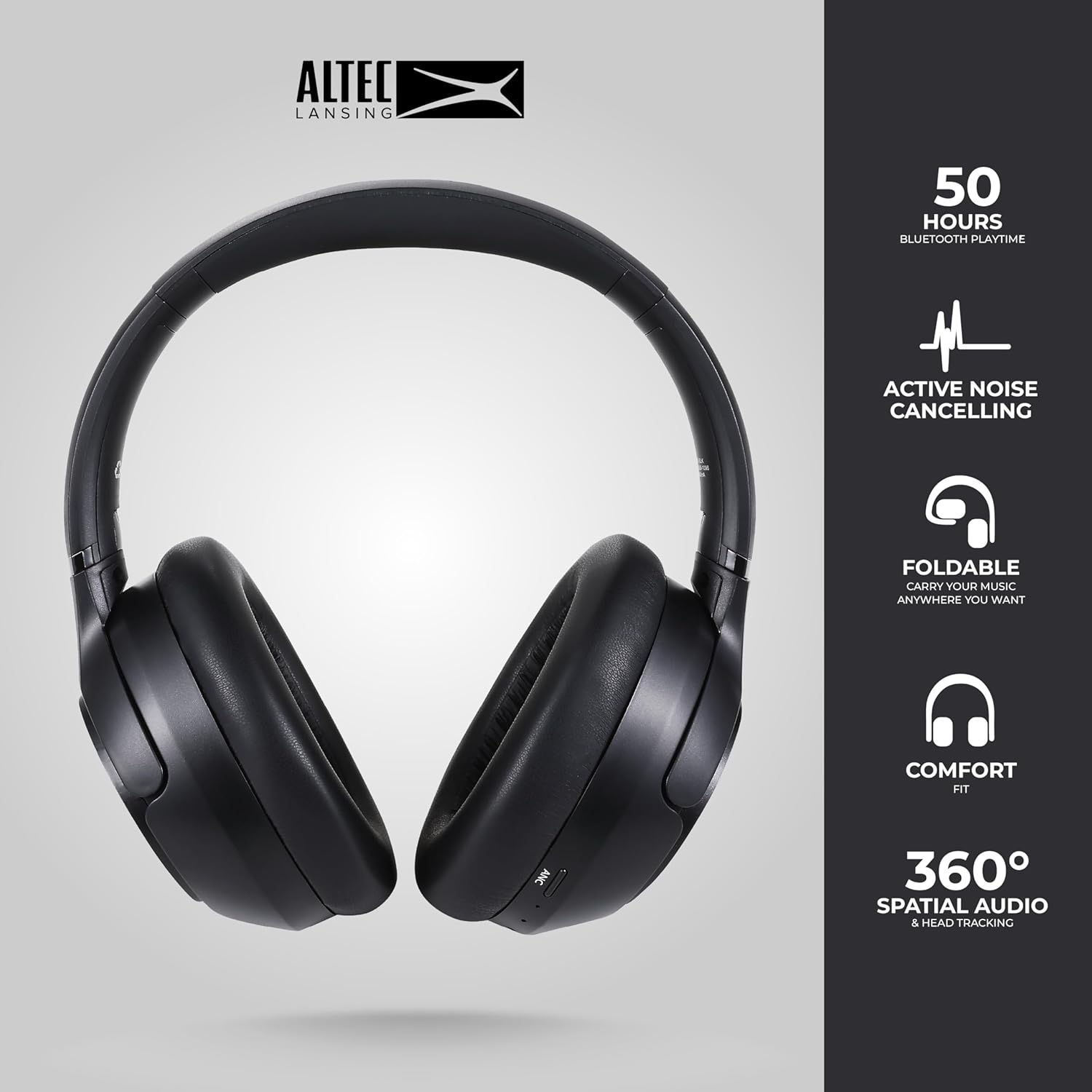
Image: The Altec Lansing Comfort Pro headphones, showcasing their sleek design and key features like 50 hours Bluetooth playtime, Active Noise Cancelling, foldable design, comfort fit, and 360° Spatial Audio & Head Tracking.
Impostare
1. Carica delle cuffie
Before first use, fully charge your headphones. Connect the provided USB-C charging cable to the charging port on the headphones and the other end to a USB power source. The LED indicator will show charging status and turn off or change color when fully charged. A full charge typically takes approximately two hours.
2. Accensione/Spegnimento
- Per accendere: Tenere premuto il pulsante di accensione per circa 3 secondi finché l'indicatore LED non si accende.
- Per spegnere: Tenere premuto il pulsante di accensione per circa 3 secondi finché l'indicatore LED non si spegne.
3. Accoppiamento Bluetooth
The headphones support Bluetooth 5.4 for stable connectivity and multipoint pairing for connecting to two devices simultaneously.
- Assicurati che le cuffie siano spente.
- Tenere premuto il pulsante di accensione per circa 5-7 secondi finché l'indicatore LED non lampeggia rapidamente (solitamente in blu e rosso), indicando la modalità di associazione.
- Sul tuo dispositivo (smartphone, laptop, tablet), vai alle impostazioni Bluetooth e abilita il Bluetooth.
- Cercare available devices and select "Altec Lansing Comfort Pro" from the list.
- Una volta connesso, l'indicatore LED smetterà di lampeggiare e rimarrà blu fisso.
- For multipoint pairing, connect to the first device, then put the headphones back into pairing mode and connect to the second device. The headphones will intelligently switch between the two connected devices.

Immagine: Un dettaglio view of the Altec Lansing Comfort Pro headphones highlighting the adjustable headband and the soft, lightweight ear cushions designed for comfort during extended use.
Operativo
Controlli delle cuffie
The headphones feature intuitive controls located on the earcups. Refer to the image below for button identification.

Immagine: un primo piano view of the right earcup of the Altec Lansing Comfort Pro headphones, showing the power button, volume controls, and other function buttons.
- Pulsante di accensione: Press and hold to power on/off. Short press for play/pause, answer/end calls.
- Volume su (+): Premere brevemente per aumentare il volume. Premere a lungo per passare alla traccia successiva.
- Volume basso (-): Premere brevemente per diminuire il volume. Premere a lungo per tornare alla traccia precedente.
- Pulsante ANC: Press to cycle through Active Noise Cancellation modes (ANC On, Ambient Mode, ANC Off).
- Pulsante multifunzione (MFB): Double press to activate Voice Assistant (Siri/Google Voice). Triple press to activate Low Latency Mode.
Cancellazione attiva del rumore (ANC) e cancellazione del rumore ambientale (ENC)
The Comfort Pro headphones feature powerful ANC to block out external noise and ENC for clear calls. Press the dedicated ANC button to toggle between ANC On, Ambient Mode (allowing some environmental sounds for awareness), and ANC Off. ENC is automatically active during calls to ensure your voice is clear.
Audio spaziale
Experience immersive sound with Spatial Audio. This feature creates a 3D soundstage, making audio feel more lifelike. Spatial Audio is automatically enabled when supported by your device and content.
Modalità bassa latenza
For gaming or video playback where audio-visual synchronization is critical, activate Low Latency Mode by triple-pressing the MFB. This reduces audio delay for a more synchronized experience.
Assistente vocale
Access your device's voice assistant (Siri or Google Voice) by double-pressing the MFB. You can then issue commands through the headphone's microphone.
Gestione delle chiamate
- Rispondi/Termina chiamata: Premi brevemente il pulsante di accensione.
- Rifiuta chiamata: Tenere premuto il pulsante di accensione per 2 secondi.
Manutenzione
Pulizia
Per mantenere le prestazioni e l'aspetto delle tue cuffie:
- Pulisci i padiglioni auricolari e l'archetto con un panno morbido, asciutto e privo di lanugine.
- Per sporco ostinato, leggermente dampLavare il panno con acqua. Evitare l'uso di prodotti chimici aggressivi, solventi o detergenti abrasivi.
- Non lasciare che l'umidità penetri nelle aperture.
Magazzinaggio
When not in use, store your headphones in the provided carrying case to protect them from dust, scratches, and impacts. The foldable design allows for compact storage.

Image: The Altec Lansing Comfort Pro headphones neatly folded and stored inside their protective carrying case, emphasizing portability and protection.
Cura della batteria
- Evitare di scaricare completamente la batteria frequentemente.
- Se non utilizzate le cuffie per lunghi periodi, conservarle con una carica parziale.
- Evitare temperature estreme, che possono ridurre la durata della batteria.
Risoluzione dei problemi
If you encounter any issues with your Altec Lansing Comfort Pro headphones, refer to the following common solutions:
- Le cuffie non si accendono: Assicurati che le cuffie siano completamente cariche. Collegale a una fonte di alimentazione e riprova dopo qualche minuto.
- Impossibile associare il dispositivo:
- Assicurarsi che le cuffie siano in modalità di associazione (il LED lampeggia rapidamente).
- Disattiva e attiva il Bluetooth sul tuo dispositivo.
- Delete "Altec Lansing Comfort Pro" from your device's Bluetooth list and attempt to pair again.
- Prova ad associarlo a un dispositivo diverso per escludere problemi specifici del dispositivo.
- Nessun suono o volume basso:
- Controlla i livelli del volume sia delle cuffie che del dispositivo collegato.
- Assicurarsi che le cuffie siano collegate correttamente tramite Bluetooth.
- If using a wired connection, ensure the audio cable is fully inserted into both the headphones and the audio source.
- L'ANC non funziona in modo efficace:
- Assicurarsi che l'ANC sia attivato premendo il pulsante ANC.
- Regola la vestibilità delle cuffie per garantire una buona tenuta intorno alle orecchie.
- ANC is most effective against low-frequency, constant noise. It may not completely block out voices or sudden, high-frequency sounds.
- L'assistente vocale non risponde: Ensure your device's voice assistant is enabled and that the headphones are properly connected. Double-press the MFB firmly.
Specifiche
| Nome del modello | MX3050 (MZX3050-BLK-STK-6) |
| Tecnologia di connettività | Wireless (Bluetooth) |
| Versione Bluetooth | 5.4 |
| Durata della batteria | Up to 60 Hours (40 Hours with ANC activated) |
| Caratteristiche di controllo del rumore | Cancellazione attiva del rumore (ANC), cancellazione del rumore ambientale (ENC) |
| Forma dell'auricolare | Sopra l'orecchio |
| Metodo di controllo | App, Voice, On-headphone buttons |
| Dispositivi compatibili | Smartphones, Laptops, Tablets |
| Materiale | Fabric/Silicone and Plastic/Metal (Combination) |
| Peso dell'articolo | 1 libbra |
| Livello di resistenza all'acqua | Impermeabile |
Garanzia e supporto
For warranty information and customer support, please refer to the documentation included with your purchase or visit the official Altec Lansing website. You can typically find detailed warranty terms, FAQs, and contact information for technical assistance there.
Risorse online: www.alteplansing.com