
1. Introduzione
The NEWFAST NF-RE516 N300 WiFi Repeater is designed to extend your existing wireless network coverage, eliminating Wi-Fi dead zones and providing a stable, high-speed internet connection throughout your home or office. This device operates on the 2.4 GHz band, offering a maximum speed of 300 Mbps, ideal for everyday online activities such as web browsing, video streaming, and online gaming.
2. Cosa c'è nella scatola
Aprendo la confezione dovreste trovare i seguenti elementi:
- 1 x NEWFAST NF-RE516 N300 WiFi Repeater
- 1 x Multi-language Instruction Manual
Video: Unboxing of a similar WiFi Repeater, showing the device and its components.
3. Caratteristiche principali
- Superior Speed and Stability: Experience a maximum speed of 300 Mbps on the 2.4 GHz band, ensuring stable and fast connections for various online activities. This band is known for its long-distance transmission and good wall-penetrating capabilities.
- 4 antenne ad alto guadagno: Equipped with four high-gain antennas, the repeater provides extended coverage and a strong signal, effectively eliminating Wi-Fi dead zones in hard-to-reach areas like garages or bathrooms.
- Molteplici modalità di lavoro: The device supports Repeater/Bridge mode and features Ethernet ports, offering flexibility to meet diverse internet needs in your home or office. It is compatible with 802.11 b/g/n standards.
- Configurazione semplice: Simple configuration options, including WPS (Wi-Fi Protected Setup) for quick connection to your router.

Image: The NEWFAST NF-RE516 WiFi Repeater highlighting its 300Mbps speed capability and stable signal.
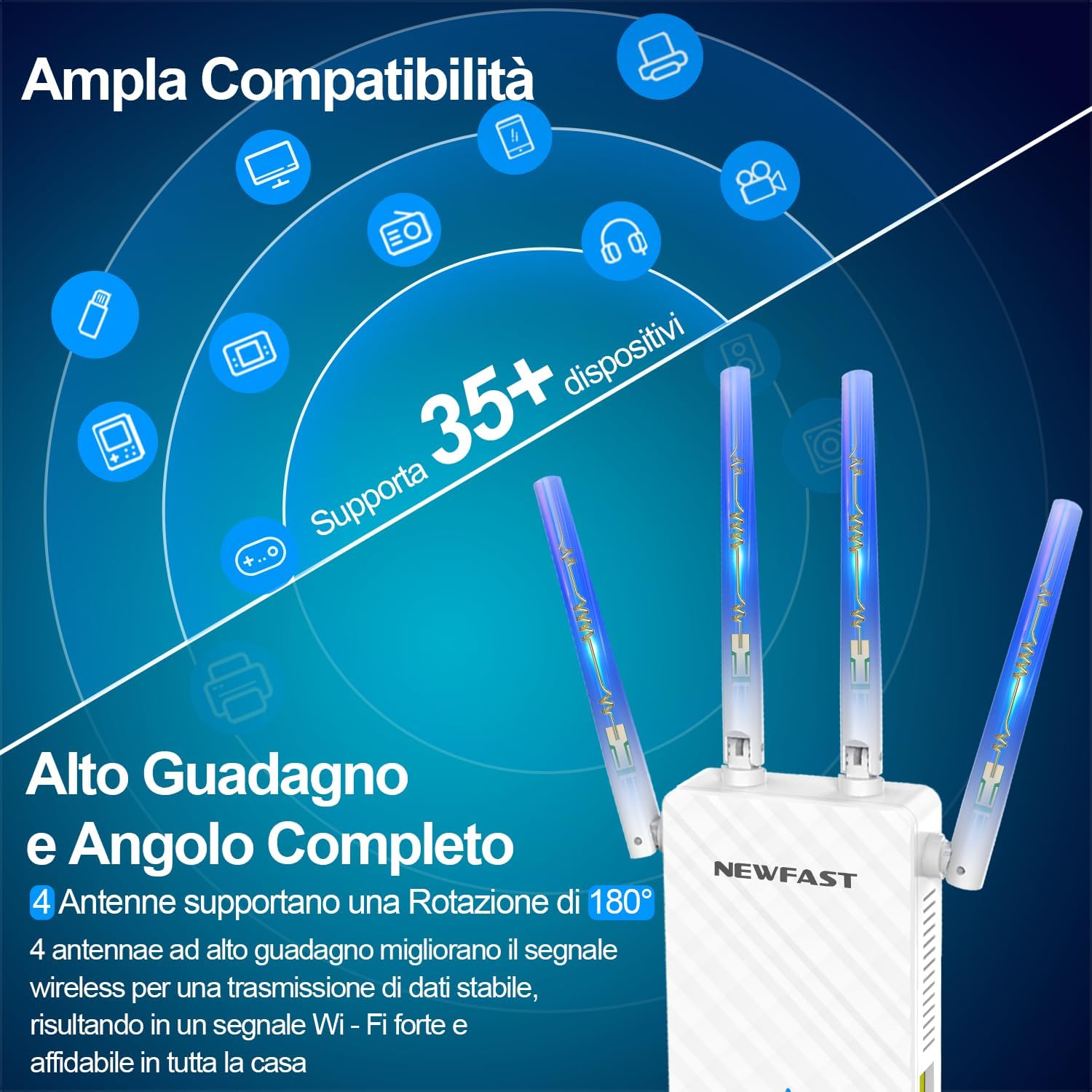
Image: The repeater showcasing its four high-gain antennas and broad compatibility with various devices.
4. Configurazione e installazione
4.1. Accensione iniziale
- Plug the NF-RE516 WiFi Repeater into a power outlet near your existing Wi-Fi router.
- Wait for the power indicator light to become stable, indicating the device is ready.
4.2. Configuration via WPS (Recommended)
WPS (Wi-Fi Protected Setup) offers a quick and easy way to connect your repeater to your router without manual configuration.
- Premi il pulsante WPS sul tuo router Wi-Fi esistente.
- Within 2 minutes, press the WPS button on the NF-RE516 WiFi Repeater.
- The indicator lights on both devices should flash and then turn solid, indicating a successful connection.
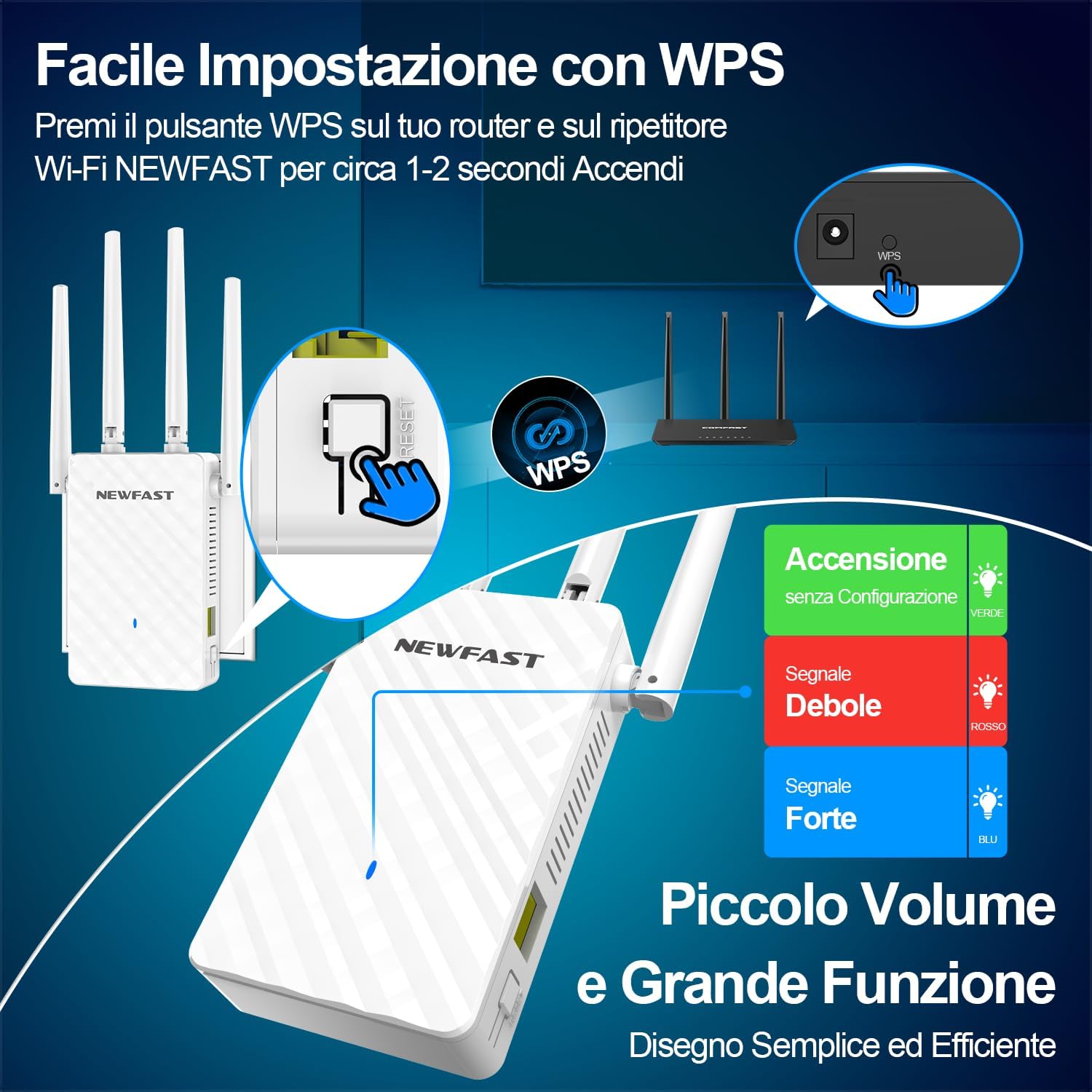
Image: Illustration of the WPS button on the repeater and its signal indicators.
4.3. Configurazione tramite Web Navigatore
If your router does not support WPS or you prefer manual setup, follow these steps:
- Connect your computer or smartphone to the repeater's default Wi-Fi network (SSID usually starts with "NEWFAST" or similar, found on the device label). No password is required for the initial connection.
- Aprire un web browser e inserisci l'indirizzo IP predefinito (ad esempio, http://192.168.10.1) or the domain name (e.g., waplogin.link) into the address bar.
- Accedi utilizzando il nome utente e la password predefiniti (solitamente "admin" per entrambi).
- Segui le istruzioni sullo schermo per selezionare la tua rete Wi-Fi esistente e inserisci la relativa password.
- The repeater will restart, and your extended Wi-Fi network will be available.
Video: Demonstrates the web-based setup process for a WiFi Repeater, including connecting to the default network and accessing the configuration page.
4.4. Posizionamento ottimale
For the best performance, consider the following:
- Place the repeater approximately halfway between your router and the Wi-Fi dead zone.
- Ensure the repeater is in an open area, free from obstructions like large furniture or walls.
- Keep the repeater away from large household appliances (e.g., microwaves, refrigerators) that can interfere with the Wi-Fi signal.

Image: A visual representation of how the NEWFAST WiFi Repeater extends network coverage throughout a multi-room environment.
5. Modalità operative
The NF-RE516 supports multiple operating modes to suit various network requirements:
- Modalità ripetitore: Estende la copertura Wi-Fi esistente del router principale. Questa è la modalità più comune per eliminare le zone morte.
- Modalità AP (punto di accesso): Converts a wired internet connection into a wireless network, allowing wireless devices to connect.
- Modalità router: Functions as a standard router for home use, converting a wired signal to a wired network.
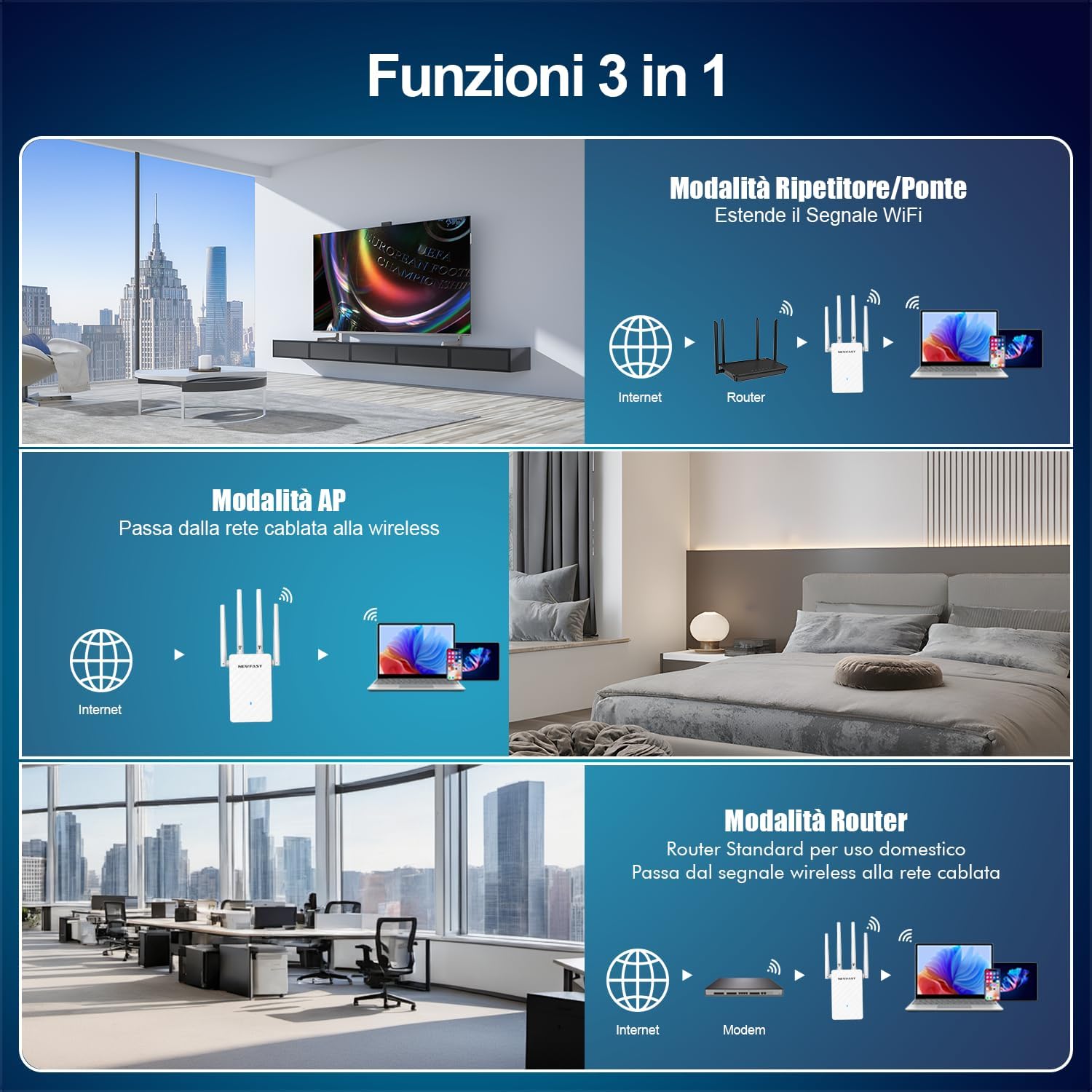
Image: Visual explanation of the three primary operating modes supported by the device.
6. Specifiche
| Caratteristica | Dettaglio |
|---|---|
| Marca | NUOVO VELOCE |
| Numero di modello | NF-RE516 |
| Colore | Bianco |
| Tipo senza fili | 802.11a/b/g/n |
| Velocità di trasferimento dati | 300 Megabit per second |
| Classe di banda di frequenza | Banda singola (2.4 GHz) |
| Caratteristica speciale | Ethernet interface for flexible use, One-click WPS setup, Four high-gain antennas with 180° directional rotation |
| Peso dell'articolo | 230 grammi |
| Dimensioni del pacco | Dimensioni: 20.7 x 9.8 x 6.7 cm |
7. Risoluzione Dei Problemi
- Segnale debole dopo l'installazione:
- Ensure the repeater is placed within the range of your main router's signal.
- Relocate the repeater to a position that is equidistant from the router and the desired coverage area, avoiding physical obstructions.
- Adjust the four external antennas for optimal signal reception and transmission.
- Impossibile accedere Web Pagina di gestione:
- Verify that your device is connected to the repeater's Wi-Fi network (default SSID).
- Assicurati di utilizzare l'indirizzo IP corretto (http://192.168.10.1) or domain name (waplogin.link).
- Svuota la cache e i cookie del browser oppure prova un browser diverso.
- If issues persist, perform a factory reset on the repeater by pressing the reset button for 5-10 seconds.
- La connessione si interrompe frequentemente:
- Verificare la presenza di interferenze da altri dispositivi elettronici.
- Update the firmware of your repeater (if available on the manufacturer's webposto).
- Ensure your main router's firmware is also up to date.

Image: Illustrates the strong signal penetration capability of the repeater, helping to overcome obstacles.
8. Garanzia e supporto
NEWFAST products come with a standard manufacturer's warranty. For specific warranty details, please refer to the warranty card included in your product packaging or visit the official NEWFAST websito.
If you encounter any issues or have questions regarding your NF-RE516 WiFi Repeater, please contact NEWFAST customer support through the contact information provided in your manual or on the official website. Our support team is ready to assist you.