
1. Introduzione
Thank you for choosing the ganopterygon TK09 Smart Watch. This device is a 1.85-inch HD fitness tracker designed for both men and women, offering features such as call answering and making, over 100 sports modes, sleep monitoring, heart rate monitoring, and IP68 waterproof rating. It is compatible with Android and iOS devices. This manual provides essential information for setting up, operating, and maintaining your smart watch.
2. Contenuto della confezione
Si prega di verificare che tutti gli articoli siano presenti nel pacco:
- ganopterygon TK09 Smart Watch
- Cavo di ricarica
- Manuale dell'utente (questo documento)
3. Prodotto finitoview
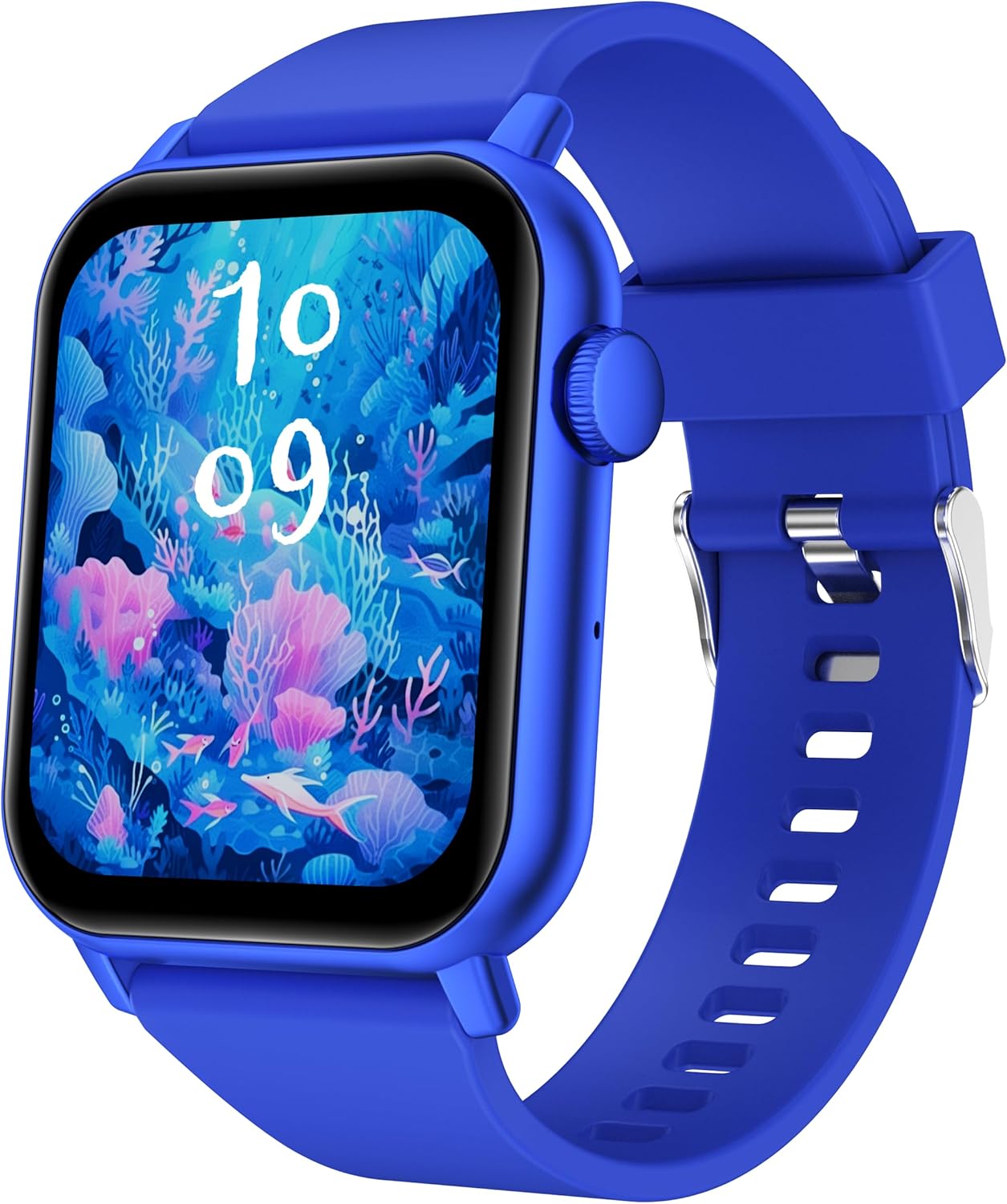
This image displays the ganopterygon TK09 Smart Watch. It features a rectangular screen with a vibrant digital watch face depicting an underwater scene with coral and fish. The watch has a blue silicone strap with a silver buckle. A circular button is visible on the right side of the watch casing.
The ganopterygon TK09 Smart Watch features a 1.85-inch HD display for clear visuals. It includes a side button for navigation and control. The watch is equipped with sensors on the back for health monitoring. The durable silicone strap ensures comfortable wear.
4. Impostazione
4.1 Ricarica del dispositivo
Before first use, fully charge your smart watch. Connect the magnetic charging cable to the charging contacts on the back of the watch and plug the USB end into a standard USB power adapter (not included) or a computer USB port. The watch display will indicate charging status.
4.2 Scaricare l'app complementare
To unlock all features, download the dedicated companion app on your smartphone. Scan the QR code provided in the quick start guide or search for the app name (usually found in the quick start guide or on the watch packaging) in the Apple App Store (for iOS) or Google Play Store (for Android).
4.3 Associazione con lo smartphone
- Assicurati che il tuo smartwatch sia carico e acceso.
- Abilita il Bluetooth sul tuo smartphone.
- Apri l'app complementare e segui le istruzioni sullo schermo per creare un account o effettuare l'accesso.
- In the app, navigate to the device pairing section and select your TK09 Smart Watch from the list of available devices.
- Conferma la richiesta di associazione sia sull'orologio che sullo smartphone.
5. Istruzioni per l'uso
5.1 Navigazione di base
- Schermo tattile: Scorri verso sinistra/destra, su/giù per navigare tra i menu e le funzioni. Tocca per selezionare.
- Pulsante laterale: Press to wake up the screen, return to the main watch face, or access the app menu. A long press may power on/off the device or activate a specific function.
5.2 Cambiare i quadranti dell'orologio
From the main watch face, long-press the screen to enter the watch face selection menu. Swipe left or right to browse available watch faces and tap to select your preferred one. More watch faces can be downloaded and customized via the companion app.
5.3 Notifiche
Once paired with your smartphone, the watch can display notifications for calls, messages, and various apps. Ensure notification permissions are enabled in both your phone's settings and the companion app.
6 Caratteristiche
6.1 Monitoraggio sanitario
- Monitoraggio della frequenza cardiaca: The watch continuously or periodically monitors your heart rate. View dati in tempo reale sull'orologio o tendenze dettagliate nell'app.
- Monitoraggio del sonno: Tracks your sleep patterns, including deep sleep, light sleep, and wake times. Access sleep analysis in the companion app.
6.2 modalità sportive
The TK09 Smart Watch supports over 100 sports modes. Navigate to the 'Sports' or 'Workout' section on your watch, select your activity, and start tracking. Data such as duration, calories burned, and heart rate will be recorded.
6.3 Funzionalità di chiamata
With its built-in microphone and speaker, the watch allows you to answer and make calls directly from your wrist when connected to your smartphone via Bluetooth. Ensure Bluetooth calling is enabled in the app settings.
6.4 Grado di impermeabilità IP68
The device is IP68 rated, meaning it is resistant to dust and can withstand immersion in water up to 1.5 meters for up to 30 minutes. It is suitable for daily use, hand washing, and light rain. Avoid hot water, steam, or prolonged immersion in deep water.
7. Manutenzione
- Pulizia: Pulisci regolarmente l'orologio e il cinturino con un panno morbido e asciutto. Se necessario, usa un panno leggermenteamp panno e sapone neutro, quindi risciacquare e asciugare accuratamente.
- Evitare i prodotti chimici: Non utilizzare prodotti chimici aggressivi, solventi o detergenti aggressivi, poiché potrebbero danneggiare la finitura e le guarnizioni dell'orologio.
- Cura della batteria: To prolong battery life, avoid extreme temperatures. Charge the watch regularly and do not let the battery completely drain for extended periods.
8. Risoluzione Dei Problemi
| Problema | Possibile soluzione |
|---|---|
| L'orologio non si accende | Ensure the watch is fully charged. Connect to the charger and wait a few minutes before attempting to power on again. |
| Impossibile associare allo smartphone | Check if Bluetooth is enabled on your phone. Ensure the watch is within range. Restart both the watch and your phone. Clear the app's cache or reinstall the app. |
| Dati sanitari imprecisi | Assicurati che l'orologio sia ben aderente al polso, né troppo stretto né troppo largo. Pulisci il sensore sul retro dell'orologio. Evita movimenti eccessivi durante le misurazioni. |
| Nessuna notifica ricevuta | Verify that notification permissions are granted for the companion app in your phone's settings. Check app settings to ensure specific app notifications are enabled. Ensure the watch is connected via Bluetooth. |
| La funzione di chiamata non funziona | Confirm that the watch is properly connected for Bluetooth calls (often a separate Bluetooth connection in phone settings). Check volume levels on both watch and phone. |
9. Specifiche
| Caratteristica | Dettaglio |
|---|---|
| Numero di modello | Modello TK09 |
| Dimensioni dello schermo | 1.85 pollici |
| Tipo di visualizzazione | HD |
| Sistema operativo | Android Wear 2.0 |
| Tecnologia di connettività | Bluetooth |
| Standard di comunicazione wireless | Bluetooth |
| Capacità di archiviazione della memoria | 128 MB |
| Dimensione della memoria RAM installata | 128 MB |
| Tipo di batteria | Polimeri di litio (batteria da 1 A inclusa) |
| Valutazione della resistenza all'acqua | Grado di protezione IP68 |
| Caratteristiche speciali | Activity Tracker, Heart Rate Monitoring, Sleep Monitoring, Call Functionality, 100+ Sports Modes |
| GPS | GPS tramite smartphone |
| Peso dell'articolo | 2.5 once |
| Dimensioni del pacco | 6.4 x 3.5 x 0.75 pollici |
10. Garanzia e supporto
For warranty information and customer support, please refer to the documentation included with your purchase or contact ganopterygon customer service through their official website or the contact information provided in the companion app. Please retain your proof of purchase for warranty claims.