
1. Introduzione
This manual provides detailed instructions for the setup, operation, and maintenance of your xinwld Air3 Pro Adaptive Hybrid Active Noise Canceling Wireless Earbuds. Please read this manual thoroughly before using the product to ensure optimal performance and longevity.

Image: xinwld Air3 Pro True Active Noise-Cancellation banner.
2. Contenuto della confezione
Verifica che tutti gli articoli elencati di seguito siano inclusi nel tuo pacchetto:
- 2 auricolari wireless
- 1 x Custodia di ricarica
- 1 cavo USB-C
- 1 x Manuale utente
- 2 x Eartips (S/L sizes)

Immagine: Diagramma che illustra il contenuto della confezione del prodotto.
3. Prodotto finitoview
The xinwld Air3 Pro earbuds feature an ergonomic design for comfortable wear and advanced audio technology.

Image: The xinwld Air3 Pro wireless earbuds housed within their charging case, showing the LED display.
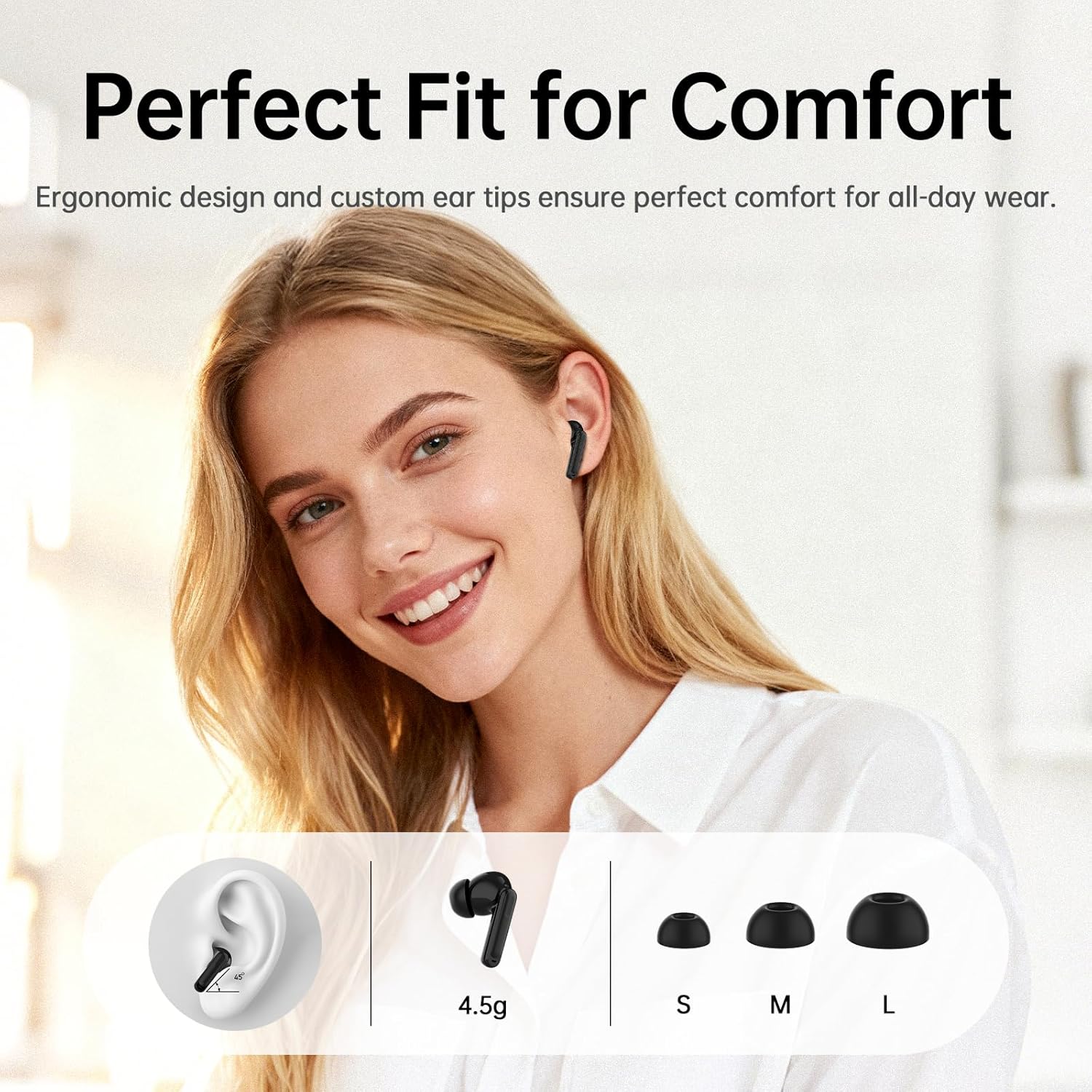
Image: Illustration of the ergonomic fit and various ear tip sizes for comfort.
4. Ricarica degli auricolari e della custodia
The charging case and earbuds are equipped with LED indicators to show battery status. Ensure both are fully charged before first use.
4.1 Ricarica degli auricolari
- Place the earbuds into the charging case. The LED indicators on the case will show charging status.
4.2 Ricarica della custodia
- Ricarica USB-C: Collegare il cavo USB-C in dotazione alla porta di ricarica sulla custodia e a una fonte di alimentazione.
- Ricarica wireless: Posizionare la custodia di ricarica su un tappetino di ricarica wireless compatibile.
A 10-minute charge provides approximately 2 hours of use. The total playtime with the charging case is up to 40 hours.

Image: Battery life and charging options for the earbuds and case.

Image: Illustration of wireless and Type-C charging methods for the case.
5. Configurazione e associazione
5.1 Abbinamento iniziale
- Aprire la custodia di ricarica. Gli auricolari entreranno automaticamente in modalità di associazione.
- Sul tuo dispositivo (smartphone, tablet, laptop), attiva il Bluetooth.
- Cercare "Air3 Pro" in the list of available Bluetooth devices and select it to connect.
- Una volta effettuata la connessione, un messaggio vocale confermerà l'avvenuta associazione.
5.2 Connettività multi-dispositivo
The earbuds support simultaneous connection to two devices (e.g., phone and laptop). To activate this feature:
- Assicurati che gli auricolari siano collegati al primo dispositivo.
- Open the companion app (see Section 6.3) and navigate to "Settings."
- Toggle on the "Cercare Second Device" switch.
- Connect to the earbuds from your second device's Bluetooth settings.

Image: Representation of Bluetooth 5.4 technology for stable and efficient connections.

Image: Illustration of multipoint connection, allowing seamless switching between two devices.
6. Istruzioni per l'uso
6.1 Comandi touch
The earbuds feature touch-sensitive controls. The functions can be customized via the companion app.
- Riproduzione musicale:
- Play/Pause: Tap 1x
- Previous Song: Tap Left earbud 2x
- Next Song: Tap Right earbud 2x
- Gestione delle chiamate:
- Answer Call: Tap 1x
- Hang Up: Tap and hold 2 seconds
- Reject Call: Tap and hold 2 seconds
- Altre funzioni:
- Voice Assistant: Tap Right earbud 3x
- Gaming mode/Music mode: Tap Left earbud 3x
- ANC/Transparency mode switching: Tap and hold 2 seconds

Image: Visual guide to the touch controls for various functions.
6.2 Active Noise Canceling (ANC) and Transparency Mode
The Air3 Pro earbuds feature Hybrid Dual-Feed Noise Canceling technology to reduce ambient noise and a Transparency Mode to allow environmental sounds.
- Modalità ANC: Reduces external noise by up to -45dB, creating a quieter listening environment.
- Modalità trasparenza: Allows you to hear your surroundings while still listening to audio.
- Modalità di commutazione: Tap and hold the earbud for 2 seconds to cycle between ANC, Normal, and Transparency modes.
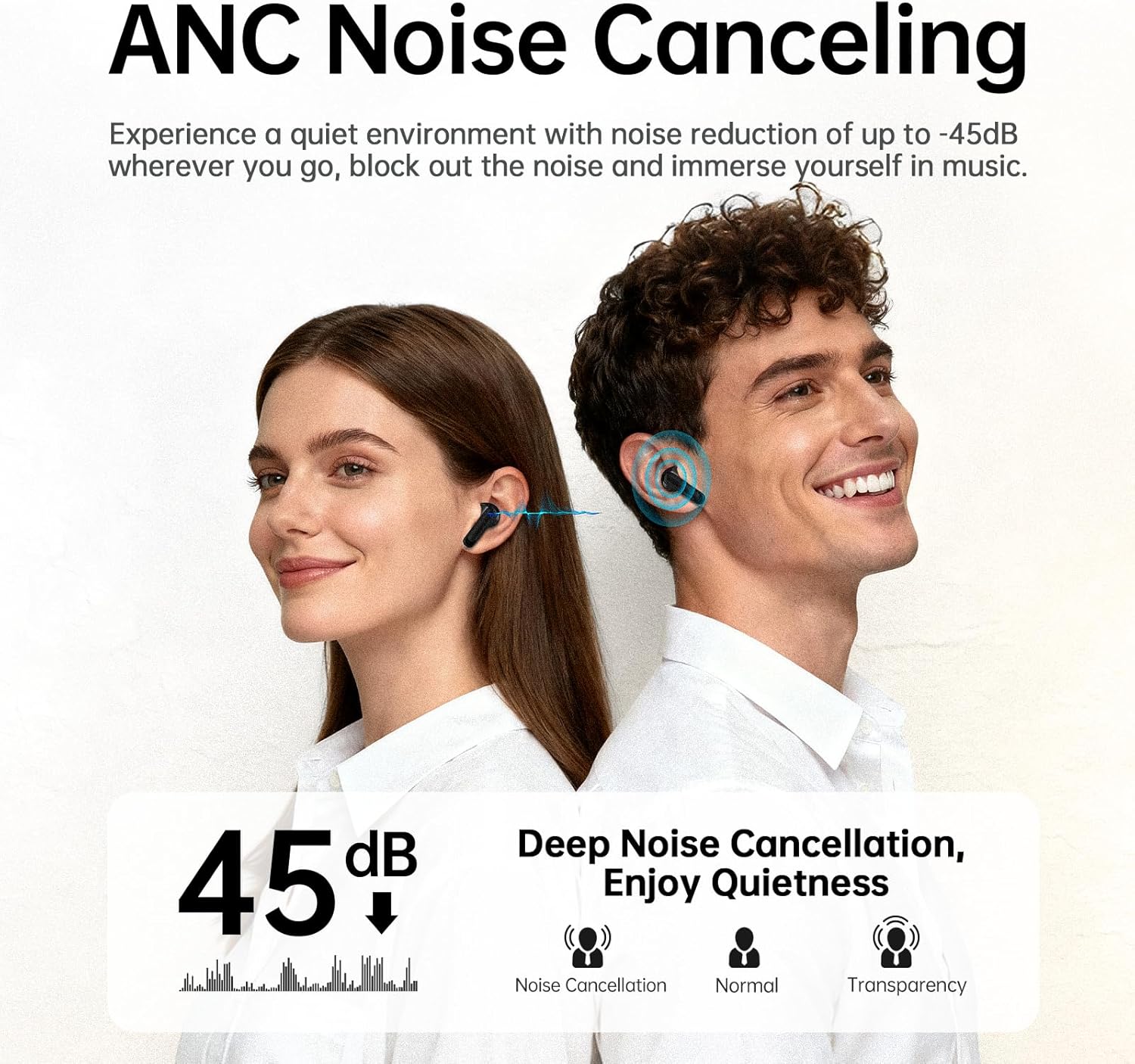
Image: Explanation of ANC noise reduction capabilities and available modes.

Image: Detailed diagram of the hybrid active noise cancellation technology.

Image: Visual representation of Transparency Mode in use.
6.3 Companion App Integration
The xinwld companion app enhances your earbud experience with additional features:
- Ambient Sound Switching: Easily switch between ANC, Normal, and Transparency modes.
- Trova i miei auricolari: Locate misplaced earbuds using a ringing feature or map.
- Personalizzazione: Tailor your listening experience with 8 preset EQ modes or create custom settings.
- Touch Control Adjustment: Customize touch control functions to your preference.

Image: The Smart Life App interface on a smartphone, demonstrating customization options.

Immagine: Oltreview of features available through the Smart Life App.
6.4 Qualità della chiamata
Each earbud is equipped with three AI microphones, totaling six, which work with advanced AI noise-cancellation algorithms to filter out background noise for clear conversations.
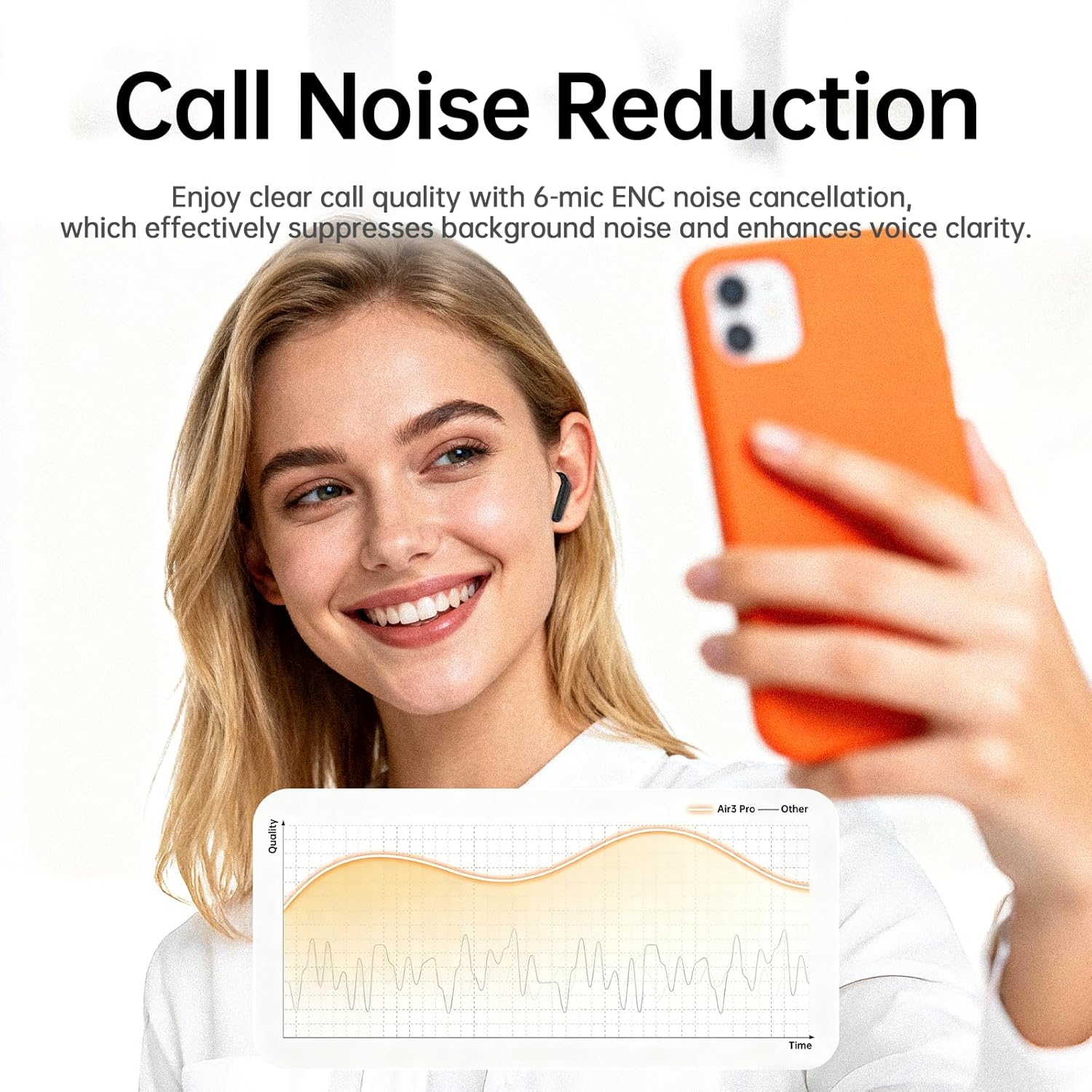
Image: Representation of enhanced call quality with noise reduction.

Image: Illustration of clear call performance in noisy environments using 6-mic ENC technology.
6.5 Qualità audio
The Air3 Pro earbuds feature an 11mm dynamic driver for professionally tuned acoustic performance, delivering deep bass and clear highs. They are compatible with SBC and AAC audio codecs.

Image: Internal structure of the earbud, emphasizing the audio driver and ANC components.

Image: Visual representation of immersive Hi-Fi stereo sound experience.
7. Manutenzione
7.1 Pulizia
- Pulisci regolarmente gli auricolari e la custodia di ricarica con un panno morbido, asciutto e privo di lanugine.
- Rimuovere i gommini auricolari e pulirli con acqua e sapone neutro, quindi asciugarli accuratamente prima di riapplicarli.
- Assicurarsi che i contatti di ricarica degli auricolari e della custodia siano privi di detriti.
7.2 Resistenza all'acqua
The earbuds are IP7 waterproof, providing protection against heavy rain and splashing water. They are not designed for submersion.

Immagine: auricolari con certificazione di resistenza all'acqua IPX7.
7.3 Conservazione
- Conserva gli auricolari nella custodia di ricarica quando non vengono utilizzati per proteggerli e mantenerli carichi.
- Evitare temperature estreme e luce solare diretta.
8. Risoluzione Dei Problemi
| Problema | Possibile causa | Soluzione |
|---|---|---|
| Gli auricolari non si accoppiano | Earbuds not in pairing mode; Bluetooth off on device; out of range. | Ensure case is open and earbuds are in; turn device Bluetooth on/off; move closer to device. |
| Nessun suono | Volume troppo basso; auricolari non collegati; riproduzione multimediale in pausa. | Increase device volume; re-pair earbuds; check media playback. |
| Scarsa qualità delle chiamate | Rumore ambientale; microfono ostruito. | Move to a quieter area; ensure microphones are clear. |
| Gli auricolari non si caricano | Contatti di carica sporchi; cavo difettoso; batteria della custodia scarica. | Clean charging contacts; try a different cable/power source; charge the case. |
| L'app non si connette | Bluetooth not connected; app outdated. | Ensure earbuds are paired; update the app to the latest version. |
Se riscontri problemi non elencati qui, consulta la sezione di supporto o contatta il servizio clienti.
9. Specifiche
- Nome modello: Air3Pro
- Marca: xinwd
- Tecnologia di connettività: Senza fili
- Tecnologia di comunicazione wireless: Bluetooth 5.4
- Posizionamento dell'orecchio: Nell'orecchio
- Fattore di forma: Nell'orecchio
- Tipo di controllo: Controllo touch
- Caratteristiche speciali: ANC Noise Cancellation, Waterproof (IP7), Touch Control, Bluetooth 5.4
- Materiale: Plastica
- Peso dell'articolo: 3.84 once
- Batterie: Sono necessarie batterie da 2 A (incluse)
- Produttore: xinwd
10. Garanzia e supporto
Per informazioni sulla garanzia e sull'assistenza clienti, fare riferimento alla documentazione inclusa con l'acquisto o visitare il sito ufficiale xinwld websito. Conservare la prova d'acquisto per eventuali reclami in garanzia.
Informazioni sui contatti: Please refer to the contact details provided on the product packaging or the official xinwld websito per richieste di supporto.