
Introduzione
Thank you for choosing the Devoko Electric Height Adjustable Desk. This desk is designed to provide a versatile and ergonomic workspace, allowing you to switch between sitting and standing positions effortlessly. This manual provides essential information for the safe assembly, operation, and maintenance of your new desk. Please read it thoroughly before use and retain it for future reference.
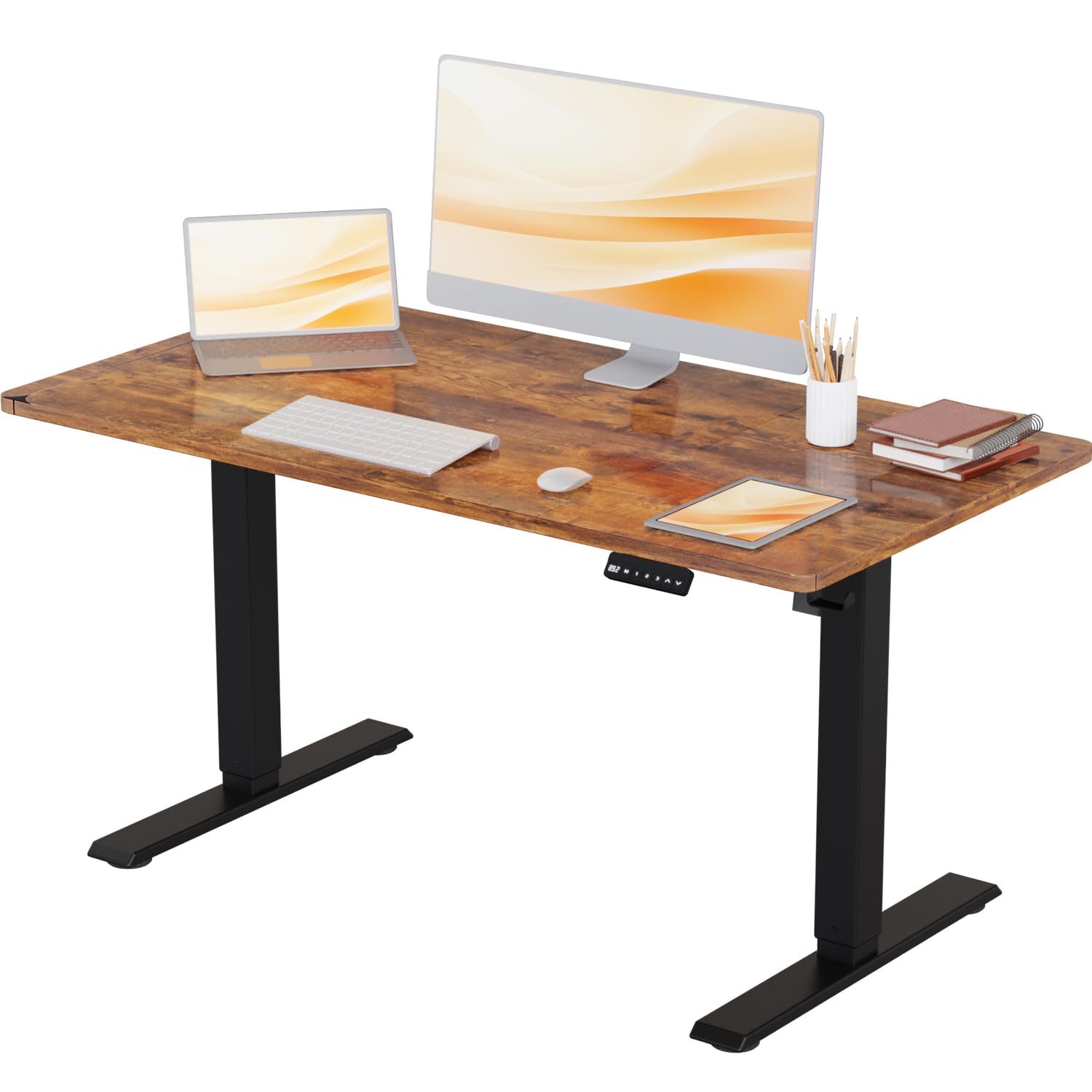
Image: The Devoko Electric Height Adjustable Desk in a typical office environment, showcasinil suo design e la sua funzionalità.
Istruzioni di sicurezza
- Assicurarsi che tutti i componenti siano presenti e integri prima del montaggio. Non utilizzare se qualche componente risulta mancante o rotto.
- Per evitare lesioni, tenere bambini e animali domestici lontani dalla scrivania durante il funzionamento.
- Do not overload the desk. The maximum weight capacity is 80 kg (176 lbs).
- Ensure there are no obstructions in the desk's path during height adjustment to avoid damage or injury. The desk features anti-collision technology to help prevent this.
- Utilizzare solo l'alimentatore fornito.
- Do not disassemble or modify the desk's electrical components. Contact customer support for repairs.
- Tenere i liquidi lontano dai componenti elettrici.
Contenuto della confezione
Verifica che tutti i seguenti componenti siano inclusi nel pacchetto:
- Scrivania (1 pezzo)
- Leg Columns (2 pieces)
- Piedini (2 pezzi)
- Pannello di controllo (1 pezzo)
- Adattatore di alimentazione e cavo (1 set)
- Cable Management Tray/Hooks (1 set)
- Hardware Kit (screws, Allen keys, etc.)
- Manuale di istruzioni (questo documento)
Installazione (assemblaggio)
Assembly of the Devoko Electric Height Adjustable Desk is designed to be straightforward, typically taking less than 30 minutes with the provided clear instructions and pre-drilled holes.
- Disimballare i componenti: Estrarre con cautela tutti i componenti dall'imballaggio e disporli su una superficie pulita e morbida per evitare graffi.
- Attach Feet to Leg Columns: Secure the feet to the bottom of each leg column using the provided screws.
- Montare il telaio: Connect the leg columns to the crossbar/frame components. Ensure all connections are tight.
- Allega Desktop: Carefully place the desktop upside down on a soft surface. Position the assembled frame onto the desktop, aligning the pre-drilled holes. Secure the frame to the desktop using the provided screws.
- Installa il Pannello di controllo: Mount the control panel to the underside of the desktop in the desired location using the small screws.
- Collegare i cavi: Connect the motor cables from the leg columns to the control box, and then connect the control panel cable to the control box. Finally, connect the power adapter to the control box.
- Gestione dei cavi: Use the included cable management accessories (e.g., hooks) to organize and secure cables neatly.
- Accensione iniziale: Carefully flip the desk upright. Plug the power adapter into a wall outlet.

Image: This illustration highlights the desk's robust stability, its anti-collision technology for safety, and a convenient hook for headphones or bags.
Istruzioni per l'uso
Your Devoko Electric Height Adjustable Desk offers easy and quiet height adjustments with memory presets.
Funzioni del pannello di controllo:

Immagine: Un dettaglio view of the control panel, featuring an LED display, three memory preset buttons, and up/down adjustment arrows.
- Frecce su/giù (▲ / ▼): Press and hold these buttons to manually adjust the desk height. Release to stop at your desired position.
- Preimpostazioni di memoria (1, 2, 3): Your desk has three programmable memory settings.
- Regolare la scrivania all'altezza desiderata utilizzando le frecce su/giù.
- Premere il pulsante 'M'. Il display mostrerà 'S-'.
- Within 3 seconds, press the desired memory button (1, 2, or 3). The display will show 'S-1', 'S-2', or 'S-3' to confirm the setting is saved.
- To recall a saved height, simply press the corresponding memory button (1, 2, or 3). The desk will automatically move to that height.
- Funzione anticollisione: La scrivania è dotata di un sistema anticollisione. Se incontra un ostacolo durante la regolazione, si ferma e inverte leggermente la direzione per evitare danni.
Height Range and Noise Level:
The desk offers a height adjustment range from 71 cm to 119 cm. The lifting mechanism operates quietly, typically below 50 decibels, ensuring a peaceful work environment.

Image: This image illustrates the ergonomic benefits, showing users comfortably working at both the minimum (71 cm) and maximum (108 cm) adjustable heights.
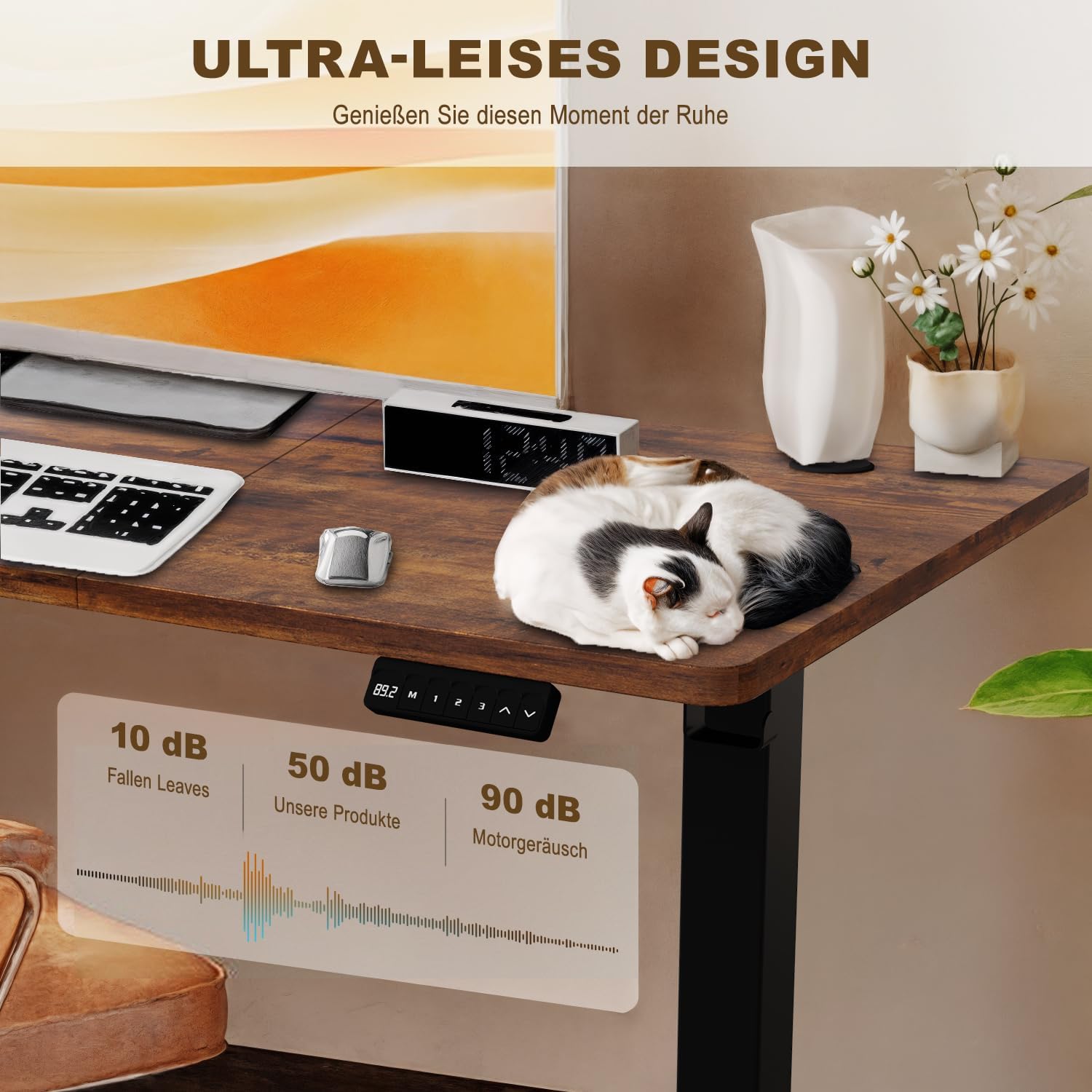
Image: A visual representation of the desk's ultra-quiet operation, indicating a noise level of approximately 50 dB, significantly lower than typical motor noise.
Manutenzione
- Pulizia: Pulisci il desktop e la cornice con un panno morbido eamp panno. Evitare prodotti chimici aggressivi o detergenti abrasivi.
- Gestione dei cavi: Controllare periodicamente che tutti i cavi siano collegati saldamente e non siano schiacciati o aggrovigliati.
- Elementi di fissaggio: Occasionally check and tighten any loose screws or bolts to ensure stability.
- Cura del motore: The electric motor is maintenance-free. Do not attempt to lubricate or open it.
Risoluzione dei problemi
| Problema | Possibile causa | Soluzione |
|---|---|---|
| La scrivania non si muove. | Cavo di alimentazione scollegato; sovraccarico; errore motore. | Controllare il collegamento elettrico. Ridurre il peso sulla scrivania. Scollegare per 10 secondi, quindi ricollegare per ripristinare. |
| La scrivania si muove in modo irregolare. | Distribuzione non uniforme del peso; Collegamenti allentati. | Distribuire il peso in modo uniforme. Controllare e serrare tutte le viti di montaggio. |
| Il display mostra un codice di errore (ad esempio, E01, E02). | Specific motor or sensor error. | Refer to the full manual for specific error codes or contact customer support. Often, a power cycle (unplug, wait 10s, plug in) can resolve temporary errors. |
| Anti-collision feature is too sensitive/not sensitive enough. | Sensor sensitivity setting. | Consult the full manual for instructions on adjusting anti-collision sensitivity, if available. |
Specifiche
- Modello: Devoko Electric Height Adjustable Desk
- Dimensioni del desktop: 110 cm (lunghezza) x 60 cm (larghezza)
- Intervallo di regolazione dell'altezza: 71 centimetri - 119 centimetri
- Capacità di peso massima: 80 kg (176 libbre)
- Materiale: Steel frame, Wood desktop
- Livello di rumore: < 50 dB
- Caratteristiche speciali: Electric height adjustment, 3 memory presets, Anti-collision technology, Headphone/bag hooks

Image: A clear diagram illustrating the desk's key dimensions, including desktop size (110x60 cm), height range (71-119 cm), and maximum load capacity (80 kg).
Informazioni sulla garanzia
Devoko products are manufactured to high-quality standards. For specific warranty details, including coverage period and terms, please refer to the warranty card included with your purchase or visit the official Devoko websito. Conservare la prova d'acquisto per eventuali reclami in garanzia.
Assistenza clienti
If you have any questions, require assistance with assembly, or encounter any issues not covered in this manual, please do not hesitate to contact Devoko customer support. Our team is available to help you.
Informazioni sui contatti:
- Websito: Visita il negozio Devoko su Amazon
- E-mail: [Please refer to your product packaging or warranty card for specific email address]
- Telefono: [Please refer to your product packaging or warranty card for specific phone number]