
1. Introduzione
Thank you for choosing the Nakamichi TW016 Wireless Earphones. This manual provides essential information for the proper use and maintenance of your device. Please read it thoroughly before use and keep it for future reference.
2. Contenuto della confezione
Assicurarsi che tutti gli articoli siano presenti nel pacco:
- Nakamichi TW016 Wireless Earphones (Left and Right)
- Custodia di ricarica
- Cavo di ricarica USB
- Manuale d'uso
3. Prodotto finitoview
The Nakamichi TW016 earphones are designed for comfort and high-quality audio. Each earbud weighs approximately 3g, providing a lightweight and secure fit for extended listening. The compact charging case allows for easy portability.

Image: Nakamichi TW016 Wireless Earphones and Charging Case. This image displays the white earbuds and their charging case, highlighting key features such as Bluetooth 5.4, 13mm dynamic drivers, clear calls, game mode, and 20-hour playback.
Caratteristiche principali:
- Tecnologia Bluetooth 5.4: Ensures stable and efficient wireless connection with improved data transfer speed and reduced latency.
- Driver dinamici da 13 mm: Deliver balanced audio with deep bass and clear mid-high tones, supporting AAC codec for enhanced sound quality.
- Chiamate chiare in vivavoce: Built-in microphones in both earbuds provide clear voice transmission by suppressing ambient noise.
- Modalità di gioco: Reduces audio-visual latency for a more immersive gaming experience.
- Riproduzione estesa: Up to 5 hours of listening on a single charge, with a total of 20 hours using the charging case.
- Design compatto e leggero: Each earbud weighs approximately 3g, and the charging case is small enough to fit in a pocket.
4. Impostazione
4.1 Utilizzo iniziale e ricarica
Before first use, or if the earphones are new, please follow these steps:
- Rimuovere la pellicola protettiva dai contatti di ricarica di entrambi gli auricolari.
- Rimetti entrambi gli auricolari nella custodia di ricarica.
- Connect the charging case to a power source using the provided USB cable to fully charge the earphones and case.

Image: Earbuds with protective film being removed. This image illustrates the process of removing the protective film from the earbud charging contacts, which is necessary before initial use or charging.
4.2 Associazione con un dispositivo
To pair your Nakamichi TW016 earphones with a Bluetooth-enabled device:
- Assicurarsi che gli auricolari siano carichi.
- Apri la custodia di ricarica ed estrai entrambi gli auricolari. Entreranno automaticamente in modalità di associazione.
- Sul tuo dispositivo (smartphone, tablet, PC), vai alle impostazioni Bluetooth.
- Cercare available devices and select "Nakamichi TW016" from the list.
- Una volta effettuata la connessione, sentirai un tono di conferma e gli auricolari saranno pronti per l'uso.
5. Istruzioni per l'uso
The Nakamichi TW016 earphones feature touch controls on each earbud. The following table outlines the various functions:
| Categoria di funzione | Azione | Controllare |
|---|---|---|
| Riproduzione musicale | Riproduci/Pausa | Tocca 2 volte l'auricolare sinistro/destro |
| Traccia precedente | Long press L/R earbud for 2 seconds | |
| Traccia successiva | Long press L/R earbud for 2 seconds | |
| Gestione delle chiamate | Rispondi alla chiamata | Tocca l'auricolare L/R 1 volta |
| Termina chiamata | Tocca l'auricolare L/R 1 volta | |
| Rifiuta chiamata | Tocca 2 volte l'auricolare sinistro/destro | |
| Controllo del volume | Alza il volume | Tap R earbud 1 time |
| Abbassa il volume | Tap L earbud 1 time | |
| Modes & Assistant | Attiva/disattiva modalità gioco/modalità musica | Tocca 4 volte l'auricolare sinistro/destro |
| Attiva l'Assistente Vocale | Tocca 3 volte l'auricolare sinistro/destro |
5.1 Modalità di gioco
The Game Mode significantly reduces audio-visual latency, providing a more synchronized and immersive experience for gaming. To activate or deactivate Game Mode, tap either earbud four times.

Image: Smartphone displaying a game with Nakamichi TW016 earbuds and case. This image demonstrates the use of the earphones during a gaming session, highlighting the Game Mode feature.
6. Ricarica
The Nakamichi TW016 earphones offer up to 20 hours of total playback time with the charging case.
6.1 Ricarica degli auricolari
Place the earbuds into the charging case. They will automatically begin charging. The indicator lights on the case will show the charging status.
6.2 Ricarica della custodia
Connect the charging case to a USB power adapter (DC 5V/0.2A input) using the provided USB cable. The indicator lights will show the charging progress. A full charge of the case provides multiple charges for the earbuds.
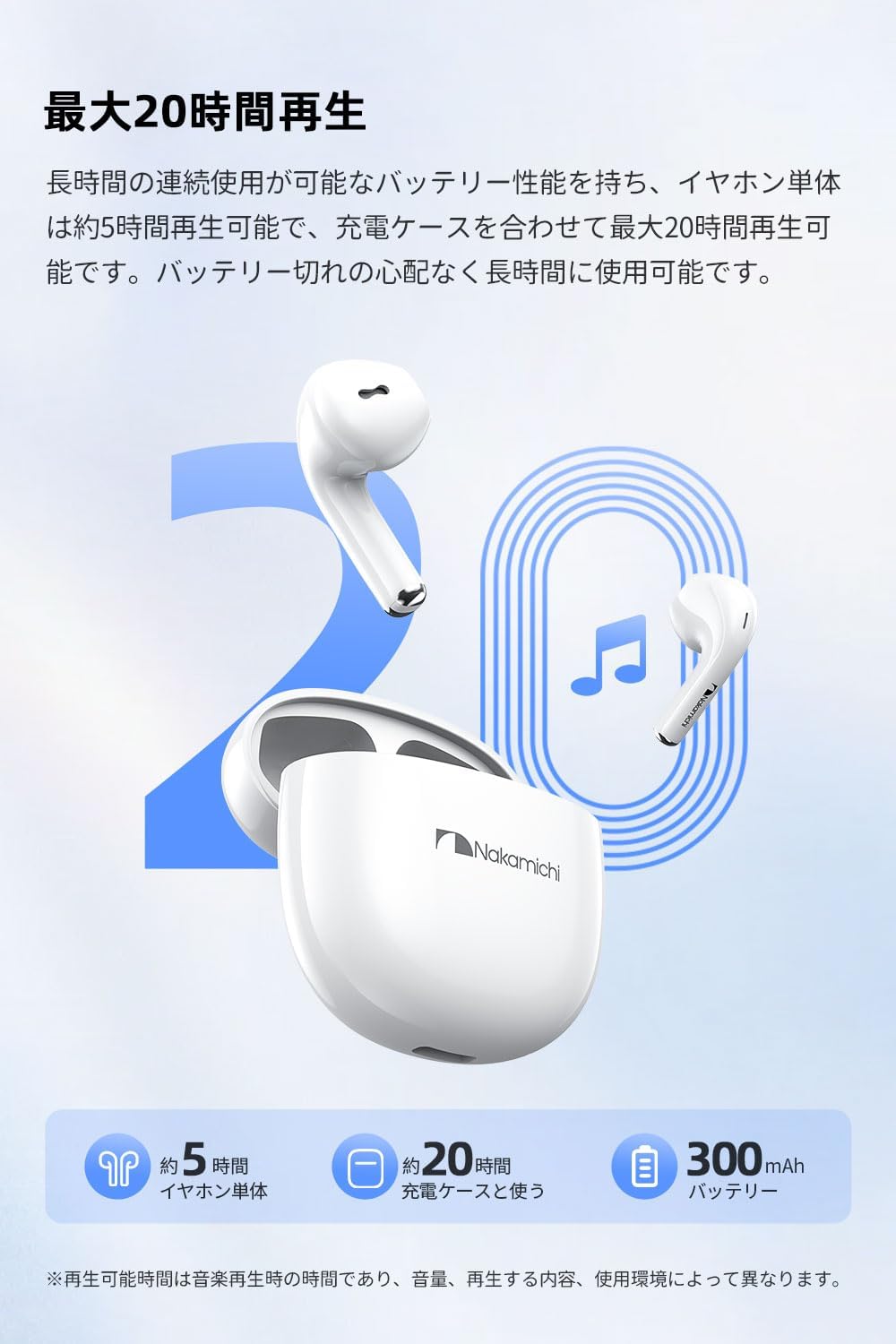
Image: Nakamichi TW016 Earbuds and Charging Case with 20-hour playback graphic. This image visually represents the extended battery life of the earphones and charging case, indicating approximately 5 hours for earbuds and 20 hours total with the case.
7. Specifiche
| Caratteristica | Specificazione |
|---|---|
| Numero di modello | TW016 |
| Versione Bluetooth | 5.4 |
| Dimensioni del conducente | Driver dinamico da 13 mm |
| Risposta in frequenza | 20 Hz - 20 kHz |
| Sensibilità | 117 dB |
| Impedenza | 32 Ohm |
| Peso degli auricolari (ciascuno) | Circa 3 g |
| Total Weight (earbuds + case) | 40g |
| Durata della batteria degli auricolari | Circa 5 ore |
| Tempo di riproduzione totale (con custodia) | Circa 20 ore |
| Ingresso custodia di ricarica | CC 5V/0.2A |
| Uscita custodia di ricarica | CC 5V/300mA |
| Tipo di controllo | Controllo touch |
| Dispositivi compatibili | Console di gioco, tablet, PC desktop, laptop, telefoni cellulari |
8. Manutenzione
Proper maintenance ensures the longevity of your earphones:
- Pulizia: Utilizzare un panno morbido e asciutto per pulire gli auricolari e la custodia di ricarica. Non utilizzare prodotti chimici aggressivi o materiali abrasivi.
- Contatti di ricarica: Per garantire una ricarica corretta, pulire periodicamente i contatti di ricarica su entrambi gli auricolari e all'interno della custodia con un batuffolo di cotone asciutto.
- Magazzinaggio: Quando non li usi, riponili nella loro custodia di ricarica per proteggerli da polvere e danni. Conservali in un luogo fresco e asciutto.
- Evitare l'acqua: These earphones are not waterproof. Avoid exposure to water, moisture, or extreme temperatures.
9. Risoluzione Dei Problemi
In caso di problemi, fare riferimento alle seguenti soluzioni comuni:
- Nessun problema di audio/connessione:
- Assicurati che entrambi gli auricolari siano carichi.
- Assicurati che il Bluetooth sia abilitato sul tuo dispositivo.
- Prova a disaccoppiare e riassociare gli auricolari al tuo dispositivo.
- Assicurati che gli auricolari si trovino nel raggio d'azione del Bluetooth del tuo dispositivo.
- Gli auricolari non si caricano:
- Check if the protective film has been removed from the earbud charging contacts.
- Assicurarsi che la custodia di ricarica sia carica.
- Pulisci i contatti di ricarica sia sugli auricolari che sulla custodia.
- Microphone Not Working Clearly:
- Assicurarsi che il microfono non sia ostruito.
- Check your device's audio input settings to ensure the earphones are selected.
- Prova a spostarti in un ambiente più tranquillo.
- I comandi touch non rispondono:
- Assicurati che le tue dita siano pulite e asciutte.
- Restart the earphones by placing them back in the case and taking them out again.
10. Garanzia e supporto
Nakamichi products are designed and manufactured to the highest quality standards. For warranty information and customer support, please refer to the warranty card included in your package or visit the official Nakamichi websito. Conservare la prova d'acquisto per eventuali reclami in garanzia.
For further assistance, please contact Nakamichi customer service through the contact information provided on our official websito o nella documentazione del prodotto.