
Introduzione
Thank you for choosing the NEWFAST AC1200 WiFi Repeater. This device is designed to extend the coverage of your existing wireless network, eliminating Wi-Fi dead zones and providing a stronger, more reliable connection throughout your home or office. Please read this manual carefully before using the device to ensure proper installation and operation.
Contenuto della confezione
Verifica che tutti gli articoli siano presenti nel tuo pacco:
- 1 x ripetitore WiFi NEWFAST AC1200
- 1 x Manuale utente
- 1 cavo Ethernet RJ-45
Prodotto finitoview
Familiarize yourself with the physical components of your NEWFAST AC1200 WiFi Repeater.
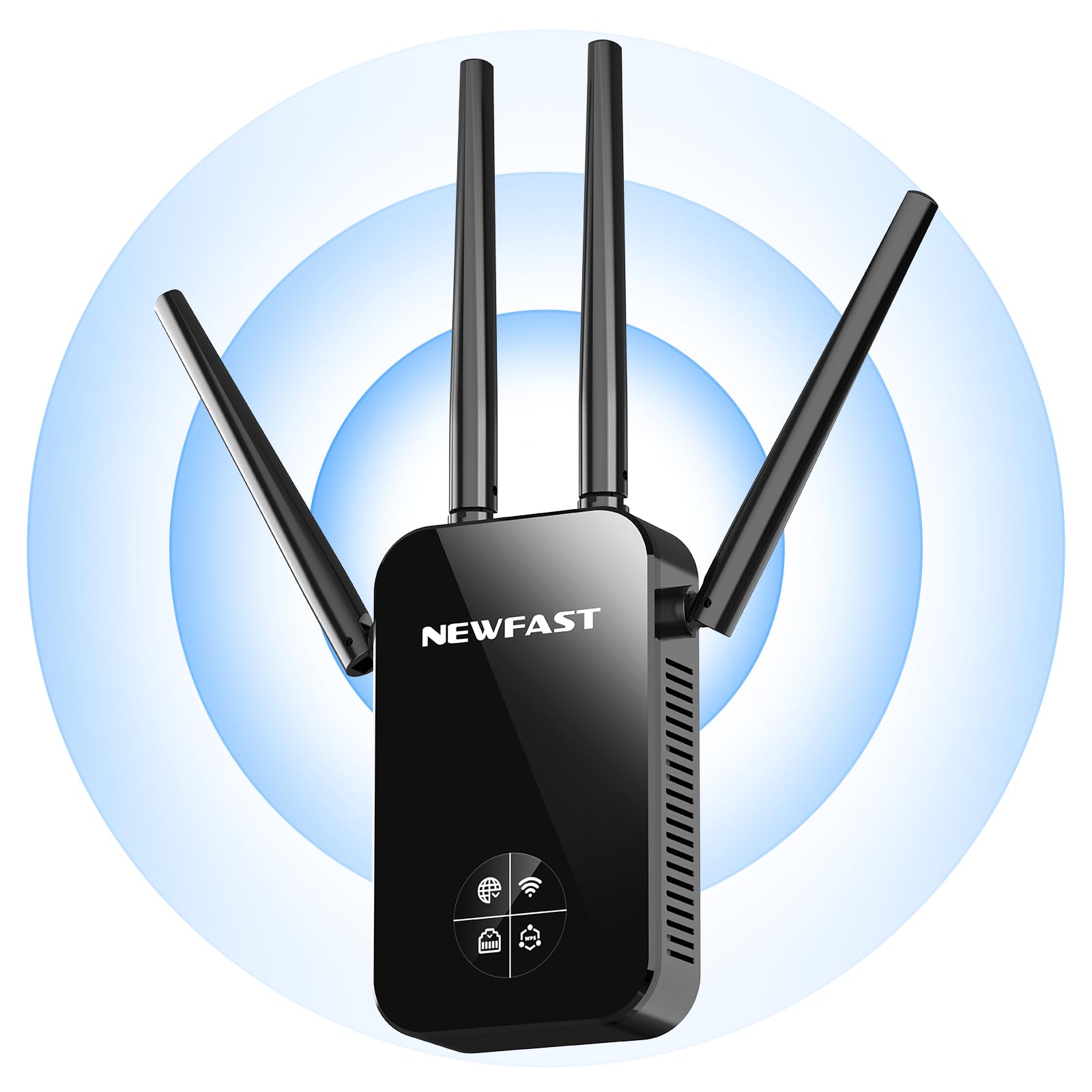
Davanti view of the NEWFAST AC1200 WiFi Repeater, showing its compact design and indicator lights.
The device typically features indicator LEDs for power, Wi-Fi signal strength, and connection status. It also includes an Ethernet port for wired connections and a WPS button for quick setup.
Impostare
Follow these steps for initial setup of your NEWFAST AC1200 WiFi Repeater:
- Accensione: Plug the repeater into an electrical outlet near your existing router. Wait for the power indicator light to turn on.
- Connetti al ripetitore: On your computer or mobile device, connect to the repeater's default Wi-Fi network (e.g., "NEWFAST_Repeater" or similar, usually found on a label on the device). No password is required for the initial connection.
- Accedi alla pagina di configurazione: Aprire un web browser e immettere l'indirizzo IP predefinito (ad esempio, 192.168.10.1) oppure web address (e.g., repeater.net) provided in the device's label or quick start guide.
- Login: Inserisci il nome utente e la password predefiniti (ad esempio, admin/admin).
- Seleziona modalità: Choose the desired operating mode (Repeater Mode or Access Point Mode).
- Configura rete:
- Modalità ripetitore: Select your existing Wi-Fi network from the list, enter its password, and choose whether to keep the same SSID or create a new one for the extended network.
- Modalità punto di accesso: Connect the repeater to your router via an Ethernet cable. Configure a new Wi-Fi network name (SSID) and password for the repeater.
- Applica impostazioni: Save the settings and wait for the repeater to restart. The indicator lights will show the connection status.
Alternatively, you can use the WPS (Wi-Fi Protected Setup) button for a quicker setup if your router supports it. Press the WPS button on your router, then within two minutes, press the WPS button on the repeater. The devices will automatically connect.
Modalità operative
The NEWFAST AC1200 WiFi Repeater supports multiple operating modes:
- Modalità ripetitore (estensore di portata): This is the primary mode, extending the range of your existing Wi-Fi network. The repeater connects wirelessly to your router and re-broadcasts the signal.
- Modalità punto di accesso (AP): In this mode, the repeater connects to your router via an Ethernet cable and creates a new wireless network. This is useful for adding Wi-Fi capability to a wired network or creating a separate Wi-Fi network.
Istruzioni per l'uso
Once set up, the repeater operates automatically. To ensure optimal performance:
- Posizionamento: Position the repeater halfway between your router and the area with poor Wi-Fi coverage. Ensure it receives a good signal from the router.
- Connessione: Connect your wireless devices (smartphones, tablets, laptops) to the extended Wi-Fi network created by the repeater.
- Dispositivi cablati: If in Repeater Mode, you can connect a wired device (e.g., a desktop computer or gaming console) to the repeater's Ethernet port for a stable connection.
Manutenzione
To maintain the performance and longevity of your device:
- Pulizia: Pulire delicatamente il dispositivo con un panno asciutto e morbido. Non utilizzare detergenti liquidi o spray.
- Aggiornamenti del firmware: Controllare periodicamente le istruzioni del produttore webSito per gli aggiornamenti del firmware. L'aggiornamento del firmware può migliorare le prestazioni, aggiungere nuove funzionalità e correggere bug. Seguire attentamente le istruzioni fornite con l'aggiornamento del firmware.
- Riavvio: Se riscontri problemi di rete, prova a riavviare il ripetitore scollegandolo dalla presa di corrente per 10 secondi e poi ricollegandolo.
Risoluzione dei problemi
If you encounter problems with your NEWFAST AC1200 WiFi Repeater, refer to the following common issues and solutions:
- Nessun potere: Ensure the repeater is securely plugged into a working electrical outlet. Check the power indicator light.
- Impossibile accedere alla pagina di configurazione: Verify that your device is connected to the repeater's Wi-Fi network. Try clearing your browser's cache or using a different browser. Ensure you are using the correct IP address or web indirizzo.
- Scarsa potenza del segnale: Relocate the repeater closer to your main router. Ensure there are no major obstructions (thick walls, metal objects) between the router and the repeater.
- Nessun accesso ad internet: Check if your main router has internet access. Ensure the repeater is correctly configured and connected to your router's Wi-Fi network with the correct password.
- Errore di configurazione WPS: Ensure your router supports WPS and that you are pressing the buttons within the specified time frame. If it continues to fail, try manual setup via the web interfaccia.
- Password dimenticata: If you forget the repeater's login password or Wi-Fi password, you may need to perform a factory reset. Locate the reset button (usually a small pinhole) on the device, press and hold it for 5-10 seconds until the lights flash, then release. This will restore the device to its factory default settings.
Specifiche
Key technical specifications for the NEWFAST AC1200 WiFi Repeater:
| Marca | NUOVO VELOCE |
| Produttore | NUOVO VELOCE |
| Dimensioni del prodotto | 8.6 x 4.5 x 19.7 cm; 120 g |
| Dispositivi compatibili | Internet Box, Computer, Access Point, Router |
| Caratteristiche speciali | 360 degrees, 1-touch setup, 1-click setup, MU-MIMO, Access Point Mode, LCD Display |
| Componenti inclusi | 1 RJ-45 Ethernet Cable, 1 User Manual, 1 AC1200 WiFi Repeater |
| Numero di prodotti | 1 |
| Batterie richieste | NO |
| Velocità di trasferimento dati | 1200 Megabit al secondo |
| Tipo di connessione wireless | 802.11a/b/g/n/ac |
| Frequenza | 5.8 GHz |
| Peso del prodotto | 120 grammi |
| Standard di comunicazione wireless | 802.11a/b/g/n/ac |
| Classe di banda di frequenza | Doppia banda |
| Colore | Nero |
Garanzia e supporto
This NEWFAST AC1200 WiFi Repeater comes with a standard manufacturer's warranty. Please refer to the warranty card included in your package or visit the official NEWFAST websito per termini e condizioni di garanzia dettagliati.
For technical support, troubleshooting assistance, or to inquire about product information, please contact NEWFAST customer service through their official websito o le informazioni di contatto fornite nella documentazione del prodotto.