
Introduzione
The ALECK Snow Series Core speakers are designed to provide high-quality audio and communication for ski and snowboard helmets. These universal wireless Bluetooth speakers offer premium sound, glove-friendly controls, and a built-in microphone for hands-free calls, enhancing your mountain experience while keeping you connected.
Cosa c'è nella scatola

Image: Contents of the ALECK Snow Series Core package.
- ALECK Snow Series Core Speakers
- Custodia da trasporto in EVA
- ALECK Sticker
- Cavo di ricarica USB-C
- Manuale dell'utente (questo documento)
Impostare
1. Carica del dispositivo
Before first use, fully charge your ALECK Snow Series Core speakers. Connect the provided USB-C charging cable to the charging port on one of the speaker units and plug the other end into a USB power source. The LED indicator will show charging status.
2. Accensione e associazione Bluetooth
To power on, press and hold both control buttons simultaneously until you hear an audible prompt. To enter Bluetooth pairing mode, continue holding both buttons until the LED light flashes green and blue. Then, open the ALECK app on your smartphone, navigate to 'Add Device', select 'Snow Core', and follow the on-screen instructions to pair. You will also need to confirm the pairing in your phone's Bluetooth settings.
Video: Quick start guide for pairing ALECK Snow Series Core speakers with a smartphone.
3. Installazione del casco
The ALECK Snow Series Core speakers are designed for universal fit in audio-ready snow helmets. First, remove the ear pad inserts from your helmet. Then, insert the Snow Core speakers into the designated pockets within the ear pads. Ensure the speakers are positioned comfortably over your ears for optimal sound quality.
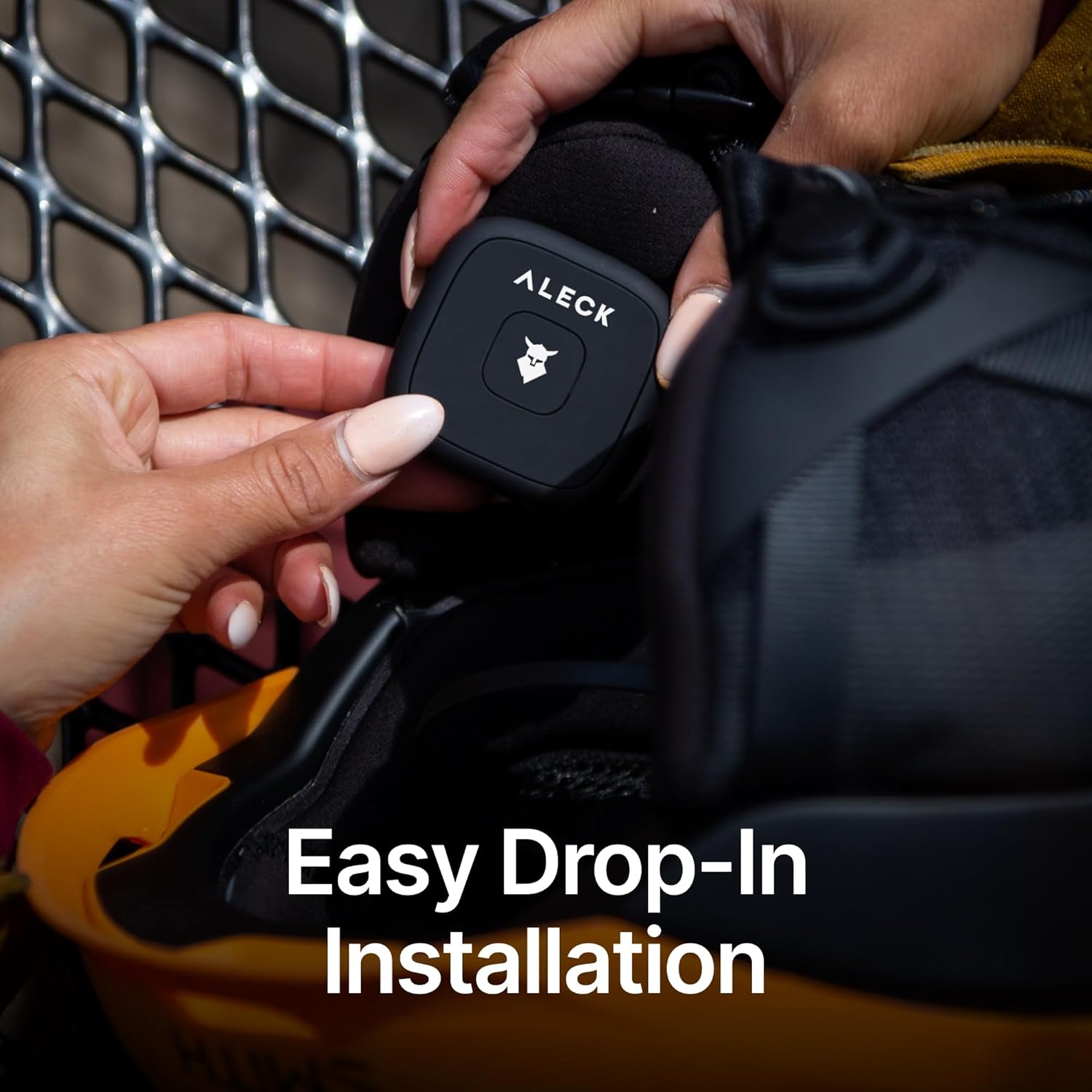
Image: Inserting ALECK Snow Series Core speakers into a helmet ear pad.
Istruzioni per l'uso
Controlli finitiview

Image: Diagram of ALECK Snow Series Core button controls.
- Power On / Off / Bluetooth Pairing / Factory Reset: Tenere premuti entrambi i pulsanti.
- Play / Pause / Answer / End Call: Single tap the Right button.
- Aumenta volume: Press and hold the Right button.
- Volume basso: Press and hold the Left button.
- Traccia avanti: Double tap the Right button.
- Traccia indietro: Triple tap the Right button.
- App Un/Mute: Single tap the Left button.
- Call Un/Mute: Double tap the Right button during a call.
- Voice Assistant (Siri / Google Assistant): Double tap the Left button.
Riproduzione musicale
Once paired, you can stream music from your connected device. Use the Right button for play/pause and track navigation, and both buttons for volume control.
Chiamate a mani libere
The integrated microphone allows for clear hands-free communication. Answer or end calls with a single tap of the Right button. Mute or unmute your call by double-tapping the Right button.
Assistente vocale
Access your smartphone's voice assistant (Siri or Google Voice) by double-tapping the Left button. This allows for voice commands for navigation, music selection, and more without removing your gloves.
Caratteristiche

Image: Key features of the ALECK Snow Series Core speakers.
- Suono Premium: Precision-tuned 40mm drivers and premium Bluetooth chips deliver powerful, balanced sound with rich bass and crisp highs.
- Effortless Calls & Voice Control: Dual-side controls and a built-in mic allow access to Siri or Google Voice for calls, music, and navigation without removing gloves.
- Vestibilità universale del casco: Designed to fit any audio-ready snow helmet, including popular brands like Smith, Giro, K2, Anon, Bolle, and Burton.
- Rugged & Winter Ready: Engineered for mountain conditions down to -20°C, sweat-resistant, and durable for season-long use. Large, glove-friendly buttons ensure easy operation.
- Durata della batteria per tutto il giorno: Enjoy up to 12 hours of continuous playtime, with smart power management for extended use across multiple sessions.
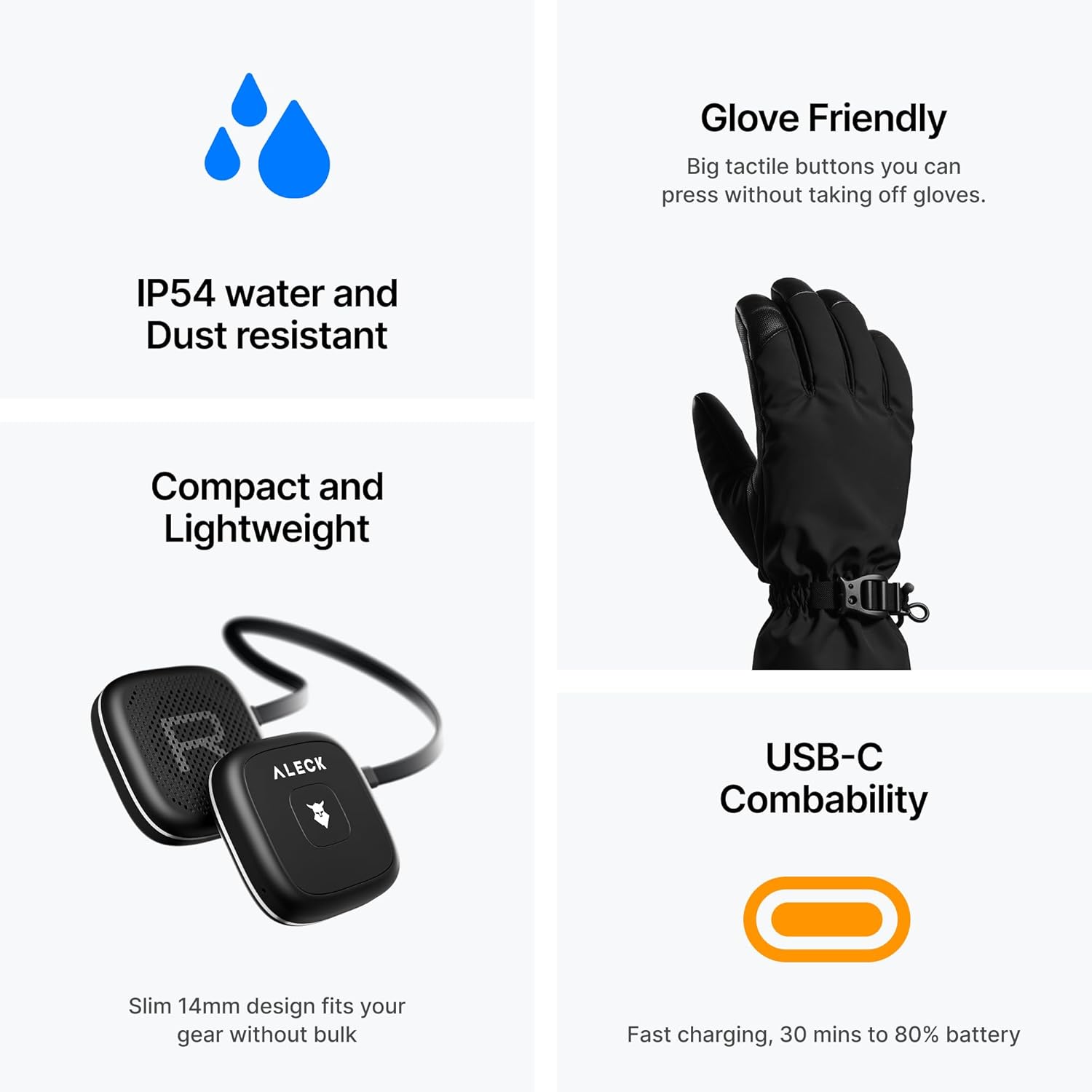
Image: Additional features including IP54 rating and USB-C charging.
Specifiche
| Marca | ALECK |
| Modello | Snow Series Core |
| Colore | Nero |
| Posizionamento dell'orecchio | Sull'orecchio |
| Fattore di forma | Sull'orecchio |
| Presa per cuffie | Nessun Jack |
| Durata della batteria | Fino a 12 ore |
| Resistenza all'acqua | IP54 (Sweat-resistant) |
| Temperatura di esercizio | Fino a -20°C |
Manutenzione
- Pulizia: Pulisci gli altoparlanti con un panno morbido, damp panno. Non utilizzare prodotti chimici aggressivi o detergenti abrasivi. Assicurarsi che la porta di ricarica sia asciutta prima di caricare.
- Magazzinaggio: Store the speakers in their EVA carrying case when not in use to protect them from dust and physical damage. Avoid extreme temperatures.
- Cura della batteria: For optimal battery life, avoid fully discharging the speakers frequently. Charge them regularly, even if not used for extended periods.
Risoluzione dei problemi
- Nessun potere: Ensure the speakers are fully charged. Connect them to the USB-C cable and a power source.
- Impossibile associare:
- Ensure the speakers are in pairing mode (LED flashing green and blue).
- Controlla le impostazioni Bluetooth del tuo telefono per assicurarti che il Bluetooth sia abilitato e che il dispositivo sia visibile.
- Try restarting both your phone and the speakers.
- Perform a factory reset (while the device is off, press and hold both buttons for 10 seconds).
- Low Audio Quality / No Sound:
- Ensure the speakers are correctly positioned in your helmet's ear pads.
- Check the volume levels on both the speakers and your connected device.
- Verificare che la connessione Bluetooth sia stabile.
- Problemi con il microfono:
- Assicurarsi che il microfono non sia ostruito.
- Check if the microphone is muted (single tap Left button for App Un/Mute, double tap Right button for Call Un/Mute).
Garanzia e supporto
For warranty information, technical support, or further assistance, please visit the official ALECK websito o contattare il servizio clienti. Conservare la prova d'acquisto per eventuali reclami in garanzia.
Visitare il ALECK Store per ulteriori prodotti e informazioni.