
HomeTro Walking Pad with 9% Incline
HomeTro Walking Pad con inclinazione del 9% Manuale utente
Model: Walking Pad with 9% Incline
Introduzione
Thank you for choosing the HomeTro Walking Pad with 9% Incline. This manual provides essential information for the safe and effective use, setup, operation, and maintenance of your walking pad. Please read this manual thoroughly before first use and retain it for future reference.

Image: The HomeTro Walking Pad in a home setting, illustrating its versatility for both walking/running and under-desk use. The remote control is also visible.
Importanti istruzioni di sicurezza
- Consultare sempre un medico prima di iniziare qualsiasi programma di esercizi.
- Ensure the walking pad is placed on a flat, stable surface with adequate clear space around it.
- Tenere i bambini e gli animali domestici lontani dall'apparecchiatura durante il funzionamento.
- Indossare calzature sportive adatte.
- Non utilizzare il tappetino da passeggio se è danneggiato o non funziona correttamente.
- Unplug the walking pad when not in use or before cleaning/maintenance.
- Capacità massima di peso dell'utente: 265 libbre (120 kg).
Impostare
- Disimballaggio: Carefully remove the walking pad from its packaging. Inspect for any damage.

Image: The HomeTro Walking Treadmill in its original packaging box.
- Posizionamento: Place the walking pad on a firm, level surface. Ensure there is at least 2 feet of clear space behind the unit and 1 foot on each side.
- Collegamento elettrico: Plug the power cord into a grounded electrical outlet. The display should illuminate.
- Telecomando: Ensure the remote control has working batteries. The remote is essential for operating the walking pad.
- Regolazione dell'inclinazione: The walking pad features a manual incline adjustment. To set the 9% incline, lift the rear of the walking pad and secure the support legs into the higher position. Ensure both sides are evenly adjusted and locked into place before use.

Image: Illustration of the two adjustable incline levels (4% and 9%) and their corresponding estimated calorie burn rates.
Istruzioni per l'uso
Funzioni del telecomando:
- Pulsante di accensione: Turns the walking pad on/off.
- Pulsante di avvio/arresto: Initiates or pauses the walking belt.
- Pulsante "M" (Modalità): Cycles through display modes (Time, Distance, Calories).
- "+" / "-": Adjusts speed or target values in setting mode.
- Volume/Muto: Controls sound (if applicable).
Iniziare un allenamento:
- Sali sul tappetino da passeggio.
- Press the Power button on the remote to turn on the unit.
- Use the "M" button to select your desired display mode (Time, Distance, or Calories).
- Use the "+" or "-" buttons to set a target value for your workout (e.g., 30 minutes, 1 mile, 50 calories).
- Press the Start/Stop button to begin. The walking pad will count down before starting.
- Adjust the speed using the "+" or "-" buttons. The speed range is 0.6-5 MPH.
- To stop, press the Start/Stop button. The belt will gradually slow down.

Image: Illustration of the walking pad's three primary usage modes: Walking (1.0-5.0 km/h), Working (1.0-3.0 km/h, typically under a desk), and Running (5.0-8.0 km/h).
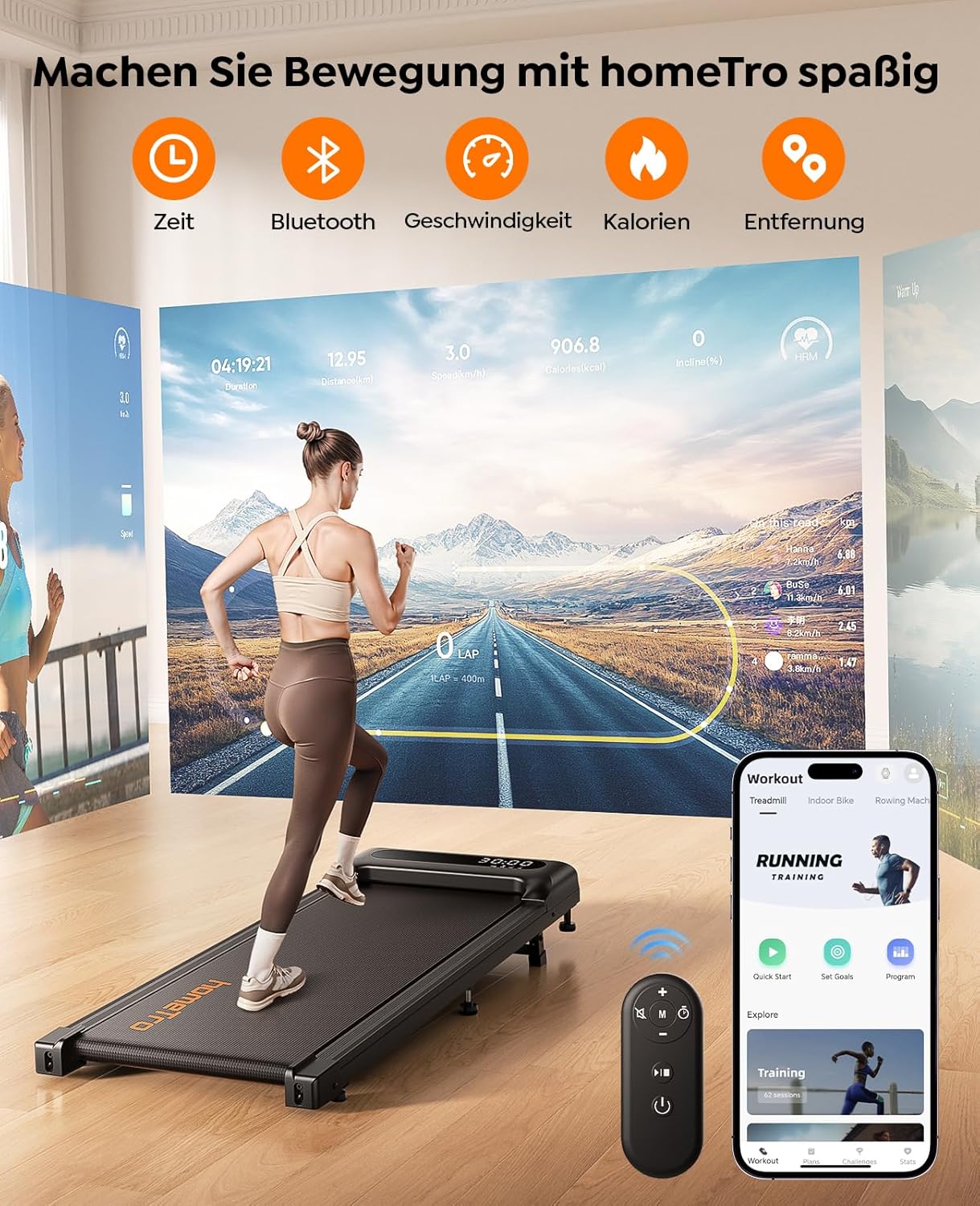
Image: The walking pad's display showing various metrics like time, speed, calories, and distance. A smartphone app interface is also depicted, indicating Bluetooth connectivity for tracking.
Manutenzione
- Pulizia: Pulisci regolarmente il tappetino da passeggio con un pannoamp stoffa. Evitare l'uso di detergenti abrasivi.
- Lubrificazione: The walking belt requires periodic lubrication to ensure smooth operation and longevity. Use the provided silicone oil and follow the instructions for application.
- Regolazione della cintura: If the walking belt starts to slip or move off-center, refer to the troubleshooting section for instructions on how to adjust it.
Risoluzione dei problemi
| Problema | Possibile causa | Soluzione |
|---|---|---|
| Il tappetino da passeggio non si accende. | Cavo di alimentazione non collegato correttamente; malfunzionamento della presa di corrente. | Assicurarsi che il cavo di alimentazione sia collegato saldamente. Testare la presa con un altro dispositivo. |
| La cinghia non si muove. | Not started via remote; safety key not engaged (if applicable); motor issue. | Press the Start button on the remote. Ensure all safety mechanisms are correctly in place. Contact support if issue persists. |
| La cinghia scivola o è decentrata. | Belt tension too loose; belt alignment issue. | Refer to the manual's belt adjustment section (if provided) or contact support for guidance on tightening/aligning the belt. |
| Il telecomando non risponde. | Low or dead batteries; remote out of range. | Replace remote batteries. Ensure you are within effective range of the walking pad. |
Specifiche
- Marca: HomeTro
- Modello: Walking Pad with 9% Incline
- Motore: 3.0 CV
- Gamma di velocità: 0.6 - 5 MPH (approximately 1.0 - 8.0 km/h)
- Inclinazione: 9% (Regolazione manuale)
- Consiglio di peso massimo: 265 libbre (120 kg)
- Dimensioni del prodotto (LxLxA): 45.6"P x 19.1"L x 7.09"A (circa 115.8 x 48.5 x 18 cm)
- Peso dell'articolo: 16.9 chilogrammi (circa 37.3 libbre)
- Assemblaggio richiesto: NO
- Colore: Grigio

Image: Visual representation of the walking pad's dimensions, highlighting the 98cm walking zone length and 38cm width. It also shows how the unit can be easily moved and stored, for example, under a bed with a minimum clearance of 15cm.

Image: A comparison chart detailing the HomeTro walking pad's motor power (2.5 PS), weight capacity (120 kg), maximum speed (8.0 km/h), and quiet operation, contrasted with a generic "Other" brand.

Immagine: Un dettaglio view of the walking pad's 5-layer anti-slip belt, emphasizing its construction for reduced impact on knees and ankles, along with integrated shock absorption.
Garanzia
The HomeTro Walking Pad comes with a Garanzia di 2 anno from the date of purchase. This warranty covers manufacturing defects and malfunctions under normal use. Please retain your proof of purchase for warranty claims. For specific terms and conditions, refer to the warranty card included with your product or contact HomeTro customer support.
Assistenza clienti
If you have any questions, concerns, or require assistance with your HomeTro Walking Pad, please contact our customer support team.
- Websito: Visit the HomeTro Store on Amazon
- E-mail: (Please refer to product packaging or warranty card for specific email address)
- Telefono: (Please refer to product packaging or warranty card for specific phone number)
Ask a question about this manual
Ask about setup, troubleshooting, compatibility, parts, safety, or missing instructions. Manuals+ will review the question and use this page’s manual context to help answer it.