
1. Introduzione
The EPOMAKER TH87 is a versatile 87-key Tenkeyless (TKL) mechanical keyboard designed for various computing environments. It features tri-mode connectivity (Wired USB-C, 2.4GHz Wireless, and Bluetooth), hot-swappable switches, PBT keycaps, and customizable RGB backlighting. This manual provides detailed instructions for setting up, operating, maintaining, and troubleshooting your keyboard.
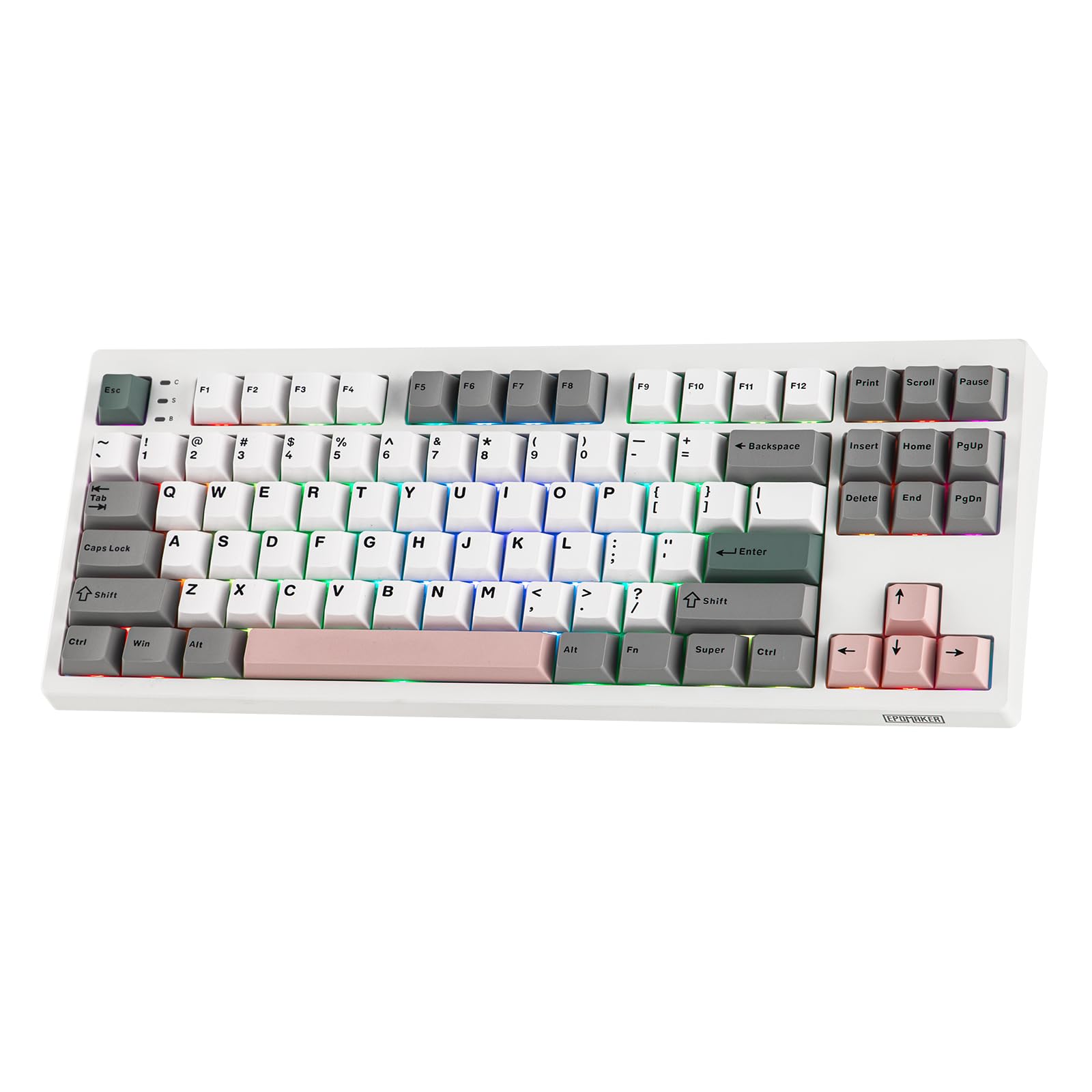
Figure 1: EPOMAKER TH87 Wireless Mechanical Keyboard
2. Contenuto della confezione
Assicurati che tutti gli articoli siano presenti nel pacco:
- Tastiera da gioco wireless TH87
- Cavo USB da A a C
- Extra Switches (for customization)
- Ricevitore wireless da 2.4 GHz (riposto sotto il cavalletto laterale)
- Estrattore 2 in 1 per interruttori e tasti
- Manuale dell'utente (questo documento)
Video 1: EPOMAKER TH87 Unboxing & Overview & Typing Video. This video demonstrates the unboxing process and provides a general overview of the keyboard's features and typing experience.
3. Impostazione
Follow these steps to set up your EPOMAKER TH87 keyboard:
3.1. Connessione cablata
- Individuare la porta USB-C sulla tastiera.
- Connect the provided USB A-to-C cable to the keyboard and your computer.
- Assicurarsi che l'interruttore di modalità sulla tastiera sia impostato su "USB".
3.2. Connessione wireless a 2.4 GHz
- Locate the 2.4GHz wireless receiver, typically stored in a compartment under the side kick-stand of the keyboard.
- Collega il ricevitore a una porta USB disponibile sul tuo computer.
- Set the mode switch on the keyboard to '2.4G'. The keyboard should automatically connect.
3.3. Connessione Bluetooth
- Impostare l'interruttore di modalità sulla tastiera su 'BT'.
- On your device (PC, Mac, Tablet, Phone), open Bluetooth settings.
- Cercare new devices and select 'EPOMAKER TH87' to pair.
- La tastiera supporta più dispositivi Bluetoothfiles; refer to the full user manual for specific pairing instructions for each profile.
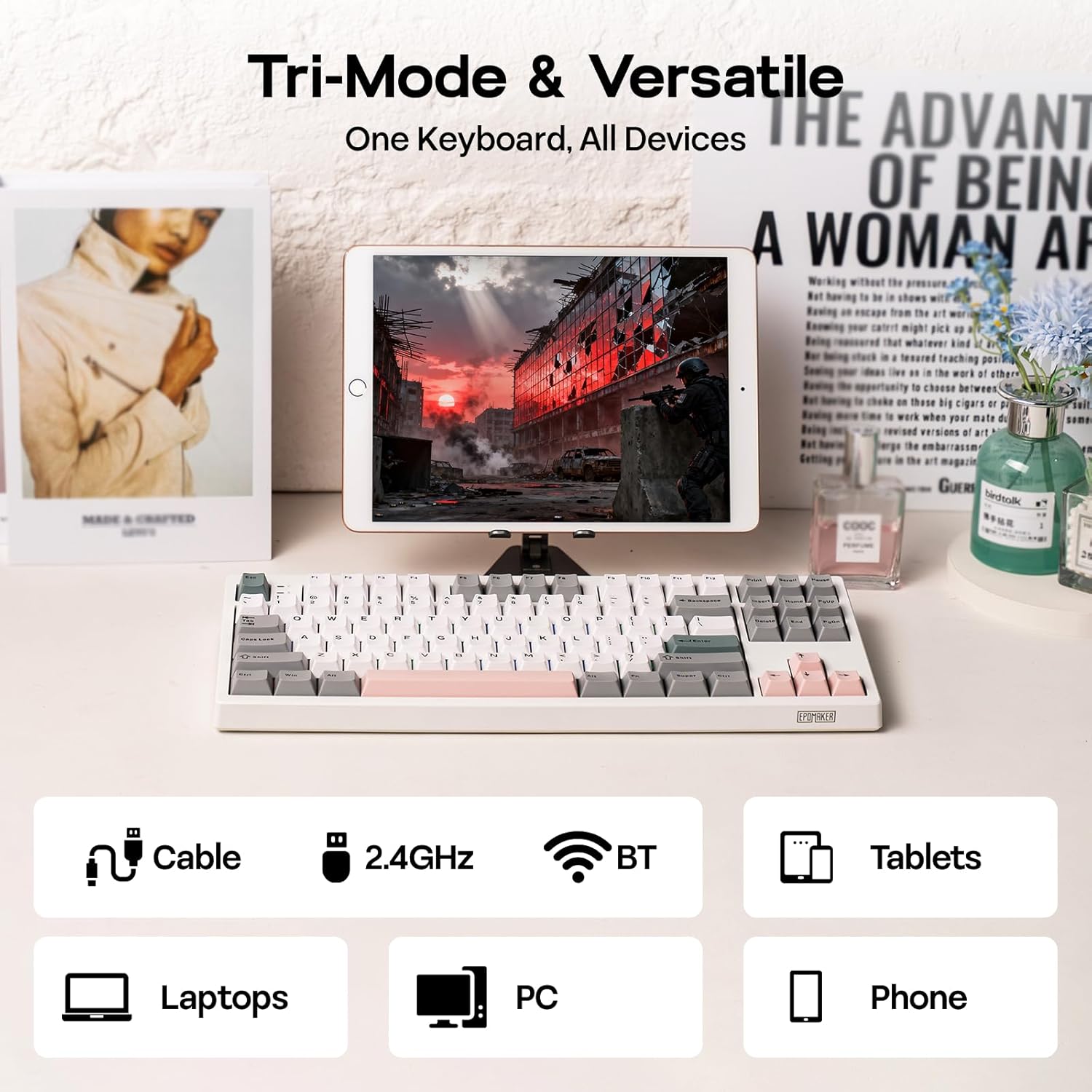
Figura 2: Opzioni di connettività Tri-Mode
4. Istruzioni per l'uso
4.1. Funzioni di base
The TH87 features a standard 87-key TKL layout. All keys function as labeled in their default state.
4.2. Tasti funzione (combinazioni Fn)
The keyboard includes an 'Fn' key to access secondary functions printed on certain keycaps. Common combinations include:
- Fn + F1-F12: Multimedia controls, volume adjustment, etc.
- Fn + tasti freccia: Adjust RGB lighting effects (brightness, speed, direction).
- Fn + Win: Tasto Blocca/Sblocca Windows.
- Fn + Invio: Controlla lo stato della batteria.
4.3. Cambio della modalità del sistema operativo
Use the dedicated switch on the keyboard to toggle between Mac and Windows compatibility modes.
5 Personalizzazione
The EPOMAKER TH87 offers extensive customization through its websoftware driver basato su.
5.1. Web-Based Driver
The custom driver allows you to:
- Riassegnare i singoli tasti.
- Record and assign macros for complex key sequences.
- Adjust RGB lighting effects, colors, brightness, and speed.
- Configure advanced key functions like SOCD (Simultaneous Opposite Cardinal Directions) and Mod Tap.
Access the driver online via the official EPOMAKER website or the QR code provided in the brand card.
Video 2: How to Use TH87 Online Web Driver. This video guides you through connecting your keyboard to the web driver and customizing key functions, macros, and lighting settings.
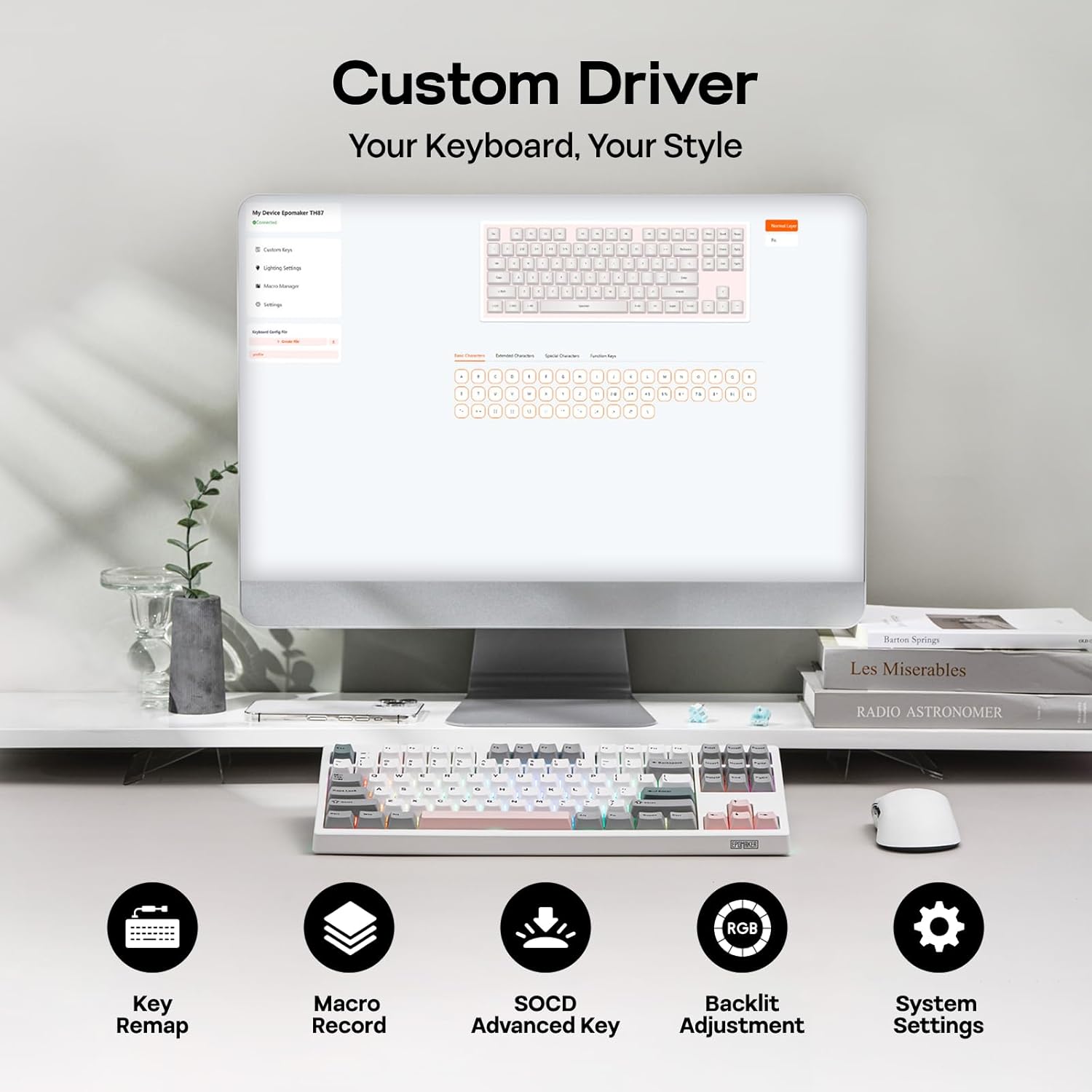
Figura 3: Interfaccia driver personalizzata
5.2. Switch sostituibili a caldo
The TH87 features a hot-swappable PCB, allowing you to change mechanical switches without soldering. It is compatible with 3-pin and 5-pin switches.
Per sostituire un interruttore:
- Use the provided keycap puller to remove the keycap.
- Use the provided switch puller to gently remove the switch from the PCB.
- Allineare i pin del nuovo interruttore con i fori sul PCB e premere con decisione finché non scatta in posizione.
- Sostituire il tasto.
The keyboard comes with pre-lubed EPOMAKER Sea Salt Silent V2 switches (Linear, 45±5gf Trigger Force, 51±5gf Bottom-Out Force, 1.8±0.4mm Pre-Travel, 3.5±0.4mm Total Travel).

Figure 4: Hot-Swappable Switches and Sea Salt Silent V2 Specifications
Video 3: EPOMAKER TH87 Typing with Creamy Jade/Sea Salt Silent Switch. This video demonstrates the sound profile of the included switches.
5.3. Retroilluminazione RGB
The TH87 features per-key RGB backlighting with various effects. You can adjust the saturation, brightness, and speed of the lighting through the Fn key combinations or the custom driver software.
6. Informazioni sulla batteria
The keyboard is equipped with a 10000mAh battery, providing extended usage times:
- Up to 45 hours of continuous use with RGB backlight at brightest setting.
- Up to 200 hours of continuous use with RGB backlight off.
To charge the keyboard, connect it via the USB-C cable to a computer or a compatible USB power adapter. The keyboard charges when plugged in. Always use a computer USB port for charging. Using a power adapter directly may cause battery damage.
7. Manutenzione
Una corretta manutenzione garantisce la longevità e le prestazioni della tastiera:
- Pulizia: Regularly clean keycaps and the keyboard surface with a soft, dry cloth. For deeper cleaning, remove keycaps using the provided puller and use compressed air to clear debris.
- Magazzinaggio: Conservare la tastiera in un luogo fresco e asciutto, lontano dalla luce solare diretta e da temperature estreme.
- Gestione: Evitare di far cadere la tastiera o di esporla a liquidi.
8. Risoluzione Dei Problemi
Se riscontri problemi con la tastiera, fai riferimento alle seguenti soluzioni comuni:
- La tastiera non risponde: Ensure the keyboard is charged and the correct connectivity mode (Wired, 2.4G, BT) is selected. Try reconnecting the cable or re-pairing the wireless connection.
- Le chiavi non si registrano: Check if the switches are properly seated. If a specific key is not working, try replacing its switch with one of the extra switches provided.
- Illuminazione RGB non funzionante/errata: Verify lighting settings in the custom driver or cycle through effects using Fn key combinations. Ensure the keyboard is sufficiently charged.
- Problemi di connettività: For 2.4GHz, ensure the dongle is securely plugged in and close to the keyboard. For Bluetooth, ensure your device's Bluetooth is enabled and the keyboard is paired correctly. Avoid interference from other wireless devices.
- Problemi software: If the custom driver is not detecting the keyboard, ensure it is connected via USB-C and the mode switch is set to 'USB'.
9. Specifiche
| Caratteristica | Dettaglio |
|---|---|
| Marca | EPOMAKER |
| Numero di modello | TH87 |
| Descrizione della tastiera | Tastiera meccanica con layout TKL |
| Numero di chiavi | 87 |
| Tecnologia di connettività | Wireless a 2.4 GHz, BT, USB A-C cablato |
| Fonte di alimentazione | Alimentato a batteria (10000 mAh) |
| Retroilluminazione della tastiera | Colore RGB |
| Tipo di interruttore | Linear (EPOMAKER Sea Salt Silent Switch) |
| Caratteristiche speciali | Retroilluminato, ergonomico, sostituibile a caldo, tasti programmabili, ricaricabile |
| Dimensioni del prodotto | 14.43 cm L x 5.59 cm P x 1.63 cm A |
| Materiale | Plastica |
| Dispositivi compatibili | Console di gioco, laptop, PC, proiettore, tablet |

Figure 5: Technical Specifications and Layout
10. Garanzia e supporto
The EPOMAKER TH87 Wireless Mechanical Keyboard comes with a Garanzia di 1 anni dalla data di acquisto.
For technical support, warranty claims, or any inquiries, please contact EPOMAKER customer service:
- E-mail: support@epomaker.com
- Ufficiale Websito: www.epomaker.com
Please have your purchase receipt and product model number (TH87) ready when contacting support.