
1. Impostazione
1.1 Unboxing e componenti
Carefully unpack your Fitonme Smartwatch. The package should contain the following items:
- Fitonme Smartwatch (Rose Gold)
- Cinturino in silicone rosa
- Rose Gold Stainless Steel Bracelet
- Cavo di ricarica magnetico
- Manuale di istruzioni

Image: The Fitonme Smartwatch displaying its 1.47-inch HD screen and the two included strap options: a pink silicone strap and a rose gold stainless steel bracelet.
1.2 Ricarica dello smartwatch
Before initial use, fully charge your smartwatch. Connect the magnetic charging cable to the charging points on the back of the watch and to a USB power source (e.g., computer USB port or a low-power USB adapter). A full charge typically takes approximately 2 hours. It is recommended to use a low-power charger to protect the battery life.
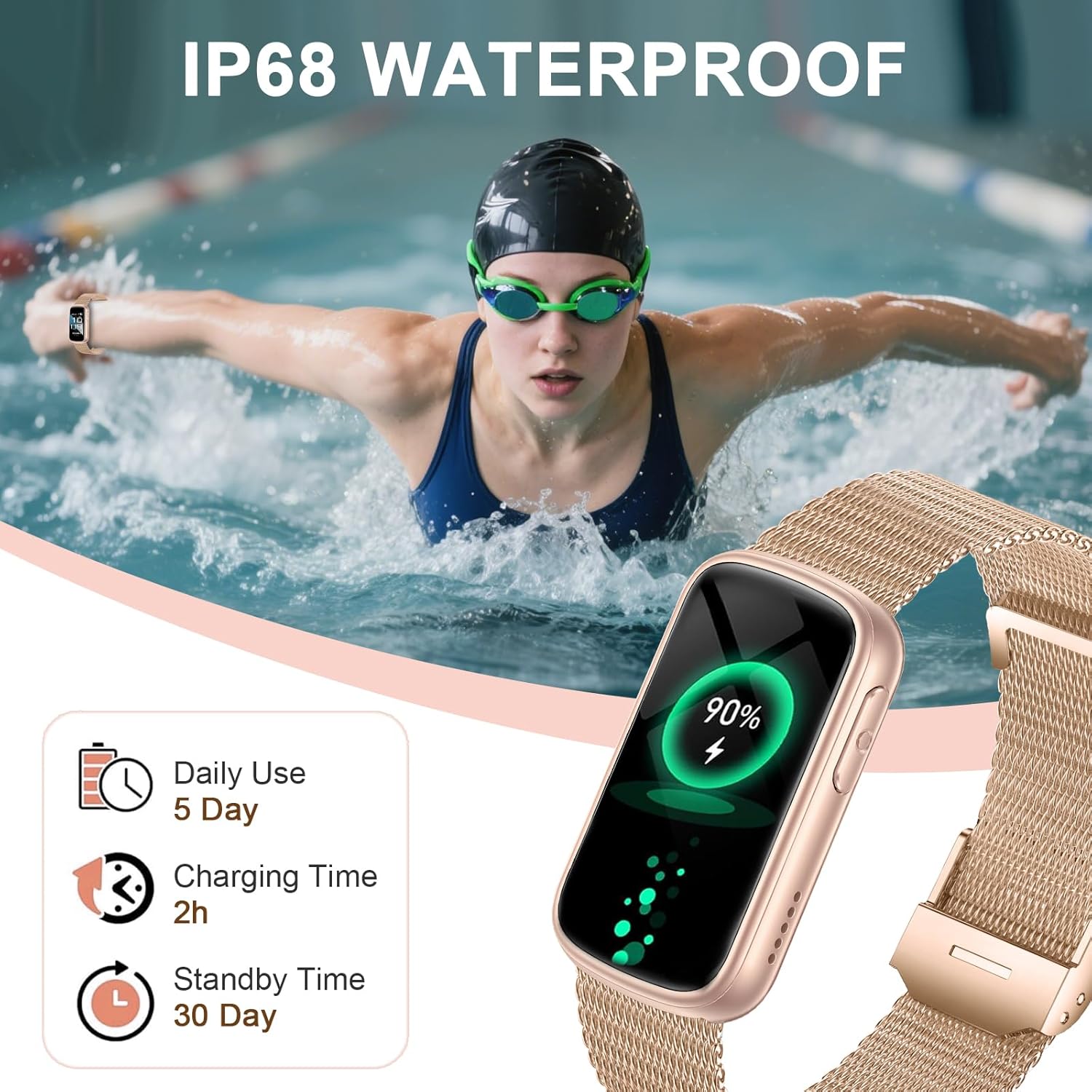
Image: The Fitonme Smartwatch on a charger, displaying a 90% battery level. Text indicates 'Daily Use 5 Day', 'Charging Time 2h', and 'Standby Time 30 Day', along with 'IP68 WATERPROOF'.
1.3 Installazione dell'app
Per sfruttare appieno le funzionalità del tuo smartwatch, scarica l'applicazione complementare sul tuo smartphone. Cercare the 'Fitonme' app (or the app specified in the packaging) in your device's app store (Apple App Store for iOS or Google Play Store for Android). The app is compatible with iOS 8.0+ and Android 4.4+ devices.
1.4 Associazione del dispositivo
- Assicurati che lo smartwatch sia carico e acceso.
- Abilita il Bluetooth sul tuo smartphone.
- Apri l'app complementare sul tuo smartphone.
- Follow the in-app instructions to search for and connect to your Fitonme Smartwatch. The watch uses Bluetooth 5.3 for a stable connection.
- Se richiesto, conferma la richiesta di associazione sia sullo smartphone che sullo smartwatch.
2. Istruzioni per l'uso
2.1 Navigazione di base
The smartwatch features a 1.47-inch HD touchscreen. Navigate through menus and functions using the following gestures:
- Scorri verso l'alto/il basso: Scorrere le notifiche o le opzioni del menu.
- Scorri verso sinistra/destra: Accedi rapidamente ai widget o a schermate diverse.
- Rubinetto: Seleziona un elemento o conferma un'azione.
- Premere il pulsante laterale: Torna alla schermata iniziale o accendi/spegni.
2.2 Personalizzazione dei quadranti dell'orologio
Your smartwatch offers over 200 integrated watch dials. You can also use your own photos as a background. To change the watch face, long-press on the current watch face or access the watch face settings through the companion app.
2.3 Monitoraggio sanitario
Lo smartwatch è dotato di sensori avanzati per monitorare vari parametri relativi alla salute:
- Frequenza cardiaca: Monitors your heart rate 24/7 using a powerful optical sensor. View dati in tempo reale sull'orologio o tendenze dettagliate nell'app.
- Monitoraggio del sonno: Automatically detects sleep patterns, analyzing wake, light, and deep sleep phases. This data helps improve sleep habits.
- SpO2 (ossigeno nel sangue): Misura i livelli di saturazione dell'ossigeno nel sangue.
- Pressione sanguigna: Provides reference blood pressure readings. Nota: questo dispositivo non è un dispositivo medico. Le letture sono solo di riferimento e non devono essere utilizzate per diagnosi o trattamenti medici.

Image: A person meditating with the Fitonme Smartwatch on their wrist. The image highlights the watch's health monitoring features: Heart Rate (HR), Blood Pressure (BP), Blood Oxygen (SpO2), and Sleep Tracker.

Image: A person sleeping with the Fitonme Smartwatch on their wrist. The watch display shows 'Sleep' with a duration of '08h30M' and icons for Deep Sleep, Light Sleep, REM Sleep, and Awake phases.
2.4 modalità sportive
The smartwatch supports over 140 sports modes, including running, cycling, swimming, fitness, yoga, and hiking. To start a workout:
- Swipe to the 'Exercise' or 'Sports' menu on your watch.
- Seleziona l'attività desiderata dall'elenco.
- Tap to begin tracking. The watch will record duration, calories burned, and other relevant metrics.

Image: A woman playing tennis with the Fitonme Smartwatch on her wrist. The watch display shows various exercise modes like Walking, Running, Cycling, Skipping, and Badminton, indicating '140+ SPORTS MODES & IP68 WATERPROOF'.
2.5 Chiamate Bluetooth e notifiche intelligenti
Stay connected by making and answering calls directly from your wrist. The watch also displays notifications from your smartphone.
- Effettuare/risposta alle chiamate: Ensure the watch is paired via Bluetooth. You can dial numbers or answer incoming calls directly on the watch. Sync contacts through the app for quick access.
- Notifiche: The watch supports notifications from various apps. Ensure app permissions are granted on your smartphone for notifications to appear on the watch.
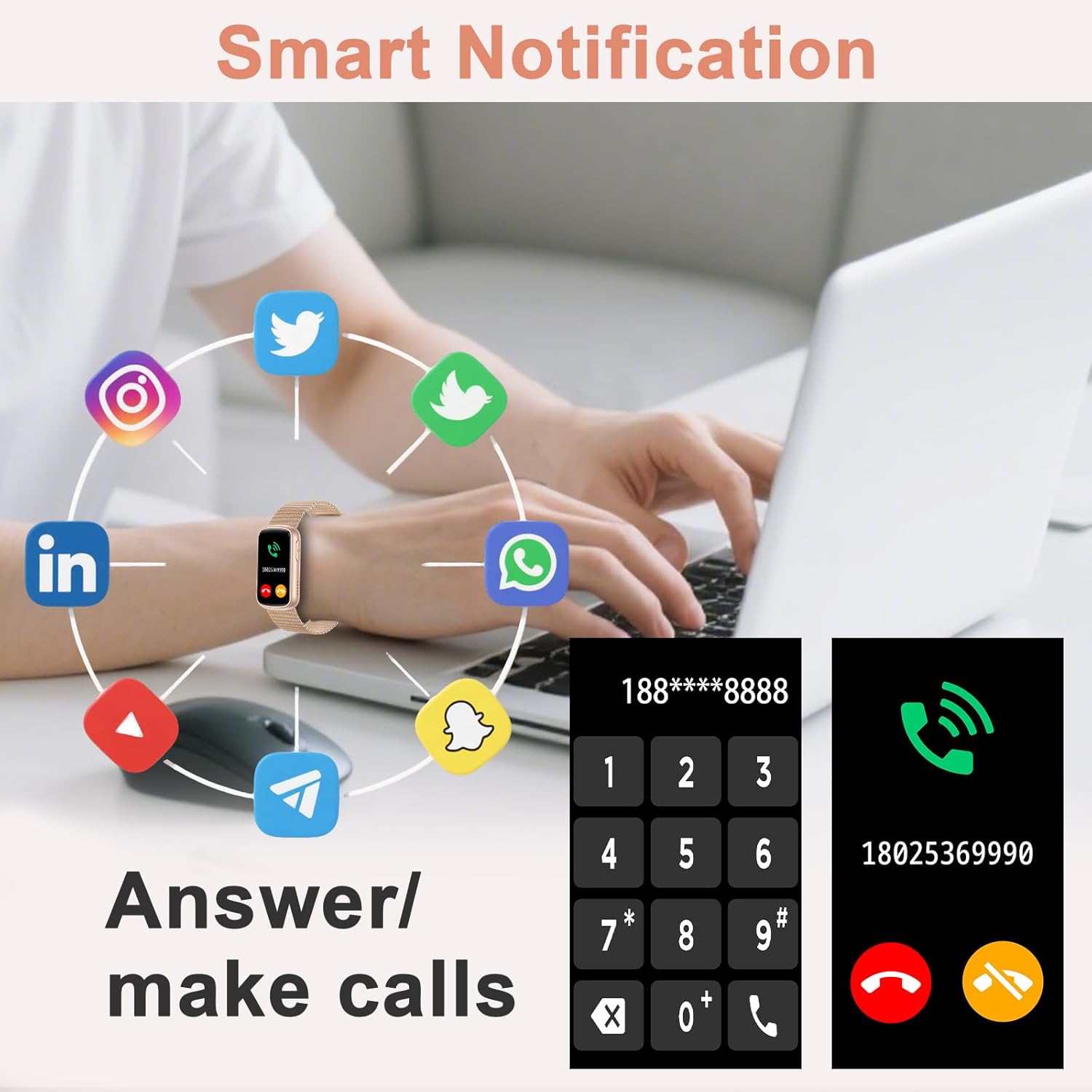
Image: A person using a laptop with the Fitonme Smartwatch on their wrist. The image shows various social media app icons surrounding the watch, and the watch display shows a dial pad and an incoming call screen, illustrating 'Smart Notification' and 'Answer/make calls' features.
2.6 Smart Assistance Functions
The smartwatch includes several convenient features:
- Controllo della musica: Controlla la riproduzione della musica sul tuo smartphone.
- Otturatore remoto della fotocamera: Utilizza l'orologio per attivare da remoto la fotocamera del tuo telefono.
- Previsioni del tempo: Ricevi aggiornamenti meteo in tempo reale.
- Sveglia: Imposta le sveglie direttamente dal tuo polso.
- Cronometro/Timer: Funzioni base di cronometraggio.
- Promemoria di movimento: Get alerts to encourage activity after periods of inactivity.
- Trova telefono: Individua lo smartphone associato.
2.7 Resistenza all'acqua (IP68)
The Fitonme Smartwatch has an IP68 water resistance rating, meaning it can withstand hand washing, rain, and heavy sweating. It is not suitable for hot water, diving, or prolonged submersion in water deeper than 1.5 meters.
3. Manutenzione
3.1 Pulizia dello smartwatch
To maintain hygiene and functionality, regularly clean your smartwatch:
- Pulisci lo schermo e il corpo dell'orologio con un panno morbido eamp, panno privo di pelucchi.
- For silicone straps, you can wash them with mild soap and water.
- For metal straps, use a soft brush to remove dirt from crevices, then wipe with a damp stoffa.
- Assicurarsi che l'orologio sia completamente asciutto prima di caricarlo o indossarlo.
3.2 Sostituzione del cinturino
The smartwatch comes with two interchangeable straps. To replace a strap:
- Individuare i perni a sgancio rapido sul lato inferiore del cinturino, nel punto in cui si collega al corpo dell'orologio.
- Per staccare il cinturino, far scorrere delicatamente il perno verso l'interno.
- Align the new strap with the watch body and slide the pin into place until it clicks securely.
3.3 Conservazione
Quando non lo si utilizza per lunghi periodi, conservare lo smartwatch in un luogo fresco e asciutto, lontano dalla luce solare diretta e da temperature estreme. Assicurarsi che la batteria sia sufficientemente carica per evitare che si scarichi completamente.
4. Risoluzione Dei Problemi
4.1 Problemi di connettività
- L'orologio non si associa: Assicurati che il Bluetooth sia attivato sul tuo telefono e che l'orologio sia nel raggio d'azione. Riavvia sia l'orologio che il telefono, quindi prova ad associarli di nuovo tramite l'app.
- La connessione si interrompe frequentemente: Check for interference from other Bluetooth devices. Ensure the app is running in the background and not being closed by your phone's power-saving settings.
4.2 Problemi di addebito
- Orologio non in carica: Ensure the magnetic charging pins are clean and properly aligned with the watch's charging contacts. Try a different USB power source or charging cable if available.
4.3 Health Data Discrepancies
- Letture imprecise: Ensure the watch is worn snugly on your wrist, about one finger's width above the wrist bone. Clean the sensor on the back of the watch. Avoid excessive movement during measurements. Remember, health data is for reference and not medical use.
4.4 Notifiche non visualizzate
- Nessuna notifica: Check your phone's notification settings to ensure the companion app has permission to send notifications. Also, verify that notifications are enabled within the smartwatch app itself.
4.5 Schermo non reattivo
- Schermo bloccato: Try restarting the smartwatch by pressing and holding the side button until the device powers off, then power it back on.
5. Specifiche
| Caratteristica | Dettaglio |
|---|---|
| Numero di modello | B0FXWXH7SD |
| Display | 1.47 Inches HD Touchscreen (TFT) |
| Connettività | Bluetooth 5.3 |
| Tipo di batteria | Polimero di litio |
| Tempo di ricarica | Circa 2 ore |
| Durata della batteria (uso normale) | 7-10 giorni |
| Tempo di standby | Fino a 20 giorni |
| Capacità di archiviazione della memoria | 128 MB |
| Resistenza all'acqua | IP68 (impermeabile fino a 1.5 metri) |
| Compatibilità | iOS 8.0+ e Android 4.4+ |
| Sensori | Heart rate sensor, sleep sensor, blood oxygen sensor |
| Materiale della fascia | Acciaio inossidabile, silicone |
| Caratteristiche speciali | Bluetooth Call, 140+ Sports Modes, Music Control, Camera Control, Weather Forecast, Alarm Clock, Find Phone |
6. Informazioni sulla garanzia
Your Fitonme Smartwatch is covered by a manufacturer's warranty against defects in materials and workmanship. The specific terms and duration of the warranty may vary by region. Please refer to the warranty card included in your product packaging or visit the official Fitonme websito per informazioni dettagliate.
La presente garanzia non copre i danni causati da uso improprio, incidenti, modifiche non autorizzate o normale usura.
7. Assistenza clienti
If you encounter any issues or have questions regarding your Fitonme Smartwatch that are not addressed in this manual, please contact our customer support team.
- Supporto online: Visita il sito ufficiale Fitonme websito per FAQ, guide alla risoluzione dei problemi e moduli di contatto.
- Supporto via e-mail: Fare riferimento alla confezione del prodotto o al sito ufficiale websito per l'indirizzo email del servizio clienti.
Please have your product model number (B0FXWXH7SD) and purchase details ready when contacting support.