
1. Introduzione
This manual provides essential instructions for the installation, operation, and maintenance of your CINMOORE CM-BC22U Wireless Magnetic Home Security Camera. Please read this manual thoroughly before using the product to ensure proper function and safety. Keep this manual for future reference.
2. Informazioni sulla sicurezza
- Assicurarsi che la telecamera sia installata in una posizione stabile per evitare cadute.
- Non esporre la fotocamera a temperature estreme, alla luce solare diretta per periodi prolungati o ad ambienti corrosivi.
- Utilizzare solo il cavo di ricarica e l'adattatore specificati per evitare danni o incendi.
- Tenere la fotocamera lontana da bambini e animali domestici.
- Non tentare di smontare o riparare la fotocamera da soli. Contattare l'assistenza clienti per ricevere assistenza.
- Ensure your Wi-Fi network is secure to protect your privacy.
3. Contenuto della confezione
Verifica che tutti gli articoli siano presenti nel tuo pacco:
- CINMOORE CM-BC22U Wireless Magnetic Home Security Camera
- Base di montaggio magnetica
- Viti di montaggio e tasselli a parete
- Cavo di ricarica USB
- Manuale dell'utente (questo documento)
4. Prodotto finitoview
The CINMOORE CM-BC22U is a 2.5K wireless magnetic home security camera designed for outdoor use, featuring AI person detection, 4MP color night vision, and two-way audio. It is battery-powered and IP66 waterproof.
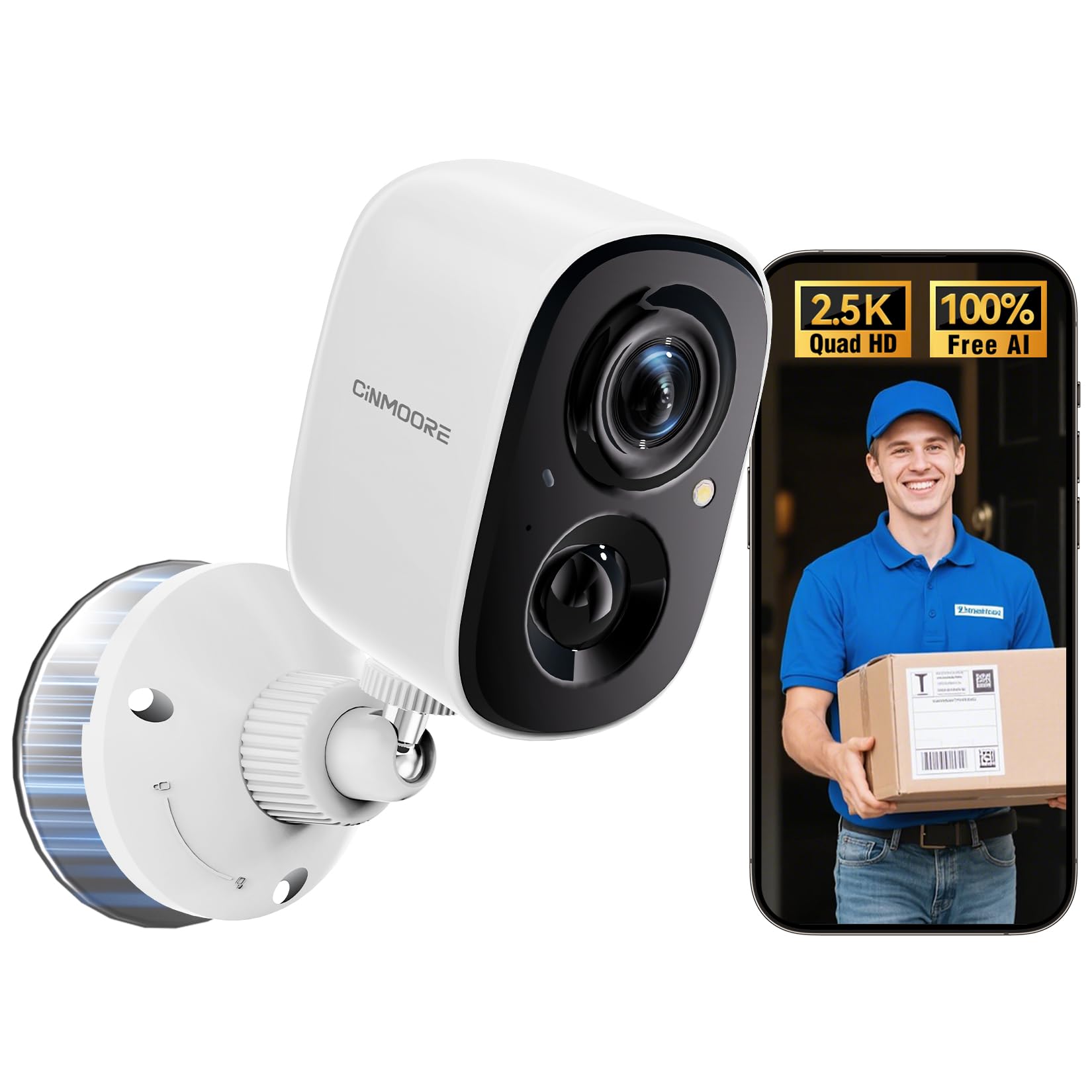
Image: CINMOORE CM-BC22U Wireless Magnetic Home Security Camera. This image shows the front and side view of the white camera unit with its magnetic base.

Image: Key features of CINMOORE CM-BC22U camera. This graphic highlights features such as 2.5K QHD resolution, sound & light siren, color night vision, built-in 5200mAh battery, wire-free installation, free person detection, and full duplex two-way audio.
5. Impostazione
5.1 Caricamento della fotocamera
Before initial use, fully charge the camera using the provided USB cable and a 5V/1A or 5V/2A power adapter. The charging indicator light will show the charging status. A full charge typically takes several hours.
5.2 Installazione dell'app
Download the official CINMOORE app from your smartphone's app store (iOS App Store or Google Play Store). Cercare "CINMOORE" and install the application.
5.3 Abbinamento della fotocamera
- Apri l'app CINMOORE e crea un account o accedi.
- Tocca l'icona "+" per aggiungere un nuovo dispositivo.
- Seguire le istruzioni sullo schermo per selezionare il modello della fotocamera.
- Accendi la telecamera. La telecamera entrerà in modalità di associazione, indicata da una luce LED lampeggiante.
- Collega lo smartphone a una rete Wi-Fi a 2.4 GHz. La fotocamera non supporta la rete Wi-Fi a 5 GHz.
- Scan the QR code displayed on your phone screen with the camera lens. Hold the phone approximately 15-20 cm (6-8 inches) from the camera.
- Once connected, the camera will confirm with an audible prompt, and the LED light will turn solid.
5.4 Montaggio della telecamera
The camera offers flexible installation options due to its magnetic base and wire-free design.
- Montaggio magnetico: Attach the camera directly to any metallic surface using its strong magnetic base. Ensure the surface is clean and provides a secure hold.
- Montaggio a vite: For non-metallic surfaces or enhanced security, use the provided mounting screws and wall anchors.
- Scegli una posizione adatta per un risultato ottimale viewing angle and Wi-Fi signal strength.
- Mark the positions for drilling holes using the mounting base as a template.
- Se si monta su cartongesso o muratura, praticare dei fori e inserire i tasselli.
- Secure the magnetic mounting base to the wall with screws.
- Attach the camera to the magnetic base and adjust the angle as needed.

Image: Magnetic mounting of CINMOORE camera. This image illustrates how the camera attaches to its magnetic base, which is then secured to a wall.
6. Utilizzo della fotocamera
6.1 Vivere View
Open the CINMOORE app and select your camera from the device list to access the live video feed. You can view pippo in tempo realetage da qualsiasi luogo con una connessione Internet.
6.2 Audio bidirezionale
Mentre in diretta view, tap the microphone icon in the app to speak through the camera's built-in speaker. Tap the speaker icon to listen to audio from the camera's microphone. This feature allows for real-time communication.
6.3 Rilevamento del movimento e avvisi
The camera features free AI person detection to reduce false alarms. Configure detection settings in the app:
- Sensibilità: Adjust the motion detection sensitivity to suit your environment.
- Zone di rilevamento: Imposta aree specifiche all'interno della telecamera view per il rilevamento del movimento.
- Avvisi: Enable push notifications to receive instant alerts on your smartphone when motion or a person is detected. The camera can also activate a built-in siren and spotlight upon detection.

Image: AI Person Detection feature. This image shows a person walking towards a door, with the camera detecting them and sending a notification to a smartphone, highlighting the AI person detection capability with spotlight, notification, and siren options.

Image: Smart AI Person Detection. This image shows a person walking a dog in front of a house, with a blue box highlighting the detected 'Person' by the camera, emphasizing the smart AI detection feature.
6.4 Registrazione e riproduzione
The camera supports both local storage via a microSD card (up to 256GB, not included) and optional cloud storage. Recorded events can be accessed and played back through the CINMOORE app.

Image: Secure Video Storage Options. This graphic illustrates the camera's support for both SD local storage (expandable up to 256GB) and AWS cloud storage (with a 30-day free trial), emphasizing encrypted storage.

Image: Secure Local & Cloud Storage. This image displays various scenarios captured by the camera, such as a car, packages, a person with a dog, and a person attempting to break in, all protected by a shield icon representing secure local and cloud storage.
6.5 Visione notturna
The camera provides 4MP full-color night vision, ensuring clear and detailed footage even in low-light conditions. It automatically switches between day and night modes.
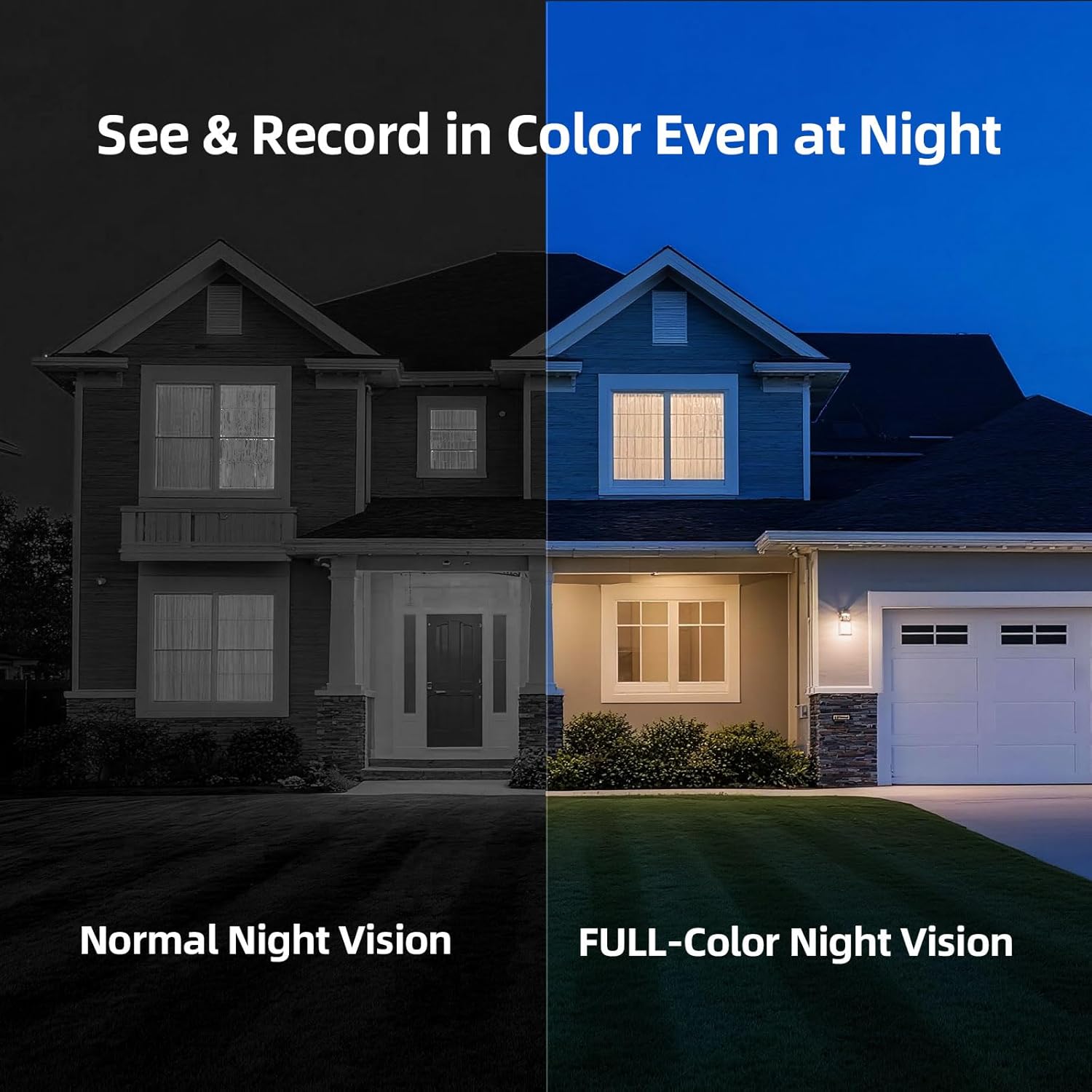
Image: Full-Color Night Vision. This split image compares normal night vision (monochrome) with full-color night vision, demonstrating the camera's ability to capture clear, colored images in darkness.

Image: IR Night Vision vs Color Night Vision. This split image compares traditional IR night vision (black and white) with the camera's color night vision, showing a car in a driveway with much greater detail and color in the latter.

Image: 2.5K QHD Resolution Comparison. This split image compares 2.5K QHD resolution with 2K FHD, showing a car in a driveway with significantly sharper detail in the 2.5K QHD view.

Image: 2K HD vs 2.5K QHD Image Quality. This split image compares the visual clarity between 2K HD and 2.5K QHD, showing a dog running on grass with noticeably finer detail and sharpness in the 2.5K QHD image.
7. Manutenzione
7.1 Gestione della batteria
- Recharge the camera when the battery level is low, as indicated by the app.
- Battery life varies based on usage frequency, recording duration, and environmental conditions.
- Evitare di scaricare completamente la batteria regolarmente per prolungarne la durata.
7.2 Pulizia
Wipe the camera lens and body with a soft, dry cloth. Do not use harsh chemicals or abrasive cleaners, as they may damage the camera's finish or lens coating.
7.3 Aggiornamenti firmware
Periodically check the CINMOORE app for available firmware updates. Keeping your camera's firmware updated ensures optimal performance, security, and access to new features. Follow the in-app instructions for updating.
8. Risoluzione Dei Problemi
| Problema | Possibile causa | Soluzione |
|---|---|---|
| Camera frequently goes offline | Weak Wi-Fi signal; Router issues; Battery low | Ensure camera is within Wi-Fi range. Restart your router. Fully charge the camera. If issues persist, consider a Wi-Fi extender. |
| Difficulty connecting to 2.4GHz Wi-Fi | Incorrect Wi-Fi password; Connecting to 5GHz network; Router settings | Verify Wi-Fi password. Ensure your phone is connected to a 2.4GHz network during setup. Check router settings to ensure 2.4GHz band is enabled. |
| Unreliable motion detection or image capturing | Impostazioni di sensibilità errate; ostruzioni in view; Camera placement | Regola la sensibilità del rilevamento del movimento nell'app. Assicurati che la telecamera view is clear. Reposition the camera for optimal coverage of the desired area. |
| La scheda SD non registra o non è riconosciuta | SD card not inserted correctly; Corrupted SD card; SD card full | Ensure the SD card is inserted correctly. Format the SD card via the app. Replace the SD card if corrupted. Ensure the SD card is not removed while the camera is operating. |
| L'audio bidirezionale non funziona | Microphone/speaker muted in app; Low volume on phone; Network issues | Check app settings to ensure microphone and speaker are enabled. Adjust volume on your smartphone. Ensure a stable internet connection. |
9. Specifiche
| Caratteristica | Dettaglio |
|---|---|
| Nome del modello | CM-BC22U |
| Risoluzione di acquisizione video | 2.5K (1440P) Quad HD |
| Tecnologia di connettività | Senza fili (Wi-Fi a 2.4 GHz) |
| Fonte di alimentazione | Alimentato a batteria (batteria ricaricabile da 5200 mAh) |
| Visione notturna | Visione notturna a colori |
| Caratteristiche speciali | 2-Way Audio, Built-In Light, HD Resolution, Motion Sensor, AI Person Detection |
| Uso interno/esterno | Esterno (IP66 impermeabile) |
| Opzioni di archiviazione | Scheda MicroSD (fino a 256 GB, non inclusa), archiviazione cloud (opzionale) |
| Dispositivi compatibili | Smartphone (Android, iOS) |
| Tipo di montaggio | Magnetic, Ceiling Mount, Tabletop Mount, Wall Mount |
| Dimensioni dell'articolo | 7.6 x 5.1 x 5.1 centimetri |
10. Informazioni sulla garanzia
The CINMOORE CM-BC22U Wireless Magnetic Home Security Camera comes with a Garanzia del produttore di 2 anni dalla data di acquisto. La presente garanzia copre i difetti di materiali e fabbricazione in condizioni di normale utilizzo. Non copre i danni causati da uso improprio, incidenti, modifiche non autorizzate o calamità naturali. Si prega di conservare la prova d'acquisto per eventuali reclami in garanzia.
11. Supporto
For technical assistance, troubleshooting, or warranty inquiries, please contact CINMOORE customer support:
- E-mail: Refer to your product packaging or the CINMOORE official websito per l'indirizzo email di contatto più aggiornato.
- Numero verde: A free hotline is available on weekdays for product issues. Refer to your product packaging or the CINMOORE official website for the hotline number.
- Risorse online: Visit the CINMOORE official website for FAQs, updated manuals, and support articles.