
Introduzione
The MINIX 100W USB C Charger (NEO P3 Pro) is a versatile 3-port GaN charger designed for rapid charging of various devices, including laptops, tablets, and smartphones. It features a smart display for real-time charging information and a compact, travel-friendly design. This manual provides essential information for the safe and efficient use of your charger.

Image: The MINIX 100W USB C Charger (NEO P3 Pro) connected to a laptop, illustrating its fast charging capability.
What's in the Box (Setup)
Your MINIX 100W USB C Charger package includes the following items:
- 1x MINIX P3 PRO 100W Charger
- 1x EU Plug Adapter
- 1x UK Plug Adapter
- 1x Manuale utente
- Borsa di stoccaggio 1x

Image: The MINIX P3 Pro charger, EU plug, UK plug, and storage bag, as included in the package.
Attaching the Correct Plug Adapter
The MINIX P3 Pro charger comes with interchangeable plug adapters (US, EU, UK) to ensure compatibility in various regions. To attach an adapter:
- Align the desired plug adapter with the charger's prongs.
- Gently push the adapter onto the charger until it clicks securely into place.
- To remove, press the release button (if present) and slide the adapter off.

Image: The MINIX charger with its switchable US, EU, and UK plug adapters.
Istruzioni per l'uso
Collegamento dei dispositivi
The MINIX P3 Pro features two USB-C ports and one USB-A port. Connect your devices using appropriate charging cables. For optimal 100W charging, use a 100W 5A cable connected to a single USB-C port.
- USB-C1: Fino a 100 W di potenza massima.
- USB-C2: Fino a 100 W di potenza massima.
- USB-A1: Fino a 30 W di potenza massima.

Image: The MINIX P3 Pro charging three devices concurrently: a laptop via USB-C1, a tablet via USB-C2, and a smartphone via USB-A1.
Smart Display and Touch Control
The integrated smart display provides real-time information about your charging status. You can interact with the display using the touch control button.
- Stato di carica: View the current wattage uscita.
- Dettagli specifici del porto: Tap the touch button to cycle through individual port outputs.
- Temperature Reminder: The display may show temperature-related information for safety.
- Tempo totale: Displays the total charging duration.
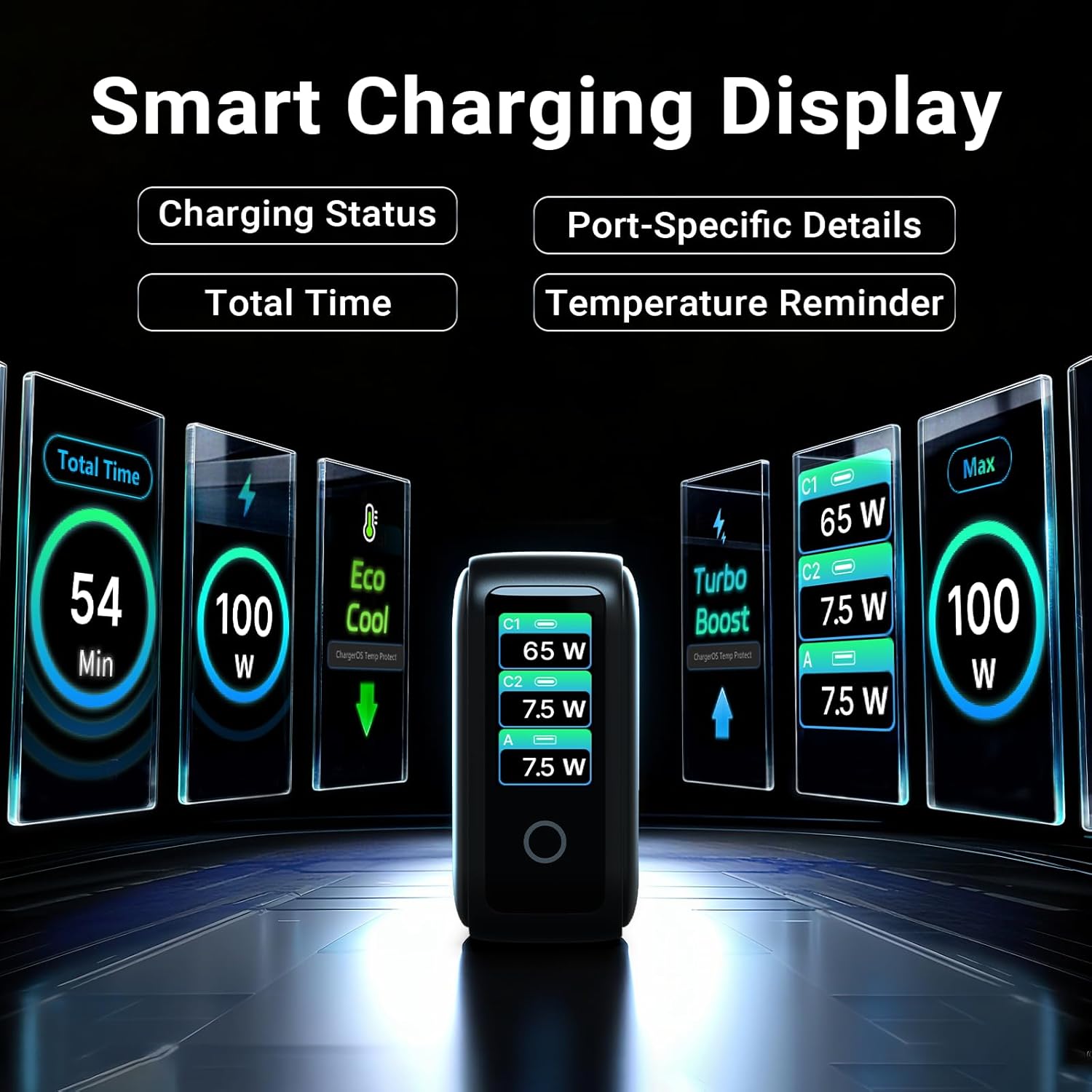
Image: The smart display of the MINIX P3 Pro, showcasing real-time charging status and port-specific details.
Rotazione dello schermo
To adapt the display orientation to your wall outlet, press and hold the touch control button for 3 seconds. The screen will rotate 180°.
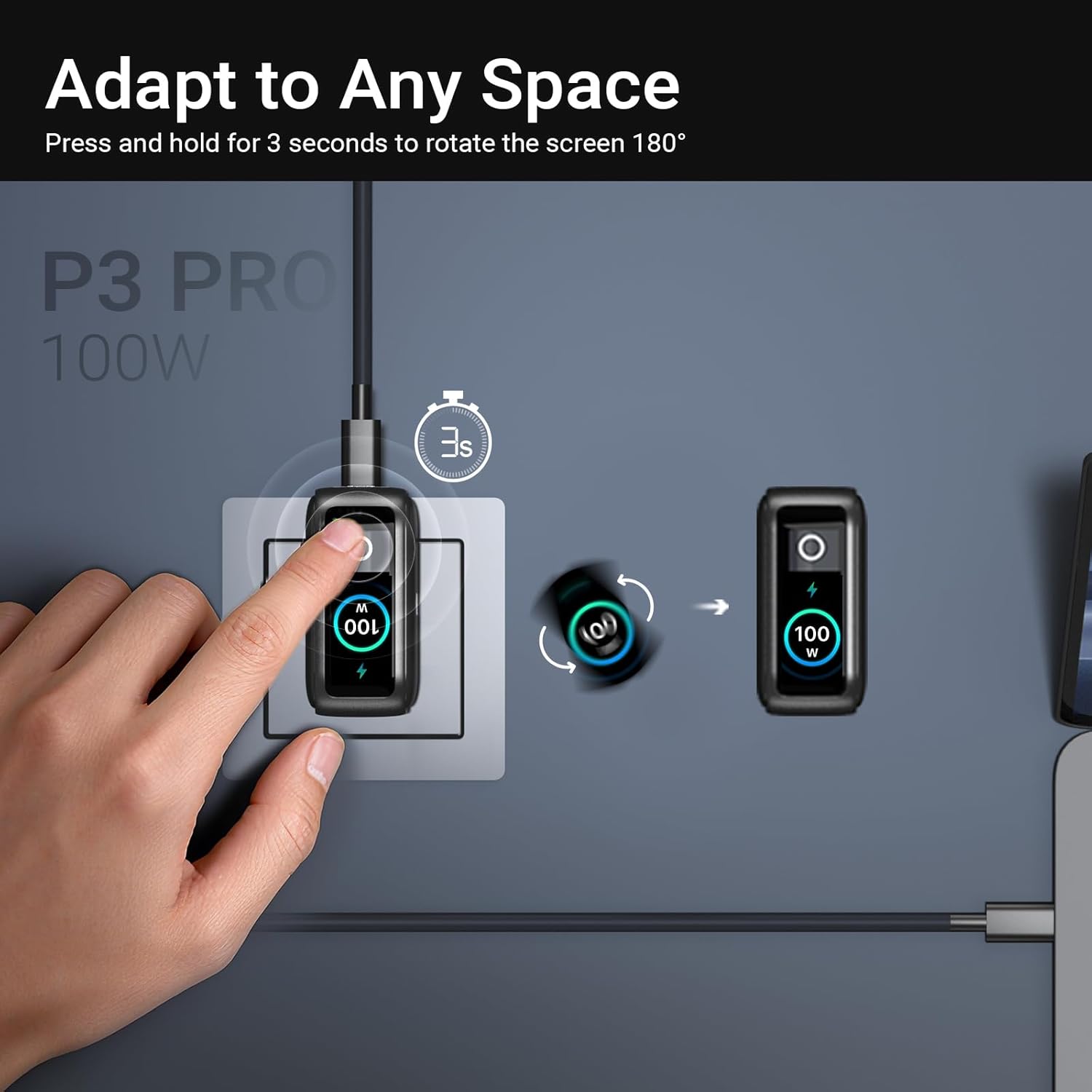
Image: The MINIX P3 Pro charger plugged into a wall socket, illustrating how to rotate the smart display by 180 degrees for better viewing.
Distribuzione di energia
The charger intelligently redistributes power based on the number of connected devices and their power requirements. Below is a general guide to power output configurations:
- 1 porta di uscita:
- USB-C1: 100 W
- USB-C2: 100 W
- USB-A1: 30W
- 2 porte di uscita:
- USB-C1 + USB-C2: 65 W + 30 W
- USB-C1 + USB-A1: 65W + 7.5W
- USB-C2 + USB-A1: 7.5W + 7.5W
- 3 porte di uscita:
- USB-C1 + USB-C2 + USB-A1: 65 W + 7.5 W + 7.5 W
Video: An official product introduction video for the MINIX P3 Pro, demonstrating its features and functionality, including power distribution across multiple ports.
Manutenzione
To ensure the longevity and optimal performance of your MINIX P3 Pro charger, follow these maintenance guidelines:
- Mantenere il caricabatterie pulito e privo di polvere e detriti. Utilizzare un panno morbido e asciutto per la pulizia.
- Evitare di esporre il caricabatterie a temperature estreme, umidità o luce solare diretta.
- Do not drop or subject the charger to strong impacts.
- Store the charger in the provided storage bag when not in use, especially during travel, to protect it from scratches and damage.
- Assicurare una ventilazione adeguata attorno al caricabatterie durante il funzionamento per evitare il surriscaldamento.
Specifiche
| Caratteristica | Dettaglio |
|---|---|
| Marca | MINIX |
| Numero di modello | P5010 |
| Porte USB totali | 3 (2x USB Tipo-C, 1x USB Tipo-A) |
| Cosatage | 100 W (massimo) |
| Ingresso volumetage | 240 Volt |
| Corrente di uscita | 5 Amps |
| Volume di uscitatage | 120 Volt |
| Tipo di connettore | USB tipo A, USB tipo C |
| Dispositivi compatibili | Laptops, Tablets, Samsung Galaxy S21-S24 Series, iPhone 17/16/15/14/13/12 Series, iPhone SE (3rd Gen) |
| Caratteristiche speciali | Fast Charging, Lightweight Design, Multi-Device Charging, Travel-Friendly, Smart Display, Touch Control |
| Colore | Nero |
| Peso dell'articolo | 200 grammi |
| Materiale | Elastomero termoplastico (TPE) |
| Certificazioni | CE, FCC, RAEE |
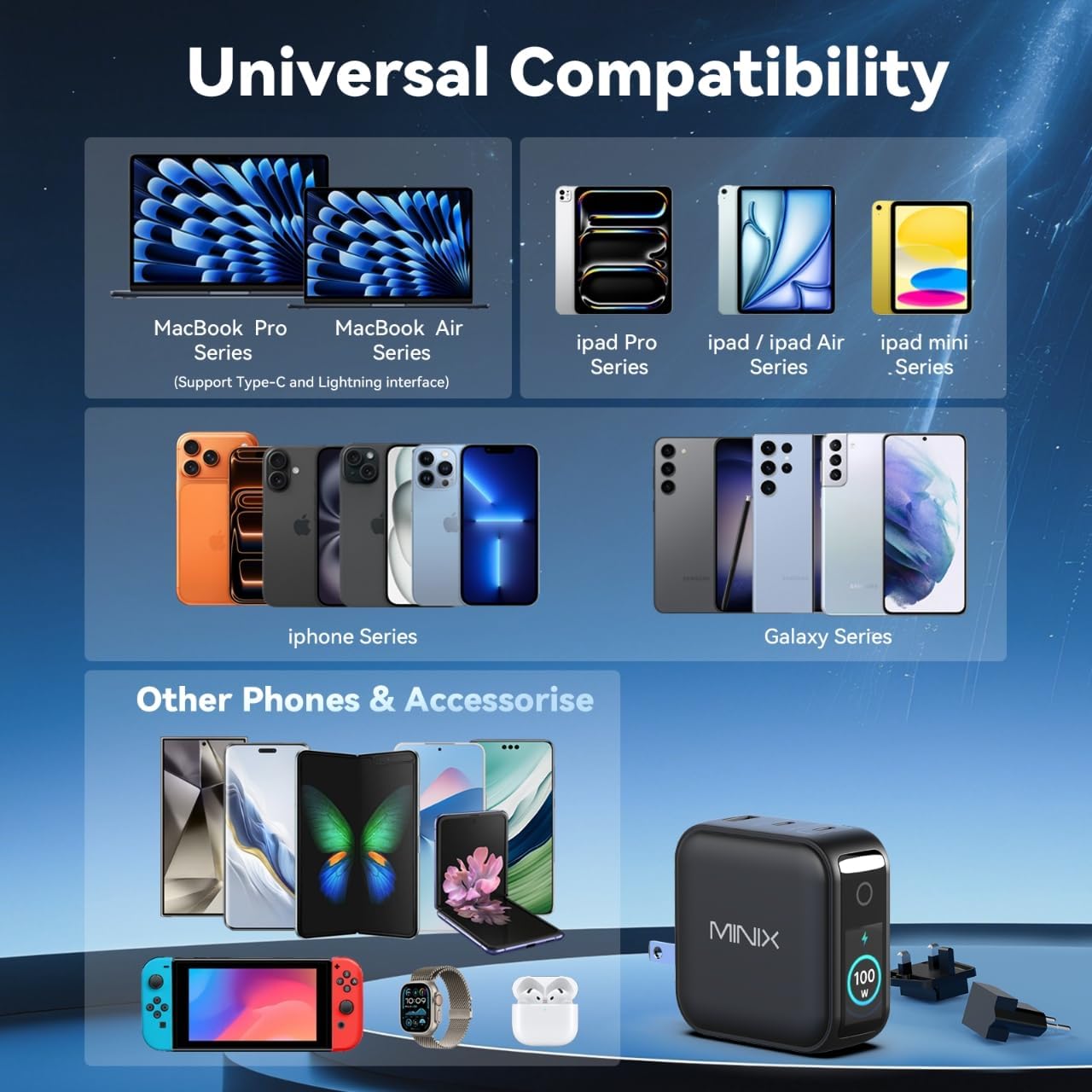
Image: A visual representation of the MINIX P3 Pro's universal compatibility with various devices.
Risoluzione dei problemi
If you encounter issues with your MINIX P3 Pro charger, please refer to the following common troubleshooting steps:
- Il caricabatterie non si accende:
- Assicurarsi che il caricabatterie sia collegato saldamente a una presa a muro funzionante.
- Verify that the correct regional plug adapter is firmly attached.
- Dispositivo non in carica o in carica lentamente:
- Verificare che il cavo di ricarica sia collegato saldamente sia al caricabatterie sia al dispositivo.
- Ensure the charging cable is not damaged and supports the required power delivery (e.g., 100W for high-power devices).
- Try a different port on the charger.
- If charging multiple devices, note that power is distributed, which may reduce individual port output. Refer to the "Power Distribution" section.
- Ensure your device supports the charging protocols (PPS, PD3.0, QC3.0) supported by the charger.
- Smart display not working or showing incorrect information:
- Ensure the charger is powered on and a device is connected.
- Tap the touch button to cycle through display modes.
- If the display is unresponsive, unplug the charger from the wall for a few seconds and then plug it back in.
- Il caricabatterie risulta caldo durante l'uso:
- È normale che il caricabatterie si surriscaldi durante il funzionamento, soprattutto durante la ricarica ad alta potenza.
- Ensure there is adequate ventilation around the charger. If it becomes excessively hot, disconnect it immediately and contact support.
Informazioni sulla sicurezza
Si prega di leggere e seguire queste precauzioni di sicurezza per evitare danni al prodotto o lesioni personali:
- Non esporre il caricabatterie ad acqua, umidità o elevata umidità.
- Avoid using the charger in environments with extreme temperatures.
- Do not disassemble, modify, or attempt to repair the charger yourself. This will void the warranty.
- Tenere il caricabatterie fuori dalla portata di bambini e animali domestici.
- Utilizzare solo cavi e dispositivi compatibili con il caricabatterie.
- Scollegare il caricabatterie durante i temporali o quando non viene utilizzato per lunghi periodi.
- The charger includes built-in safety features such as over-current, over-voltage protezione da sovratemperatura e cortocircuito.
Garanzia e supporto
The MINIX 100W USB C Charger (NEO P3 Pro) comes with a Garanzia del produttore di 1 anni.
Assistenza clienti
For any questions, technical assistance, or warranty claims, please contact MINIX customer service:
- Supporto online: Visitare il MINIX Store on Amazon and use the "Ask Product Question" feature.
- Servizio di manutenzione offline: Si prega di visitare il nostro sito ufficiale websito per ulteriori informazioni.
Please have your product model number (P5010) and purchase details ready when contacting support.


