
1. Introduzione
Thank you for choosing the FLEXISPOT Electric Standing Desk. This manual provides detailed instructions for the assembly, operation, and maintenance of your new adjustable height desk. Designed to promote a healthier work environment, this desk allows you to easily switch between sitting and standing positions, reducing the negative effects of prolonged sitting. Please read this manual thoroughly before assembly and use to ensure proper function and safety.
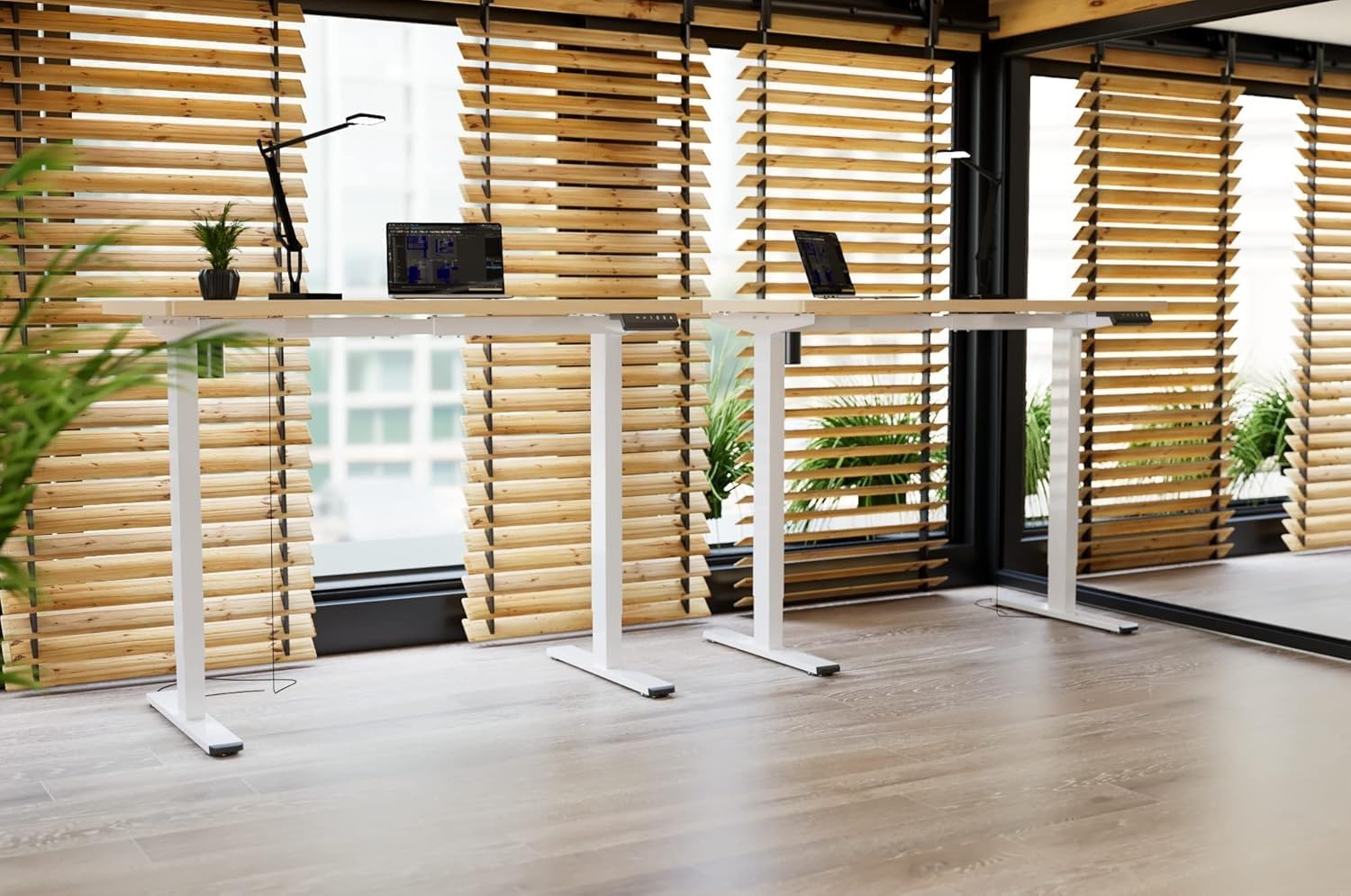
Image: Two FLEXISPOT electric standing desks with maple tops and white frames, set up in an office environment.
2. Informazioni sulla sicurezza
- Prima del montaggio, assicurarsi che tutti i componenti siano presenti e integri.
- Tenere bambini e animali domestici lontani dalla scrivania durante il funzionamento.
- Do not place hands or other body parts near moving parts of the desk frame.
- Avoid overloading the desk beyond its specified weight capacity.
- Utilizzare solo l'adattatore di alimentazione fornito e assicurarsi che sia collegato a una presa di corrente dotata di messa a terra.
- Do not disassemble or modify the desk's motor or control system.
- If any unusual noise or movement occurs, immediately stop operation and unplug the desk.
- Questa scrivania è progettata solo per uso interno.
3. Contenuto della confezione
Verifica che tutti i seguenti componenti siano inclusi nel pacchetto:
- Desktop (Maple, 140x60cm)
- Electric Lifting Columns (2x)
- Desk Feet (2x)
- Componenti della traversa/telaio
- Scatola di controllo
- Tastiera multifunzione
- Adattatore di alimentazione e cavo
- Backpack Hook (2x)
- Assembly Hardware (screws, Allen wrenches)
- Manuale di istruzioni
4. Installazione e assemblaggio
Follow these steps to assemble your FLEXISPOT Electric Standing Desk. It is recommended to have two people for assembly.
- Disimballare i componenti: Estrarre con cautela tutti i componenti dall'imballaggio e disporli su una superficie pulita e morbida per evitare graffi.
- Assemble Desk Feet: Attach the desk feet to the bottom of the lifting columns using the provided screws.
- Connetti la barra trasversale: Secure the crossbar components between the two lifting columns.
- Allega Desktop: Place the desktop upside down on a soft surface. Carefully position the assembled frame onto the desktop, aligning the pre-drilled holes. Secure the frame to the desktop with the appropriate screws.
- Install Control Box and Keypad: Mount the control box and multi-function keypad to the underside of the desktop using the provided hardware.
- Collegare i cavi: Connect the motor cables from the lifting columns to the control box. Connect the keypad cable to the control box. Finally, connect the power adapter to the control box and then to a power outlet.
- Installare gli accessori: Attach the backpack hooks to the desired location on the desk frame or desktop edge.
- Gestione dei cavi: Organize all cables using cable ties or management trays (not included) to prevent tangles and ensure safe operation.
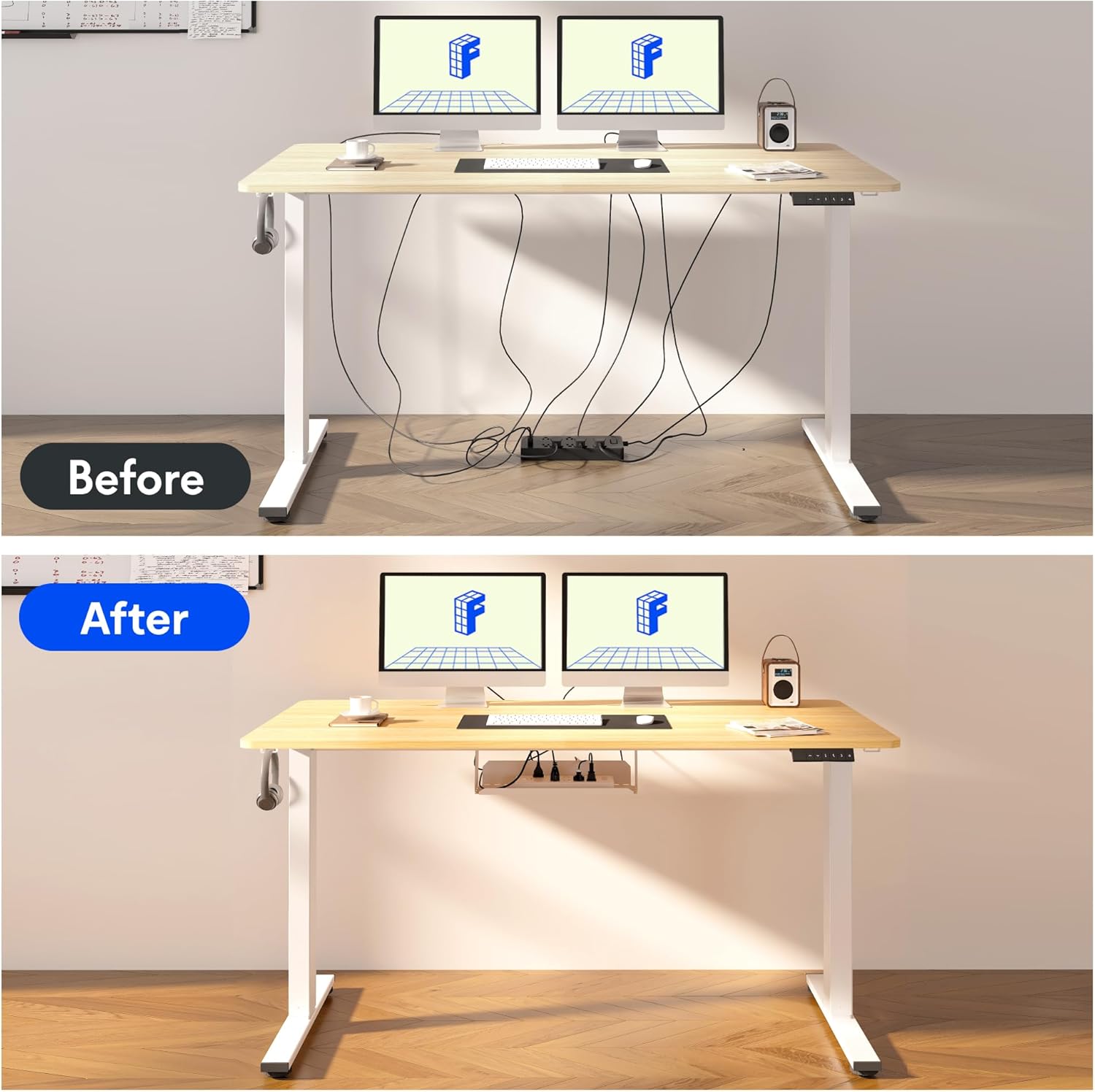
Image: Illustration of effective cable management for the desk, showing a 'before' state with loose cables and an 'after' state with cables neatly secured.

Immagine: Primo piano view of the optional cup holder and backpack hooks, demonstrating their attachment to the desk.
5. Istruzioni per l'uso
Your FLEXISPOT desk features an intuitive multi-function keypad for easy height adjustment and memory presets.

Immagine: dettagliata view of the multi-function keypad, highlighting the LED display, up and down adjustment keys, and four memory preset buttons.
- Regolazione dell'altezza: Utilizzare il Up (▲) E Giù (▼) keys to raise or lower the desk to your desired height. The current height will be displayed on the LED screen.
- Impostazione delle preimpostazioni di memoria:
- Adjust the desk to your preferred sitting or standing height using the Up/Down keys.
- Premere il tasto "M" button (or similar memory set button, if present, otherwise directly press a number).
- Premere immediatamente uno dei pulsanti di memoria numerati (1, 2, 3 o 4) to save the current height to that preset. The LED display will confirm the setting.
- Richiamo delle preimpostazioni di memoria: Press any of the numbered memory buttons (1, 2, 3 o 4) per spostare automaticamente la scrivania all'altezza salvata.
- Funzione di reset: If the desk encounters an error or needs to be reset, press and hold the Giù (▼) button until the desk reaches its lowest position and then slightly rises, indicating a successful reset.
6. Manutenzione
- Pulizia: Pulisci la superficie e la struttura della scrivania con un panno morbido e asciutto.amp panno. Evitare prodotti chimici aggressivi o detergenti abrasivi.
- Gestione dei cavi: Regularly check and organize cables to prevent damage and ensure smooth operation.
- Lubrificazione: The lifting mechanism is designed to be maintenance-free. Do not apply lubricants to the columns.
- Ispezione: Controllare periodicamente tutte le viti e i collegamenti per assicurarsi che siano ben serrati. Serrare nuovamente se necessario.
7. Risoluzione Dei Problemi
| Problema | Possibile causa | Soluzione |
|---|---|---|
| La scrivania non si muove. | Power cable disconnected, control box cable loose, overload. | Check all cable connections. Reduce weight on the desk. Perform a reset (see Operating Instructions). |
| La scrivania si muove in modo irregolare o produce rumori insoliti. | Loose screws, obstruction, uneven load. | Check all assembly screws. Ensure no obstructions are in the path of the lifting columns. Distribute weight evenly. |
| Le preimpostazioni di memoria non funzionano. | I preset non sono stati salvati correttamente. | Re-save the memory presets following the steps in the Operating Instructions. |
| Il display LED mostra un codice di errore. | Errore di sistema. | Perform a reset. If the error persists, contact customer support. |
8. Specifiche
- Dimensioni del desktop: 140 cm (lunghezza) x 60 cm (larghezza)
- Intervallo di altezza regolabile: da 73.5 cm a 118 cm
- Materiale: Maple wood desktop, Metal frame (White)
- Motore: Single motor, quiet operation (below 50 dB)
- Caratteristiche speciali: Electric height adjustment, Smart memory panel (4 presets), Backpack hook (2x)
- Stabilità: Enhanced frame design with wider feet and thicker columns for improved stability.

Image: Technical drawing illustrating the desktop dimensions (140x60cm) and the adjustable height range of the desk frame (73.5-118cm).

Immagine: Interna view of the desk's powerful and quiet motor, emphasizing its smooth and stable operation.
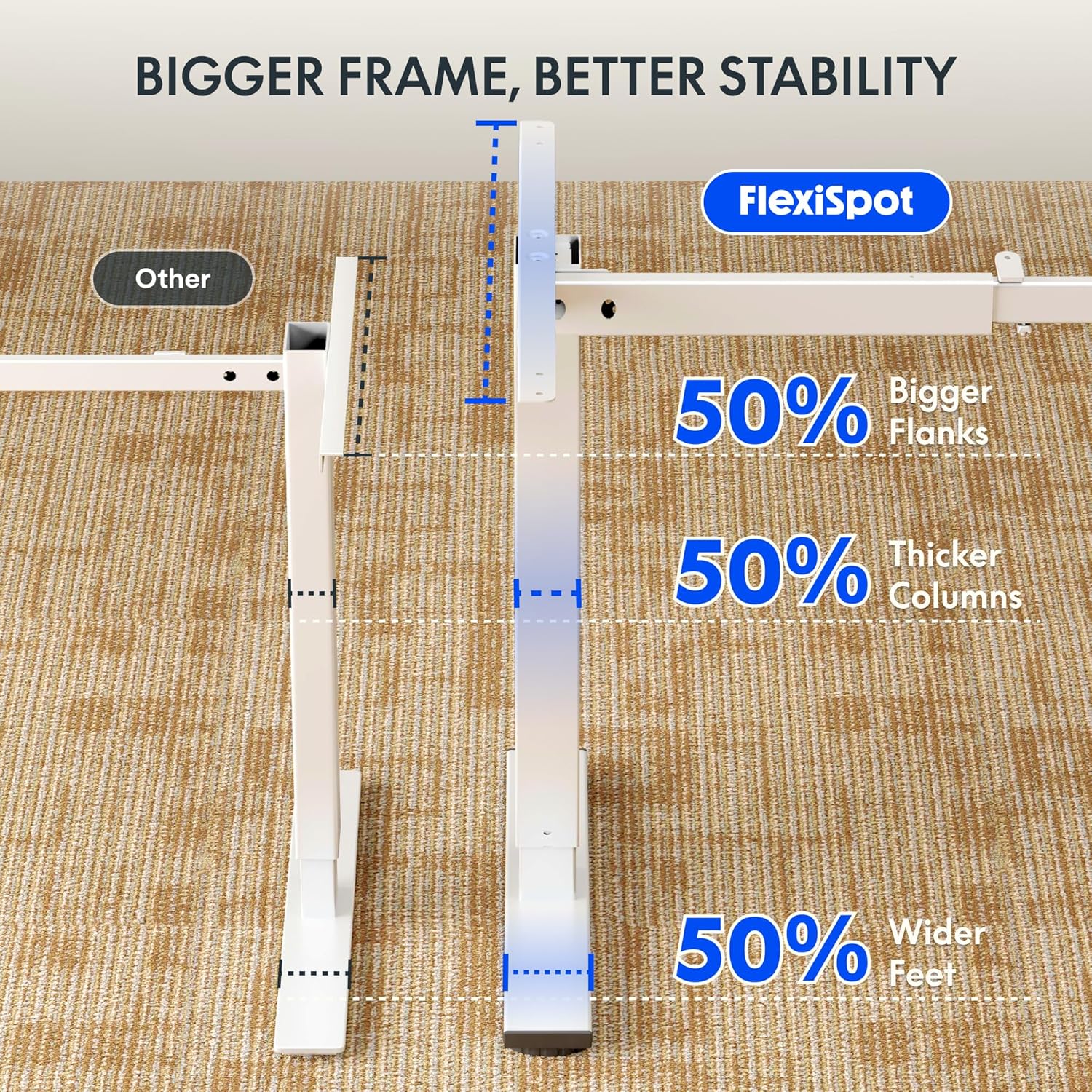
Image: Comparative diagram illustrating the superior stability of the FlexiSpot desk frame, featuring 50% bigger flanks, thicker columns, and wider feet compared to standard designs.
9. Informazioni sulla garanzia
This FLEXISPOT Electric Standing Desk is covered by a limited manufacturer's warranty. Please refer to the warranty card included in your package or visit the official FLEXISPOT website for detailed terms and conditions regarding coverage, duration, and claims process. Keep your proof of purchase for warranty service.
10. Assistenza clienti
If you have any questions, require assistance with assembly, or encounter issues not covered in this manual, please contact FLEXISPOT customer support. You can find contact information on the official FLEXISPOT websito o tramite il tuo rivenditore.
Per maggiori informazioni, visita: www.flexispot.com