
1. Introduzione
This manual provides essential information for the proper setup, operation, and maintenance of your UPERFECT 18.5" NxtLED Portable Monitor. Please read this manual thoroughly before using the device to ensure optimal performance and longevity.
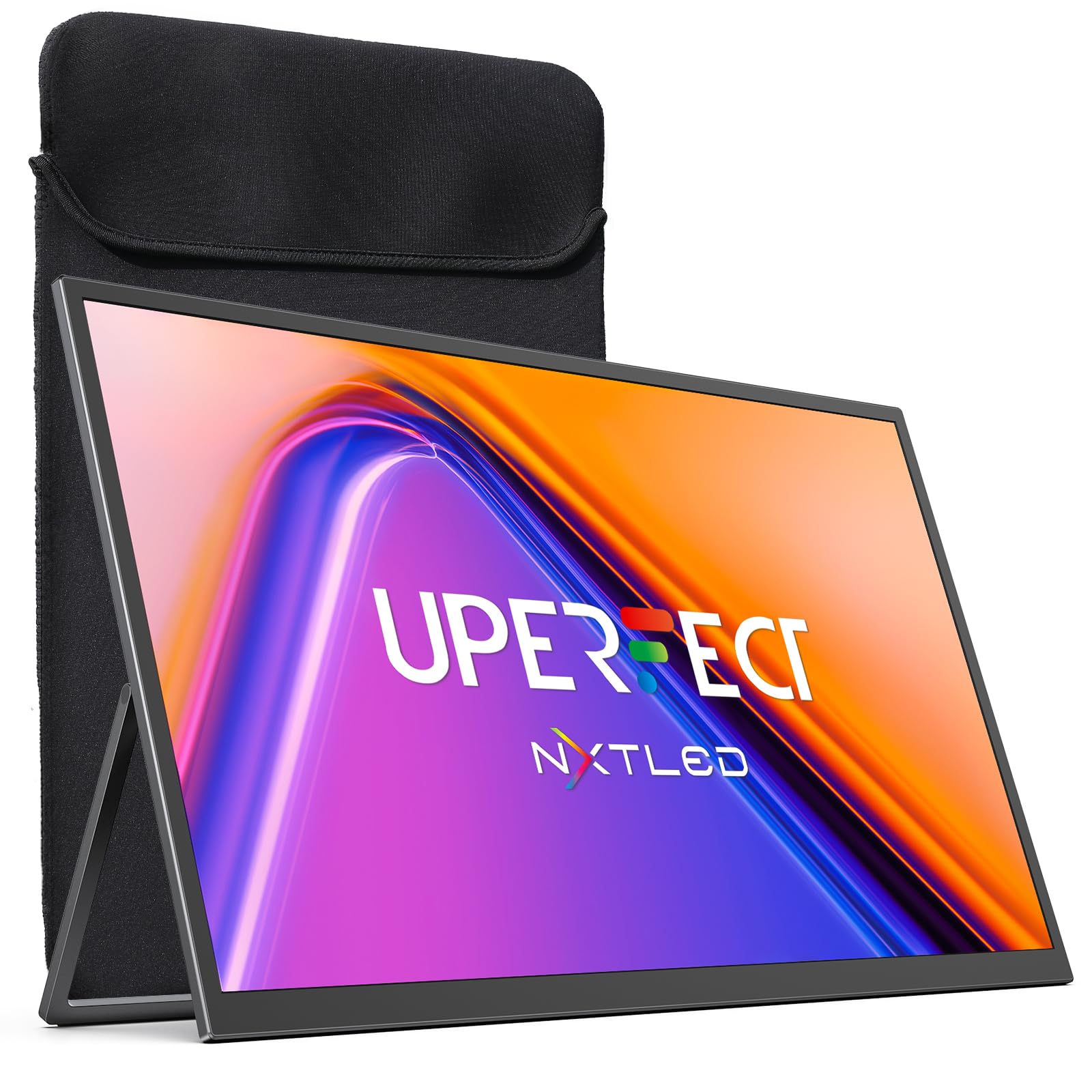
Figure 1: UPERFECT 18.5" NxtLED Portable Monitor
2. What is NxtLED™?
NxtLED™ is UPERFECT’s proprietary display system designed to optimize light at its source. It integrates several advanced technologies to deliver a superior visual experience:
- Omni Visible Visibility: Ensures clear and consistent visuals across different lighting conditions and viewangoli di inclinazione.
- Color-True Accuracy: Provides precise and vibrant color reproduction.
- Neutral White Calibration: Maintains a balanced white point for natural colors.
- Low Blue Light Control: Reduces harmful blue light emissions for enhanced visual comfort.
- Flicker-Free DC Dimming: Eliminates screen flicker for stable and comfortable viewanche durante un uso prolungato.
This technology aims to achieve near OLED-level color performance with enhanced visual comfort, making it ideal for creative work, entertainment, and extended use.

Figure 2: Diagram illustrating NxtLED™ display technology layers.
3. Impostazione
3.1. Contenuto della confezione
Verificare che tutti gli articoli siano presenti nel pacco:
- UPERFECT 18.5" NxtLED Portable Monitor
- USB-C to USB-C Cable (for power and display)
- Mini HDMI to HDMI Cable (for display)
- Adattatore di alimentazione
- Manicotto protettivo
- Viti di montaggio VESA
- Manuale dell'utente (questo documento)
3.2. Configurazione fisica
The monitor features a built-in kickstand for flexible positioning. Simply extend the stand from the back of the monitor to achieve your desired viewing angle. For alternative mounting options, the monitor is VESA mountable (75x75mm design).
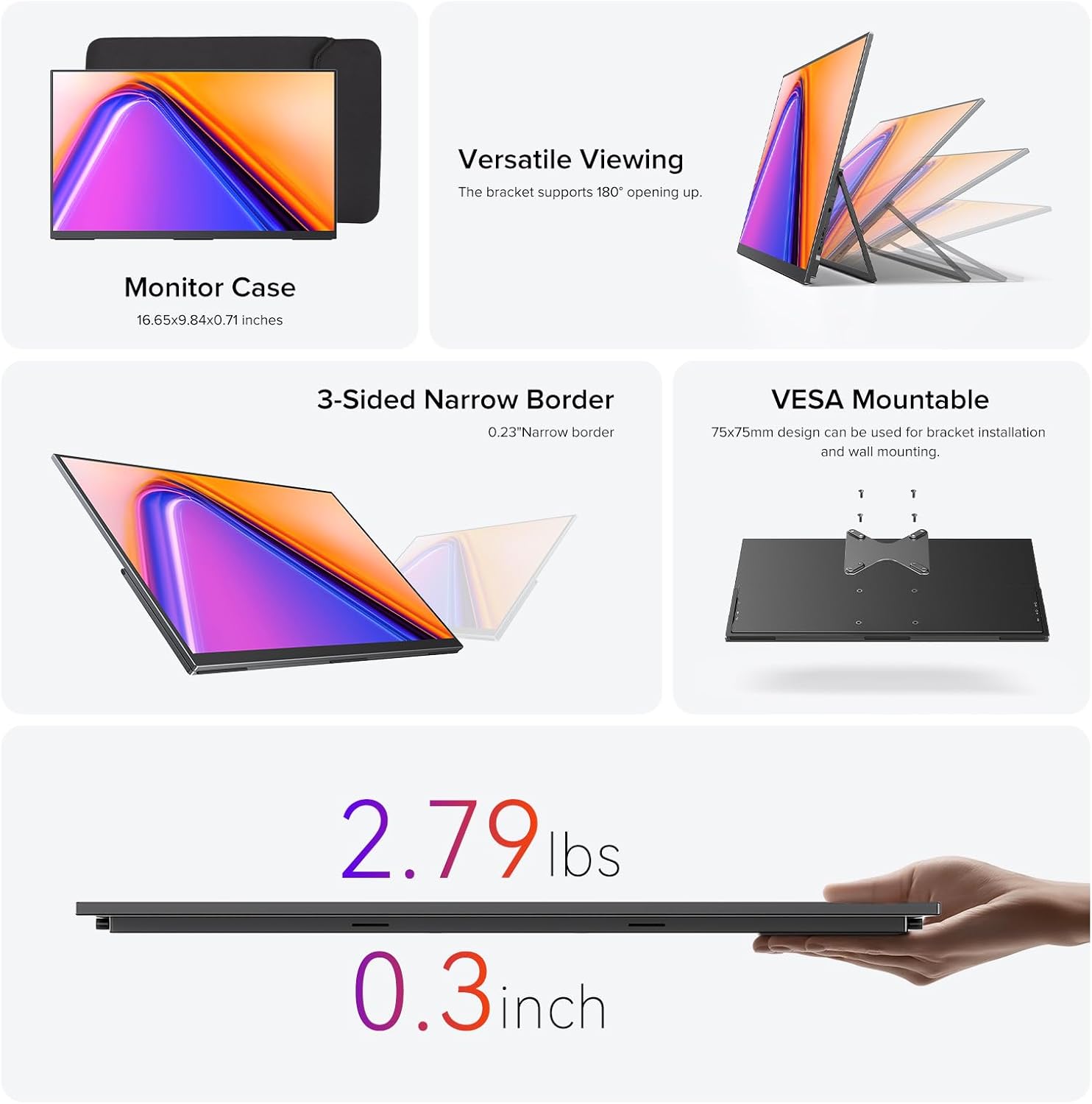
Figure 3: Monitor utilizing its built-in stand.
3.3. Connessione ai dispositivi
Il monitor offre versatili opzioni di connettività:
- USB Tipo-C: Use the provided USB-C to USB-C cable for a single-cable solution for both power and video transmission with compatible devices (e.g., laptops, smartphones with DisplayPort Alternate Mode).
- Mini HDMI: Connect to devices like PCs, game consoles, or other HDMI-enabled devices using the Mini HDMI to HDMI cable. An additional USB-C cable may be required for power.
- Energia: If using Mini HDMI or if your USB-C device does not provide sufficient power, connect the monitor to the power adapter using a USB-C cable.
Ensure cables are securely connected to the correct ports on both the monitor and your source device.
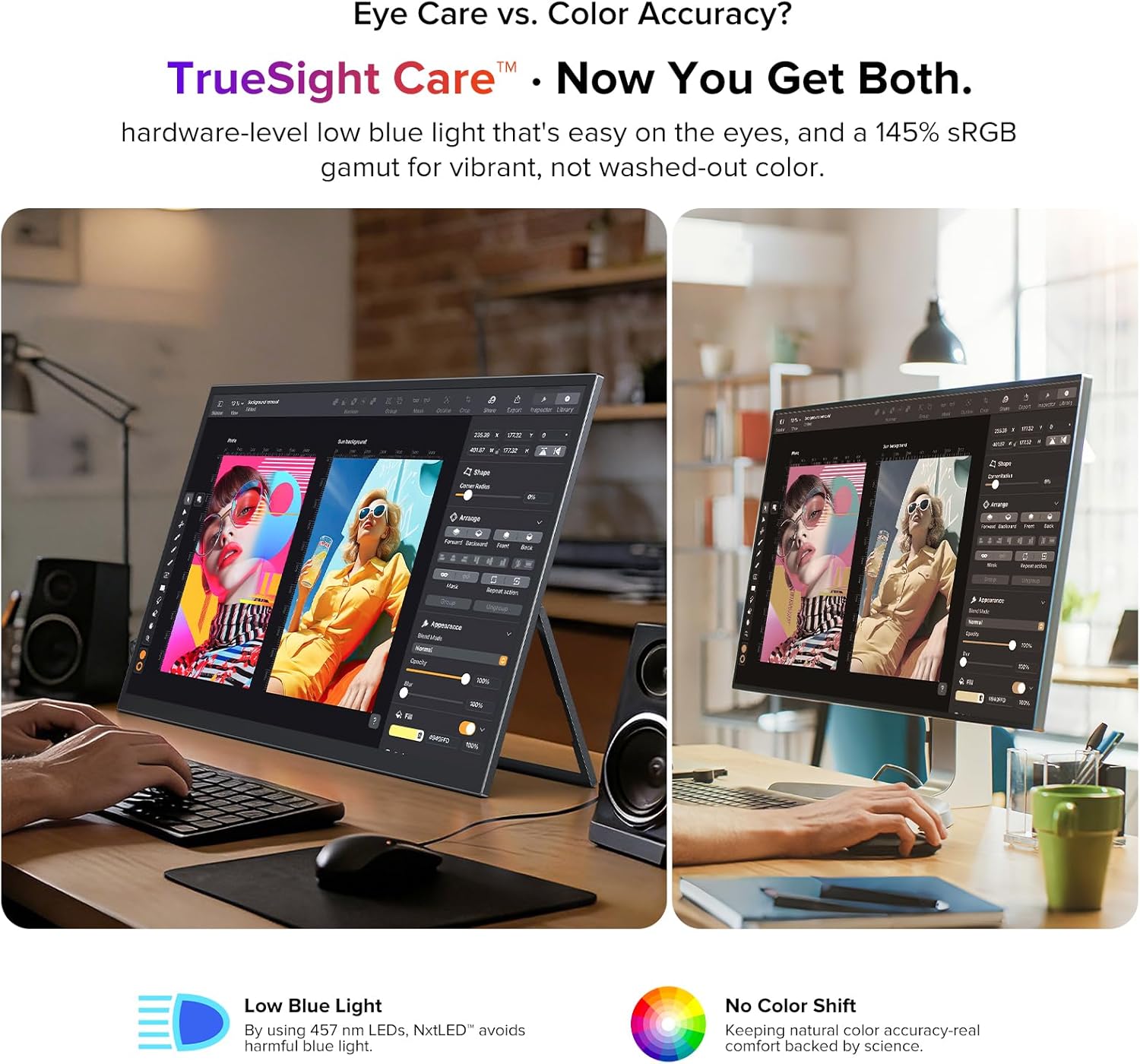
Figure 4: Monitor connected to a laptop for extended display.
4. Istruzioni per l'uso
4.1. Accensione/spegnimento
Locate the power button on the side of the monitor. Press and hold for a few seconds to power on or off. A short press may activate or deactivate the display.
4.2. Menu OSD (On-Screen Display).
The monitor features a scroll button and a return button for navigating the OSD menu. Use the scroll button to move through options and adjust values, and the return button to go back or confirm selections.
4.3. Impostazioni display
Nel menu OSD è possibile regolare varie impostazioni di visualizzazione:
- Luminosità/Contrasto: Regola i livelli di luminosità e contrasto del display.
- Temperatura del colore: Select from preset color temperatures or customize.
- Modalità Immagine: Choose from various modes optimized for different content (e.g., Standard, Game, Movie, Text).
- Proporzioni: Seleziona tra 16:9 o altri formati disponibili.
- Sorgente di input: Manually select the input source (USB-C, Mini HDMI).
- Caratteristiche della cura degli occhi: Activate or adjust Low Blue Light and Flicker-Free settings for reduced eye strain.
4.4. Uscita audio
The monitor includes a 3.5mm audio jack for connecting headphones or external speakers. Audio output can also be controlled via the OSD menu.
5. Caratteristiche principali
5.1. Eye Care Display
The NxtLED™ display incorporates Omni Visible technology, DC dimming, and low blue light control to minimize eye fatigue. It provides soft, evenly balanced light and a neutral white color temperature, ensuring comfortable viewdurante l'uso prolungato.

Figure 5: Display with features for reduced eye strain.
5.2. Precisione del colore
With 145% sRGB color gamut and TrueSight Care, the monitor delivers vivid and accurate colors. It maintains precise color reproduction across various environments, preventing color washout or tonal shifts.

Figure 6: Monitor demonstrating color accuracy and low blue light.
5.3. Anti-Glare Matte Screen
The advanced anti-glare matte display, powered by NxtLED Omni Visible technology, significantly reduces reflections. This diffuse reflection layer transforms direct light into soft, balanced visibility, improving clarity in bright environments, including outdoor settings.

Figure 7: Monitor used in a bright environment, showcasing glare reduction.
5.4. 178° Wide Viewangolo di ing
Optical Matrix light distribution ensures a true 178° ultra-wide viewing angle. This means images remain bright, color-accurate, and distortion-free from almost any position, facilitating shared viewesperienze di acquisizione.

Figura 8: Multiplo viewers enjoying a clear picture from various angles.
5.5. High Performance
The monitor features a 120Hz refresh rate, 1ms response time, and FreeSync support, providing smooth visuals for gaming and fast-paced content. It also supports HDR for enhanced dynamic range.

Figure 9: Visual representation of the monitor's high-performance features.
5.6. Portabilità e design
Weighing 2.2 pounds and with a thickness of 0.3 inches, this monitor is designed for portability. It features a 3-sided narrow border for an immersive viewing experience and is VESA mountable for flexible setup options.

Figure 10: Design elements highlighting portability and mounting options.
6. Manutenzione
6.1. Pulizia dello schermo
Per pulire lo schermo, strofinarlo delicatamente con un panno morbido e privo di lanugine. Per macchie ostinate, strofinare leggermenteampPulisci il panno con acqua o una soluzione detergente sicura per lo schermo. Evita di utilizzare prodotti chimici aggressivi, materiali abrasivi o di spruzzare liquidi direttamente sullo schermo.
6.2. Assistenza generale
- Evitare di posizionare oggetti pesanti sul monitor.
- Tenere il monitor lontano dalla luce solare diretta, da fonti di calore e da umidità eccessiva.
- When transporting, use the provided protective sleeve to prevent scratches and damage.
7. Risoluzione Dei Problemi
7.1. Nessun display/segnale
- Assicurarsi che il monitor sia acceso e che la spia di alimentazione sia attiva.
- Check all cable connections (USB-C, Mini HDMI) between the monitor and the source device. Ensure they are secure.
- Verificare che nel menu OSD sia selezionata la sorgente di ingresso corretta.
- If using Mini HDMI, ensure the monitor is receiving adequate power from the power adapter.
- Test with a different cable or source device if possible to rule out faulty components.
7.2. Flickering Screen
- Assicurarsi che l'alimentazione elettrica sia stabile.
- Controllare che i collegamenti dei cavi non siano allentati o danneggiati.
- Regola le impostazioni della frequenza di aggiornamento sul dispositivo sorgente.
- Verify that Flicker-Free DC Dimming is enabled in the OSD menu.
7.3. Nessun audio
- Controllare le impostazioni del volume sia sul monitor (tramite OSD) sia sul dispositivo sorgente.
- Ensure headphones or external speakers are properly connected to the 3.5mm audio jack.
- Verify that the audio output is correctly configured on your source device.
8. Specifiche
| Caratteristica | Specificazione |
|---|---|
| Marca | SUPERFETTO |
| Numero di modello | NxtLED One Plus |
| Dimensioni dello schermo | 18.5 pollici |
| Risoluzione | FHD 1080p (1920x1080 Pixels) |
| Frequenza di aggiornamento | Frequenza 120 Hz |
| Tempo di risposta | 1 millisecondi |
| Tipo di visualizzazione | NxtLED |
| Proporzioni | 16:9 |
| Screen Finish | Opaco (antiriflesso) |
| Rapporto di contrasto | 2000:1 |
| Luminosità | 600 lux |
| Gamma di colori | 145% sRGB |
| Viewangolo di ing | 178 gradi |
| Connettività | 2x USB Type-C, 1x Mini HDMI, 1x 3.5mm Audio Jack |
| Caratteristiche aggiuntive | Anti Glare Screen, Blue Light Filter, Eye Care, Flicker-Free, FreeSync |
| Peso dell'articolo | 2.2 libbre |
| Consumo energetico | 15 Watt |
9. Garanzia e supporto
9.1. Informazioni sulla garanzia
The UPERFECT 18.5" NxtLED Portable Monitor comes with a Garanzia di 2 anno dalla data di acquisto. La presente garanzia copre difetti di fabbricazione e malfunzionamenti in condizioni di normale utilizzo. Si prega di conservare la prova d'acquisto per eventuali reclami in garanzia.
9.2. Assistenza clienti
For technical assistance, troubleshooting, or warranty inquiries, please visit the official UPERFECT website or contact their customer support team. Refer to the contact information provided on the product packaging or the official brand store for the most up-to-date support details.
Puoi visitare il UPERFECT Store on Amazon per ulteriori informazioni e risorse.


