
Introduzione
This manual provides essential information for the safe and efficient use of your FOSSIBOT F109 5G Rugged Phone. Please read it thoroughly before operating the device. Keep this manual for future reference.
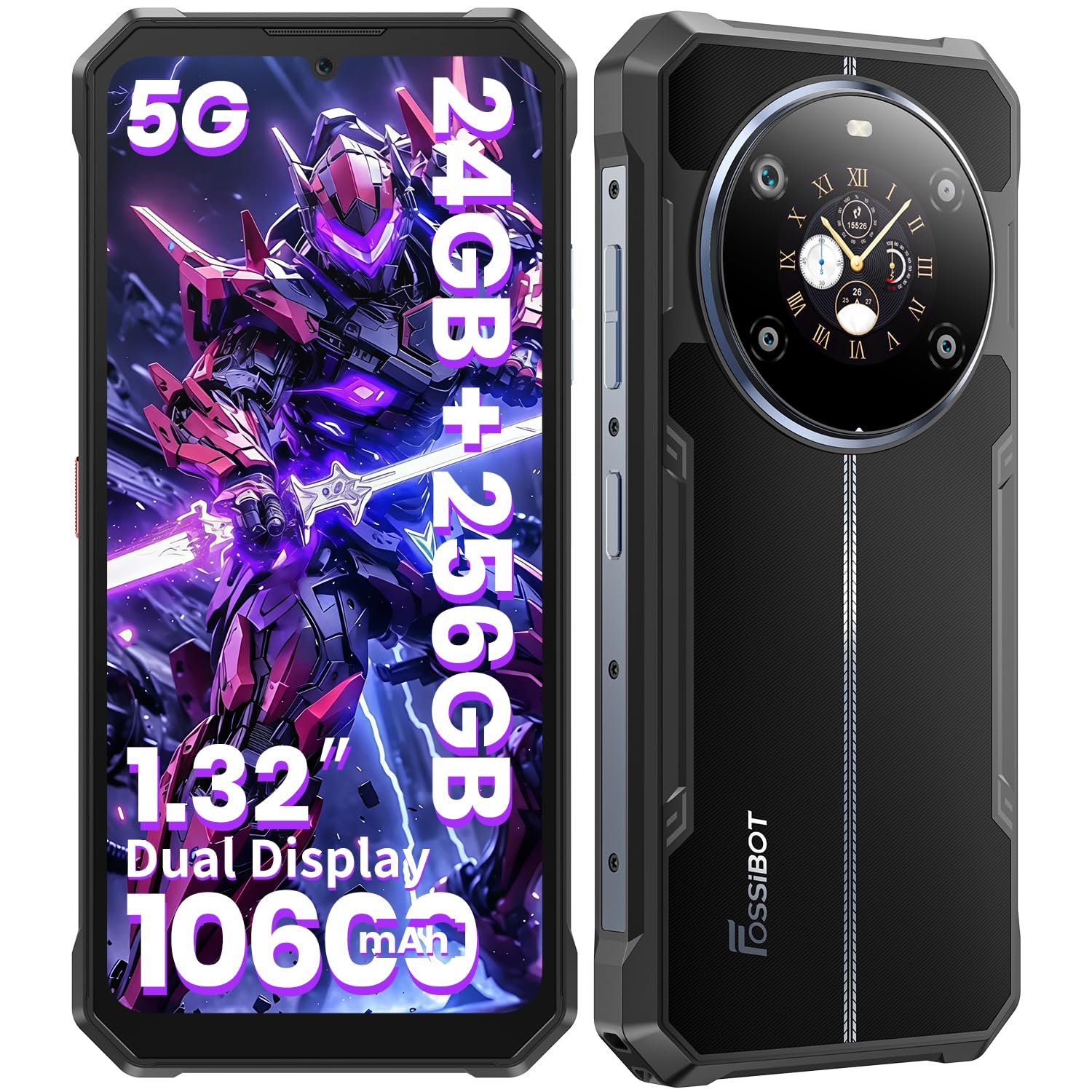
Figure 1: FOSSIBOT F109 5G Rugged Phone Overview
Contenuto della confezione
Verifica che tutti gli articoli siano presenti nella confezione del prodotto:
- Smartphone FOSSIBOT F109
- Cavo USB Type-C
- Caricabatterie da 18 W
- Manuale d'uso/Carta di garanzia
- PIN della scheda SIM
- Custodia per telefono

Figure 2: Included items in the FOSSIBOT F109 package.
Impostare
1. Installazione della scheda SIM e della scheda MicroSD
- Individuare il vassoio della scheda SIM sul lato del telefono.
- Inserire il perno della scheda SIM fornito nel piccolo foro accanto al vassoio per espellerla.
- Place your Nano-SIM card(s) and/or MicroSD card (up to 2TB, sold separately) into the tray according to the diagram on the tray.
- Reinserire con cautela il vassoio nel telefono finché non scatta in posizione.

Figure 3: Illustration of Dual SIM and TF Card installation.
2. Ricarica iniziale
- Collegare il cavo USB di tipo C alla porta di ricarica del telefono.
- Collegare l'altra estremità del cavo al caricabatterie da 18 W.
- Collegare il caricabatterie a una presa di corrente.
- Allow the phone to charge fully before first use. The 10600mAh battery provides extended usage.

Figure 4: FOSSIBOT F109's 10600mAh battery capacity and estimated usage times.
3. Accensione/Spegnimento
- Per accendere: Press and hold the Power button (located on the right side) until the FOSSIBOT logo appears.
- Per spegnere: Tieni premuto il pulsante di accensione, quindi seleziona "Spegni" dalle opzioni sullo schermo.
Istruzioni per l'uso
1. Sistema operativo Android 14
Your FOSSIBOT F109 runs on the latest Android 14, offering enhanced security, personalization, and a user-friendly interface. Navigate through apps and settings using touch gestures.

Figura 5: Oltreview dell'interfaccia del sistema operativo Android 14.
2. Main Display and Rear Display
The phone features a 6.745-inch FHD+ main display for immersive viewing and a 1.32-inch versatile rear display for quick access to information.
- Schermo principale: Enjoy vibrant colors and sharp details for videos, games, and browsing.
- Display posteriore: Provides quick access to notifications, incoming calls, time, compass, music controls, and can be customized with various dial designs. It also allows for taking selfies with the main camera.

Figure 6: The FOSSIBOT F109's 6.745-inch main display and customizable 1.32-inch rear display.
3. Sistema di telecamere
The FOSSIBOT F109 is equipped with a versatile camera system:
- Fotocamera principale AI da 50 MP: Per foto ad alta risoluzione.
- Fotocamera frontale da 16 MP: Per selfie e videochiamate nitidi.
- Obiettivo macro da 5 MP: Per primi piani dettagliati.
Utilize various camera modes like portrait mode and night mode for optimal results in different environments.

Figure 7: The FOSSIBOT F109's 50MP AI main camera for detailed photography.
4. Prestazioni e archiviazione
The MTK Dimensity 6300 chipset and 24GB RAM (8GB physical + 16GB virtual) ensure smooth multitasking and efficient performance. The phone comes with 256GB of internal storage, expandable up to 2TB with a MicroSD card.
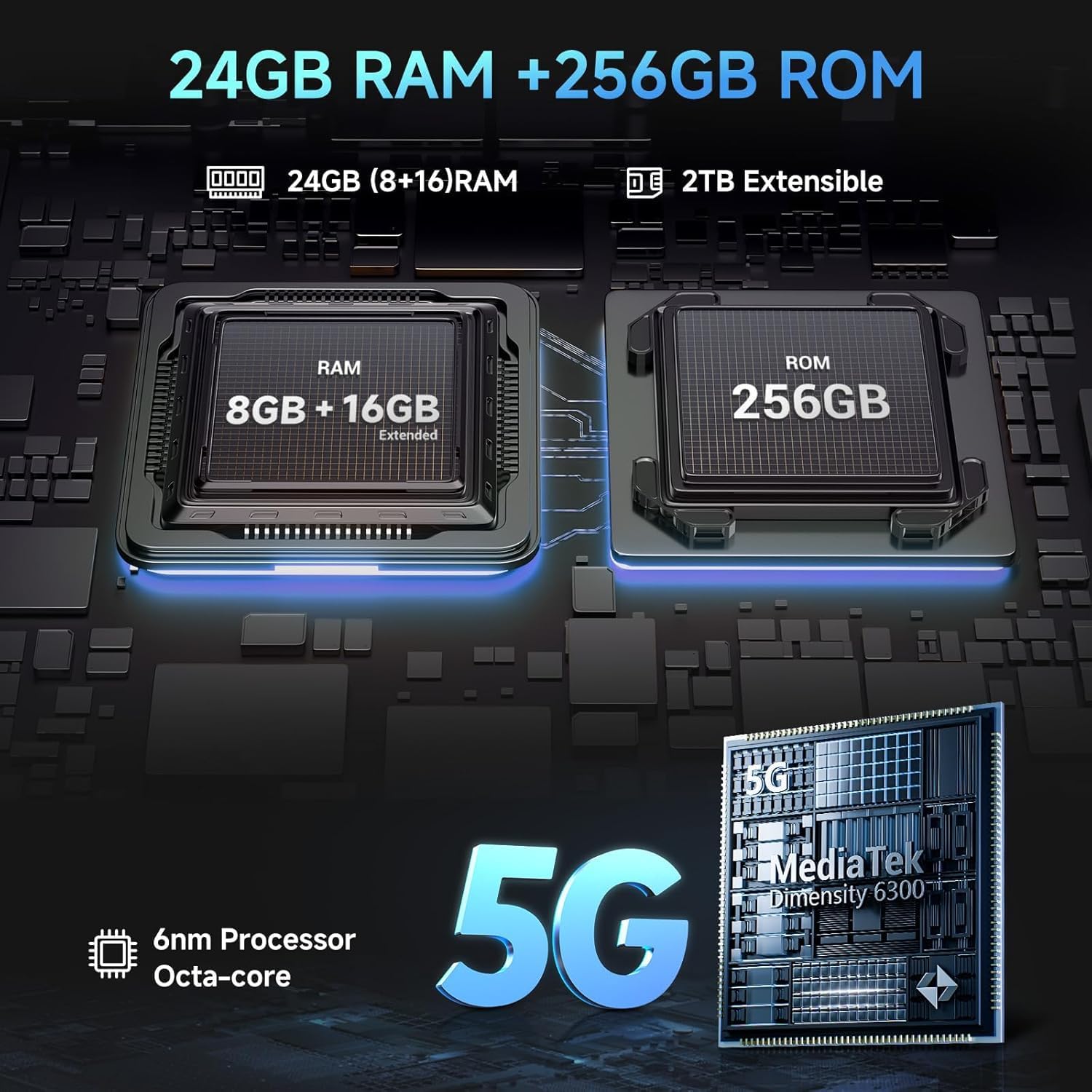
Figure 8: Illustration of FOSSIBOT F109's 24GB RAM and 256GB ROM with 2TB extensibility.
5. Connettività e funzionalità
- Connettività 5G: Supports global 5G networks for fast data speeds.
- Doppia SIM: Use two Nano-SIM cards simultaneously.
- Wi-Fi e Bluetooth: Opzioni di connettività wireless standard.
- NFC e Google Pay: Per pagamenti contactless e trasferimento dati.
- Pulsante personalizzato: A programmable button for quick access to a chosen app or function.
- Sblocco tramite Face ID e impronta digitale: Secure biometric authentication.
Manutenzione
1. Robustezza e durata
The FOSSIBOT F109 is designed to withstand harsh environments, featuring:
- Grado di protezione IP68: Resistente all'acqua fino a 1.5 metri per 30 minuti.
- Grado di protezione IP69K: Protection against high-pressure, high-temperature water jets and dust ingress.
- MIL-STD-810H: Resistenza alle cadute di livello militare fino a 1.5 metri.
These features make the phone suitable for outdoor adventures, sports, and professional work in demanding conditions.

Figure 9: FOSSIBOT F109 demonstrating its rugged features including drop resistance, water resistance, and dust-proof design.
Video 1: Demonstration of the FOSSIBOT F109's durability against water and impacts.
2. Istruzioni per la pulizia
Per pulire il tuo FOSSIBOT F109, usa un panno morbido eamp cloth. Avoid using harsh chemicals or abrasive materials that could damage the device's protective coatings.
3. Cura della batteria
To prolong battery life, avoid exposing the phone to extreme temperatures. Use only the provided charger and cable. Do not fully discharge the battery regularly, and avoid leaving it at 100% charge for extended periods.
Risoluzione dei problemi
Problemi comuni e soluzioni
- Il telefono non si accende: Assicurarsi che la batteria sia carica. Collegare il dispositivo al caricabatterie e attendere qualche minuto prima di riprovare ad accenderlo.
- Segnale di rete scarso: Check SIM card installation. Ensure you are within network coverage. Restart the phone.
- Le app si bloccano o si arrestano in modo anomalo: Close background applications. Clear app cache. Restart the phone.
- La batteria si scarica rapidamente: Reduce screen brightness. Disable unnecessary features like GPS, Bluetooth, Wi-Fi when not in use. Check for power-intensive apps.
- Problemi di danni causati dall'acqua: While rugged, ensure all ports are properly sealed before exposure to water. If water ingress is suspected, power off immediately and contact support.
For persistent issues, refer to the FOSSIBOT official support channels.
Specifiche
| Caratteristica | Specificazione |
|---|---|
| Marca | FOSSIBOT |
| Nome del modello | F109 |
| Sistema operativo | Androide 14 |
| Dimensione della memoria RAM installata | 24 GB (8 GB + 16 GB virtuali) |
| Capacità di archiviazione della memoria | 256 GB |
| Dimensione massima supportata della memoria flash | 2 TB (MicroSD) |
| Modello CPU | Dimensioni Mediatek 6300 |
| Velocità della CPU | 2.4 GHz |
| Dimensioni dello schermo | 6.75 pollici (display principale) |
| Risoluzione | 1080 x 2340 (Main Display) |
| Display posteriore | 1.32 pollici |
| Rear Facing Camera Photo Sensor Resolution | 50 MP (Main) |
| Risoluzione del sensore fotografico anteriore | 16 MP |
| Fotocamera macro | 5 MP |
| Capacità della batteria | 10600 mAh |
| Ricarica | 18W Carica rapida |
| Tecnologia cellulare | 5G |
| Numero di slot per schede SIM | Doppia SIM |
| Tecnologia di connettività | Bluetooth, NFC, Wi-Fi |
| Livello di resistenza all'acqua | IP68, IP69K |
| Resistenza alla caduta | MIL-STD-810H (1.5 m) |
| Tipo di connettore | USB tipo C |
Garanzia e supporto
FOSSIBOT provides 24/7 customer service for your F109 device. For any questions, concerns, or warranty claims, please contact the official FOSSIBOT support team. Refer to the warranty card included in your package for specific terms and conditions.
Informazioni sui contatti: Please refer to the official FOSSIBOT websito o i recapiti forniti nella documentazione di garanzia.