
Introduzione
Thank you for choosing the AGM Motion Open Buds 1 In-Ear Headphones. These headphones are designed to provide a clear sound experience with an open-ear design, ensuring you stay connected to your surroundings while enjoying audio. This manual provides instructions for setup, operation, maintenance, and troubleshooting to ensure optimal performance and longevity of your device.
Prodotto finitoview
The AGM Motion Open Buds 1 feature an ergonomic open-ear design, Bluetooth 5.4 connectivity, and intuitive touch controls. They are built for daily use and sports, offering water and sweat resistance.
Caratteristiche principali:
- Design Open-Head: Permette di prendere consapevolezza dell'ambiente circostante durante l'ascolto dell'audio.
- Suono chiaro: Equipped with 13 mm speakers and high microphone sensitivity for balanced audio and clear calls.
- Batteria a lunga durata: Up to 6 hours of music playback on a single charge, with a total of approximately 24 hours using the charging case.
- Ricarica rapida: Universal Type-C charging port, fully charged in 2 hours.
- Protezione IPX4: Resistant to daily splashes of water and sweat.
- Bluetooth 5.4: Stable connection with a range of 10m, compatible with iOS and Android devices.
- Associazione automatica: Simplifies connection process upon opening the charging box.
- Leggero e compatto: Designed for comfort during extended wear.
- Controllo touch intuitivo: Facile gestione della riproduzione musicale e delle chiamate.

Figura 1: The AGM Open Buds 1 feature an open-ear design with Active Noise Cancellation (ANC) capabilities, allowing users to enjoy audio while remaining aware of their environment. Intelligent microphones and algorithms reduce background noise for clear sound.

Figura 2: The Open Buds 1 and their charging case weigh approximately 38 grams, featuring a slim, ergonomic open-ear design that rests gently outside the ear canal for comfortable wear.
Impostare
1. Carica del dispositivo
Prima del primo utilizzo, caricare completamente le cuffie e la custodia di ricarica.
- Custodia di ricarica: Connect the provided Type-C charging cable to the charging port on the case and a power source. The case can be fully charged in approximately 2 hours.
- Earbuds: Place the earbuds into the charging case. They will charge automatically. The earbuds provide up to 6 hours of music playback (at 70% volume) or 5 hours of talk time on a single charge. The 300 mAh charging case extends the total usage time to approximately 24 hours.
- Indicatore della batteria: The charging case features an LED battery smart display to show the current charge level.
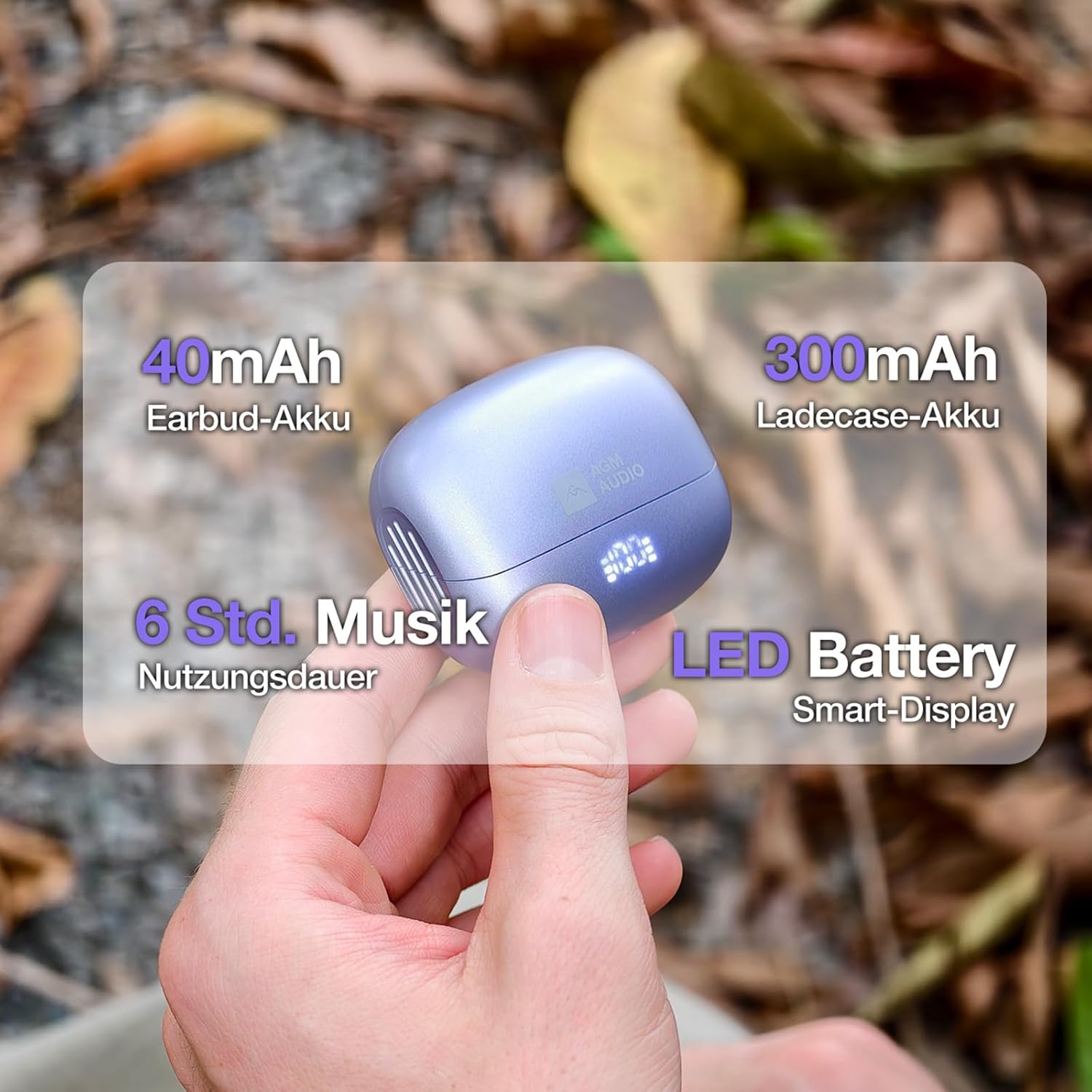
Figura 3: The charging case has a 300mAh battery, providing approximately 24 hours of total usage time. Each earbud contains a 40mAh battery, offering up to 6 hours of music playback. An LED display on the case indicates battery status.
2. Associazione con un dispositivo
- Aprire la custodia di ricarica. Gli auricolari si accenderanno automaticamente ed entreranno in modalità di associazione.
- Sul tuo smartphone o dispositivo abilitato Bluetooth, vai alle impostazioni Bluetooth.
- Cercare available devices and select "S65D" from the list.
- Una volta effettuata la connessione, sentirai un tono di conferma e gli auricolari saranno pronti per l'uso.
The earbuds support Bluetooth 5.4 for a stable connection up to 10 meters and are compatible with both iOS and Android devices.
Istruzioni per l'uso
Controlli touch:
The AGM Motion Open Buds 1 feature intuitive touch controls on each earbud. Specific functions may vary slightly depending on your device and application.
- Riproduci/Pausa: Un solo tocco su uno degli auricolari.
- Rispondi/Termina chiamata: Un solo tocco su uno degli auricolari.
- Rifiuta chiamata: Tieni premuto uno degli auricolari per 2 secondi.
- Traccia successiva: Tocca due volte l'auricolare destro.
- Traccia precedente: Tocca due volte l'auricolare sinistro.
- Assistente vocale: Triple tap either earbud (if supported by your device).
Accensione/spegnimento:
- Accensione: Apri la custodia di ricarica e gli auricolari si accenderanno automaticamente.
- Spegni: Place the earbuds back into the charging case and close the lid. They will automatically power off after 2-3 seconds.
Manutenzione
Una corretta manutenzione garantisce la longevità e le prestazioni delle cuffie.
- Pulizia: Utilizzare un panno morbido, asciutto e privo di lanugine per pulire gli auricolari e la custodia di ricarica. Non utilizzare prodotti chimici aggressivi o materiali abrasivi.
- Resistenza all'acqua: The headphones are IPX4 rated, meaning they are resistant to splashes of water and sweat. Do not submerge them in water or expose them to heavy rain. Ensure they are dry before placing them back in the charging case.
- Magazzinaggio: When not in use, store the headphones in their charging case to protect them from dust and damage. Avoid extreme temperatures.
- Cura della batteria: The battery can withstand up to 300 charging cycles. To prolong battery life, avoid fully discharging the battery frequently.

Figura 4: The Open Buds 1 are IPX4 certified, making them sweat and splash resistant. This makes them suitable for active lifestyles, including jogging, hiking, or daily activities where exposure to light moisture may occur.
Risoluzione dei problemi
If you encounter issues with your AGM Motion Open Buds 1, refer to the following common solutions:
| Problema | Soluzione |
|---|---|
| Gli auricolari non si accoppiano |
|
| Nessun suono da un auricolare |
|
| La custodia di ricarica non si ricarica |
|
| Scarsa qualità del suono |
|
Specifiche
| Caratteristica | Dettaglio |
|---|---|
| Numero di modello | AGM open buds 1 |
| Marca | Assemblea generale annuale |
| Tecnologia di connettività | Senza fili (Bluetooth 5.4) |
| Chipset Bluetooth | Modello JL6983D2 |
| Protocolli Bluetooth | A2DP, AVRCP, HSP, HFP |
| wireless Range | ≥10 m |
| Dimensioni dell'altoparlante | Φ13 mm full-range speakers |
| Impedenza dell'altoparlante | 32Ω |
| Potenza nominale dell'altoparlante | 3 mW |
| Risposta in frequenza | Frequenza |
| Rapporto segnale-rumore audio | ≥90 dB |
| Sensibilità del microfono | -42 dB±3 |
| Capacità della batteria degli auricolari | 40 mAh |
| Capacità della batteria della custodia di ricarica | 300 mAh |
| Tempo di riproduzione della musica | Fino a 6 ore (al 70% del volume) |
| Tempo di conversazione | Fino a 5 ore |
| Tempo di riproduzione totale (con custodia) | Circa 24 ore |
| Tempo di ricarica | Circa 2 ore (per una carica completa) |
| Tempo di standby | Fino a 40 ore |
| Porta di ricarica | Tipo C |
| Grado di protezione dell'acqua | Grado di protezione IPX4 |
| Materiale | Plastica PC + ABS |
| Dimensioni degli auricolari | 34.26 mm × 25.05 mm × 21.29 mm |
| Dimensioni della custodia di ricarica | 61.4 mm × 50 mm × 25.8 mm |
| Peso totale | Circa 37.3 g |
Garanzia e supporto
For warranty information and customer support, please refer to the documentation included with your purchase or visit the official AGM websito. Conservare la prova d'acquisto per eventuali reclami in garanzia.