1. Introduzione
The Honeywell Xenon 1902GSR is a high-performance wireless handheld barcode scanner designed for efficient and reliable data capture. This device utilizes advanced area-imaging technology to read both 1D and 2D barcodes, including those that are damaged, smudged, or displayed on digital screens. With Bluetooth connectivity, it offers cordless operation, enhancing mobility and reducing workspace clutter. This manual provides essential information for the proper setup, operation, and maintenance of your barcode reader.
2. Informazioni sulla sicurezza
- Non esporre il dispositivo a temperature estreme, umidità o sostanze corrosive.
- Avoid direct eye exposure to the scanner's light source.
- Utilizzare solo accessori e adattatori di alimentazione approvati dal produttore.
- Non tentare di smontare o riparare il dispositivo da soli. Rivolgersi a personale qualificato.
- Smaltire le batterie secondo le normative locali.
3. Contenuto della confezione
Verifica che tutti gli articoli siano presenti nel tuo pacco:
- Honeywell Xenon 1902GSR Barcode Reader
- Communication/Charging Cradle (CCB01-010BT)
- Cavo USB
- Guida rapida (questo manuale)
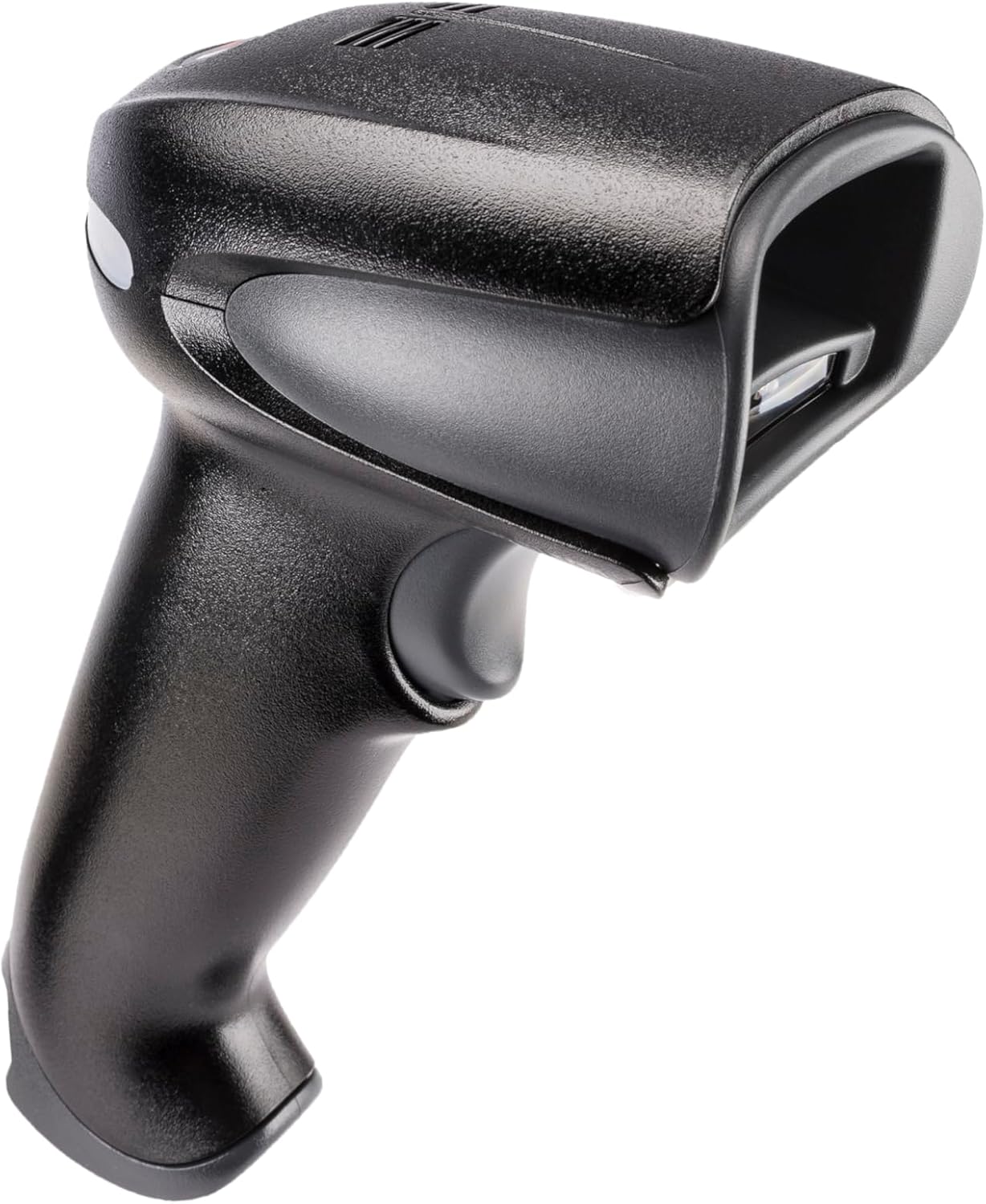
Figure 1: Honeywell Xenon 1902GSR Barcode Reader (Handheld Unit)

Figure 2: Honeywell Xenon 1902GSR Barcode Reader with its Communication/Charging Cradle
4. Configurazione e installazione
4.1 Caricamento della batteria
- Connect the USB cable to the communication/charging cradle.
- Plug the other end of the USB cable into a powered USB port on your computer or a USB wall adapter.
- Place the barcode reader into the cradle. Ensure it is seated correctly.
- The scanner's indicator light will show charging status. Allow several hours for a full charge before first use.
4.2 Connecting the Cradle to a Host System
The cradle connects to your host system (e.g., computer, POS terminal) via the supplied USB cable.
- Ensure the host system is powered on.
- Connect the USB cable from the cradle to an available USB port on your host system.
- The system should automatically detect and install the necessary drivers. If not, refer to the Honeywell support websito per il download dei driver.
4.3 Pairing the Scanner with the Cradle
The scanner and cradle are typically pre-paired at the factory. If re-pairing is necessary:
- Assicurarsi che lo scanner sia carico e acceso.
- Scan the "Link" barcode found on the bottom of the communication/charging cradle.
- The scanner will emit a series of beeps to indicate successful pairing.
5. Istruzioni per l'uso
5.1 Scansione di base
- Tenere lo scanner con la finestra di scansione rivolta verso il codice a barre.
- Tieni premuto il pulsante di attivazione. Apparirà un raggio di mira.
- Centrare il raggio di puntamento sul codice a barre.
- Once the barcode is successfully read, the scanner will emit a beep and the indicator light will flash green.
- Rilasciare il grilletto.
5.2 Reading 1D and 2D Barcodes
The Xenon 1902GSR is capable of reading a wide variety of 1D (e.g., UPC/EAN, Code 39) and 2D (e.g., QR Code, Data Matrix, PDF417) barcodes. For optimal performance, ensure the barcode is well-lit and the scanner is held at an appropriate distance.
5.3 Portata Bluetooth
The scanner operates wirelessly up to 33 feet (10 meters) from its communication cradle. Performance may vary depending on environmental factors and obstacles.
6. Manutenzione
6.1 Pulizia del dispositivo
- Utilizzare un panno morbido e pulitoampened with water or a mild cleaning solution to wipe the exterior of the scanner and cradle.
- Non utilizzare detergenti abrasivi, solventi o prodotti chimici aggressivi.
- Keep the scan window clean and free of dust and smudges for optimal reading performance.
6.2 Cura della batteria
- Per una durata ottimale della batteria, evitare di scaricarla completamente frequentemente.
- Conservare il dispositivo in un luogo fresco e asciutto quando non viene utilizzato per lunghi periodi.
- If the battery performance significantly degrades, it may need replacement. Contact Honeywell support for authorized battery replacement options.
7. Risoluzione Dei Problemi
| Problema | Possibile causa | Soluzione |
|---|---|---|
| Lo scanner non si accende | Batteria scarica o scarica | Place scanner in cradle to charge. Ensure cradle is powered. |
| Lo scanner non legge i codici a barre | Barcode damaged/poor quality; improper scanning technique; dirty scan window | Try scanning a different barcode. Adjust distance/angle. Clean scan window. |
| No data transmitted to host | Scanner not paired; USB cable disconnected; incorrect host interface settings | Re-pair scanner with cradle. Check USB cable connection. Verify host system settings. |
| Connessione intermittente | Fuori portata; interferenza | Move scanner closer to cradle. Reduce sources of interference (e.g., other Bluetooth devices, Wi-Fi routers). |
8. Specifiche
| Caratteristica | Dettaglio |
|---|---|
| Modello | 1902GSR |
| Connettività | Bluetooth Class 2, v2.1 EDR; USB (via cradle) |
| Modello di scansione | Area Image (838 x 640 pixel array) |
| Capacità di decodifica | 1D, 2D, PDF417 |
| wireless Range | Up to 33 ft (10 m) line of sight |
| Batteria | Lithium-Ion, 1800 mAh (minimum) |
| Dimensioni (scanner) | 4 x 6 x 3 pollici (circa) |
| Peso (scanner) | 1 libbra (circa) |
| Temperatura di esercizio | da 0°C a 50°C (da 32°F a 122°F) |
9. Garanzia e supporto
Honeywell products are designed for reliability and performance. For specific warranty details, please refer to the warranty card included with your product or visit the official Honeywell websito. Per supporto tecnico, download di driver o richieste di assistenza, visitare www.honeywell.com/us/en/support or contact your local Honeywell representative.
ASIN: B0G1PTY418
Data prima disponibilità: 10 novembre 2025