
1. Introduzione
Thank you for choosing the T&G TG534 Portable Bluetooth Speaker. This speaker is designed to provide high-fidelity stereo sound with deep bass and clear highs, suitable for various environments including outdoor activities, parties, and travel. It features IPX4 waterproof protection, a built-in microphone, and multiple playback options.
Per garantire il corretto funzionamento del prodotto e ottimizzare l'esperienza di ascolto, leggere attentamente il presente manuale prima di utilizzarlo.
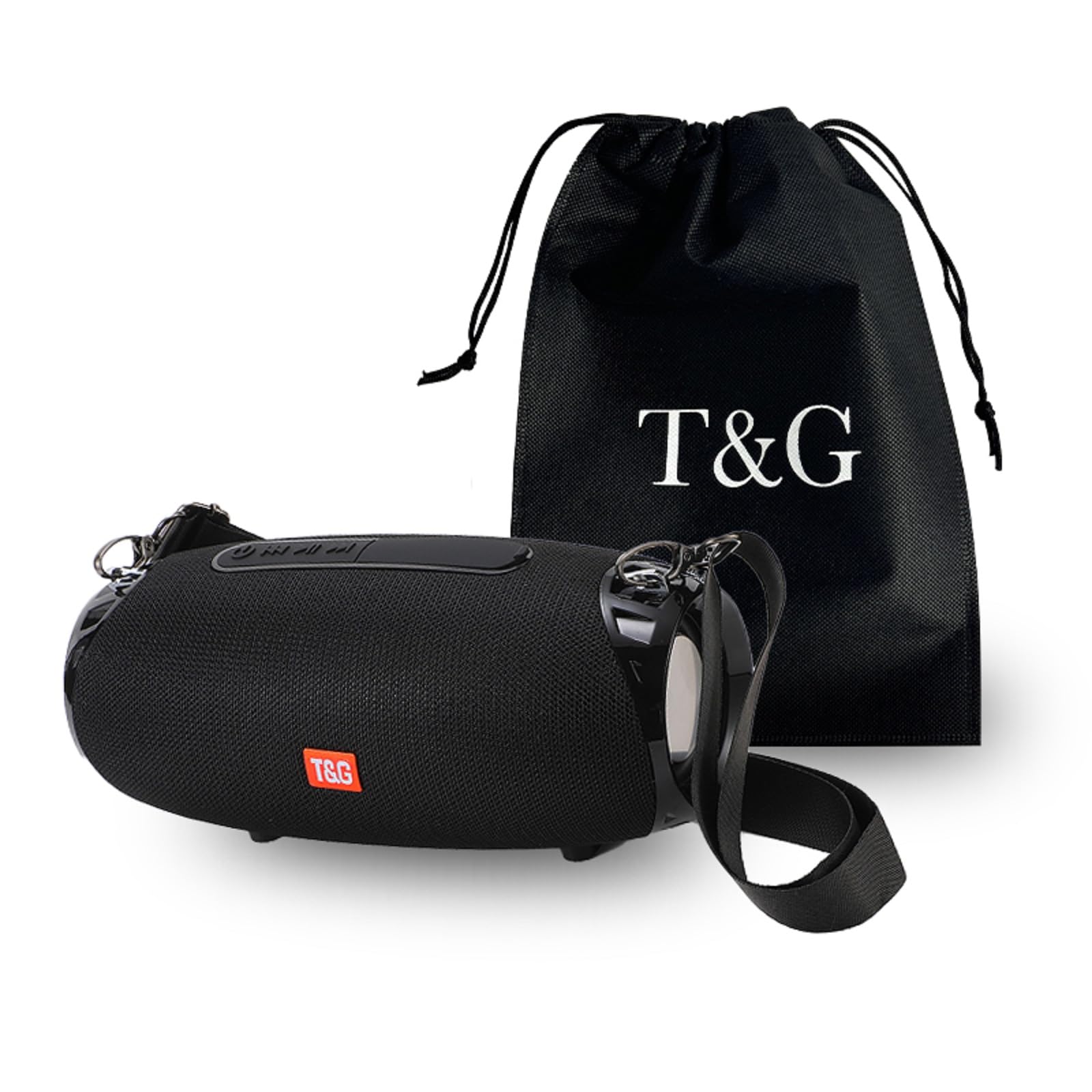
Image 1.1: The T&G TG534 Portable Bluetooth Speaker, showcasing its design and portability in an outdoor environment.
2. Contenuto della confezione
- Altoparlante Bluetooth portatile T&G TG534
- Cavo di ricarica USB
- Cavo audio (AUX)
- Manuale d'uso
- cordino
3. Impostazione
3.1 Ricarica dell'altoparlante
- Collegare il cavo di ricarica USB in dotazione alla porta di ricarica dell'altoparlante.
- Collegare l'altra estremità del cavo USB a un adattatore di alimentazione USB (non incluso) o alla porta USB di un computer.
- Durante la ricarica, la spia di carica si illumina, in genere in rosso.
- Once fully charged, the indicator light will change or turn off (refer to specific LED behavior in the quick start guide if available). A full charge provides up to 30 hours of playtime at medium volume.
3.2 Accensione/Spegnimento
- To power on, press and hold the power button for a few seconds until you hear an audible prompt or see the LED indicator light up.
- To power off, press and hold the power button again for a few seconds.
3.3 Associazione Bluetooth
- Ensure the speaker is powered on and in Bluetooth pairing mode (indicated by a flashing LED, typically blue).
- Sul tuo dispositivo (smartphone, tablet, computer), attiva il Bluetooth e cerca i dispositivi disponibili.
- Select "TG534" (or similar name) from the list of devices.
- Once paired, you will hear a confirmation sound, and the LED indicator will typically turn solid blue.
3.4 Accoppiamento True Wireless Stereo (TWS)
Per ottenere un'esperienza audio stereo, è possibile abbinare due altoparlanti TG534:
- Assicurarsi che entrambi gli altoparlanti TG534 siano accesi e non connessi ad altri dispositivi Bluetooth.
- On one speaker, press the TWS button (if available) or a designated pairing button. Repeat for the second speaker.
- Gli altoparlanti si cercheranno e si accoppieranno automaticamente. Un suono di conferma indicherà l'avvenuto abbinamento TWS.
- Once TWS paired, connect your device to one of the speakers via Bluetooth as described in section 3.3. Both speakers will now play audio in stereo.

Image 3.1: The T&G TG534 speaker being used by individuals outdoors, highlighting its portability and suitability for shared listening experiences.
4. Istruzioni per l'uso
4.1 Controlli di base
- Pulsante di accensione: Tenere premuto per accendere/spegnere. Premere brevemente per riprodurre/mettere in pausa (in modalità Bluetooth).
- Volume su (+): Premere brevemente per aumentare il volume. Premere a lungo per passare alla traccia successiva.
- Volume basso (-): Premere brevemente per diminuire il volume. Premere a lungo per tornare alla traccia precedente.
- Pulsante Modalità (M): Short press to switch between Bluetooth, TF Card, USB Drive, and FM Radio modes.
- Pulsante di chiamata: Short press to answer/end calls. Long press to reject calls. Double press to redial last number.
4.2 Modalità di riproduzione
The TG534 speaker supports multiple playback options:
- Modalità Bluetooth: Connect wirelessly to your device for audio streaming.
- Modalità scheda TF: Inserire una scheda TF (MicroSD) con audio filenell'apposito slot. L'altoparlante passerà automaticamente alla modalità Scheda TF e inizierà la riproduzione.
- Modalità unità USB: Inserisci un'unità flash USB con audio files into the USB port. The speaker will automatically switch to USB Drive mode and begin playback.
- Modalità radio FM: Press the Mode button to switch to FM Radio. Use the volume buttons to scan for stations (long press +/-) or change stations (short press +/- after scanning).
- Modalità AUX: Connect an external audio device using the 3.5mm audio cable (AUX cable) to the AUX input port. The speaker will automatically switch to AUX mode.

Image 4.1: Visual representation of the speaker's key functionalities, including True Wireless Stereo (TWS), call handling, TF card support, wireless connectivity, FM radio, and USB playback.
4.3 Chiamate in vivavoce
When connected via Bluetooth to your smartphone, the built-in microphone allows for hands-free calling. Use the Call button to manage incoming and outgoing calls.
5. Manutenzione
- Pulizia: Pulisci l'altoparlante con un panno morbido e asciutto. Non utilizzare detergenti abrasivi o solventi.
- Resistenza all'acqua: The speaker has an IPX4 waterproof rating, meaning it is resistant to splashing water from any direction. Do not submerge the speaker in water. Ensure all port covers are securely closed before exposure to water.
- Magazzinaggio: Conservare l'altoparlante in un luogo fresco e asciutto, lontano dalla luce solare diretta e da temperature estreme.
- Cura della batteria: Per prolungare la durata della batteria, evitare di scaricarla completamente frequentemente. Caricare regolarmente l'altoparlante, anche se non lo si utilizza per lunghi periodi.

Image 5.1: The T&G TG534 speaker demonstrating its IPX4 waterproof capability in a beach environment, suitable for outdoor use.
6. Risoluzione Dei Problemi
| Problema | Possibile causa | Soluzione |
|---|---|---|
| L'altoparlante non si accende | Batteria scarica; il pulsante di accensione non è stato premuto abbastanza a lungo | Caricare l'altoparlante; tenere premuto il pulsante di accensione per 3-5 secondi |
| Impossibile effettuare l'associazione tramite Bluetooth | Altoparlante non in modalità di associazione; Bluetooth del dispositivo disattivato; Altoparlante troppo lontano dal dispositivo | Ensure speaker is flashing blue LED; Turn on device Bluetooth; Move speaker closer to device (within 10 meters) |
| Nessun suono | Volume troppo basso; Modalità di input errata; Il dispositivo non riproduce l'audio | Increase speaker and device volume; Press 'M' button to select correct mode; Ensure audio is playing on your device |
| Scarsa qualità del suono | Batteria scarica; Ostruzioni tra altoparlante e dispositivo; Qualità audio sorgente | Charge the speaker; Reduce distance or remove obstructions; Try different audio source |
| L'associazione TWS non riesce | Speakers already connected to another device; Not in TWS pairing mode | Disconnect speakers from other devices; Ensure both speakers are in TWS pairing mode |
7. Specifiche
| Caratteristica | Dettaglio |
|---|---|
| Nome del modello | TG534 |
| Marca | T&G |
| Tecnologia di connettività | Wireless (Bluetooth) |
| Tipo di altoparlante | All'aperto |
| Grado di impermeabilità | Grado di protezione IPX4 |
| Caratteristiche audio | Hi-Res Audio, Bass Boost, DSP Technology |
| Tempo di riproduzione | Fino a 30 ore (a volume medio) |
| Supporti multimediali | Scheda TF, unità USB |
| Microfono incorporato | SÌ |
| Dimensioni (L x P) | 23 cm (9.06 pollici) x 10.8 cm (4.25 pollice) |

Image 7.1: Product size diagram illustrating the length and diameter of the T&G TG534 speaker.
8. Garanzia e supporto
8.1 Informazioni sulla garanzia
Specific warranty details for the T&G TG534 Portable Bluetooth Speaker are typically provided at the point of purchase or within separate warranty documentation. Please refer to your purchase receipt or contact the seller for information regarding warranty coverage and duration.
8.2 Assistenza clienti
For technical assistance, troubleshooting beyond this manual, or warranty claims, please contact the seller or manufacturer directly. Contact information can usually be found on the product packaging, the seller's websito o la fattura di acquisto.