
1. Introduzione
The Black & Decker Smart Wi-Fi Water Sensor (Model WS) provides real-time water leak detection and alerts to help prevent potential water damage in your home. This manual provides essential information for the proper setup, operation, and maintenance of your water sensors.
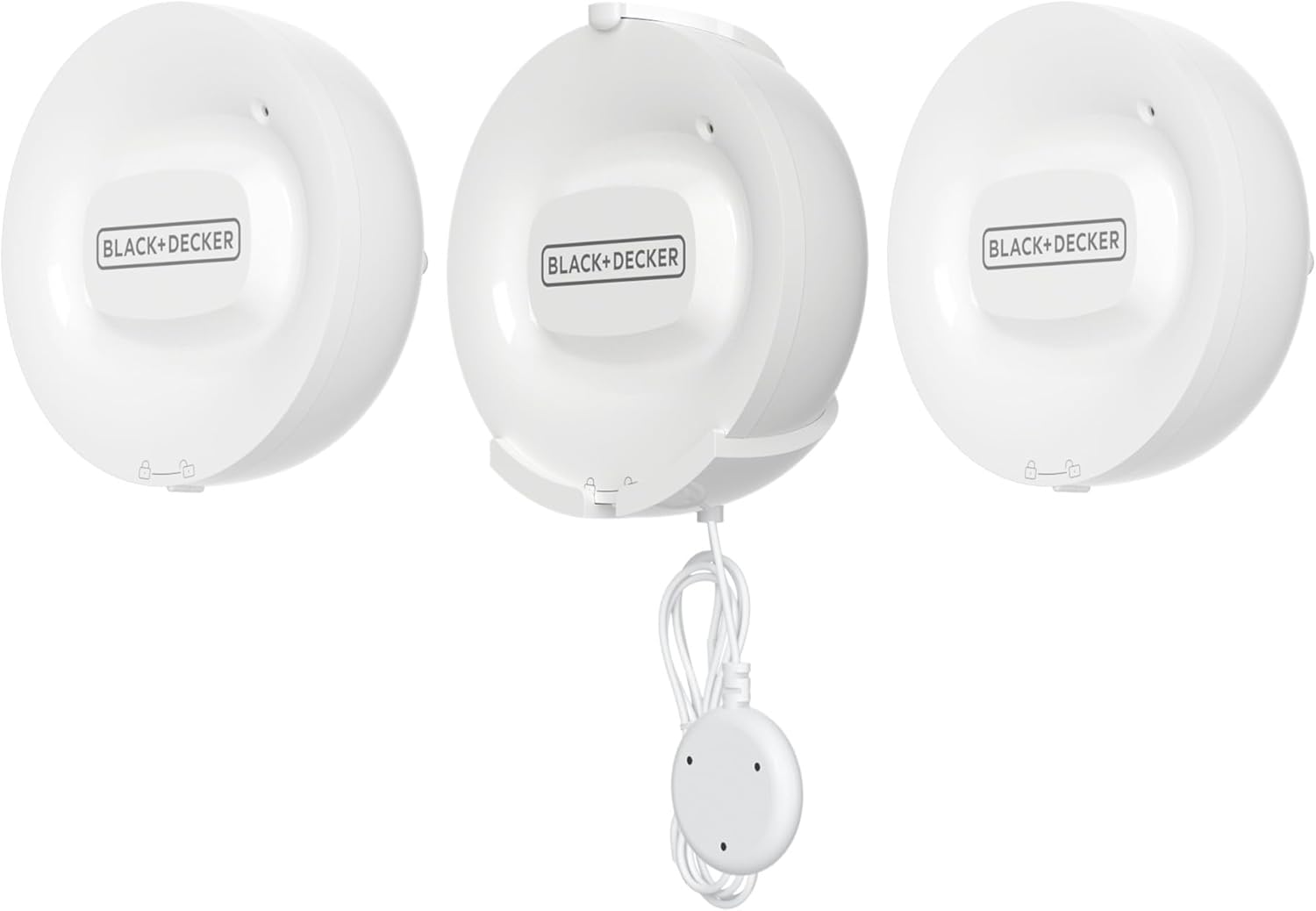
Image 1: Black & Decker Smart Wi-Fi Water Sensor (3-piece set)
2. Prodotto finitoview
2.1 Componenti
- 3 x Smart Wi-Fi Water Sensors (Model WS)
- 3 x 46-inch extended probes
- Batteries (1 C battery per sensor, included)
- Manuale d'uso
2.2 Caratteristiche principali
- Real-Time Leak Detection: Instantly detects water leaks and sends alerts.
- Avvisi intelligenti: Receive notifications directly on your smartphone via the BLACK+DECKER Home App.
- Extended Probe: Each sensor includes a 46-inch probe for reaching difficult or confined spaces.
- Nessun hub richiesto: Connects directly to your home's 2.4 GHz Wi-Fi network.
- Posizionamento flessibile: Compact, battery-powered design allows for versatile installation in various locations.

Image 2: Close-up of the water sensor and its probe
3. Informazioni sulla sicurezza
Si prega di leggere attentamente tutte le istruzioni di sicurezza prima di utilizzare questo prodotto. Il mancato rispetto di queste istruzioni può causare scosse elettriche, incendi o lesioni gravi.
- Do not immerse the main sensor unit in water. Only the probe is designed for contact with water.
- Assicurarsi che le batterie siano inserite con la polarità corretta.
- Replace batteries with the specified type (1 C battery).
- Tenere il dispositivo lontano da temperature estreme e dalla luce solare diretta.
- Questo dispositivo è destinato esclusivamente all'uso in ambienti interni.
- Non tentare di smontare o riparare il dispositivo. Contattare l'assistenza clienti per assistenza.
4. Configurazione e installazione
4.1 Download dell'app e creazione dell'account
Scarica il BLACK+DECKER Home App from the Apple App Store or Google Play Store. Create an account or log in if you already have one.
4.2 Installazione della batteria
Open the battery compartment on the back of each sensor unit. Insert one C battery, ensuring correct polarity. Close the compartment securely.
4.3 Accoppiamento Wi-Fi
The sensors connect directly to your home's Rete Wi-Fi a 2.4 GHz. Ensure your smartphone is connected to a 2.4 GHz network during the pairing process. Follow the in-app instructions to add each sensor. If you have a dual-band router, you may need to temporarily disable the 5 GHz band or ensure your phone is connected to the 2.4 GHz band specifically.
4.4 Posizionamento del sensore
Place the water sensors in areas prone to water leaks. The main sensor unit can be placed on a flat surface or mounted on a wall. Position the 46-inch probe to detect water at the lowest point or in specific areas where leaks are likely to occur.
- Seminterrati: Near sump pumps, water heaters, or basement windows.
- Lavanderie: Dietro o accanto alle lavatrici.
- Cucine: Under sinks, near dishwashers, or refrigerators with water lines.
- Bagni: Near toilets, bathtubs, or showers.

Image 3: Sensor placed near a water heater

Image 4: Sensor placed near a washing machine

Image 5: Sensor placed near a dishwasher
4.5 Guida video di installazione
Watch this video for a visual guide on setting up and understanding the functionality of the Black & Decker Smart Water Leak Sensor. Note that the video also demonstrates the Smart Valve Controller, which is a separate, complementary product.
Video 1: Black+Decker Water Sensor and Smart Valve Overview. This video demonstrates the setup and operation of the water leak sensor, including placement examples and how it integrates with the BLACK+DECKER Home App. It also shows the optional Smart Valve Controller.
5. Istruzioni per l'uso
5.1 Ricezione di avvisi
When a water leak is detected by the sensor's probe, the sensor will emit an audible alarm, and you will receive an immediate notification on your smartphone via the BLACK+DECKER Home App. The app alert will specify which sensor detected the leak and the time of detection.

Immagine 6: Es.ample of a water leakage alarm notification in the app
5.2 Monitoring Devices in the App
The BLACK+DECKER Home App allows you to monitor the status of all your connected water sensors. You can view a list of your devices, check their status, and customize settings remotely. This provides peace of mind and allows you to manage your home's water safety from anywhere.

Image 7: Device list in the BLACK+DECKER Home App
5.3 Integration with Smart Valve Controller (Optional)
For enhanced protection, the Smart Wi-Fi Water Sensor can be integrated with a Black & Decker Smart Valve Controller (sold separately). When a leak is detected, the system can be configured to automatically shut off your main water supply, preventing further damage. This feature provides an additional layer of security, especially when you are away from home.
6. Manutenzione
6.1 Sostituzione della batteria
The sensor is powered by one C battery. The BLACK+DECKER Home App will notify you when the battery level is low. To replace, open the battery compartment, remove the old battery, and insert a new C battery with the correct polarity. Dispose of old batteries responsibly.
6.2 Pulizia
Wipe the sensor unit and probe with a soft, dry cloth. Do not use abrasive cleaners or immerse the main unit in water.
6.3 Controlli regolari
Periodically check the sensor's placement and the condition of the probe to ensure optimal performance. Test the sensor by placing the probe in a small amount of water to confirm it triggers an alert.
7. Risoluzione Dei Problemi
- Il sensore non si connette al Wi-Fi: Ensure your router is broadcasting a 2.4 GHz Wi-Fi network. The sensor does not support 5 GHz Wi-Fi. Temporarily disable the 5 GHz band on your router during setup if you encounter issues, or ensure your smartphone is connected to the 2.4 GHz network.
- Nessun avviso ricevuto: Check if the sensor has sufficient battery power. Verify that the BLACK+DECKER Home App has notification permissions enabled on your smartphone. Ensure the sensor is within range of your Wi-Fi network.
- Falsi allarmi: Ensure the sensor probe is not in an area where it might accidentally come into contact with moisture (e.g., condensation, high humidity). Clean the probe if it appears dirty.
- Sensor not detecting water: Confirm the probe is positioned correctly to make contact with water. Ensure the probe is clean and free of debris.
Se i problemi persistono, consulta la sezione di supporto o contatta il servizio clienti.
8. Specifiche
| Marca | NERO+DECKER |
| Numero di modello | WS |
| Fonte di alimentazione | Alimentato a batteria |
| Tipo di batteria | 1 C battery (Lithium-Ion, included) |
| Connettività | Wi-Fi (solo 2.4 GHz) |
| Metodo di controllo | App (BLACK+DECKER Home App) |
| Tecnologia | Conductive Sensor |
| Dimensioni del prodotto (L x P x A) | 3 cm L x 1.12 cm P x 3.12 cm A |
| Tipo di montaggio | Montaggio a parete |
9. Garanzia e supporto
9.1 Informazioni sulla garanzia
For detailed warranty information, please refer to the official BLACK+DECKER websito o la scheda di garanzia inclusa con il prodotto. Conservare la ricevuta d'acquisto come prova d'acquisto.
9.2 Assistenza clienti
If you have any questions, require technical assistance, or need to report an issue, please contact BLACK+DECKER customer support. Contact information can typically be found on the manufacturer's websito o confezione del prodotto.

