
Introduzione
This manual provides detailed instructions for the installation, operation, and maintenance of your Surakey Android 15 Car Stereo. Please read this manual thoroughly before using the product to ensure proper function and safety. This unit is designed for Dodge Grand Caravan models from 2008 to 2010.
Prodotto finitoview
The Surakey Android 15 Car Stereo is an advanced multimedia receiver featuring a 7-inch IPS touchscreen. It integrates modern connectivity and navigation capabilities to enhance your driving experience.
- Sistema operativo: Android 15 con 4 GB di RAM e 64 GB di ROM.
- Display: 7-inch IPS HD touchscreen.
- Connettività: Built-in WiFi, Bluetooth 4.0.
- Integrazione smartphone: Supports Apple CarPlay and Wireless Android Auto (via wired USB or Bluetooth/WiFi).
- Navigazione: Integrated GPS module for offline and online navigation.
- Multimedia: Supports various audio and video formats, FM/RDS radio.
- Caratteristiche aggiuntive: Mirror Link, Split Screen, Steering Wheel Control (SWC), Backup Camera support, external microphone.
Configurazione e installazione
Si raccomanda l'installazione da parte di un professionista. Assicurarsi che l'alimentazione del veicolo sia scollegata prima di iniziare l'installazione.
Verifica compatibilità veicolo
Before installation, verify that your vehicle model (Dodge Grand Caravan 2008-2010) is compatible. If unsure, provide a complete image of the plugs on the back of your vehicle's center console and main unit to customer support for confirmation.
Wiring Diagram Verification
Confirm the correct wiring diagram for your specific vehicle model. Incorrect wiring can damage the unit or vehicle electronics.
Installazione del cavo di alimentazione
Ensure you use the power cords and protocols specific to your vehicle model. Different vehicle models may require different power cords and protocols.
Configurazione della telecamera di backup
This unit supports OEM CVBS 720P backup cameras. 360-degree panoramic cameras are not supported. If your OEM camera is incompatible, use the included backup camera. Follow the steps below to configure the backup camera resolution:
- Tap the settings icon to open the settings menu.
- Selezionare Impostazioni di fabbrica, then enter the password 8888.
- Vai a Impostazioni dei parametri del protocollo.
- Selezionare Reverse video resolution settings.
- Choose the correct setting based on your camera type: for OEM cameras, select NTSC/PAL; for the included camera, keep the default AHD/25.

Image: Steps for configuring backup camera resolution settings.
Istruzioni per l'uso
CarPlay e Android Auto
Connect your iOS or Android smartphone via a wired USB cable or wirelessly via Bluetooth and WiFi. This allows access to phone functions like navigation, music, calls, and messages through the car stereo's interface, with voice control support.

Image: Display showing Apple CarPlay and Android Auto interfaces.
Funzione Mirror Link
Mirror your smartphone screen (iOS or Android) to the car stereo display using a USB data cable or WiFi connection. This feature allows you to view i contenuti del tuo telefono direttamente sullo schermo più grande.

Image: Illustration of Mirror Link connecting a smartphone screen to the car stereo.
Connessione WiFi
Connect the car stereo to a WiFi network for high-speed internet access. This enables application downloads, online video streaming, and music playback, providing rich entertainment options.

Image: Screen displaying WiFi connection status and available online applications.
Connettività Bluetooth
Utilize Bluetooth 4.0 for hands-free calling and wireless audio streaming. This feature enhances safety by allowing you to manage calls and music without diverting attention from the road.
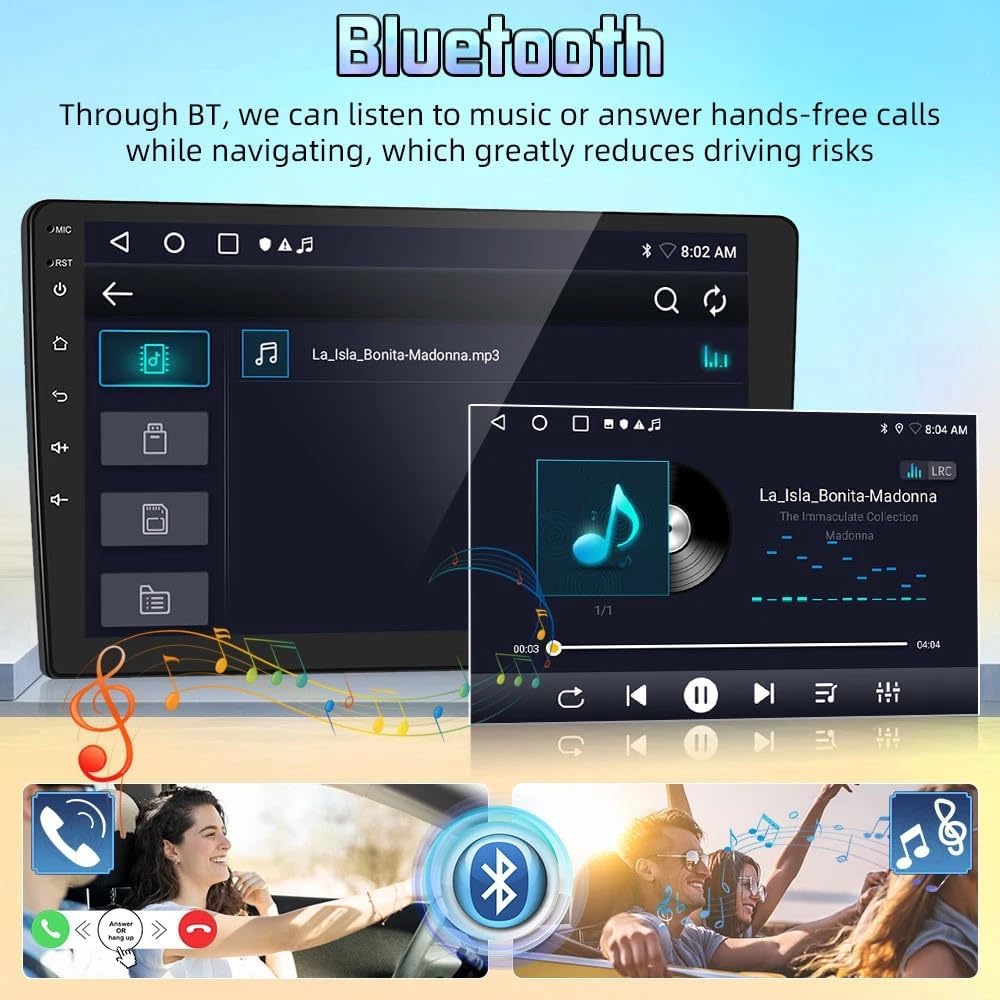
Image: Bluetooth interface showing music playback and call management.
Navigazione GPS
The integrated GPS module supports both offline and online navigation. Connect the included GPS module for offline use or download navigation apps via WiFi for online routing. This provides real-time road conditions and accurate positioning.

Image: GPS navigation screen displaying a map with route guidance.
Radio FM
The car stereo includes an FM radio tuner with 18 preset stations. Enjoy your favorite radio broadcasts with clear audio quality.

Image: FM radio interface showing frequency tuning and preset stations.
Interfaccia utente finitaview
Questo video fornisce una breve panoramicaview of the car stereo's user interface, demonstrating navigation through various menus and features.
Video: A short demonstration of the car stereo's main screen and navigation through its features.
Manutenzione
Per garantire la longevità e le prestazioni ottimali dell'autoradio, seguire queste linee guida per la manutenzione:
- Pulizia: Utilizzare un panno morbido e asciutto per pulire lo schermo e l'esterno. Evitare detergenti abrasivi o solventi.
- Aggiornamenti software: Controllare periodicamente la presenza di aggiornamenti software e installarli per garantire che il sistema funzioni in modo efficiente e sicuro.
- Condizioni ambientali: Evitare di esporre l'unità a temperature estreme, alla luce solare diretta per periodi prolungati o a umidità eccessiva.
Risoluzione dei problemi
Se riscontri problemi con l'autoradio, fai riferimento ai seguenti problemi comuni e alle relative soluzioni:
- Telecamera di retromarcia non funzionante: Ensure your backup camera is an OEM CVBS 720P type. 360-degree panoramic cameras are not supported. If using the included camera, verify the resolution settings as described in the Setup section.
- Problemi di installazione: Double-check all wiring connections against the correct diagram for your vehicle. Ensure power cords and protocols match your specific car model.
- Nessun potere: Verify all power connections are secure and that the vehicle's fuse for the stereo is intact.
- Nessun suono: Check speaker connections, volume levels, and audio source selection.
- Touchscreen non reattivo: Try restarting the unit. If the issue persists, a factory reset may be necessary (consult customer support before performing a factory reset).
Specifiche
| Nome del prodotto | Car Navigation Player |
| Materiale | Metallo e plastica |
| Dimensioni dello schermo | 7 pollici |
| Memoria | 4 GB (RAM) + 64 GB (ROM) |
| Sistema | Androide 15 |
| processore | 4 Nucleo |
| Voltage | DC12V |
| GPS | Supporto |
| Internet | WIFI |
| Bluetooth | 4.0 |
| Formato audio | MP3/WMA/MP2/OGG/AAC/M4A/MA4/FLAC/APE/3GP/WAV |
| Formato video | Mpeg1/Mpeg2/Mpeg4/SP/ASP/GMC/XVID/H.263/H.264 |
| Formato immagine | BMP/JPG/GIF/PNG |
| Peso dell'articolo | 1.6 once |
| Dimensioni del pacco | 1.97 x 1.18 x 1.18 pollici |
Garanzia e supporto
For any product inquiries, technical assistance, or warranty claims, please contact Surakey customer support. Our team is available to provide assistance.
Email dell'assistenza clienti: Fuyatongus@outlook.com

Image: Illustration of customer support representative with contact email.