
Introduzione
The ATTACK SHARK X8 Ultimate is a high-performance wireless gaming mouse designed for precision and responsiveness. It features a lightweight design, tri-mode connectivity, an advanced PixArt PAW3950MAX sensor, and an 8K polling rate for an optimal gaming experience.

Immagine: Oltreview of the ATTACK SHARK X8 Ultimate Wireless Gaming Mouse highlighting its key features.
Caratteristiche principali:
- Design ultraleggero: Weighing only 55g, with a Nano-ice coating for comfortable grip during extended use.
- Frequenza di polling 8K: Supports up to 8KHz polling rate in both wireless and wired modes for low latency and fast response.
- Connettività tri-modale: Seamlessly switch between Bluetooth, 2.4GHz wireless, and wired USB connections.
- PixArt PAW3950MAX Sensor: Advanced gaming sensor with up to 42,000 DPI sensitivity, 700 IPS accuracy, and 60G acceleration.
- Durable Switches & Long Battery Life: Equipped with Omron micro switches rated for over 100 million clicks and an 800mAh battery providing up to 800 hours of intermittent use at 1000Hz polling rate.
- Driver cloud: Innovativo web-based driver for DPI adjustment, polling rate settings, competitive mode, customized buttons, macro recording, and personalized key mapping.
Contenuto della confezione
Si prega di controllare la confezione per verificare la presenza dei seguenti elementi:
- ATTACK SHARK X8 Ultimate Wireless Gaming Mouse
- Ricevitore USB (2.4 GHz)
- Cavo di ricarica/dati USB-C
- Manuale dell'utente (questo documento)
Guida all'installazione
1. Ricarica del mouse
Prima del primo utilizzo, si consiglia di caricare completamente il mouse. Collegare il cavo USB-C in dotazione alla porta di ricarica del mouse e l'altra estremità a una fonte di alimentazione USB (ad esempio, una porta USB del computer, un adattatore da parete USB).

Image: The ATTACK SHARK X8 Ultimate mouse connected via its USB-C charging cable, illustrating the 800mAh battery capacity.
The LED indicator on the mouse will show charging status. A full charge provides up to 800 hours of intermittent use at a 1000Hz polling rate.
2. Connecting the Mouse (Tri-mode Connectivity)
The X8 Ultimate mouse offers three connection modes: 2.4GHz Wireless, Bluetooth, and Wired USB.

Image: The ATTACK SHARK X8 Ultimate mouse illustrating its three connection modes: Type-C wired, 2.4GHz wireless, and Bluetooth wireless.
2.1. Connessione wireless a 2.4 GHz
- Individuare il ricevitore USB (dongle) incluso nella confezione.
- Collega il ricevitore USB a una porta USB disponibile sul tuo computer.
- Turn on the mouse using the power switch located on the bottom. Ensure it is set to 2.4GHz mode (usually indicated by a specific switch position or LED color).
- Il mouse dovrebbe connettersi automaticamente al computer.
2.2. Connessione Bluetooth
- Turn on the mouse and set it to Bluetooth mode (usually indicated by a specific switch position or LED color).
- Sul tuo computer o dispositivo, vai alle impostazioni Bluetooth e abilita il Bluetooth.
- Cercare new devices. The mouse should appear as "ATTACK SHARK X8 Ultimate" or similar.
- Selezionare il mouse da associare.
2.3. Connessione USB cablata
- Connect the provided USB-C cable to the mouse's front port.
- Collegare l'altra estremità del cavo USB-C a una porta USB disponibile sul computer.
- Il mouse passerà automaticamente alla modalità cablata e inizierà a caricarsi.
Istruzioni per l'uso
1. Funzioni di base del mouse
- Clic sinistro: Azione primaria.
- Clic destro: Menu contestuale/azione secondaria.
- Rotella di scorrimento: Scorri verso l'alto/verso il basso, clicca con il tasto centrale.
- Pulsanti laterali: Typically for forward/backward navigation in web browser. Possono essere personalizzati.
2. Regolazione DPI
The X8 Ultimate features an adjustable DPI range from 50 to 42,000. DPI settings can be changed using the dedicated DPI button (if present) or through the Cloud Driver software. Refer to the Cloud Driver section for detailed customization.

Image: The ATTACK SHARK X8 Ultimate mouse highlighting the PixArt PAW3950MAX sensor and its capabilities (750 IPS, 60G, 8000Hz wireless polling rate, 50-42000 DPI).
3. Polling Rate Settings
The mouse supports an 8KHz polling rate for both wireless (2.4GHz) and wired modes, reducing operation latency to 0.163ms. The polling rate can be configured via the Cloud Driver software.
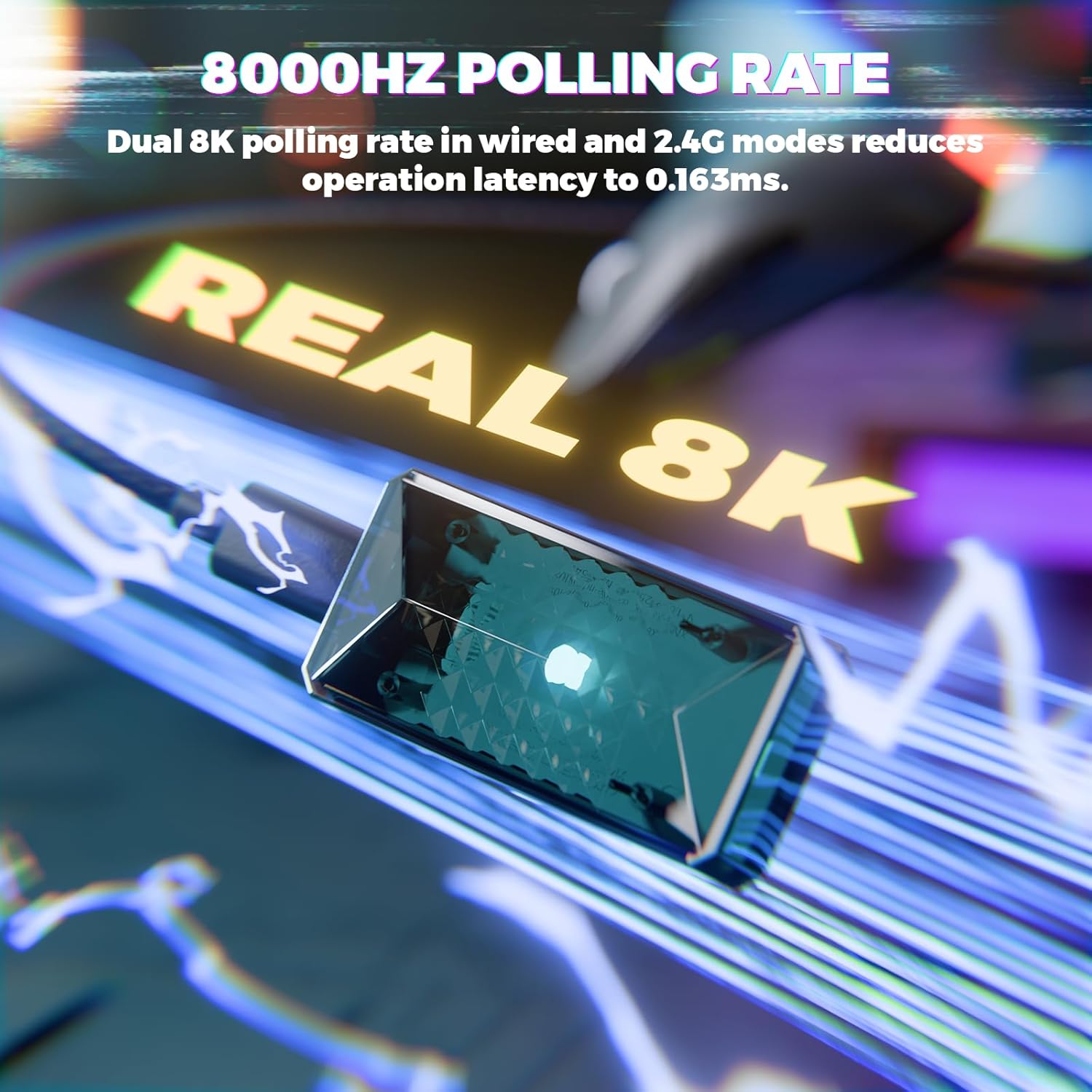
Image: Visual representation of the 8000Hz polling rate feature of the ATTACK SHARK X8 Ultimate mouse.
4. Software per driver cloud
The X8 Ultimate utilizes an innovative cloud-driven webpage for customization. This eliminates the need for traditional software installation.
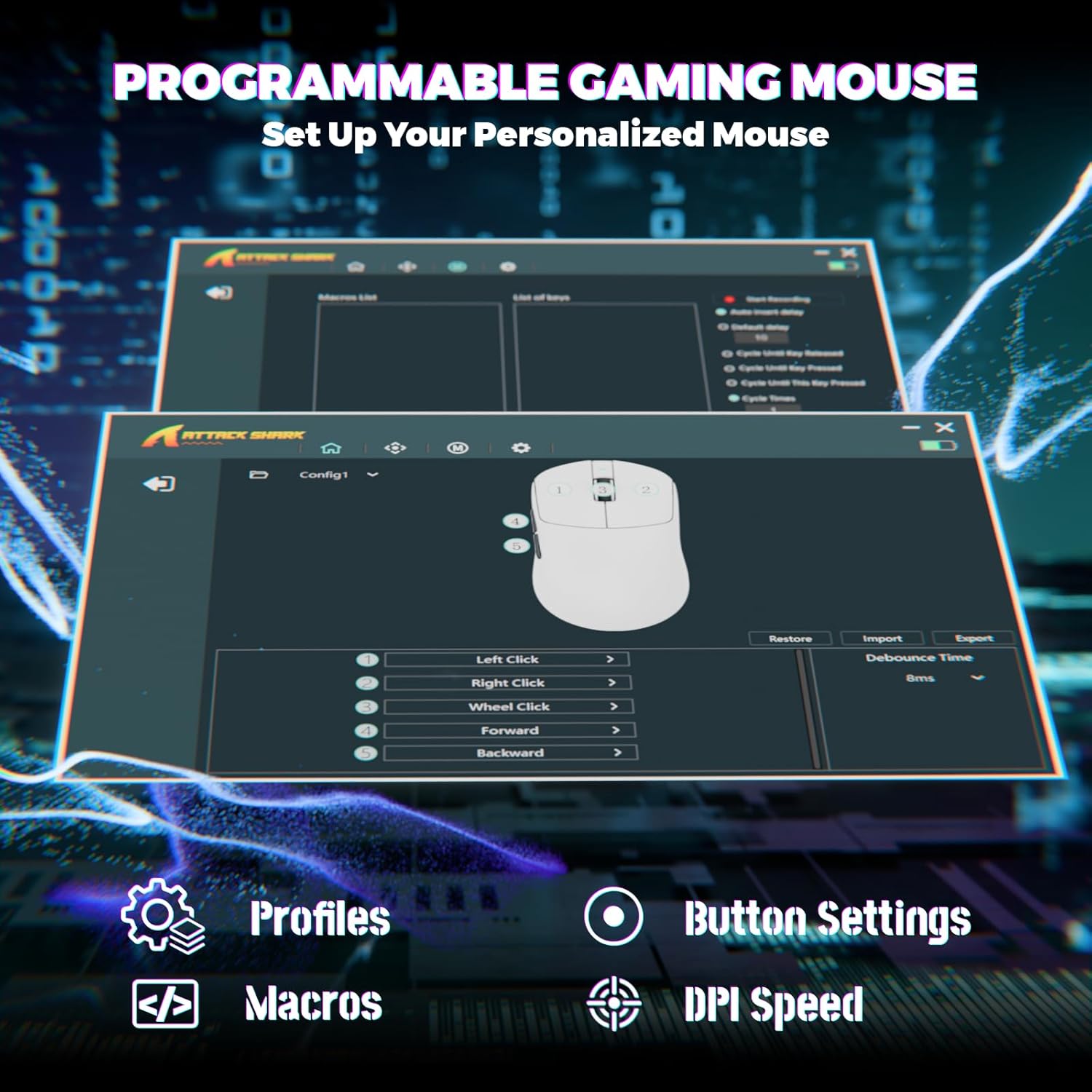
Image: Screenshot of the Cloud Driver interface for the ATTACK SHARK X8 Ultimate mouse, showing options for profiles, button settings, macros, and DPI speed.
To access the Cloud Driver:
- Assicurati che il mouse sia collegato al computer.
- Aprire un web browser and navigate to the official ATTACK SHARK support page or the specific Cloud Driver URL (refer to packaging or official website for the exact link).
- The open-source driver will automatically identify your computer system.
- From the Cloud Driver interface, you can:
- Regola la sensibilità DPI.
- Imposta la frequenza di polling.
- Configurare le modalità competitive.
- Personalizza le assegnazioni dei pulsanti.
- Registra e assegna macro.
- Personalize key mapping and other advanced functions.
Manutenzione
1. Pulizia
Per mantenere prestazioni e aspetto ottimali, pulisci regolarmente il mouse:
- Utilizzare un panno morbido e privo di lanugine leggermente damplucidato con acqua o una soluzione detergente delicata.
- Avoid harsh chemicals, solvents, or abrasive materials.
- Clean the optical sensor on the bottom of the mouse gently with a cotton swab to ensure accurate tracking.
2. Cura della batteria
Per prolungare la durata della batteria:
- Evitare di esporre il mouse a temperature estreme (caldo o freddo).
- Do not fully discharge the battery frequently. Charge it when the battery indicator is low.
- Se si conserva il mouse per un periodo prolungato, caricarlo fino a circa il 50% prima di riporlo.
Risoluzione dei problemi
If you encounter issues with your ATTACK SHARK X8 Ultimate mouse, try the following solutions:
- Il mouse non risponde:
- Assicurarsi che il mouse sia acceso.
- Controllare il livello della batteria e caricarla se necessario.
- Verify the connection mode (2.4GHz, Bluetooth, or Wired) is correctly selected and established.
- Per 2.4 GHz, assicurarsi che il ricevitore USB sia collegato saldamente.
- For Bluetooth, ensure Bluetooth is enabled on your device and the mouse is paired.
- Try connecting the mouse via the wired USB cable.
- Connessione intermittente o ritardo:
- Ensure the USB receiver is not obstructed and is close to the mouse.
- Avoid using the mouse near other wireless devices that may cause interference.
- Aggiorna i driver USB o Bluetooth del tuo computer.
- DPI or button settings not working:
- Access the Cloud Driver software to verify and reconfigure your settings.
- Ensure the mouse firmware is up to date (check via Cloud Driver).
- Problemi di tracciamento del mouse:
- Pulisci il sensore ottico nella parte inferiore del mouse.
- Utilizzare il mouse su una superficie pulita e uniforme oppure su un tappetino per mouse di alta qualità.
Specifiche
| Caratteristica | Descrizione |
|---|---|
| Marca | ATTACCO SQUALO |
| Modello | X8 Ultimate |
| Tecnologia di connettività | 2.4Ghz Wireless, Bluetooth, USB (Tri-mode) |
| Tecnologia di rilevamento del movimento | Optical (PixArt PAW3950MAX Sensor) |
| Sensibilità DPI | 50 - 42,000 DPI (regolabile) |
| Tasso di sondaggio | Up to 8000Hz (Wireless/Wired) |
| Accelerazione | 60G |
| Tasso di monitoraggio | 700 IPS |
| Peso | 55 g (ultraleggero) |
| Capacità della batteria | 800mAh |
| Tipo di interruttore | Omron Micro Switches (100 Million Clicks lifespan) |
| Quantità del pulsante | 5 (Programmabile) |
| Orientamento della mano | Ambidestro |
| Dispositivi compatibili | Gaming Console, Personal Computer, Tablet |
| Piattaforma hardware | PC |
| Codice UPC | 752010401109 |

Image: The ATTACK SHARK X8 Ultimate mouse emphasizing its 59g ultra-light design and smooth-gliding double-layer feet.

Immagine: dettagliata view of the optical micro switches inside the ATTACK SHARK X8 Ultimate mouse, highlighting their instant click and zero rebound lag features, and 100 million click lifespan.
Garanzia e supporto
The ATTACK SHARK X8 Ultimate Wireless Gaming Mouse comes with a Garanzia di 1 anno dalla data di acquisto.
For technical support, warranty claims, or further assistance, please contact ATTACK SHARK customer service through their official website or the retailer where the product was purchased. Please have your proof of purchase and product model information ready.
Negozio ufficiale ATTACK SHARK: Negozio ATTACK SHARK su Amazon