
1. Introduzione
Thank you for choosing the WinZo Smart Toilet SM8004NB. This manual provides essential information for the safe installation, operation, and maintenance of your new smart toilet. Please read this manual thoroughly before installation and use, and retain it for future reference.
The WinZo Smart Toilet SM8004NB is designed to offer enhanced comfort and hygiene with features such as a built-in water tank, warm water bidet, heated seat, auto dry, and multiple flushing options.
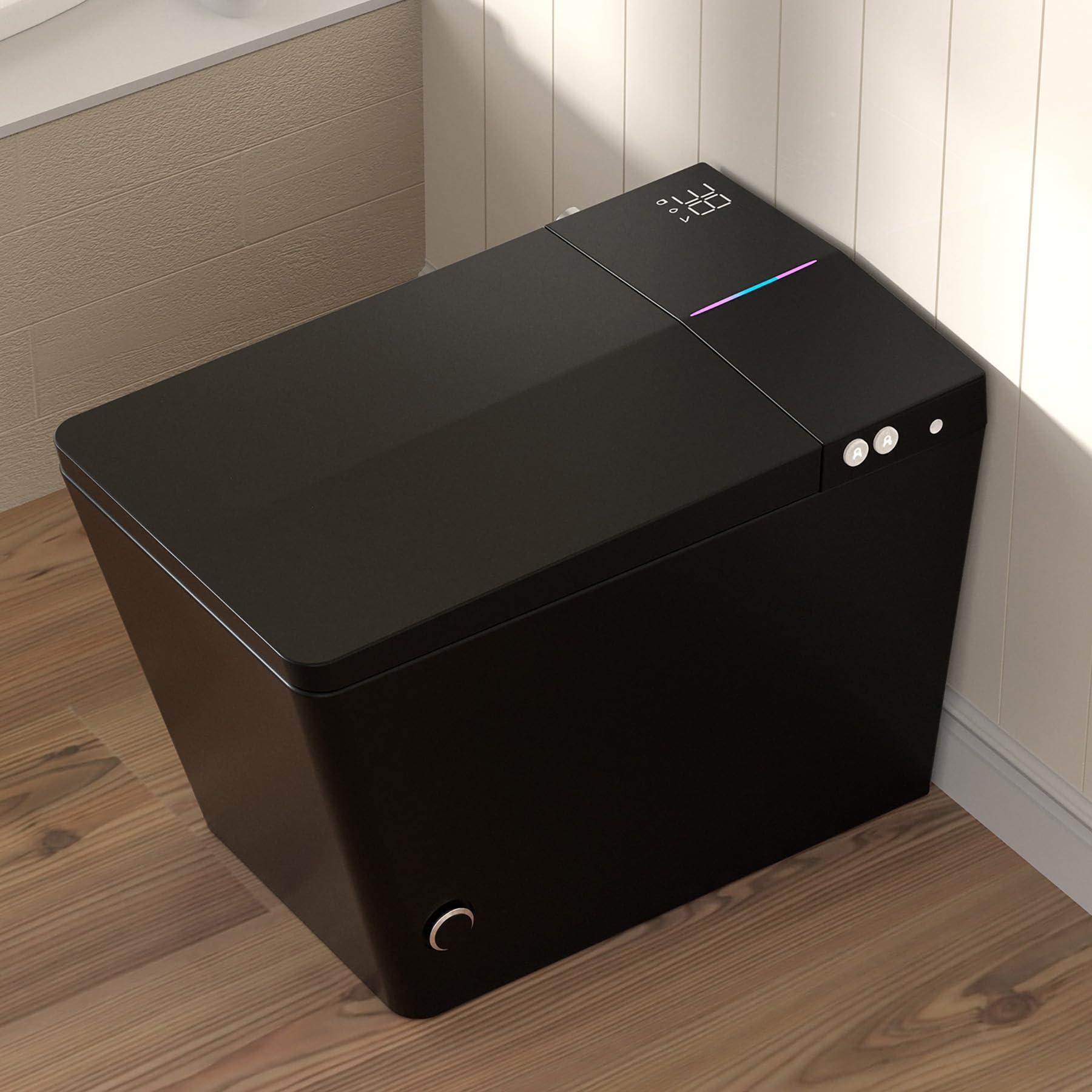
Image 1.1: The WinZo Smart Toilet SM8004NB in Matte Black. This image shows the overall design of the smart toilet, highlighting its modern and sleek appearance.
2. Informazioni sulla sicurezza
Per evitare lesioni o danni al prodotto, osservare le seguenti precauzioni di sicurezza:
- Sicurezza elettrica: This appliance requires a 110V power outlet. Ensure the outlet is properly grounded and installed by a qualified electrician. Do not use extension cords. Disconnect power before any maintenance or cleaning.
- Approvvigionamento idrico: Ensure water connections are secure to prevent leaks. Do not use excessively hot water for cleaning the unit.
- Pulizia: Use only mild, non-abrasive cleaners. Avoid harsh chemicals, bleach, or abrasive pads, as these can damage the surface and internal components.
- Bambini e individui con capacità ridotte: Questo apparecchio può essere utilizzato da bambini di età pari o superiore a 8 anni e da persone con ridotte capacità fisiche, sensoriali o mentali o prive di esperienza e conoscenza, se sono state supervisionate o hanno ricevuto istruzioni sull'uso sicuro dell'apparecchio e se ne comprendono i pericoli. I bambini non devono giocare con l'apparecchio. La pulizia e la manutenzione da parte dell'utente non devono essere eseguite da bambini senza supervisione.
- Temperatura: The heated seat and water temperatures can be adjusted. Exercise caution to prevent burns, especially for sensitive individuals.
3. Contenuto della confezione
Verificare che tutti i componenti siano presenti prima di iniziare l'installazione:
- WinZo Smart Toilet Unit (SM8004NB)
- Controllo remoto senza fili
- Installation Hardware (e.g., mounting bolts, wax ring, water supply hose)
- Manuale dell'utente (questo documento)
4. Specifiche
| Caratteristica | Specificazione |
|---|---|
| Numero di modello | SM8004NB |
| Colore | Nero |
| Dimensioni del prodotto (P x L x A) | 26" x 16.3" x 18.5" |
| Materiale | Ceramica (WC), Plastica (Sedile) |
| Peso dell'articolo | 88 libbre |
| Tipo di installazione | Montaggio a pavimento |
| grezzo | Standard 12 pollici |
| Seat Height (Floor to Bowl) | 17-3/8 inches (ADA Compliant) |
| Requisiti di potenza | Presa di corrente da 110 V |
| Tecnologia Flush | Dual-flush (Siphon + Jet) |
| Consumo di acqua | Less than 1.28 gallons per flush |

Image 4.1: Detailed product dimensions for the WinZo Smart Toilet, including height, width, depth, and rough-in measurements.

Image 4.2: Comparison illustrating the ADA compliant comfort height of the WinZo Smart Toilet (17 inches) versus a standard 15-inch toilet.
5. Installazione
This section outlines the general steps for installing your WinZo Smart Toilet. Professional installation is recommended.
5.1 Requisiti di pre-installazione
- Ensure a standard 12-inch rough-in is available.
- A dedicated 110V power outlet must be installed within reach of the toilet unit.
- Confirm water supply line is accessible and can be shut off.
5.2 Fasi di installazione (generali)
- Preparare l'area: Turn off the water supply to the toilet area. Remove any existing toilet and clean the flange area thoroughly.
- Installare l'anello di cera: Place a new wax ring onto the floor flange.
- Posizionare il WC: Carefully align the toilet over the flange bolts and lower it into place. Ensure the toilet is level.
- Fissare la toilette: Install washers and nuts onto the flange bolts and tighten them evenly until the toilet is secure. Do not overtighten.
- Collegare l'alimentazione idrica: Connect the water supply line to the toilet's inlet valve. The WinZo Smart Toilet features a built-in water tank and powerful pump, designed for optimal performance even with low water pressure.
- Connetti alimentazione: Plug the toilet's power cord into the grounded 110V outlet.
- Test: Turn on the water supply and check for leaks. Test all functions of the smart toilet as described in the operating instructions.

Immagine 5.1: Un interno view of the WinZo Smart Toilet, showcasing its built-in water tank and powerful pump system, which ensures strong flushing performance.
6. Istruzioni per l'uso
Your WinZo Smart Toilet offers a range of features for a comfortable and hygienic experience. All functions can be controlled via the included wireless remote control.
6.1 Opzioni di lavaggio
The toilet provides multiple convenient flushing methods:
- Scarico automatico: The toilet can detect when a user has left and automatically initiate a flush.
- Scarico con sensore del piede: A sensor near the base allows for a touchless flush by simply tapping your foot near the designated area.
- Scarico con telecomando: Use the dedicated flush buttons on the wireless remote control.
- Backup Flush: A manual flush option is available on the unit for emergencies or power outages.

Image 6.1: Diagram illustrating the different touchless flushing methods available on the WinZo Smart Toilet, including auto flush, foot kick flush, and remote control flush.
6.2 Bidet Functions (Multi-Mode Cleaning)
The bidet features a hygienic nozzle and offers several cleaning modes:
- Lavaggio posteriore: Pulizia posteriore standard.
- Lavaggio frontale: Gentle anterior cleansing.
- Lavaggio femminile: Specialized gentle wash for feminine hygiene.
- Spa Wash (Hydrotherapy): A pulsating or oscillating spray for a massage-like experience.
Adjust water pressure and nozzle position using the remote control.

Image 6.2: Visual representation of the various bidet cleaning functions, including Front Wash, Feminine Flush, Hydrotherapy Flush, and Oscillating Wash, highlighting the hygienic nozzle.
6.3 Adjustable Temperatures
Customize your comfort with adjustable settings for the seat, water, and dryer:
- Sedile riscaldato: Enjoy a warm seat with four adjustable temperature settings: Normal, 34°C, 37°C, and 40°C.
- Bidet ad acqua calda: The bidet provides instant warm water, also adjustable to four temperature levels.
- Essiccatore ad aria calda: After cleansing, a warm air dryer provides comfort. Its temperature is also adjustable.
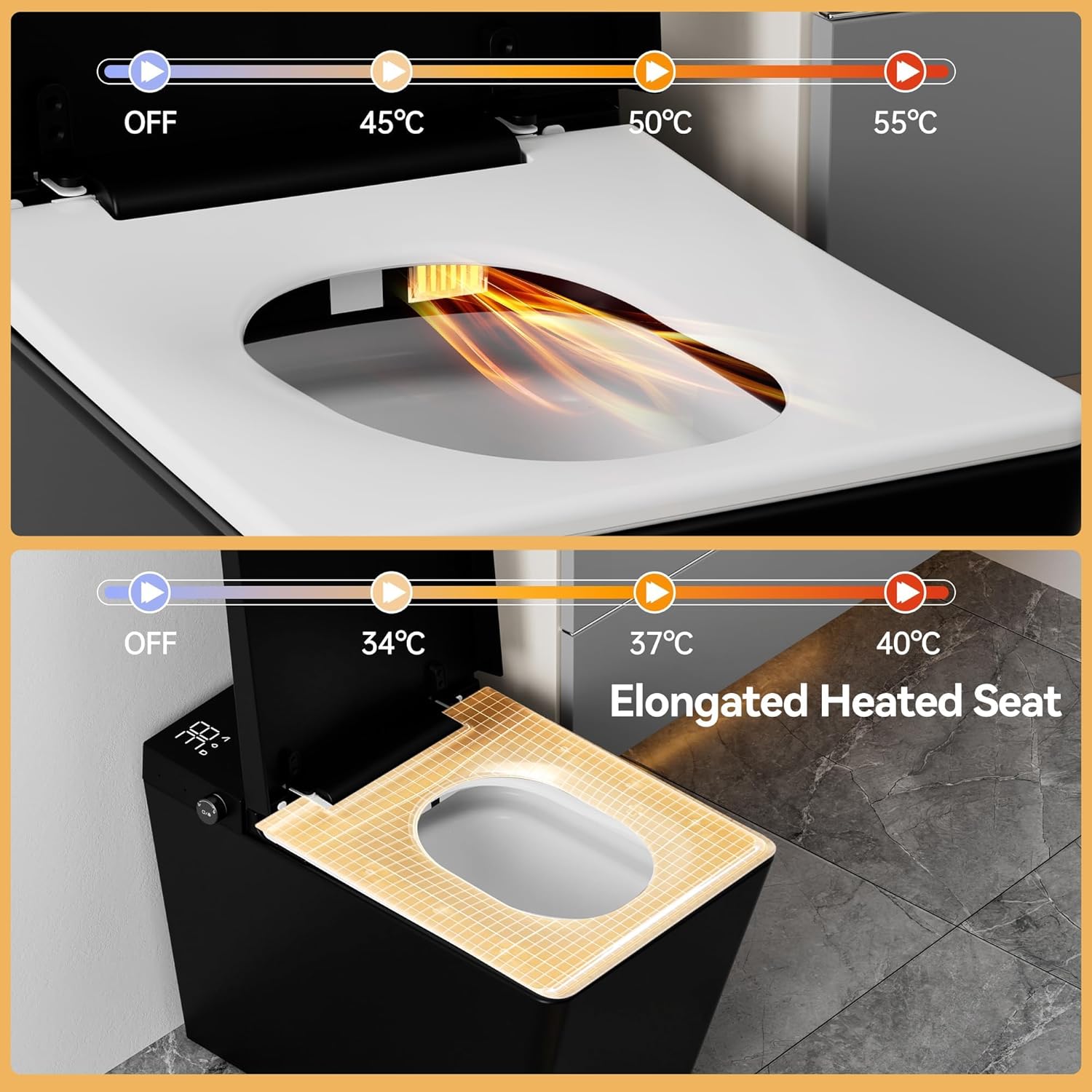
Image 6.3: Illustration of the elongated heated seat feature, showing adjustable temperature settings from OFF to 40°C.
6.4 Night Light and Digital Display
The toilet includes a soft LED night light for safe nighttime use and a real-time LCD display.
- Luce notturna a LED: Provides gentle illumination in the dark.
- Schermo LCD: Shows current settings for seat, water, and drying temperatures.

Immagine 6.4: Vista dall'alto view of the WinZo Smart Toilet demonstrating the soft LED night light and the digital display showing temperature settings.
6.5 Utilizzo del telecomando
The wireless remote control allows full access to all smart toilet functions. Familiarize yourself with the button layout for flushing, bidet modes, temperature adjustments, and other settings.
7. Manutenzione
Una pulizia e una manutenzione regolari garantiranno la longevità e le prestazioni ottimali del tuo WC intelligente WinZo.
7.1 Pulizia dell'esterno
- Scollegare l'alimentazione prima della pulizia.
- Pulire le superfici esterne con un panno morbido, damp panno e un detergente delicato e non abrasivo.
- Do not spray water directly onto the unit, especially near electrical components.
- Asciugare accuratamente con un panno morbido.
7.2 Pulizia dell'ugello del bidet
- The bidet nozzle typically has a self-cleaning function. Refer to the remote control instructions to activate it.
- For manual cleaning, gently pull out the nozzle (if applicable) and clean with a soft brush and mild soap. Do not use harsh chemicals.
7.3 Manutenzione del filtro
While not explicitly detailed, smart toilets often include water filters. Consult the full product documentation or WinZo support for information on filter cleaning or replacement schedules.
8. Risoluzione Dei Problemi
If you encounter issues with your WinZo Smart Toilet, refer to the following common problems and solutions:
| Problema | Possibile causa | Soluzione |
|---|---|---|
| Nessuna alimentazione/L'unità non si accende | Cavo di alimentazione scollegato, interruttore automatico scattato, alimentazione interrottatage. | Controllare il collegamento elettrico, ripristinare l'interruttore automatico, verificare l'alimentazione. |
| Nessun getto d'acqua o getto d'acqua debole | Water supply off, low water pressure, sensor obstruction, internal issue. | Ensure water supply is on. Check for obstructions around sensors. If issue persists, contact support. |
| Bidet not working or water not warm | Water supply off, temperature setting too low, nozzle clogged. | Check water supply. Adjust water temperature settings. Clean bidet nozzle. |
| Il sedile riscaldato non si riscalda | Temperature setting too low, sensor issue. | Adjust seat temperature settings. Ensure proper contact with the seat sensor. |
| Il telecomando non risponde | Batteries dead, remote out of range, signal obstruction. | Replace batteries. Ensure remote is within operating range and pointed towards the toilet. |
Per problemi non elencati qui o se le procedure di risoluzione dei problemi non risolvono il problema, contattare l'assistenza clienti WinZo.
9. Garanzia e supporto
WinZo products are manufactured to high-quality standards. For specific warranty details, including coverage period and terms, please refer to the warranty card included with your purchase or visit the official WinZo websito.
For technical assistance, parts, or service inquiries, please contact WinZo customer support through the contact information provided on your warranty documentation or the WinZo brand store.
WinZo Customer Support:
- Refer to your product packaging or warranty card for contact details.
- Visitare il WinZo Store on Amazon per ulteriori informazioni.