
Introduzione
Thank you for choosing the OMOTON Foldable Bluetooth Keyboard. This manual provides detailed instructions for setting up, operating, maintaining, and troubleshooting your new keyboard. Designed for portability and multi-device compatibility, this keyboard enhances productivity for remote work, travel, and office use across various operating systems.
Prodotto finitoview
The OMOTON Foldable Bluetooth Keyboard is a versatile input device featuring a full-size layout with an integrated number pad. It supports connection to up to three devices simultaneously, allowing seamless switching between them. Its compact, foldable design makes it ideal for transport.
Caratteristiche principali:
- Connects to up to 3 devices (iPad, iPhone, Android tablets, Windows laptops, Mac devices).
- Full-size keyboard with integrated number pad.
- Compact and foldable design for portability.
- Rechargeable battery via USB-C with auto-sleep function.
- Includes a foldable phone stand for convenience.

Figure 1: Keyboard dimensions in folded (7.24 x 4.52 x 0.43 inches) and unfolded states, demonstrating its portable size.
Impostare
1. Ricarica della tastiera
Before initial use, fully charge the keyboard. Connect the provided USB-C cable to the keyboard's charging port and to a power source. A full charge typically takes approximately 2 hours. The keyboard features a long standby time of up to 90 days.

Figure 2: The keyboard's battery life and charging time, highlighting its suitability for travel.
2. Accoppiamento Bluetooth
The keyboard can pair with up to three devices. Follow these steps for each device:
- Seleziona un canale Bluetooth: Premere il tasto Modello BT1, Modello BT2, O Modello BT3 key once to select an available channel.
- Entra in modalità di associazione: Premere e tenere premuto il tasto selezionato BT chiave (ad esempio, Modello BT1) for 3 seconds. The indicator light above the BT keys will flash rapidly, indicating the keyboard is in pairing mode.
- Connettiti sul tuo dispositivo: On your device (smartphone, tablet, laptop), navigate to its Bluetooth settings. Locate and select "Bluetooth Keyboard" from the list of available devices.
- Conferma connessione: Once successfully paired, the indicator light on the keyboard will turn off.
Repeat these steps to pair with additional devices using the other BT channels.

Figure 3: Bluetooth connection keys and indicators on the keyboard, illustrating the pairing process.
3. Selecting System Layout
To ensure proper key functionality, select the correct operating system layout after pairing:
- For iOS devices (iPad/iPhone): Press Fn + Q
- Per dispositivi Android: premere Fn + W
- Per i dispositivi Windows: premere Fn + E
- For macOS devices: Press Fn + R

Figure 4: Key combinations for selecting the appropriate operating system layout.
Istruzioni per l'uso
1. Passaggio tra dispositivi accoppiati
Once paired with multiple devices, you can switch between them by simply pressing the corresponding Bluetooth channel key (Modello BT1, Modello BT2, O Modello BT3). The keyboard will connect to the selected device within seconds.

Figure 5: The keyboard's ability to connect and switch between three devices.
2. Funzione di sospensione automatica
To conserve battery life, the keyboard will automatically enter sleep mode after 30 minutes of inactivity. To wake it up, simply press any key. The keyboard will reconnect to the last active device.
3. Controllo dello stato della batteria
Per controllare il livello attuale della batteria, premere Fn + SI. An indicator light will blink to show the charge status (e.g., 4 blinks for fully charged).
4. Using the Included Phone Stand
The foldable phone stand provides an ergonomic viewing angle for your smartphone or tablet, enhancing comfort during typing. It features 5 adjustable angles to suit your preference.
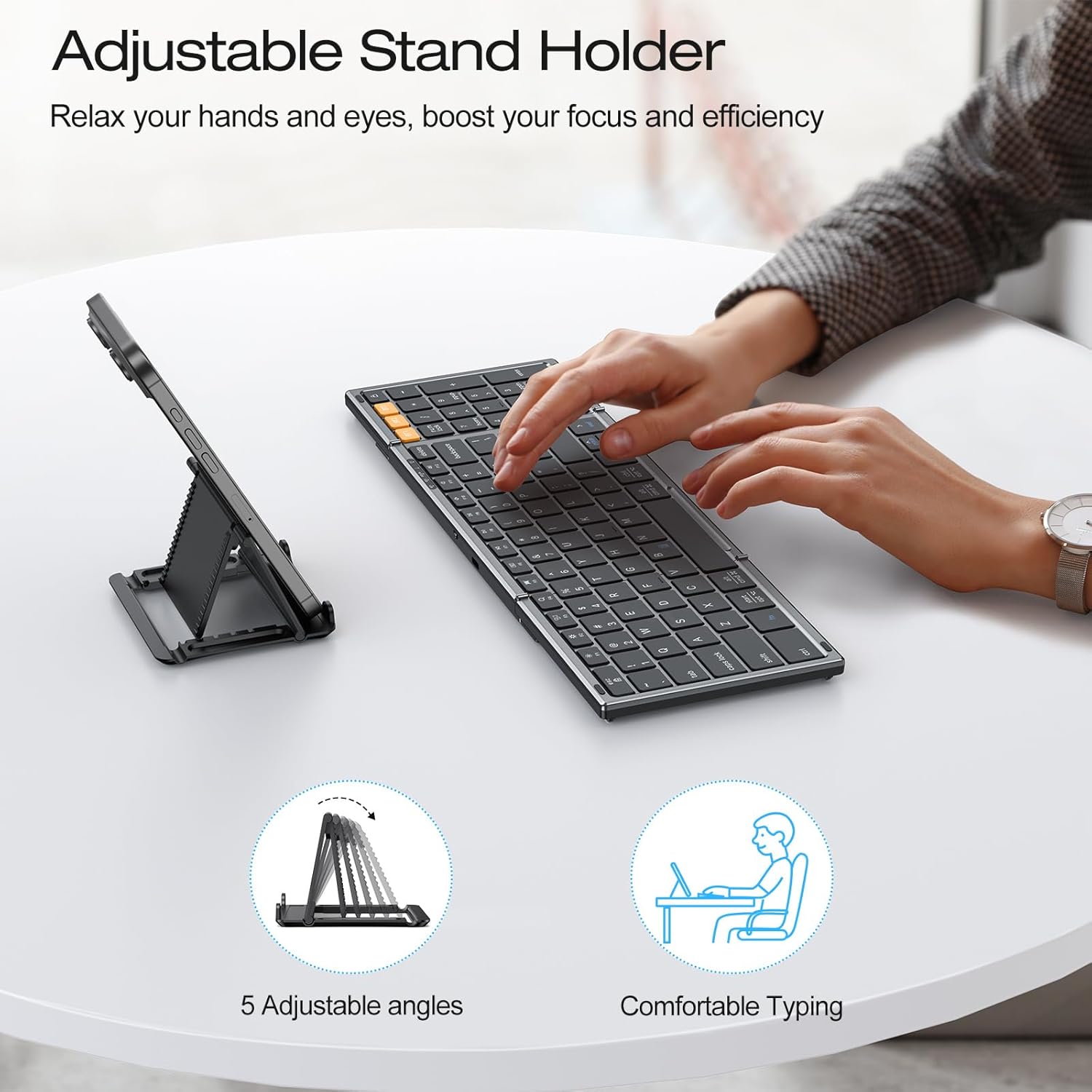
Figure 6: The adjustable stand holder in use, providing an ergonomic setup.
Manutenzione
Per garantire la longevità e le prestazioni ottimali della tastiera Bluetooth pieghevole OMOTON, seguire queste linee guida per la manutenzione:
- Pulizia: Utilizzare un panno morbido, asciutto e privo di lanugine per pulire la superficie della tastiera. Per lo sporco ostinato, leggermente dampPulire il panno con acqua o una soluzione detergente delicata. Evitare l'eccessiva umidità.
- Magazzinaggio: When not in use, fold the keyboard to protect the keys and store it in a dry, cool place away from direct sunlight and extreme temperatures.
- Evitare i liquidi: Non esporre la tastiera a liquidi. In caso di versamenti accidentali, spegnere immediatamente la tastiera e lasciarla asciugare completamente prima dell'uso.
- Maneggiare con cura: Evitare di far cadere la tastiera o di sottoporla a forti urti, che potrebbero danneggiare i componenti interni.
Risoluzione dei problemi
If you encounter issues with your OMOTON Foldable Bluetooth Keyboard, refer to the following common solutions:
- Keyboard Not Connecting/Responding:
- Ensure the keyboard is charged. Check battery status by pressing Fn + SI.
- Verifica che il Bluetooth sia abilitato sul tuo dispositivo.
- Ensure the correct Bluetooth channel (Modello BT1, Modello BT2, O Modello BT3) is selected on the keyboard.
- Try re-pairing the keyboard with your device. Forget the device in your device's Bluetooth settings and repeat the pairing steps in the Setup section.
- Restart both the keyboard (by folding and unfolding it, or turning it off and on if applicable) and your device.
- Output chiave errato:
- Assicurati di aver selezionato il layout corretto del sistema operativo utilizzando Fn + Q/W/E/R come descritto nella sezione Configurazione.
- Keyboard Randomly Stops Responding:
- This may occur if the keyboard enters auto-sleep mode. Press any key to wake it up.
- If the issue persists, try re-pairing the keyboard.
Specifiche
| Marca | OMOTON |
| Numero di modello | B0G39BP4ML |
| Tecnologia di connettività | Bluetooth |
| Dispositivi compatibili | iOS, Android, Windows, MacOS, iPad, iPhone, Samsung Tablet, PC, Laptop, Computer |
| Descrizione della tastiera | Tastiera di dimensioni standard |
| Caratteristiche speciali | 3 Bluetooth Channels, Foldable, Includes a Phone Stand, Rechargeable |
| Colore | Grigio siderale |
| Dimensioni del prodotto (piegato) | 7.24 cm L x 4.52 cm P x 0.43 cm A |
| Materiale | Plastica |
| Fonte di alimentazione | Alimentato a batteria |
| Disposizione della tastiera | Tastiera QWERTY |
| Numero di chiavi | 104 |
Garanzia
The OMOTON Foldable Bluetooth Keyboard comes with a 12-month warranty from the date of purchase. This warranty covers manufacturing defects and ensures the product meets its specified performance standards under normal use. Please retain your proof of purchase for warranty claims.
Supporto
For further assistance, technical support, or inquiries not covered in this manual, please refer to the OMOTON official website or contact their customer service. Contact details are typically found on the product packaging or the brand's official online presence.