
1. Introduzione
The Fairphone Fairbuds XL are over-ear wireless headphones designed for high-quality audio and durability. They feature Active Noise Cancelling (ANC), aptX-HD 24-bit audio, a long-lasting battery, and an IP54 weather-resistant rating. A key aspect of the Fairbuds XL is their modular design, allowing for easy repair and replacement of parts.
This manual provides essential information for setting up, operating, maintaining, and troubleshooting your Fairbuds XL headphones.
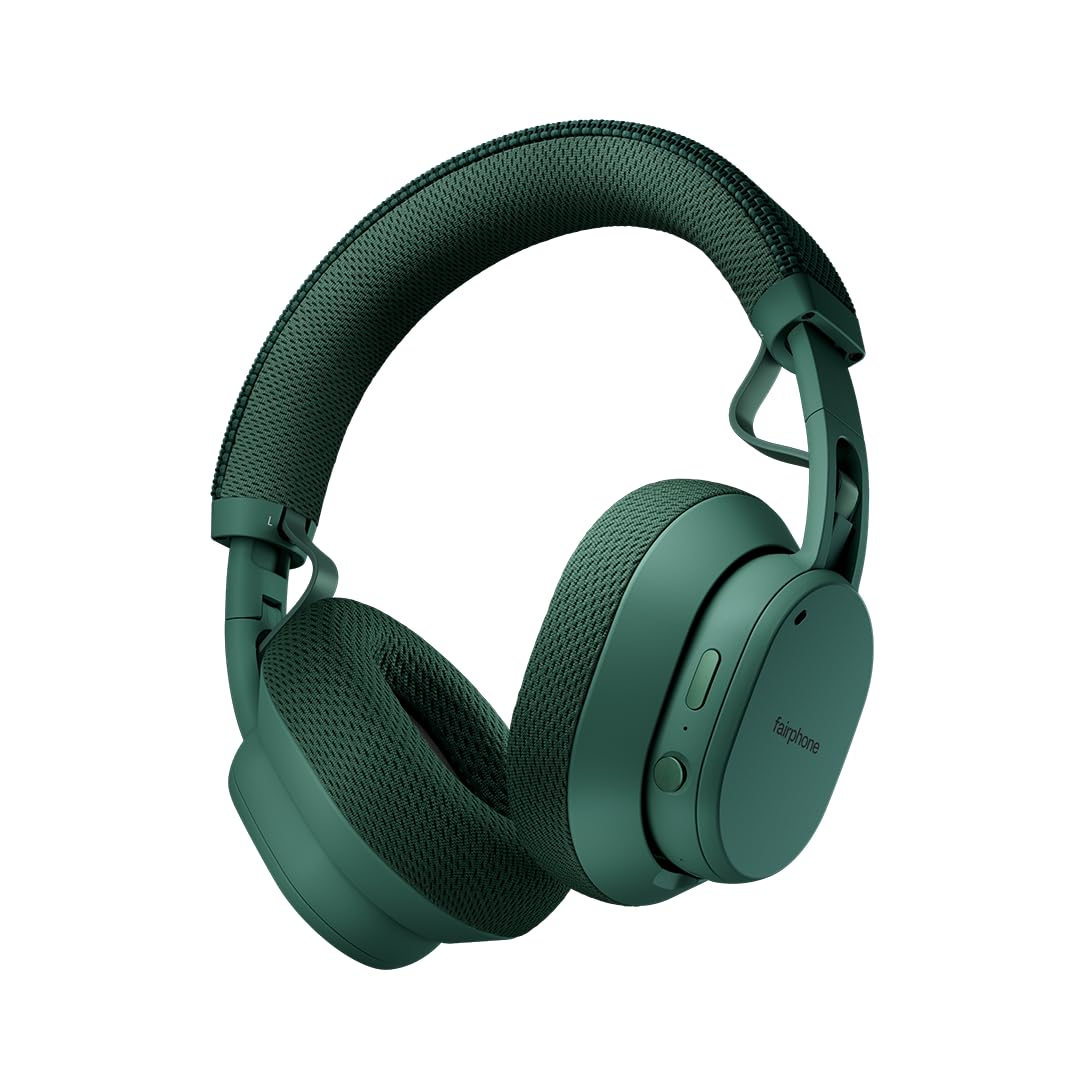
Image: Fairphone Fairbuds XL headphones in Forest Green, showcasinil loro design elegante.
Video: Un oltreview of the Fairbuds XL headphones, highlighting their main features and design.
2. Impostazione
2.1. Cosa c'è nella scatola
Upon unboxing your Fairbuds XL, you should find the following items:
- Fairphone Fairbuds XL Wireless Headphones
- Custodia protettiva
- Manuale dell'utente (questo documento)
- Cavo di ricarica USB-C (non elencato esplicitamente ma implicito per la ricarica)
2.2. Carica delle cuffie
Before first use, fully charge your Fairbuds XL. Connect the provided USB-C cable to the charging port on the headphones and to a compatible USB power source. The LED indicator will show charging status. A full charge provides up to 30 hours of battery life (26 hours with ANC active).
2.3. Accensione/Spegnimento
- Per accendere: Premere e tenere premuto il pulsante di accensione finché l'indicatore LED non si accende.
- Per spegnere: Tenere premuto il pulsante di accensione finché l'indicatore LED non si spegne.
2.4. Accoppiamento Bluetooth
To pair your Fairbuds XL with a device:
- Assicurati che le cuffie siano spente.
- Tenere premuto il pulsante di accensione per circa 5 secondi finché l'indicatore LED non lampeggia in blu e rosso, indicando la modalità di associazione.
- Sul tuo dispositivo (smartphone, laptop, ecc.), attiva il Bluetooth e cerca i dispositivi disponibili.
- Select "Fairbuds XL" from the list of found devices.
- Una volta connesso, l'indicatore LED emetterà una luce blu fissa.
2.5. Dual Point Connectivity
The Fairbuds XL support seamless dual point connectivity, allowing you to connect to two devices simultaneously. For example, you can connect to both your laptop and smartphone. To switch between devices, simply play audio on the desired device, and the headphones will automatically switch.
3. Utilizzo delle cuffie

Immagine: un primo piano view of the control buttons on the Fairbuds XL ear cup, including the power button and a toggle switch.
3.1. Controlliview
The Fairbuds XL feature physical buttons for intuitive control. Refer to the diagram below for button placement (if available in the physical manual) or the image above for a visual reference.
- Pulsante di accensione: Powers on/off, initiates Bluetooth pairing.
- Toggle Switch/Button: Controls Active Noise Cancelling (ANC) and Ambient Mode.
- Volume su/giù: Regola il volume audio.
- Pulsante multifunzione: Play/pause, skip tracks, answer/end calls.
3.2. Active Noise Cancelling (ANC) and Ambient Mode
The Fairbuds XL offer advanced noise cancellation features:
- Cancellazione attiva del rumore (ANC): Reduces external noise for an immersive listening experience. Toggle this mode using the dedicated switch/button.
- Modalità ambiente: Allows you to hear your surroundings while still enjoying your audio. Toggle this mode using the dedicated switch/button.
3.3. Riproduzione audio
- Riproduci/Pausa: Premi una volta il pulsante Multifunzione.
- Traccia successiva: Premi due volte il pulsante Multifunzione.
- Traccia precedente: Premi tre volte il pulsante multifunzione.
- Regolazione del volume: Utilizzare i pulsanti Volume su/giù.
3.4. Funzioni di chiamata
- Rispondi/Termina chiamata: Premi una volta il pulsante Multifunzione.
- Rifiuta chiamata: Tieni premuto il pulsante multifunzione.
3.5. Connessione cablata
For a wired audio experience or when the battery is depleted, connect the Fairbuds XL to your device using a USB-C to USB-C cable (not included, but compatible with the charging port). This allows for charge-free listening.
4. Manutenzione
The Fairbuds XL are designed for longevity with easily replaceable parts. Regular cleaning and proper care will extend their lifespan.
4.1. Pulizia
Pulisci le cuffie con un panno morbido e asciutto. Per lo sporco ostinato, usa un panno leggermenteamp cloth can be used. Avoid using harsh chemicals or abrasive materials. The IP54 rating provides protection against dust and light splashes, but the headphones are not waterproof.
4.2. Sostituzione della batteria
The 800mAh battery in your Fairbuds XL is designed to be user-replaceable. When the battery's performance degrades after approximately 500 charging cycles, you can replace it with a new one. This process typically involves removing a cover and a few screws.

Immagine: Un esploso view of the Fairbuds XL headphones, showing individual components like the headband, ear cups, speakers, and battery, emphasizing its modular design.
Video: A short demonstration on how to replace the battery in the Fairbuds XL headphones.
4.3. Replacing Other Modular Parts
Beyond the battery, various other components of the Fairbuds XL, such as the individual speakers, ear cups, headband, and speaker-to-speaker cable, can be replaced. These parts are designed for easy removal and installation, often requiring only a single screwdriver. Consult the official Fairphone support website for detailed guides and spare parts availability.
5. Risoluzione Dei Problemi
If you encounter issues with your Fairbuds XL, refer to the following common problems and solutions:
| Problema | Possibile causa | Soluzione |
|---|---|---|
| Le cuffie non si accendono. | Batteria scarica. | Caricare le cuffie tramite il cavo USB-C. |
| Impossibile effettuare l'associazione tramite Bluetooth. | Cuffie non in modalità di associazione; Bluetooth del dispositivo disattivato; interferenza. | Ensure headphones are in pairing mode (flashing blue/red LED). Check device Bluetooth settings. Move closer to the device. |
| Nessun suono o scarsa qualità del suono. | Volume too low; incorrect audio source; loose connection (wired); out of Bluetooth range. | Increase volume. Verify audio output on your device. Reconnect wired cable. Move closer to the Bluetooth device. |
| L'ANC non funziona in modo efficace. | ANC mode not activated; improper fit. | Ensure ANC is toggled on. Adjust headphones for a snug fit over your ears. |
If the issue persists, please refer to the official Fairphone support resources.
6. Specifiche
| Caratteristica | Dettaglio |
|---|---|
| Nome del modello | Le Fairbuds XL |
| Numero modello articolo | HEAD-2 |
| Tecnologia di connettività | Senza fili (Bluetooth 5.1) |
| Tipo di driver audio | Driver dinamico (40 mm) |
| Controllo del rumore | Cancellazione attiva del rumore, modalità trasparenza |
| Durata della batteria | Up to 30 Hours (26 Hours with ANC) |
| Tipo di batteria | 1 Lithium Ion battery (included, replaceable) |
| Livello di resistenza all'acqua | IP54 (resistente all'acqua) |
| Peso dell'articolo | 324 grammi (11.4 once) |
| Dimensioni del prodotto | 7.68 x 6.89 x 3.07 pollici |
| Materiale | Plastica |
| Colore | Verde foresta |
| Codice UPC | 850077419072 |
7. Garanzia e supporto
Fairphone is committed to product longevity. The Fairbuds XL are designed with repairability in mind, and spare parts are available. The EU Spare Part Availability Duration is 3 Years.
For detailed warranty information, spare parts, and further support, please visit the official Fairphone websito o contattare il loro servizio clienti.
Puoi trovare maggiori informazioni e supporto su Fairphone Store on Amazon.