
1. Introduzione
Thank you for choosing the Picun G2 Wireless Gaming Headset. This manual provides detailed instructions for setting up, operating, and maintaining your headset to ensure optimal performance and an immersive gaming experience. Please read this manual thoroughly before use.
Cosa c'è nella scatola
- 1 x Picun G2 Wireless Gaming Headset
- 1 x USB-A & Type-C 2-in-1 Wireless Dongle
- Cavo di ricarica 1 x USB-C
- 1 cavo audio da 3.5 mm
- 1 x Manuale utente
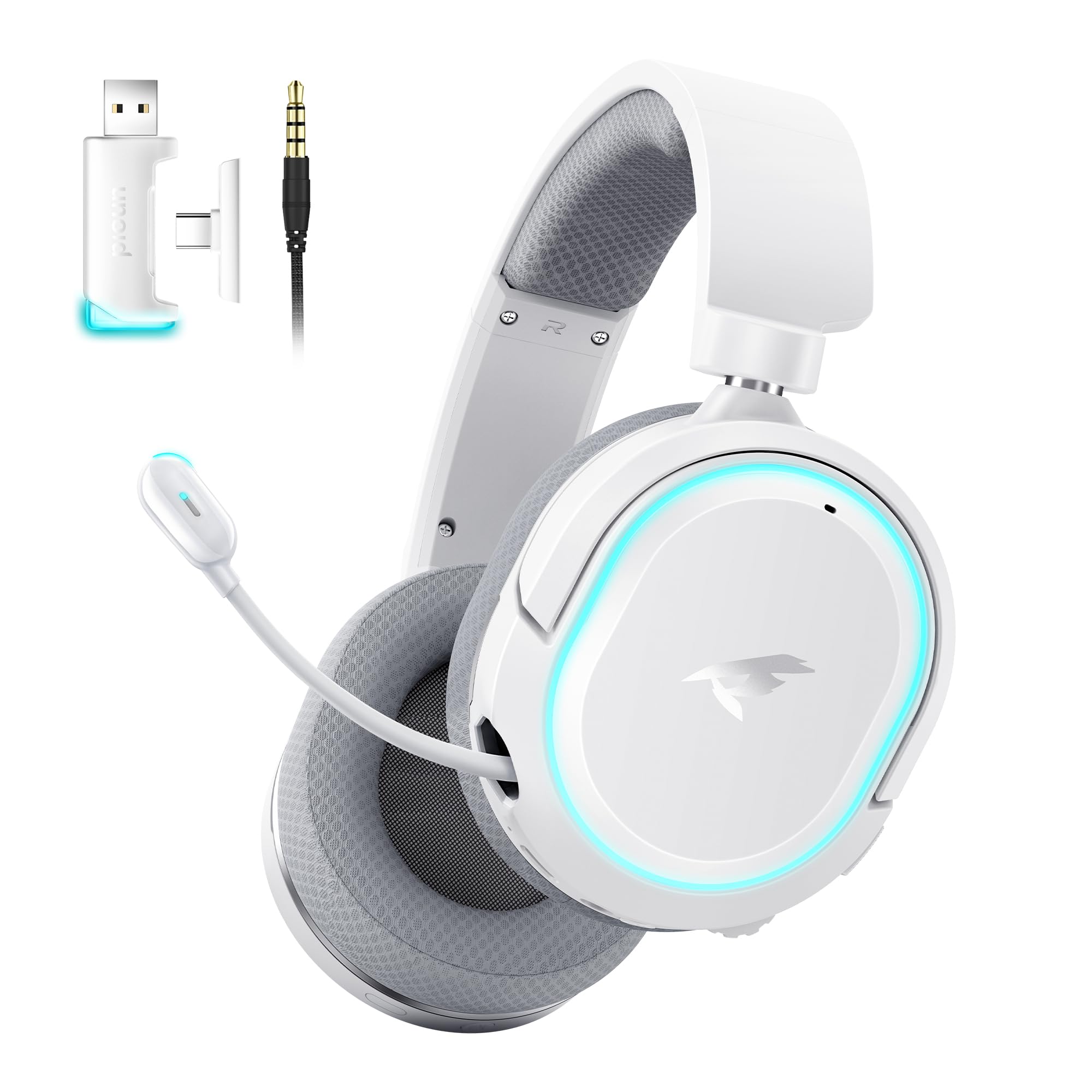
Image: Picun G2 Wireless Gaming Headset (Grey)
2. Prodotto finitoview
Familiarize yourself with the various components and controls of your Picun G2 headset.

Image: Headset Controls Diagram
- 7.1 Mode Light Control: Button to activate/deactivate 7.1 virtual surround sound and control RGB lighting.
- Porta di ricarica: Porta USB-C per caricare le cuffie.
- Porta audio da 3.5 mm: Per la connessione cablata, utilizzare il cavo audio da 3.5 mm incluso.
- Pulsante di accensione: Press and hold to power on/off. Short press for play/pause in Bluetooth mode.
- Ruota del volume: Scroll up or down to adjust the volume.
- Disattiva microfono: Slide switch to mute or unmute the microphone.
3. Configurazione e connessione
3.1 Ricarica dell'auricolare
Before first use, fully charge the headset using the provided USB-C charging cable. Connect the USB-C end to the headset's charging port and the USB-A end to a power source (e.g., computer USB port, USB wall adapter).
3.2 Connecting via 2.4GHz Wireless (Dongle)
For ultra-low latency gaming on PC, PS5, PS4, or Nintendo Switch (docked mode):
- Insert the 2.4GHz USB-A/Type-C dongle into an available USB port on your device.
- Accendi l'auricolare. Si connetterà automaticamente al dongle.
- Assicurati che l'auricolare sia selezionato come dispositivo di input e output audio nelle impostazioni audio del tuo dispositivo.
3.3 Connessione tramite Bluetooth 5.4
For wireless connection to smartphones, tablets, and other Bluetooth-enabled devices:
- With the headset powered off, press and hold the Power Button until the LED indicator flashes blue and red, indicating pairing mode.
- On your device, enable Bluetooth and search for "Picun G2".
- Select "Picun G2" to pair. The LED will turn solid blue once connected.
3.4 Connecting via 3.5mm Wired
For universal compatibility with devices featuring a 3.5mm audio jack:
- Collegare un'estremità del cavo audio da 3.5 mm alla porta audio da 3.5 mm dell'auricolare.
- Connect the other end to your device's 3.5mm audio jack.
- Note: Microphone functionality may vary or be unavailable in wired mode depending on the device.

Image: Multiple Connection Options
4. Istruzioni per l'uso
4.1 Accensione/spegnimento
- Accensione: Tenere premuto il pulsante di accensione per 3 secondi.
- Spegni: Tenere premuto il pulsante di accensione per 3 secondi.
4.2 Controllo del volume
- Ruotare il Ruota del volume upwards to increase volume.
- Ruotare il Ruota del volume downwards to decrease volume.
4.3 Microphone Usage (Retractable ENC Noise-Canceling Mic)
- Extend/Retract Mic: Gently pull out or push in the microphone from the left earcup.
- Disattiva/Attiva audio: Utilizzare il Microfono muto slide switch located on the earcup.

Image: Retractable ENC Noise-Canceling Microphone
4.4 7.1 Virtual Surround Sound Activation
- Premere il tasto Controllo della luce in modalità 7.1 button to toggle 7.1 virtual surround sound on or off.
- The RGB lighting will indicate the status of the 7.1 mode.

Image: 7.1 Surround Sound Activation
5. Informazioni sulla batteria
The Picun G2 headset offers extended battery life for prolonged usage.
- Up to 100 hours playtime in Bluetooth mode (RGB off).
- Approximately 42-45 hours playtime via 2.4GHz wireless (RGB on).
- La carica completa richiede in genere 2-3 ore.
- The headset supports charging while in use.

Immagine: Durata della batteria e ricarica
6. Comfort e design
The Picun G2 is designed for comfort during extended gaming sessions.
- Fascia regolabile: Customize the fit for various head sizes.
- Padiglioni auricolari girevoli: Allows for flexible positioning and storage.
- Soft Memory Sponge Cushions: Breathable fabric earcups and headband provide comfort and reduce pressure.

Image: Comfort Features
7. Risoluzione Dei Problemi
If you encounter any issues with your Picun G2 headset, please refer to the following common solutions:
| Problema | Soluzione |
|---|---|
| Nessun suono dalle cuffie |
|
| Il microfono non funziona |
|
| Impossibile connettersi tramite wireless a 2.4 GHz |
|
| Impossibile connettersi tramite Bluetooth |
|
| Durata breve della batteria |
|
8. Specifiche
| Caratteristica | Dettaglio |
|---|---|
| Marca | Piccione |
| Nome del modello | Picun-G2 |
| Tecnologia di connettività | Wireless a 2.4 GHz, Bluetooth 5.4, cablato da 3.5 mm |
| Posizionamento dell'orecchio | Sopra l'orecchio |
| Tipo di driver audio | Driver dinamico (40 mm) |
| Impedenza | 32 Ohm |
| Gamma di frequenza | 20 Hz - 20,000 Hz |
| Latenza audio | 5 millisecondi (2.4 GHz) |
| Versione Bluetooth | 5.4 |
| Portata Bluetooth | 10 metri |
| Durata della batteria | Up to 100 Hours (Bluetooth, RGB off) / 42-45 Hours (2.4GHz, RGB on) |
| Tempo di ricarica | 2-3 ore |
| Microfono | Retractable ENC Noise-Canceling Omnidirectional Mic |
| Dispositivi compatibili | PC, Mac, Laptop, Desktop, Phone, Pad, Tablet, PlayStation 4/5/pro/Slim, Gaming Consoles, Switch, Nintendo Switch (microphone invalid on Switch via 3.5mm) |
| Materiale | ABS, Breathable Fabric, PC, Soft Memory Sponge Cushions |
| Caratteristiche aggiuntive | 7.1 Virtual Surround Sound, RGB Lighting, Adjustable Headband, Rotatable Earcups |
9. Garanzia e supporto
9.1 Informazioni sulla garanzia
The Picun G2 Wireless Gaming Headset comes with a Garanzia di 1 anno from the date of purchase. This warranty covers manufacturing defects and ensures the product is free from defects in material and workmanship under normal use. Please retain your proof of purchase for warranty claims.
La garanzia non copre:
- Danni causati da uso improprio, abuso, incidente o negligenza.
- Riparazione o modifica non autorizzata.
- Normale usura.
9.2 Assistenza clienti
For technical assistance, warranty claims, or any questions regarding your Picun G2 Wireless Gaming Headset, please contact Picun customer support through the following channels:
- E-mail: support@picun.com (Examp(l'indirizzo email effettivo non è stato fornito)
- Websito: Visit the official Picun websito per FAQ e risorse di supporto.
Please have your model number (Picun-G2) and proof of purchase ready when contacting support.