
CATLINK CL-CH-01
CATLINK Open-X Automatic Self-Cleaning Litter Box User Manual
Model: CL-CH-01
1. Introduzione
This manual provides detailed instructions for the setup, operation, maintenance, and troubleshooting of your CATLINK Open-X Automatic Self-Cleaning Litter Box. Please read this manual thoroughly before using the product to ensure proper function and safety.
The CATLINK Open-X is designed to simplify cat care with its automatic cleaning cycles, advanced safety features, and smart app control. It features an open-top design, multi-cat recognition, and effective odor control, making it suitable for various household environments.

Image: The CATLINK Open-X Automatic Self-Cleaning Litter Box, showcasing its open-top design and a cat comfortably using it.
2. Contenuto della confezione
Before beginning, please verify that all components listed below are included in your package:
- Open-X Litter Box Main Unit
- Adattatore di alimentazione
- Gambe di supporto (x4)
- Cestino dei rifiuti
- Sacchetti della spazzatura
- Eliminatore di odori
- Schermo filtrante
- User Manual & Guide (this document)

Image: A visual representation of all items included in the CATLINK Open-X package.
3. Istruzioni per l'installazione
3.1 Disimballaggio e assemblaggio iniziale
Follow these steps to unbox and assemble your CATLINK Open-X litter box:
- Carefully open the packaging and remove all items. Refer to the 'Package Contents' section to ensure everything is present.
- Insert the four support legs into the D-shaped grooves on the base of the main unit. Ensure they are securely in place.
- Install the Odor Eliminator into its designated slot on the underside of the main unit.
- Assemble the Filter Screen by inserting the right hinge first, then pressing the left hinge into the C-shaped groove inside the litter compartment.
- Place a trash liner into the waste bin, ensuring it is smooth and not raised around the edges. Slide the waste bin into the designated compartment at the bottom of the main unit.
Video: A step-by-step guide demonstrating the unboxing and initial assembly of the CATLINK Open-X litter box, including leg installation, odor eliminator placement, and filter screen assembly.
3.2 Power-On and Self-Check
Once assembled, connect the power adapter to the port on the back of the unit and plug it into a power outlet. The device will initiate a self-check process. Wait for the self-examination to complete before proceeding.
3.3 Configurazione Wi-Fi e connessione dell'app
The CATLINK Open-X supports dual-band Wi-Fi (2.4GHz & 5GHz) for stable connectivity. To connect your device to the CATLINK app:
- Download and install the 'CATLINK' app on your smartphone.
- Press and hold the Wi-Fi button on the litter box for 3 seconds to enter network distribution mode.
- Open the CATLINK app. It should automatically discover the new device. Follow the on-screen prompts to grant necessary permissions and connect your phone to your home Wi-Fi network.
- Enter your Wi-Fi password in the app. Once connected, the Wi-Fi indicator on the litter box will remain illuminated.
Video: Instructions on how to connect the CATLINK Open-X to your home Wi-Fi network and set it up using the CATLINK mobile application.
3.4 Adding Cat Information
For accurate health monitoring and multi-cat recognition, add your cat's profile in the app:
- In the app, navigate to the device settings and select 'Bind with a cat'.
- Click 'Add' to create a new cat profile.
- Fill in your cat's nickname, breed, gender, birthday, weight, and body shape. Save the information.
- If you have multiple cats, repeat the process for each. The system can distinguish between cats with a weight difference of at least 0.9 lbs (0.4 kg).
3.5 Aggiungere lettiera per gatti
The CATLINK Open-X is compatible with various types of clumping cat litter, including mineral sand, bentonite, mixed sand, and tofu litter.
- Pour the desired cat litter into the litter compartment. Ensure the litter level is between the MIN and MAX lines indicated inside the globe.
- Guide your cat to the litter box to help them familiarize themselves with it.

Image: Illustrates the process of adding cat litter to the Open-X, highlighting the convenient design.
4. Istruzioni per l'uso
4.1 modalità di pulizia
The CATLINK Open-X offers several cleaning modes:
- Modalità automatica: The litter box detects when your cat has used it and automatically initiates a cleaning cycle after a set delay (configurable in the app).
- Modalità manuale: You can initiate a cleaning cycle at any time via the control panel buttons on the device or through the CATLINK app.
- Pulizia programmata: Set specific times for cleaning cycles through the app.
- Soft Stool Mode: This mode is designed to handle softer waste by pre-burying it before a full cleaning cycle, preventing sticking.
4.2 Controllo intelligente dell'app
L'app CATLINK offre funzionalità complete di controllo e monitoraggio:
- Telecomando: Avvia o interrompi i cicli di pulizia da qualsiasi luogo.
- Monitoraggio della salute: Track your cat's bathroom habits, including frequency and duration. For multi-cat households, the AI waste analysis provides daily/weekly health reports for each cat.
- Notifiche: Receive alerts for waste bin full, cleaning cycles, and other important events.
- Personalizzazione delle impostazioni: Adjust cleaning delays, night mode, kitten protection, and more.

Image: The CATLINK app interface on a smartphone, demonstrating its smart care features and health monitoring capabilities.
4.3 Caratteristiche di sicurezza
The CATLINK Open-X incorporates multiple safety mechanisms to protect your cat:
- Anti-Pinch Switch: If a cat triggers this sensor when the ball chamber or waste bin is open, the device will immediately pause operation.
- Incomplete Gear Design: The unique gear design ensures the entrance is never fully closed, preventing cats from being trapped.
- Sensori di peso: Multiple weight sensors detect your cat's presence, stopping operation if a cat steps on the unit during a cycle.
- Sensori a infrarossi: These sensors pause operation when a cat is detected inside the ball chamber.

Immagine: Un dettaglio view of the CATLINK Open-X's safety assurance systems, highlighting the various sensors and design elements that protect your pet.
Video: Demonstrates the wide entrance and open design of the CATLINK Open-X, showing a cat comfortably entering and exiting the litter box.
Video: Shows a cat interacting with the CATLINK Open-X, highlighting its integration into a home environment and ease of use for pets.
4.4 Controllo degli odori
The CATLINK Open-X features a triple odor locking system to keep your home fresh:
- Odor Eliminator: An integrated odor eliminator helps neutralize smells.
- Sealed Waste Drawer: The multi-layer odor control system seals odors inside the waste drawer.
- Purificazione dell'aria: Layered purification contributes to a fresh environment.
5. Manutenzione
5.1 Waste Bin Management
The 12L extra-large waste bin can hold up to 15 days of waste for one cat, reducing the frequency of emptying. When the app notifies you that the waste bin is full, simply pull out the drawer, tie the trash liner, and dispose of it. Replace with a new trash liner.
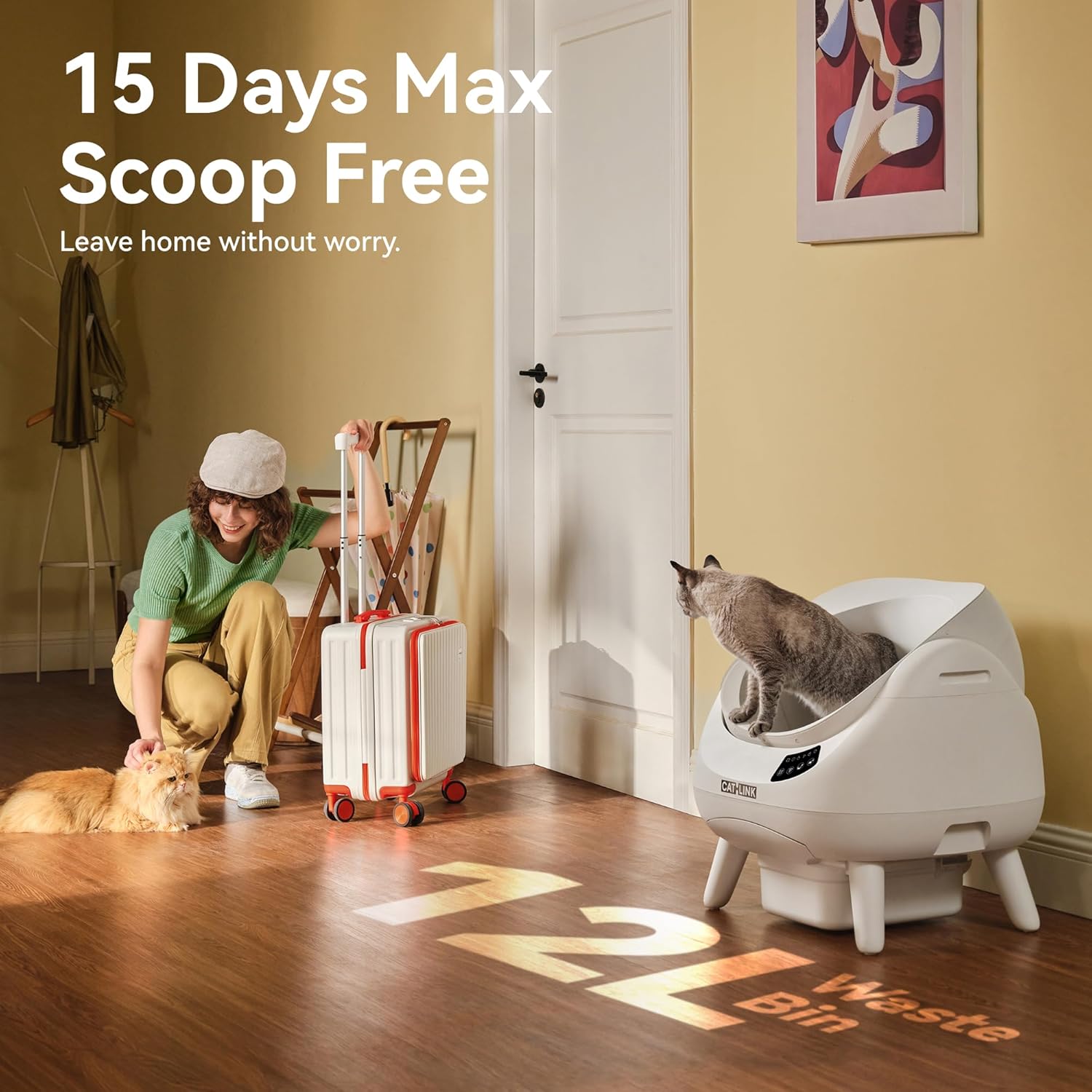
Image: Highlights the 15-day scoop-free capacity of the CATLINK Open-X, ideal for busy owners or travelers.
5.2 Pulizia dell'unità
For thorough cleaning, the CATLINK Open-X features a 3-step quick disassembly process:
- Rimuovere le coperture laterali.
- Open the side locking rings.
- Remove the ball chamber.
The litter mat is elastic and can be quick-removed for washing. The ball chamber and other removable parts are designed for easy disassembly and washing.

Image: Illustrates the ease of disassembly and cleaning for the CATLINK Open-X, showing removable parts and the washable litter mat.
6. Risoluzione Dei Problemi
If you encounter issues with your CATLINK Open-X, please refer to the following common solutions:
- Il dispositivo non risponde: Ensure the power adapter is securely connected and the unit is plugged into a working outlet. Check for any obstructions in the litter globe or waste drawer.
- Problemi di connessione Wi-Fi: Verify your Wi-Fi network is active and within range. Ensure you have entered the correct Wi-Fi password in the app. The device supports both 2.4GHz and 5GHz networks. Try restarting your router and the litter box.
- Ciclo di pulizia non avviato: Check if the litter box is in automatic mode via the app or control panel. Ensure no cat is currently inside the litter box, as safety sensors will prevent operation. Verify the waste bin is not full.
- Odor Problems: Replace the odor eliminator regularly. Ensure the waste bin is properly sealed and emptied when full.
- Multi-Cat Recognition Inaccurate: For accurate recognition, ensure there is a weight difference of at least 0.9 lbs (0.4 kg) between your cats. Verify each cat's profile is correctly entered in the app.
- Litter Sticking: Ensure you are using a compatible clumping litter. Consider using the 'Soft Stool Mode' if issues persist.
For further assistance, please contact CATLINK customer support.
7. Specifiche
| Caratteristica | Dettaglio |
|---|---|
| Nome del modello | Open-X |
| Numero modello articolo | CL-CH-01 |
| Dimensioni del prodotto (LxWxH) | 23 x 21 x 23 pollici |
| Peso dell'articolo | 21.4 libbre |
| Materiale | Acrilonitrile Butadiene Stirene (ABS) |
| Capacità del cestino dei rifiuti | 12L (fino a 15 giorni per un gatto) |
| Connettività | 5G WiFi & 2.4GHz WiFi |
| Livello di rumore | 35dB (silent operation) |
| Caratteristiche di sicurezza | Anti-Pinch Switch, Incomplete Gear Design, Weight Sensors, Infrared Sensors |
| Controllo degli odori | Triple odor locking system, Odor Eliminator, Sealed Waste Drawer |
| Multi-Cat Recognition | Requires ≥0.9 lbs (0.4 kg) weight difference |
| Componenti inclusi | Odor Eliminator, Open-X Litter Box, Power Adapter, Trash Liner, User Manual & Guide |
8. Garanzia e supporto
Your CATLINK Open-X Automatic Self-Cleaning Litter Box comes with a GARANZIA DI UN ANNO dalla data di acquisto.
For warranty claims, technical support, or any questions not covered in this manual, please contact CATLINK customer service through the official CATLINK website or your retailer's support channels. Please have your model number (CL-CH-01) and purchase information ready when contacting support.
Ask a question about this manual
Ask about setup, troubleshooting, compatibility, parts, safety, or missing instructions. Manuals+ will review the question and use this page’s manual context to help answer it.