
1. Guida all'installazione
Follow these steps to set up and activate your VDIAGTOOL D200 scanner:
- Download the VDIAGTOOL App: Download the official VDIAGTOOL app from the Google Play Store (for Android) or Apple App Store (for iOS). Alternatively, scan the QR code provided in the user manual or on the device itself to access the app store.
- Creare un account: Open the app and create a new account using your email address. A verification code will be sent to your email. Enter this code to complete registration. Check your spam folder if you do not receive the email.
- Attiva il tuo dispositivo: Enter the serial number and activation code found on the device or in the packaging to bind your VCI device to your account.
- Collegare alla porta OBD-II: Insert the D200 device firmly into your vehicle's OBD-II port. The device powers on automatically via the vehicle's 12V system.
- Avviare il motore: Ensure the device is fully seated, then start your vehicle's engine.
- Connessione tramite Bluetooth: Enable Bluetooth on your smartphone and pair the D200 device in your phone's Bluetooth settings. Connection is typically established within 10-15 seconds. A green VCI indicator in the app confirms a successful connection. You can then proceed with vehicle diagnostics.
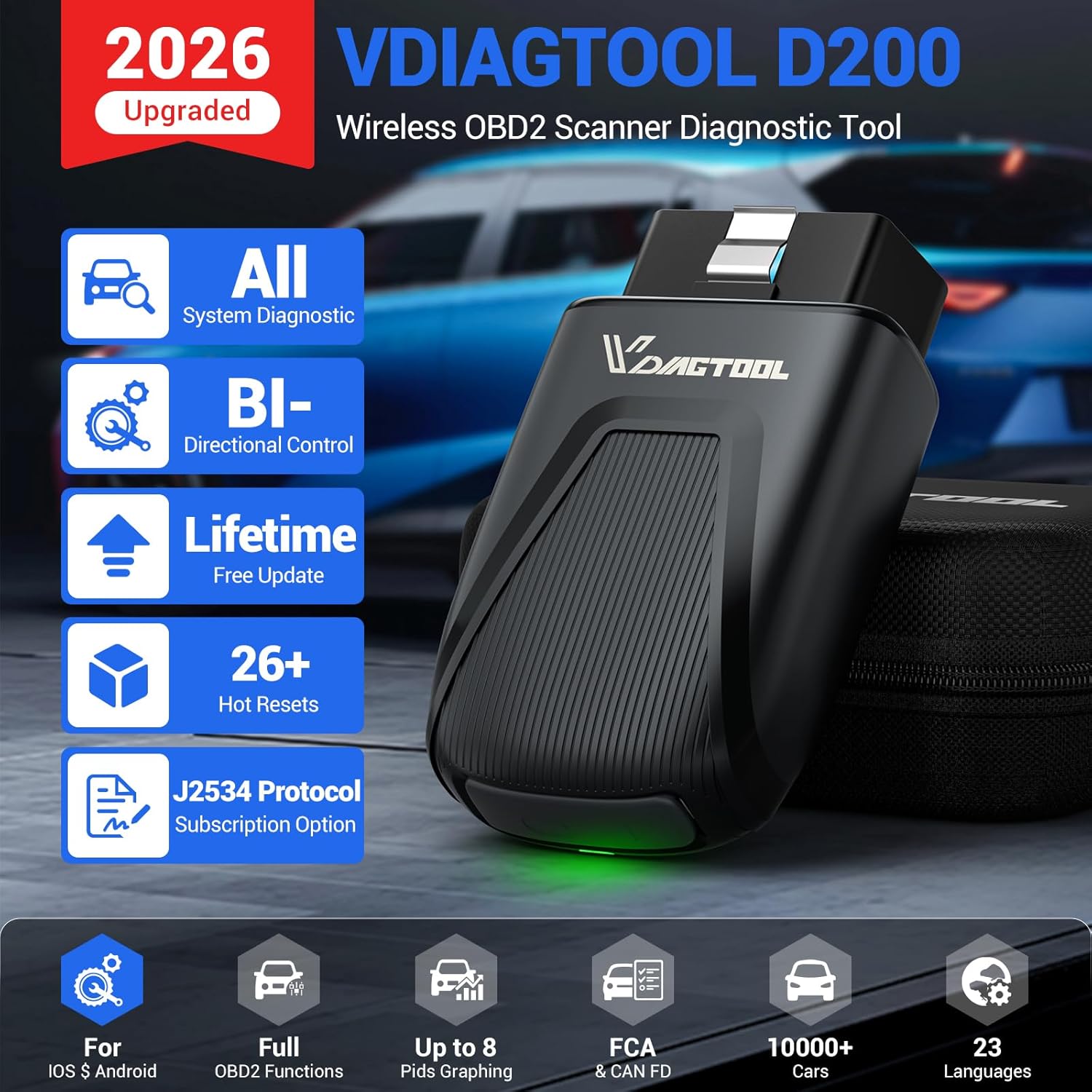
Image: The VDIAGTOOL D200 OBD2 scanner, its carrying case, and packaging. The device is compact and designed for easy portability.
Video: A step-by-step guide on setting up the VDIAGTOOL D200, including app download, device activation, and connecting to the vehicle's OBD-II port.
2. Istruzioni per l'uso
The VDIAGTOOL D200 app provides a user-friendly interface for various diagnostic functions:
2.1 Interfaccia dell'appview
- Scansione automatica: Initiates a comprehensive scan of all available vehicle systems.
- OBD II: Accesses standard OBD2 functions like reading/clearing codes, live data, and I/M readiness.
- Diagnosi: Allows manual selection of vehicle make/model for specific diagnostic routines.
- Funzione speciale: Contains various reset and relearn functions for maintenance.
- Aggiornamenti: Manages software updates for vehicle models and special functions.
- Rapporto: Generates and stores diagnostic reports.
- Centro commerciale: Provides options to purchase additional advanced functions and vehicle-specific software.
- Application Center: Offers quick access to frequently used functions like MIL Status, Smog Check, Performance Test, DTC Query, Technical Bulletins, and Warning Light Symbols.
2.2 Funzioni diagnostiche
- Diagnostica completa del sistema: The D200 can access all available vehicle systems (Engine, Transmission, ABS, SRS, BCM, HVAC, etc.) to read fault codes, view system status, and retrieve live data.
- Streaming dati in tempo reale: Supports up to 8 simultaneous PIDs (Parameter IDs) with real-time graphing. This allows visual comparison of sensor values and performance trends, aiding in the detection of intermittent issues.
- Bi-directional Control / Active Tests: Send commands directly to the vehicle's ECU to perform active tests on components such as fuel pumps, relays, solenoids, injectors, cooling fans, windows, and sunroofs. This verifies component functionality and assists in troubleshooting.

Image: A smartphone displaying the VDIAGTOOL app performing active tests, showing commands being sent to the vehicle's ECU to operate components like windows and mirrors.
Video: Demonstration of the VDIAGTOOL D200's bi-directional control features, showing how to activate various vehicle components directly from the smartphone app.
3. Maintenance Functions (Special Functions)
The D200 includes a variety of special functions for routine maintenance and advanced repairs:
3.1 Essential Reset & Relearn Functions (26+)
- Ripristino dell'olio
- Servizio di freno di stazionamento elettronico (EPB).
- Riapprendimento della manovella
- Battery Management System (BMS) Battery Registration
- Calibrazione del sensore dell'angolo di sterzata (SAS).
- Spurgo freni ABS
- Riapprendimento dell'acceleratore
- Codifica dell'iniettore
- Regolazione dei fari
- Reimposta dimensione pneumatici
- E molti altri ancora.
Note: Available service functions may vary by vehicle model and year. Always check compatibility in advance.
3.2 Expandable Advanced Functions (49+ & 100+)
The D200 offers optional upgrades to expand its capabilities:
- 49+ Advanced Resets & 100+ Vehicle-Specific Functions: Available via a 3-year access subscription, these functions enable deeper repairs such as zero-point calibration and AdBlue Reset.
- J2534 Pass-Thru Programming: A one-time Lifetime Unlock allows the D200 to function as a J2534 pass-thru interface. This supports 17+ major brands (e.g., BMW, Audi, GM, Ford) for module programming, software reflashing, and ECU data updates. Note: OEM software compatibility and PC requirements must be checked, as D200 does not provide OEM software.

Image: An illustration of a car highlighting various systems that the VDIAGTOOL D200 can diagnose, including BMS, ECM, SAS, Transmission, EPB, ABS, TPMS, and Headlamp.
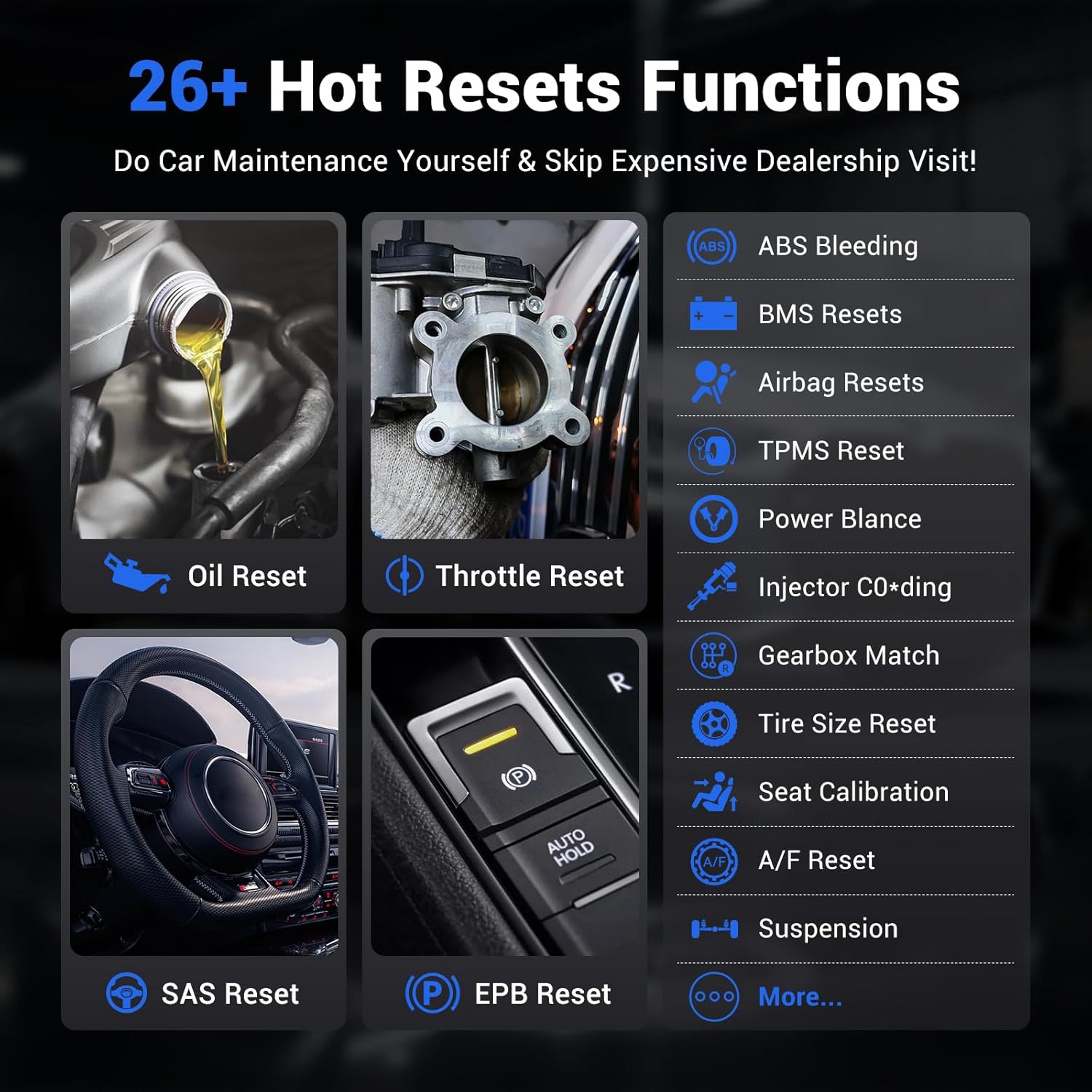
Image: A grid of icons representing 26+ hot reset functions available on the VDIAGTOOL D200, such as Oil Reset, Throttle Reset, ABS Bleeding, BMS Resets, Airbag Resets, TPMS Reset, Injector Coding, and EPB Reset.
4. Troubleshooting & Information
4.1 Problemi comuni
- Attivazione del dispositivo: Ensure correct serial number and activation code are entered. Check email for verification code.
- Connessione Bluetooth: Verify Bluetooth is enabled on your phone and the device is properly plugged into the OBD-II port.
- Aggiornamenti software: Regularly check the 'Updates' section in the app to ensure all necessary vehicle models and special functions are downloaded for optimal performance and compatibility.
4.2 Informazioni diagnostiche
- Richiesta DTC: Look up detailed information for Diagnostic Trouble Codes (DTCs) directly within the app.
- Technical Bulletins: Access technical service bulletins for specific vehicle makes and models to stay informed about known issues and recommended repairs.
- Warning Light Symbols: The app provides a comprehensive guide to common warning light symbols (red, yellow, status) to help users understand their vehicle's alerts.
Video: Un resoconto dettagliatoview of the VDIAGTOOL D200 OBD2 scanning tool, demonstrating its features and ease of use for vehicle diagnostics and maintenance.
5. Specifiche
| Marca | VDIAGTOOL |
| Modello | Vdiagtool D200 OBDII Scanner |
| Fonte di alimentazione | Porta OBDII |
| Dimensioni del prodotto | 3.5 cm L x 1.93 cm P x 1.02 cm A |
| Compatibilità del sistema operativo | Android 7.0 e versioni successive, iOS 10.0 e versioni successive |
| Lingua | English (23 languages supported via customer service) |
| Tipo di adattamento automobilistico | Vestibilità universale |
| Peso dell'articolo | 3.53 once |
| Connettività | Bluetooth 5.2 |
| Protocolli supportati | CAN FD, FCA AutoAuth |
6. Garanzia e supporto
- 2-Year VdiagTool Product Care: Your device is covered by a 2-year product care policy.
- Reso gratuito entro 30 giorni: Enjoy a 30-day free return period for your purchase.
- Servizio clienti 24 ore su 7, XNUMX giorni su XNUMX: For any questions or support, contact us anytime at support@vdiagtool.com.
- Supporto multilingua: The D200 supports 23 languages. To switch languages, contact customer support with your device serial number.

Image: A graphic detailing VDIAGTOOL's customer support, including lifetime free updates, 2-year warranty, 30-day free return, and 24/7 customer service, alongside flags representing 23 supported languages.