
Introduzione e chiusuraview
The RAINPOINT 3 Zone Water Timer is designed to simplify your garden and lawn watering needs. This device allows for precise control over your irrigation system, ensuring your plants receive optimal hydration while conserving water. Its robust construction and user-friendly interface make it an essential tool for efficient garden management.

Image: The main unit of the RAINPOINT 3 Zone Water Timer, showcasing its display and control dial.
Le caratteristiche principali includono:
- Durable & Reliable Performance: Upgraded metal outlets and a coil valve provide stable water flow and reduced leakage, enhancing overall durability.
- Precision Control for Diverse Needs: Supports independent scheduling for each of its 3 zones, with adjustable durations (1 minute to 8 hours) and frequencies (1 hour to 7 days).
- Water-Saving & Weather-Resistant: Features a 24/48/72-hour rain delay function and an IP65 waterproof, UV-resistant ABS shell for outdoor use.
- Easy Installation & Flexible Operation: Tool-free setup on standard 3/4" faucets, offering both manual (1 minute to 8 hours) and automatic watering options.
- User-Friendly & Clear Display: Ergonomic design with a sunlight-readable LCD and a low battery indicator for easy programming and operation.
Video: Un oltreview of the RAINPOINT 3 Zone Water Timer, highlighting its features and brass components.
Configurazione e installazione
Follow these steps to properly set up your RAINPOINT 3 Zone Water Timer:
- Installazione della batteria: The timer requires 4 AA alkaline batteries (not included). Open the battery compartment on the back of the unit, insert the batteries according to the polarity markings, and securely close the compartment. The compartment is designed with a silicone seal for waterproofing.
- Controllare il filtro di ingresso dell'acqua: Ensure the water inlet filter is clean and properly seated to prevent impurities from entering and blocking the valve.
- Install on Faucet: Wrap Teflon tape (included) around the threads of your outdoor faucet. Attach the timer to the faucet, ensuring it is hand-tight only to prevent leaks. Position the timer vertically so the water outlets face downwards to prevent rainwater infiltration. If faucet threads cannot be tightened, add a rubber washer to avoid leakage.
- Collegare i tubi: Attach your garden hoses or drip irrigation pipes to the three brass outlets at the bottom of the timer. Ensure these connections are also hand-tight and secure.

Image: A close-up of the RAINPOINT Water Timer being installed onto an outdoor faucet, showing the brass inlet and outlets.
Istruzioni per l'uso
The RAINPOINT 3 Zone Water Timer offers both automatic and manual watering modes. Use the large LCD and intuitive dial/buttons for programming.
Impostazione dell'orologio
- Ruotare la manopola su "IMPOSTA OROLOGIO".
- Utilizzare i pulsanti "+" e "-" per regolare l'ora corrente.
- Press "OK" to confirm and move to the next setting (e.g., AM/PM or 24H format).
- Ruotare la manopola su "ON" per salvare le impostazioni.
Programming Automatic Watering Schedules
You can set independent watering plans for each of the three zones.
- Turn the dial to "START TIME". Use the "ZONE" button to select the desired zone (1, 2, or 3).
- Use "+" and "-" buttons to set the start time for the selected zone. Press "OK" to confirm.
- Turn the dial to "HOW LONG". Use "+" and "-" to set the watering duration (1 minute to 8 hours). Press "OK" to confirm.
- Turn the dial to "HOW OFTEN". Use "+" and "-" to set the watering frequency (e.g., every 1 hour, every 2 days, up to 7 days). Press "OK" to confirm.
- Repeat steps 1-4 for other zones as needed.
- Turn the dial to "ON" to activate the programmed schedules.

Image: The LCD screen displaying options for setting programmable watering schedules, including start time, duration, and frequency.
Irrigazione manuale
To water manually outside of your programmed schedule:
- Ensure the dial is set to "ON".
- Press and hold the "OK/MANUAL" button for 3-5 seconds to enter manual watering mode.
- Use the "ZONE" button to select the zone you wish to water. (Note: Only one zone can be selected for manual watering to ensure proper water pressure).
- Use the "+" or "-" buttons to select the watering duration (from 1 minute to 8 hours).
- Press the "OK" button to start manual watering. The screen will show the watering icon and a countdown.
- To stop manual watering, press and hold the "OK/MANUAL" button for 3-5 seconds. This will stop the watering and restore the original program.
Video: A step-by-step guide on how to set manual watering plans on the RAINPOINT 3 Zone Sprinkler Timer.
Funzione di ritardo pioggia
Per sospendere temporaneamente l'irrigazione a causa della pioggia:
- Ensure the dial is set to "ON".
- Premere il pulsante "DELAY +".
- Use the "+" or "-" buttons to select the desired delay period (24, 48, or 72 hours).
- Press "OK" to confirm the rain delay. The timer will resume its schedule after the delay period.
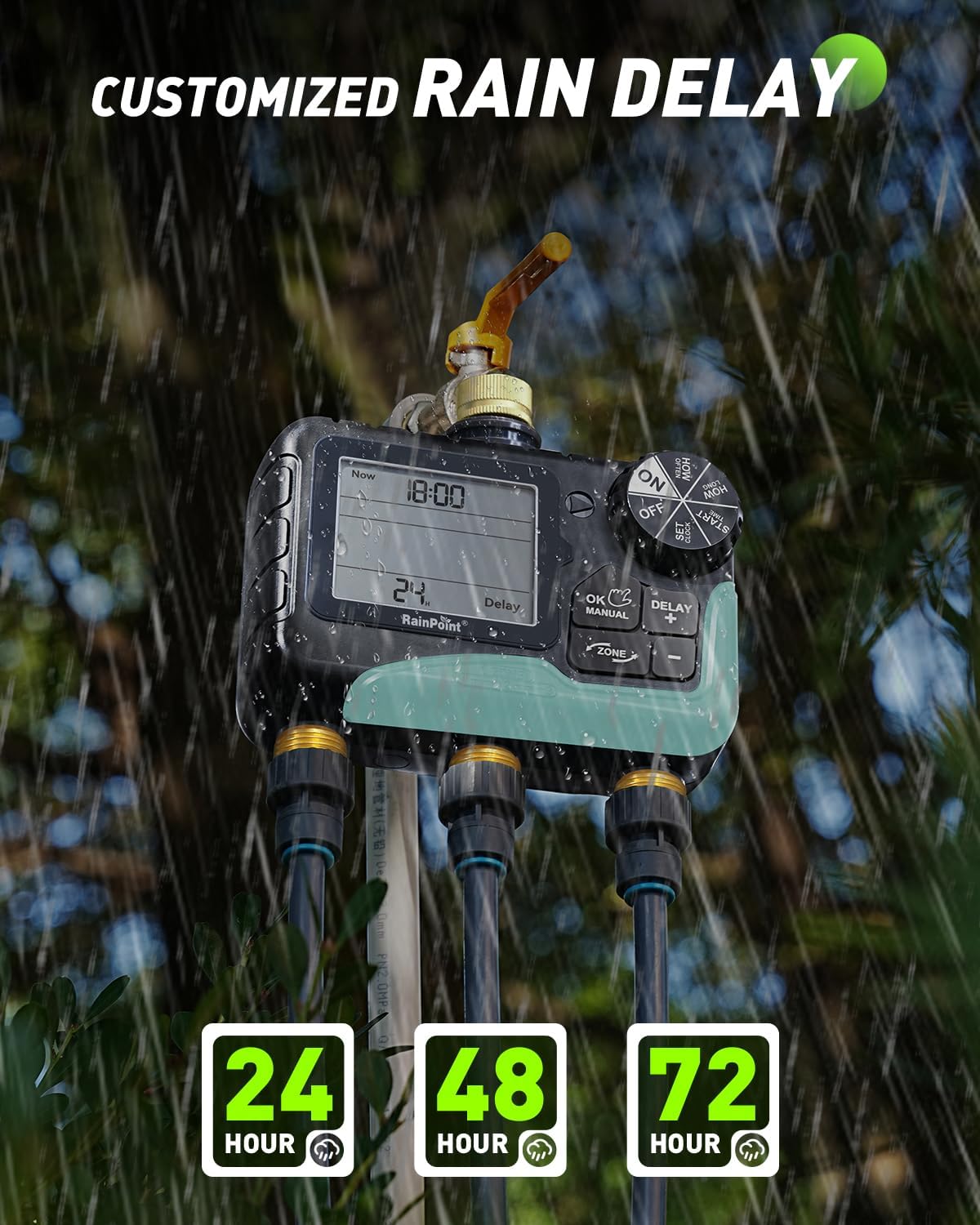
Image: The LCD screen displaying the rain delay function, allowing selection of 24, 48, or 72-hour delays.
Manutenzione
- Filtro di ingresso dell'acqua pulita: Regularly check and clean the mesh filter inside the water inlet to prevent debris from clogging the timer and affecting water flow.
- Sostituzione della batteria: When the low battery indicator appears on the LCD, replace all 4 AA batteries promptly to ensure continuous operation.
- Rimessaggio invernale: During freezing temperatures, remove the timer from the faucet and store it indoors to prevent damage.
Risoluzione dei problemi
- Nessun flusso d'acqua: Check if the faucet is fully open, the water inlet filter is clean, and the batteries are charged. Ensure a watering program is active or manual watering is initiated correctly.
- Perdita: Ensure all connections (faucet to timer, timer to hoses) are tight and properly sealed with rubber washers and Teflon tape. Check for cracks or damage to the unit or hoses.
- Il timer non risponde: Replace batteries if the low battery indicator is on or if the display is dim. If issues persist, try resetting the timer by removing batteries for a few minutes and reinserting them.
Specifiche
| Caratteristica | Specificazione |
|---|---|
| Marca | PUNTO DI PIOGGIA |
| Numero di modello | IOB347 |
| Colore | Grigio |
| Materiale | Metal (fittings), ABS (shell) |
| Dimensioni del prodotto (P x L x A) | 1.03"P x 2.04"L x 1.03"A |
| Numero di zone | 3 |
| Durata dell'irrigazione | 1 minuto - 8 ore |
| Frequenza di irrigazione | 1 hour - 7 days |
| Grado di impermeabilità | Grado di protezione IP65 |
| Opzioni di ritardo per pioggia | 24, 48, 72 ore |
| Fonte di alimentazione | 4 batterie AA (non incluse) |
| Compatibilità con la casa intelligente | Not Smart Home Compatible |
Garanzia e supporto
RAINPOINT is committed to providing high-quality products and excellent customer service.
- Supporto: The product comes with 5-year support and lifetime support.
- Contatto: For any inquiries or assistance, please contact RAINPOINT customer support at service@rainpointonline.com.

Image: Visual representation of RAINPOINT customer support, including contact details and support duration.