
Introduzione e chiusuraview
The INNOCN 34C1R is a 34-inch flat-panel IPS ultrawide monitor designed for both productivity and immersive entertainment. It features a WQHD (3440 x 1440P) resolution, a high 180Hz refresh rate, and an IPS panel for superior color performance and wide viewangoli di inclinazione.
- First 34-inch flat-panel IPS 180Hz widescreen monitor: Compared to most VA panels, the 34C1R's IPS offers more stable and superior color performance, featuring faster response times, less motion blur, wider viewing angles, less color shift, and more accurate and consistent color.
- The Ultimate Console Companion: Unlock the full potential of your gaming console (PS5/XBOX/Switch) with this monitor. The expansive 3440 x 1440p ultrawide display provides a breathtaking field of view for immersive gameplay and cinematic HDR entertainment.
- Supercharge Your Productivity & Creation: This versatile computer monitor is a multitasking powerhouse. Use Picture-in-Picture (PIP) / Picture-by-Picture (PBP) and intuitive Screen Split software to manage multiple windows seamlessly, boosting efficiency for work, AI creation, and professional video editing.
- A Visual Feast for Creators & Editors: Tackle detailed creative projects with confidence. The WQHD resolution on this PC monitor offers exceptional clarity and color accuracy, making it an indispensable tool for precision editing, digital art, and content creation.
- Engineered for All-Day Comfort: The fully adjustable stand with height, tilt, and swivel customization allows you to find your perfect viewing angle. Combined with built-in Eye Care technology, this monitor ensures comfortable viewing during long work or gaming sessions.
- All-in-One Connectivity Hub: Connect your PC, laptop, and gaming console simultaneously via HDMI and DisplayPort. The built-in speakers and flexible PIP / PBP modes let you enjoy content from two sources at once, perfect for streaming or monitoring workflows.
- Level Up Your Gaming Rig: Experience ultra-smooth 180Hz gameplay on this immersive 34" gaming monitor. With Adaptive-Sync, G-SYNC compatibility, and ultrawide 21:9 visuals, it's the perfect centerpiece for any PC battlestation, delivering fluid, tear-free action.
Impostare
Follow these steps to set up your INNOCN 34C1R Ultrawide Monitor.
1. Montaggio dello stand
The monitor comes with a sturdy, adjustable stand designed for easy assembly without tools. Simply attach the monitor neck to the base and secure it. The stand offers height, tilt, and swivel adjustments for optimal viewing angles. It also supports VESA 100x100mm mounting for alternative setups.

Image: Adjustable stand features of the INNOCN 34-inch Ultrawide Monitor, including height, swivel, and tilt adjustments. The stand allows for height adjustment (4.72 inches), swivel adjustment (30 degrees), and tilt adjustment (5-15 degrees). It also supports VESA 100x100mm mounting.
2. Connettività
Connect your devices to the monitor using the appropriate ports located on the rear panel. The monitor includes a variety of input options to suit your needs.
- HDMI 2.0: Two ports (Max 100Hz) for connecting gaming consoles, laptops, or other HDMI-enabled devices.
- Porta Display 1.4: Two ports (Max 180Hz) for high-refresh-rate connections to PCs.
- USB-C: One port for video input and power delivery (65W PD).
- USB-A: Two ports for peripherals.
- USB-B: One upstream port.
- RJ45: One Ethernet port.
- Uscita audio: One 3.5mm audio jack for external speakers or headphones.

Immagine: Posteriore view of the INNOCN 34-inch Ultrawide Monitor displaying various connectivity ports. Ports include RJ45, USB-A (x2), USB-B, HDMI (x2), DisplayPort (DP), USB-C, and Audio Out.
3. Cavi inclusi
The monitor comes with the necessary cables to get you started:
- Cavo DisplayPort (DP)
- Cavo di alimentazione
- Cavo USB-C
4. Accensione iniziale
Once assembled and connected, plug in the power cable and press the power button (usually located on the back or bottom of the monitor) to turn it on. Adjust your computer's display settings to match the monitor's native resolution (3440x1440) and desired refresh rate (up to 180Hz).
Video: Questo video fornisce una breve panoramicaview of the INNOCN 34-inch Flat WQHD IPS 180Hz Ultrawide Monitor, highlighting its key features and design.
Operativo
On-Screen Display (OSD) Settings
The monitor features a mini joystick control, typically located on the right-hand side or bottom, to navigate and adjust the OSD settings. This allows you to customize various display parameters such as brightness, contrast, color modes, and input selection.
Picture-in-Picture (PIP) and Picture-by-Picture (PBP)
The INNOCN 34C1R supports advanced multitasking features like PIP and PBP. These modes allow you to display content from two different input sources simultaneously on the screen.
- PIP: Displays one input source in a smaller window overlaid on the main display from another source.
- PBP: Divides the screen into two full-size sections, each displaying content from a different input source.

Image: INNOCN 34-inch Ultrawide Monitor demonstrating Picture-in-Picture (PIP) and Picture-by-Picture (PBP) modes. The image shows two different input sources displayed simultaneously on the ultrawide screen.
High Refresh Rate and Adaptive Sync
Enjoy fluid visuals with a 180Hz refresh rate and Adaptive-Sync technology, which is G-SYNC compatible. This eliminates screen tearing and stuttering, providing a smooth and responsive experience for gaming and fast-moving content.
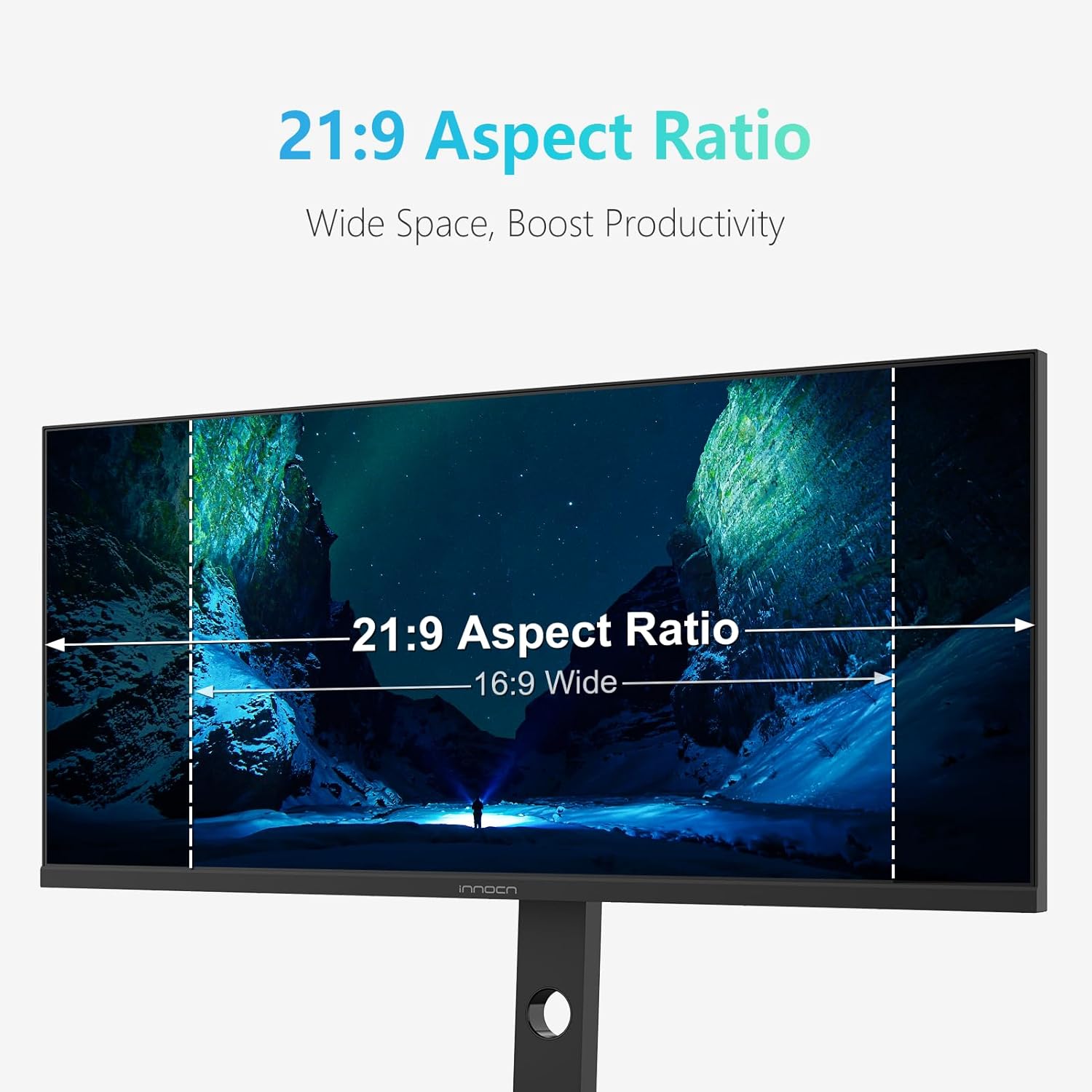
Image: INNOCN 34-inch Ultrawide Monitor displaying a racing game with 180Hz refresh rate. The image emphasizes the smooth motion and high performance of the display.
Color Performance and HDR
The IPS panel delivers vibrant and accurate colors with a wide viewing angle. HDR 400 support enhances contrast and color depth, bringing content to life with greater detail in both bright and dark scenes.

Image: INNOCN 34-inch Ultrawide Monitor showcasing a Grade A IPS Panel with vivid colors and wide viewing angles. The image highlights the monitor's color accuracy and display technology.
Tecnologia per la cura degli occhi
The monitor incorporates Eye Care technology, including a blue light filter and flicker-free backlighting, to reduce eye strain and fatigue during prolonged use.
Altoparlanti incorporati
Integrated speakers provide audio output, eliminating the need for external speakers in many setups.
Manutenzione
To ensure the longevity and optimal performance of your INNOCN 34C1R monitor, follow these simple maintenance guidelines:
- Pulizia dello schermo: Pulisci delicatamente lo schermo con un panno morbido e privo di lanugine. Per le macchie ostinate, dampPulire il panno con acqua o con una soluzione detergente non abrasiva e adatta al monitor. Evitare di spruzzare il liquido direttamente sullo schermo.
- Pulizia del Casing: Use a soft, dry cloth to wipe down the monitor's casing. Non utilizzare prodotti chimici aggressivi o materiali abrasivi.
- Ventilazione: Assicurarsi che le aperture di ventilazione del monitor siano libere e non ostruite per evitare il surriscaldamento.
- Spegnimento quando non in uso: Spegnere il monitor quando non lo si utilizza per lunghi periodi per risparmiare energia e prolungarne la durata.
Risoluzione dei problemi
If you encounter any issues with your monitor, please refer to the following common troubleshooting tips:
- Nessuna visualizzazione/schermo nero: Check all cable connections (power, HDMI, DisplayPort, USB-C) to ensure they are securely plugged in. Verify that the monitor is powered on and the correct input source is selected in the OSD menu.
- Immagine tremolante/distorta: Ensure your display drivers are up to date. Try a different cable or input port. Adjust the refresh rate in your computer's display settings.
- Nessun audio: Check the monitor's volume settings in the OSD menu and your computer's audio output settings. Ensure external speakers or headphones are properly connected to the audio out jack if used.
- Risoluzione/frequenza di aggiornamento non corretta: Adjust the display settings in your operating system to match the monitor's native resolution (3440x1440) and desired refresh rate (up to 180Hz).
Per ulteriore assistenza, contattare l'assistenza clienti.
Specifiche
| Caratteristica | Specificazione |
|---|---|
| Marca | INNOC |
| Dimensioni dello schermo | 34 pollici |
| Risoluzione | WQHD Ultra Wide 1440p (3440 x 1440 Pixels) |
| Proporzioni | 21:9 |
| Frequenza di aggiornamento | Frequenza 180 Hz |
| Tempo di risposta | 1 millisecondi |
| Tecnologia di visualizzazione | Informazione pubblica |
| Descrizione della superficie dello schermo | Opaco |
| Rapporto di contrasto | 1000:1 |
| Picture Quality Enhancement | Colore: HDR400 |
| Gamma di colori | 99% |
| Tecnologia di connettività | Porta Display, HDMI |
| Connettività Hardware | DisplayPort, HDMI (x2), USB-C, USB-A (x2), USB-B, RJ45, Audio Out |
| Sincronizzazione adattiva | FreeSync (G-SYNC Compatible) |
| Caratteristiche aggiuntive | Anti Glare Screen, Built-In Speakers, Eye Care, Height Adjustment, Ultrawide Screen |
| Tipo di montaggio | Supporto da scrivania |
| Dispositivi compatibili | Desktop, console di gioco, portatile |
| Dimensioni dell'articolo P x L x A | 6.96"P x 31"L x 15.7"A |
Garanzia e supporto
The INNOCN 34C1R Ultrawide Monitor comes with a comprehensive warranty and dedicated support to ensure your peace of mind.
- Garanzia: Questo prodotto è coperto da una garanzia di 12 mesi dalla data di acquisto.
- Politica di ritorno: You may be eligible for a refund or replacement within 30 days of purchase, subject to the retailer's return policy.
- Supporto tecnico: For any technical issues, troubleshooting assistance, or warranty claims, please refer to the contact information provided in your product packaging or visit the official INNOCN support websito.