
1. Introduzione
This manual provides detailed instructions for the setup, operation, and maintenance of your ieGeek S2 Outdoor Solar Security Camera. Please read it thoroughly before use to ensure optimal performance and safety.
The ieGeek S2 is a versatile wireless security camera featuring 2K HD resolution, 300° pan/tilt (PTZ) functionality, color night vision, PIR human detection, two-way audio, and solar power capabilities. It is designed for outdoor use with IP65 weather resistance and supports Alexa integration.
2. Contenuto della confezione
Verifica che tutti gli articoli elencati di seguito siano inclusi nel pacco. Se alcuni articoli risultano mancanti o danneggiati, contatta l'assistenza clienti.
- ieGeek S2 Outdoor Security Camera (with magnetic bracket) x1
- Pannello solare x1
- Cavo di alimentazione (USB) x1
- Viti x3, Tasselli x3
- Base x1
- Nastro adesivo x1
- Manuale di istruzioni x1

Image: All components included in the ieGeek S2 package.
Video: Unboxing the ieGeek S2 camera and its accessories, including the solar panel.
3. Configurazione e installazione
3.1 Montaggio della telecamera
The ieGeek S2 camera offers flexible installation options, including magnetic mounting for quick setup without drilling, or traditional screw mounting for enhanced security.

Image: Various magnetic installation methods for the camera.

Image: Magnetic installation offers a simple, drill-free setup.
3.2 Collegamento del pannello solare
For continuous power, connect the included solar panel to your camera. Ensure the solar panel is placed in an area with ample luce solare diretta.
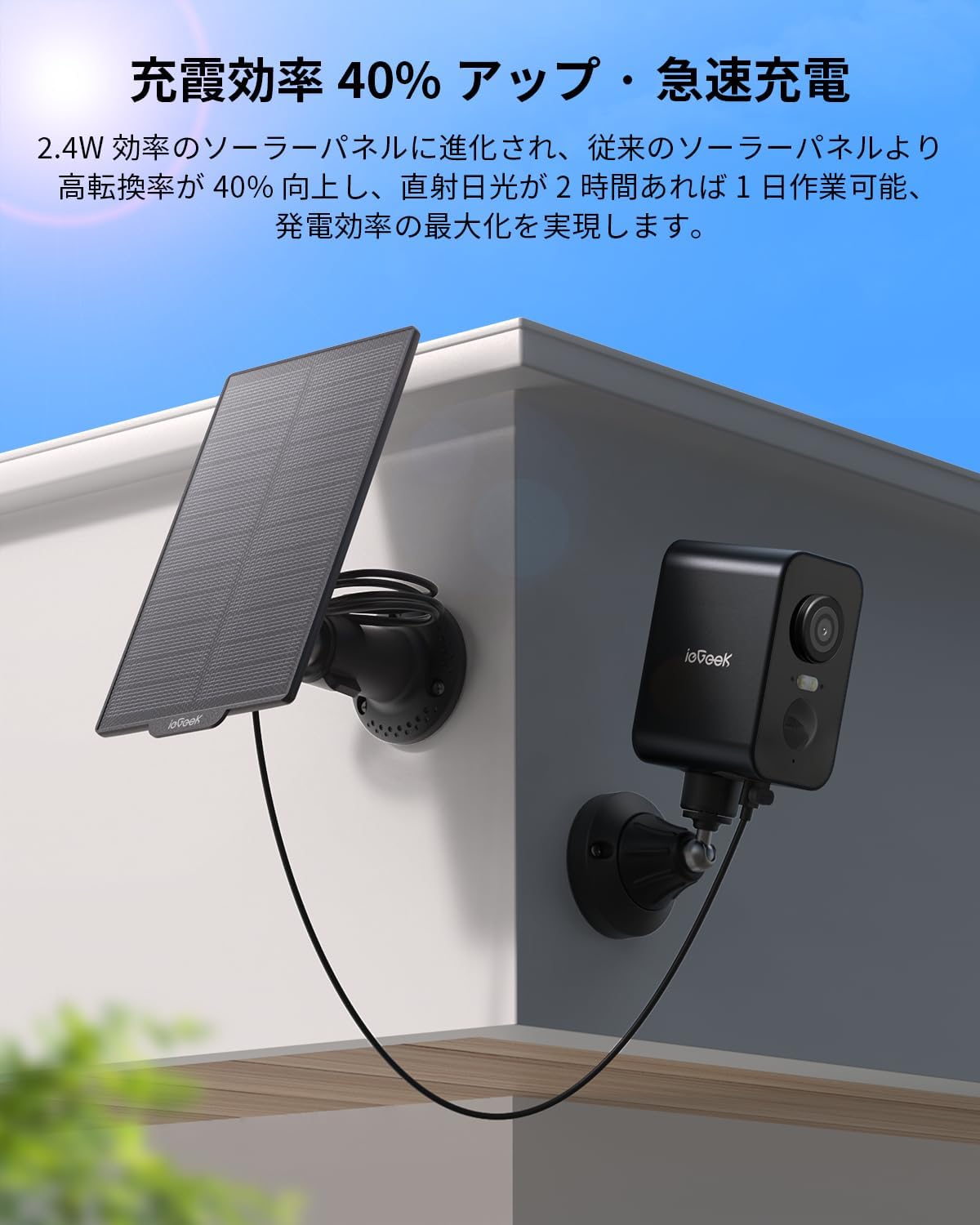
Image: Solar panel connected to the camera for charging.

Image: The 2.4W solar panel provides efficient, continuous power.
3.3 Download dell'app e connessione Wi-Fi
Before connecting, download the 'ieGeek Cam' app from your device's app store (iOS/Android compatible). The camera supports 2.4GHz Wi-Fi networks only.
Video: Detailed instructions for camera installation and Wi-Fi connection using the mobile app.

Image: Bluetooth connection for easy device pairing.
4. Istruzioni per l'uso
4.1 PTZ Control & Wide-Angle View
Control the camera's horizontal movement (up to 300°) remotely via your smartphone. The 130° ultra-wide-angle lens ensures comprehensive coverage without blind spots.

Image: PTZ function with 300-degree horizontal rotation for full coverage.

Image: Remote PTZ control and 130° ultra-wide angle for comprehensive monitoring.
4.2 2K HD Video Quality
Cattura cibo chiaro e dettagliatotage with 2K (2304x1296) high-definition resolution, allowing for easy identification of faces and license plates.

Image: 2K HD resolution for realistic and detailed scenes.
4.3 Visione notturna a colori
Equipped with infrared LEDs and white lights, the camera automatically switches to night vision. When human motion is detected, it can switch to color recording, providing clear evidence even at night.

Image: Color night vision for enhanced security in low-light conditions.
Video: Demonstrates AI detection and night vision capabilities, showing a person detected at night.
4.4 PIR Human Detection & Alerts
The PIR thermal sensor accurately detects human movement with 99% precision, minimizing false alarms from leaves or insects. Receive real-time notifications on your smartphone and trigger sound/light alarms when an intruder is detected.

Image: PIR human detection for accurate alerts.

Image: Smart PIR thermal detection distinguishes humans from other objects.
4.5 Audio bidirezionale
With a 360° omnidirectional microphone and built-in speaker, engage in smooth two-way conversations with visitors or delivery personnel from anywhere.
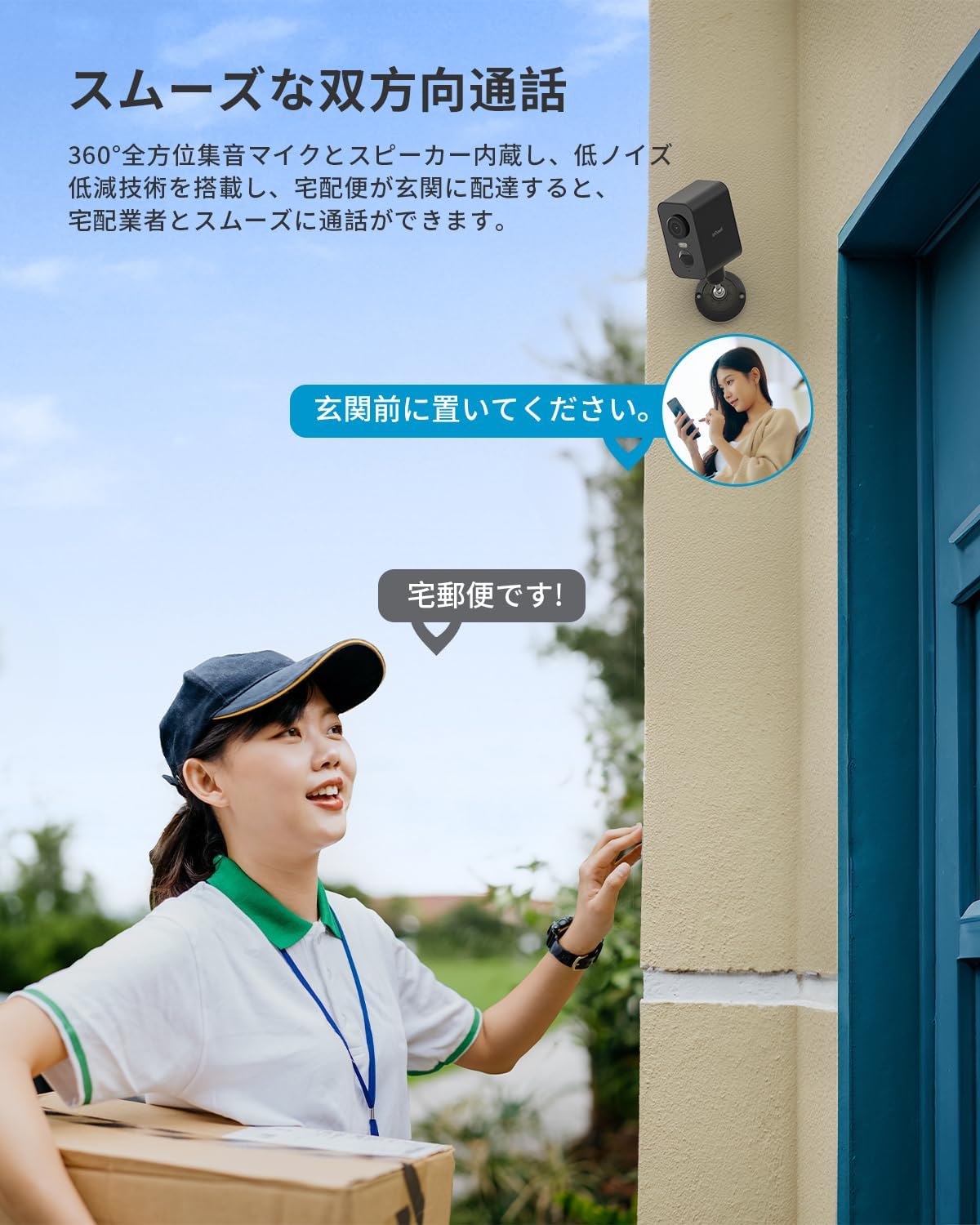
Image: Smooth two-way communication feature.
4.6 Opzioni di archiviazione
Pippo registratotage can be saved to a microSD card (up to 128GB, sold separately) or to the cloud (6 seconds free for 7 days). Footage is automatically overwritten for continuous recording.
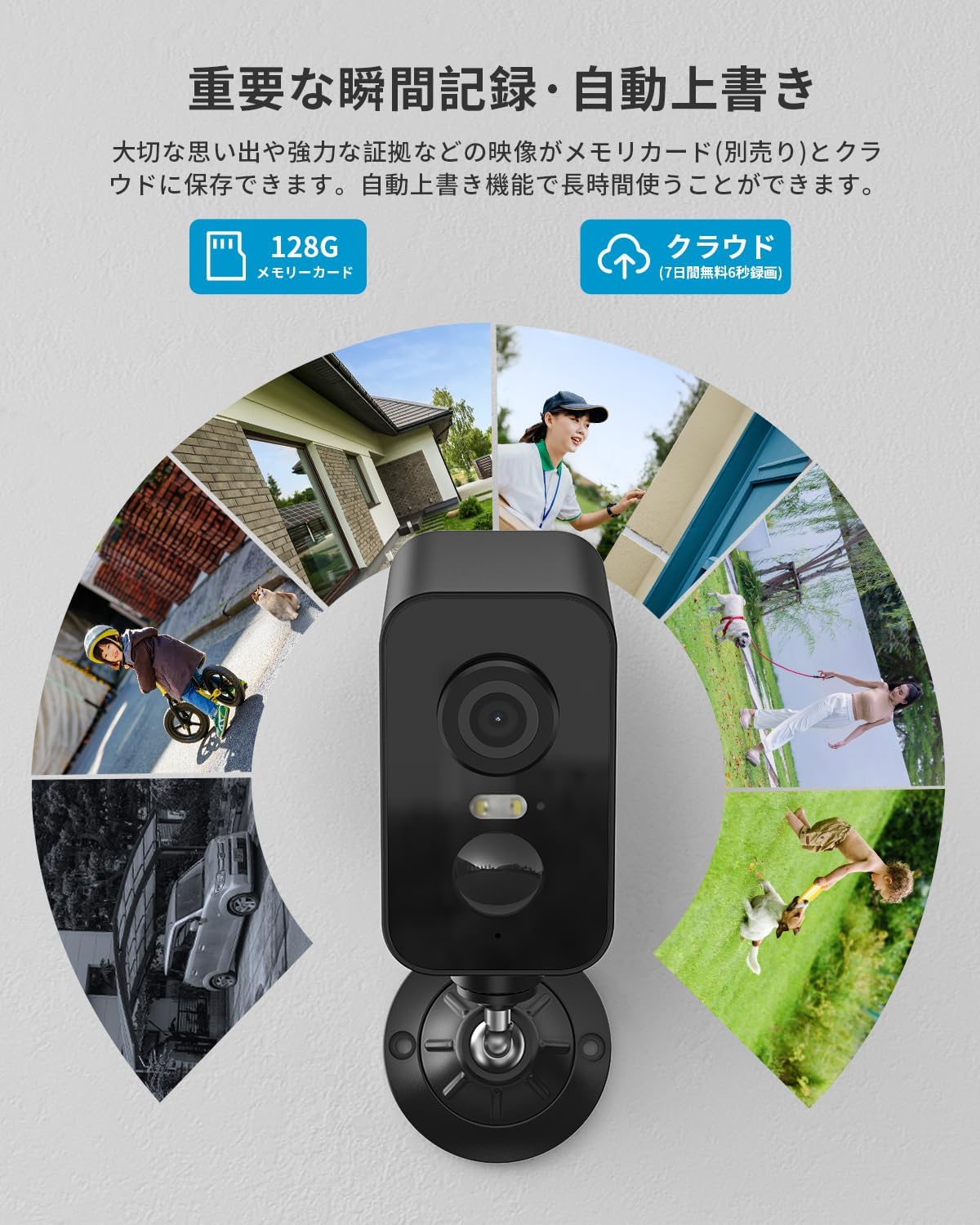
Image: Important moments can be saved to a memory card or cloud storage.
4.7 Compatibilità con Alexa
Integrate your camera with Alexa for voice control, allowing you to easily check your garden, entrance, or garage status hands-free.

Image: Alexa integration for convenient voice control.
4.8 Rilevamento intelligente dell'intelligenza artificiale
The latest AI image analysis function (paid feature) recognizes and classifies people, pets, vehicles, and packages within the image, simplifying recorded video searches.

Image: Smart AI detection for advanced object recognition.
5. Manutenzione
5.1 Resistenza alle intemperie IP65
The camera features IP65 waterproof and dustproof specifications, along with temperature resistance from -20°C to 50°C. This ensures reliable operation in harsh outdoor environments, including rain, wind, snow, and direct sunlight.

Image: IP65 waterproof and dustproof rating for outdoor durability.

Image: Operates reliably in extreme weather conditions.
6. Risoluzione Dei Problemi
If you encounter any issues with your ieGeek S2 camera, please refer to the following common solutions:
- Problemi di connettività: Ensure your Wi-Fi network is 2.4GHz. Check the camera's signal strength in the app. Restart your router and camera.
- Falsi allarmi: Adjust the PIR detection sensitivity in the app (levels 1-10). Utilize the humanoid detection area feature to focus on specific zones.
- Nessun potere: Verify the solar panel is receiving direct sunlight. Check the battery level in the app. Ensure the charging cable is securely connected.
- Scarsa qualità video: Ensure the camera lens is clean. Check your Wi-Fi connection stability.
Per ulteriore assistenza, contattare l'assistenza clienti di ieGeek.
7. Specifiche
| Caratteristica | Dettaglio |
|---|---|
| Marca | ioGeek |
| Nome del modello | S2 |
| Tecnologia di connettività | Senza fili (Wi-Fi, Bluetooth) |
| Caratteristiche speciali | 2K HD Resolution, PTZ Technology, Image Sensor, Two-Way Audio, Night Vision |
| Uso interno/esterno | All'aperto |
| Dispositivi compatibili | Smartphone |
| Fonte di alimentazione | Alimentato a batteria |
| Risoluzione di acquisizione video | Risoluzione 1296p (2K) |
| Tipo di montaggio | Window Mount (Magnetic/Adhesive) |
| Colore | Nero |
| Gamma di visione notturna | 15 metri |
| Dimensioni del prodotto | Dimensioni: 10 x 10 x 10 cm |
| Codice GTIN | 734931803163 |
8. Garanzia e supporto
ieGeek offers comprehensive support for your product:
- Garanzia del prodotto: 1-year standard product warranty.
- Garanzia estesa: An additional 2-year extended warranty program is available, offering a maximum of 3 years of coverage.
- Garanzia soddisfatti o rimborsati: Garanzia soddisfatti o rimborsati entro 30 giorni.
- Supporto a vita: Dedicated customer support is available for the lifetime of the product.
For warranty claims or technical assistance, please refer to the contact information provided in the product packaging or on the official ieGeek websito.