
Introduzione
Thank you for choosing the ZIPRO MODO Exercise Bike. This manual provides essential information for the safe assembly, operation, and maintenance of your new fitness equipment. Please read it thoroughly before first use and keep it for future reference. The ZIPRO MODO is designed for effective indoor cardio training, featuring adjustable resistance, a quiet mechanical system, and app connectivity for tracking your progress.
Informazioni sulla sicurezza
- Consultare un medico prima di iniziare qualsiasi nuovo programma di esercizi.
- Prima di ogni utilizzo, assicurarsi che tutti i bulloni e i dadi siano ben serrati.
- Place the exercise bike on a flat, stable surface. Use a mat to protect your floor.
- Tenere i bambini e gli animali domestici lontani dall'apparecchiatura durante il funzionamento.
- Indossare abbigliamento sportivo e calzature adeguate. Evitare indumenti larghi che potrebbero impigliarsi nelle parti in movimento.
- If you experience dizziness, pain, or shortness of breath, stop exercising immediately and consult a physician.
- Il peso massimo dell'utente per questo dispositivo è di 120 kg.
Installazione e assemblaggio
The ZIPRO MODO Exercise Bike is designed for straightforward assembly. All necessary tools and instructions are included in the package. Follow the step-by-step guide provided in the box for detailed assembly instructions.
- Disimballaggio: Carefully remove all components from the packaging. Verify that all parts are present according to the parts list in the included manual.
- Montaggio base: Fissare gli stabilizzatori anteriori e posteriori al telaio principale. Assicurarsi che siano saldamente fissati.
- Installazione del pedale: Attach the pedals to the crank arms. Note that pedals are typically marked 'L' for left and 'R' for right and thread in opposite directions.
- Installazione del reggisella e del manubrio: Insert the seat post and handlebar post into their respective slots on the main frame.
- Seat and Handlebar Attachment: Secure the seat to the seat post and the handlebar to the handlebar post.
- Installazione del monitor: Attach the LCD monitor to the handlebar post. The screws for securing the monitor are often pre-attached to the display itself; unscrew them, position the monitor, and then re-fasten. Connect any necessary sensor cables.
- Controllo finale: Before first use, double-check all connections and ensure all bolts and nuts are tightened to prevent wobbling during exercise.
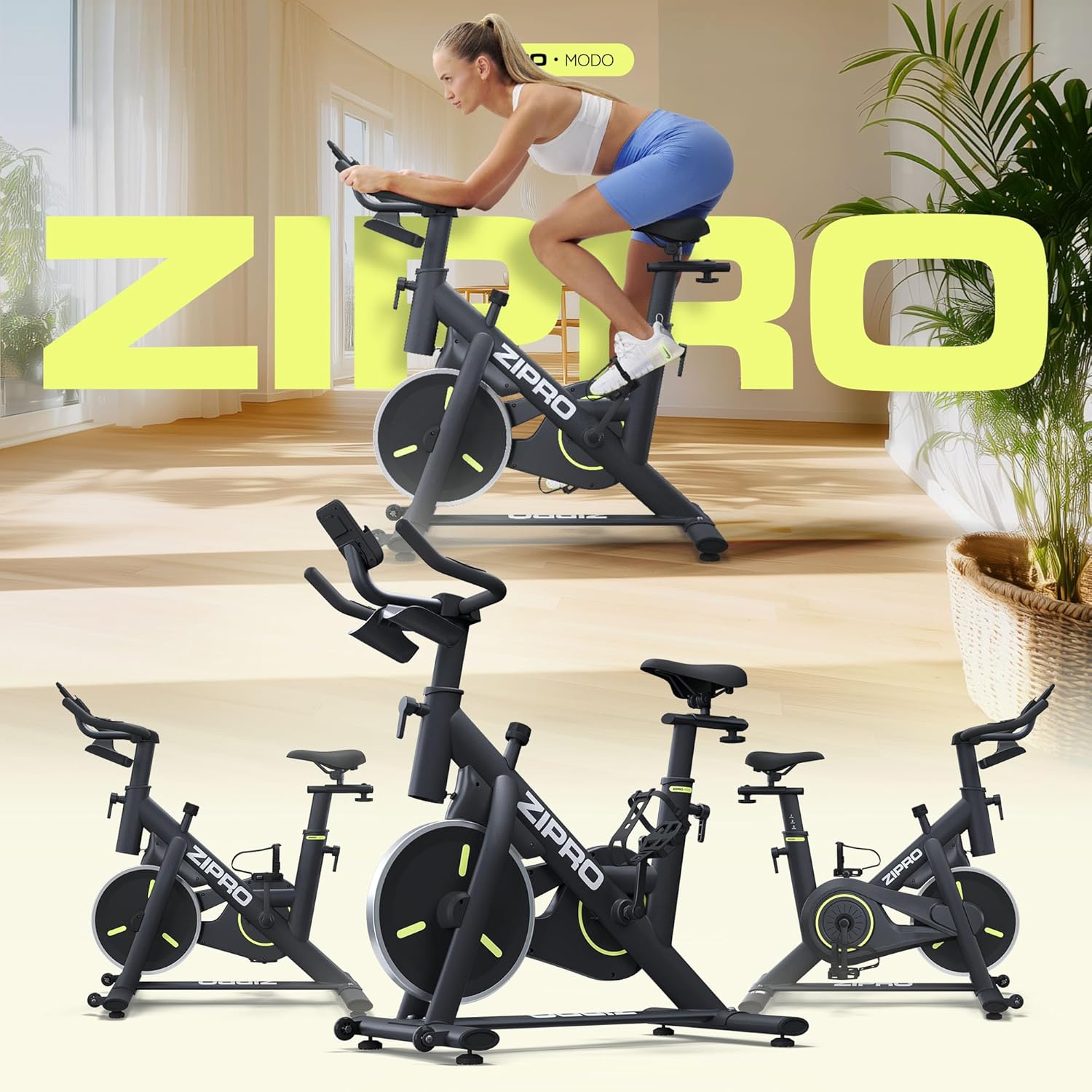
Image: The ZIPRO MODO Exercise Bike fully assembled, showcasing its compact design and robust structure.
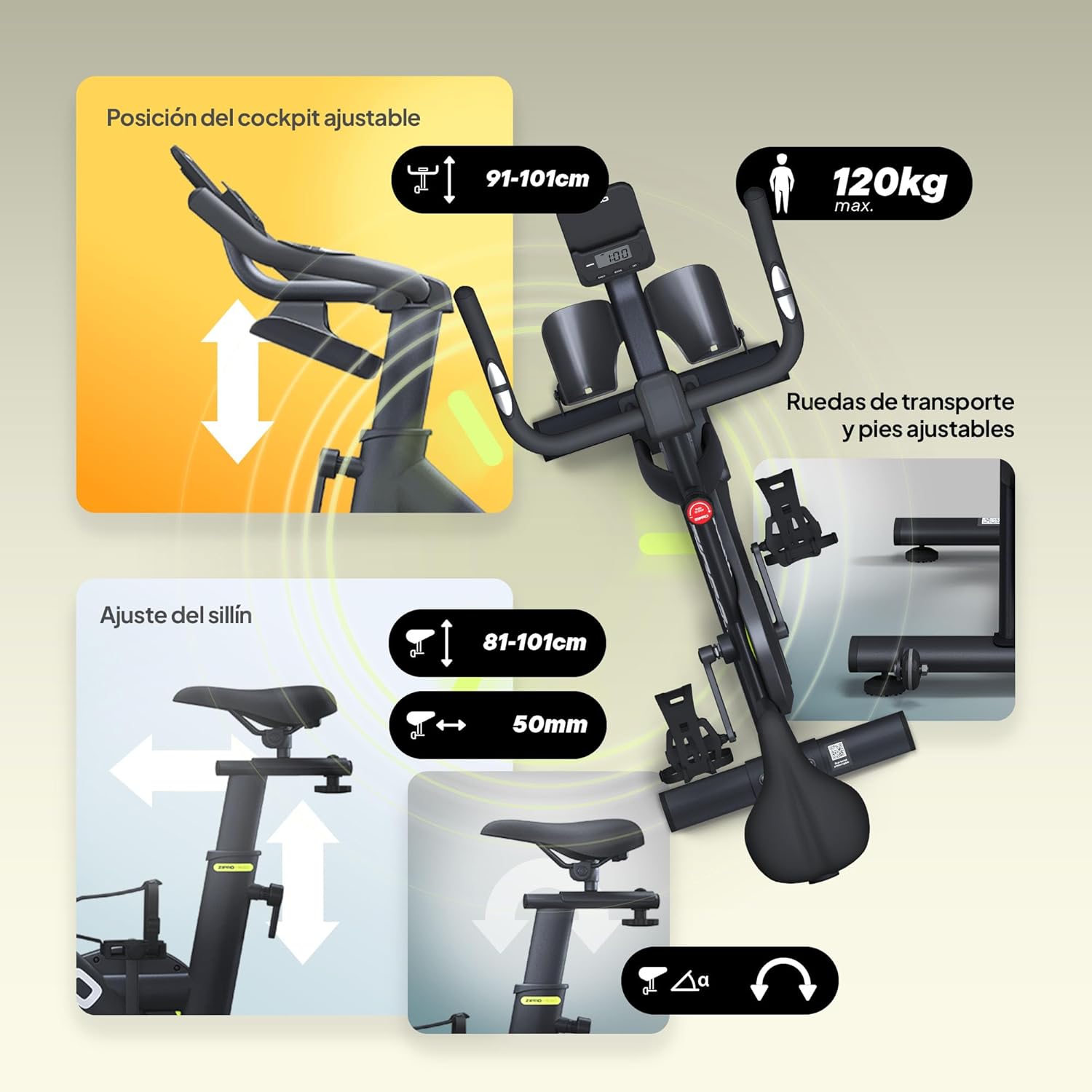
Immagine: dettagliata view of the adjustable seat and handlebar mechanisms, allowing users to customize their riding position for optimal comfort and ergonomics.

Image: Close-up of the LCD monitor and integrated tablet/phone holder, providing a convenient space for your device during workouts.
Istruzioni per l'uso
1. Adjusting Your Riding Position
- Altezza del sedile: Allentare la manopola di regolazione sul reggisella, alzare o abbassare il sedile finché la gamba non si piega leggermente all'altezza del ginocchio quando il pedale è nel punto più basso. Serrare saldamente la manopola.
- Seat Position (Forward/Backward): Loosen the adjustment knob under the seat, slide the seat forward or backward to find a comfortable distance from the handlebars. Tighten the knob securely.
- Altezza manubrio: Loosen the adjustment knob on the handlebar post, raise or lower the handlebars to a comfortable height that allows for a relaxed upper body posture. Tighten the knob securely.

Image: Visual guide demonstrating the intuitive adjustments for seat height, forward/backward position, and handlebar height to achieve an ergonomic riding posture.
2. Regolazione della resistenza
The ZIPRO MODO features continuous adjustable resistance. To increase resistance, turn the resistance knob clockwise. To decrease resistance, turn it counter-clockwise. For an emergency stop, press the resistance knob down firmly.

Image: Close-up of the resistance adjustment knob, indicating how to increase or decrease resistance and the push-to-stop emergency function.
3. Using the LCD Monitor and App Connectivity
The integrated LCD monitor displays key workout metrics such as time, distance, speed, and calories burned. Use the buttons on the monitor (MODE, SET, RESET) to navigate through display modes and reset values.
For enhanced tracking and interactive workouts, connect your ZIPRO MODO to a compatible fitness app via Bluetooth. Download the recommended app (e.g., FitShow) from your device's app store. Follow the app's instructions to pair your exercise bike and access features like virtual routes, personalized training programs, and detailed statistics.

Image: The LCD monitor displaying workout data, alongside a smartphone showing the FitShow app interface, illustrating the bike's connectivity features.
Manutenzione
- Pulizia: Pulisci la bici con la pubblicitàamp Dopo ogni utilizzo, pulire con un panno per rimuovere sudore e polvere. Evitare detergenti abrasivi.
- Ispezione: Controllare regolarmente tutti i bulloni, i dadi e le parti mobili per verificarne il serraggio e l'usura. Serrare eventuali elementi di fissaggio allentati.
- Lubrificazione: The mechanical resistance system is designed for low maintenance. Refer to the detailed manual for any specific lubrication requirements, though typically none are needed for the main resistance mechanism.
- Magazzinaggio: When not in use, store the bike in a dry, clean environment. The integrated transport wheels allow for easy relocation.
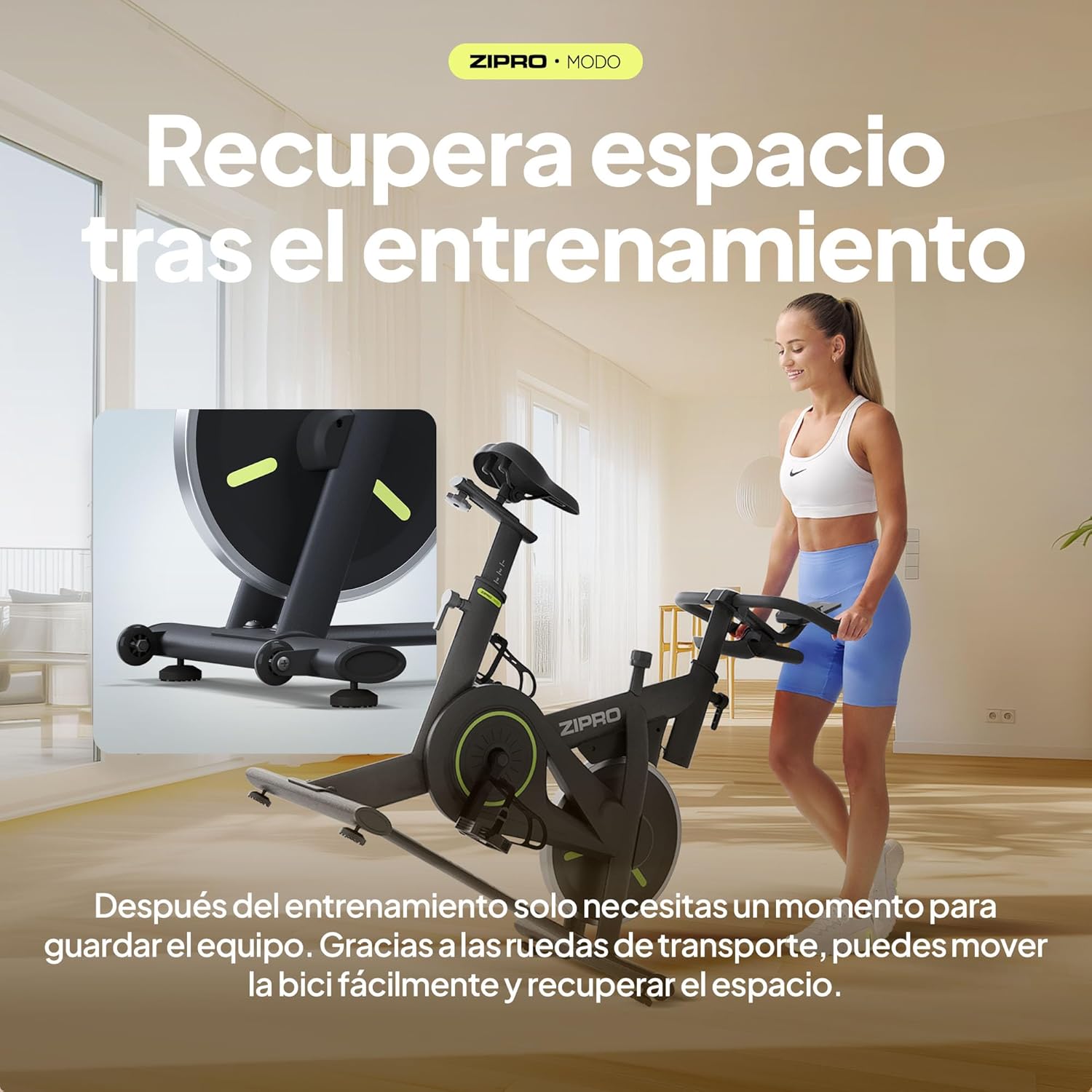
Image: The ZIPRO MODO Exercise Bike being moved using its integrated transport wheels, highlighting its portability for storage.
Risoluzione dei problemi
| Problema | Possibile causa | Soluzione |
|---|---|---|
| La bici oscilla durante l'uso. | Elementi di fissaggio allentati; superficie irregolare. | Ensure all assembly bolts and nuts are securely tightened. Adjust the leveling feet on the stabilizers if the floor is uneven. |
| Resistance is not adjusting correctly. | Resistance knob not fully engaged or mechanism issue. | Turn the resistance knob fully clockwise and counter-clockwise to ensure it engages properly. If the issue persists, contact customer support. |
| Il monitor LCD non visualizza i dati. | Collegamento del cavo allentato; batterie scariche. | Check that all sensor cables are securely connected to the monitor. Replace the batteries in the monitor if necessary. |
| Cannot connect to fitness app via Bluetooth. | Bluetooth not enabled; app pairing issue; interference. | Ensure Bluetooth is enabled on your device. Restart the app and the bike's monitor. Try pairing again. Ensure no other devices are actively connected to the bike's Bluetooth. Refer to the app's specific troubleshooting guide. |
| Saddle or handlebar feels loose after adjustment. | Adjustment knobs not tightened sufficiently. | Ensure the adjustment knobs for the saddle and handlebar are tightened to their maximum secure point after positioning. |
Specifiche
| Caratteristica | Dettaglio |
|---|---|
| Numero di modello | MODO |
| Dimensioni (L x P x A) | Dimensioni: 104 x 50.5 x 117 cm |
| Peso del prodotto | 29.72 kg |
| Peso massimo dell'utente | 120 kg |
| Meccanismo di resistenza | Fluid mechanical resistance with continuous adjustment |
| Materiale | PU Foam (seat), Steel Structure |
| Caratteristiche speciali | Fitness app compatibility, Robust construction, Compact design, Silent operation, Adjustable seat and handlebar position, Transport wheels |
| Fonte di alimentazione (monitor) | A batteria |
Garanzia e supporto
Per informazioni sulla garanzia e sull'assistenza clienti, fare riferimento alla documentazione inclusa con il prodotto o visitare il sito ufficiale ZIPRO websito. Conservare la prova d'acquisto per eventuali reclami in garanzia.
If you require assistance with assembly, operation, or troubleshooting beyond what is covered in this manual, please contact ZIPRO customer service directly. You can often find contact details on the manufacturer's websito o tramite il rivenditore presso cui hai acquistato il prodotto.
Per maggiori informazioni, visita il ZIPRO Store on Amazon.