
1. Introduzione
This manual provides essential information for the setup, operation, maintenance, and troubleshooting of your GMKtec M5 Pro Mini PC. Please read this manual thoroughly before using the device to ensure proper functionality and to prevent damage.
The GMKtec M5 Pro is a compact and powerful mini PC designed for various applications, including office work, gaming, and multimedia. It features an AMD Ryzen 7 5700U processor, ampmemoria e archiviazione veloce, insieme a opzioni di connettività complete.

Immagine 1.1: anteriore view of the GMKtec M5 Pro Mini PC.
2. Contenuto della confezione
Verify that all items listed below are included in your package. If any items are missing or damaged, please contact GMKtec support.
- 1 x GMKtec Nucbox M5 Pro AMD Ryzen 7 5700U Mini PC
- 1 x adattatore di alimentazione
- 1 x supporto VESA con viti
- 1 cavo HDMI
- 1 x Manuale utente (questo documento)

Image 2.1: Retail boxed packaging showing the Mini PC and included accessories.
3. Impostazione
3.1 Posizionamento iniziale
Place the GMKtec M5 Pro Mini PC on a stable, flat surface with adequate ventilation. Ensure that the cooling vents are not obstructed. The device can also be mounted to the back of a VESA-compatible monitor using the included VESA mount.
3.2 Collegamento delle periferiche
Refer to the port diagram below for connecting your peripherals.

Image 3.1: Rich interface diagram showing all available ports.
- Display: Connect your monitor(s) using the HDMI 2.0, DisplayPort 1.4, or USB-C (DP Alt Mode) ports. The Mini PC supports up to three 4K@60Hz displays simultaneously.
- Tastiera e mouse: Connect your USB keyboard and mouse to the USB 3.2 or USB 2.0 ports. Wireless peripherals can be connected via Bluetooth 5.2.
- Rete: Connect an Ethernet cable to one of the two 2.5G RJ45 LAN ports for a wired network connection. For wireless connectivity, the device supports WiFi 6E.
- Audio: Collegare le cuffie o gli altoparlanti al jack audio da 3.5 mm.
- Energia: Connect the included power adapter to the DC IN 19V/3.42A port and then to a power outlet.
3.3 Accensione
After connecting all necessary peripherals and the power adapter, press the power button located on the front of the Mini PC. The power indicator light will illuminate, and the system will begin to boot.
4. Istruzioni per l'uso
4.1 Sistema Operativo
The GMKtec M5 Pro Mini PC comes pre-installed with Windows 11 Pro. Follow the on-screen instructions for initial Windows setup, including language, region, and user account creation.
4.2 Configurazione del display
The Mini PC supports triple display output at 4K@60Hz. After connecting multiple monitors, you may need to configure display settings within Windows. Right-click on the desktop, select 'Display settings', and arrange your displays as desired (e.g., extend, duplicate).

Image 4.1: Triple Ultra HD Display setup with the Mini PC.
4.3 Connettività di rete
Rete cablata: Connect an Ethernet cable to either of the 2.5G RJ45 ports. The system will automatically detect the connection.

Image 4.2: Dual LAN High Speed Ethernet ports.
Rete wireless (WiFi 6E): To connect to a wireless network, click the network icon in the Windows taskbar, select your desired WiFi network, and enter the password if prompted. The Mini PC supports WiFi 6E for faster and lower latency connections across 2.4GHz, 5GHz, and 6GHz bands.
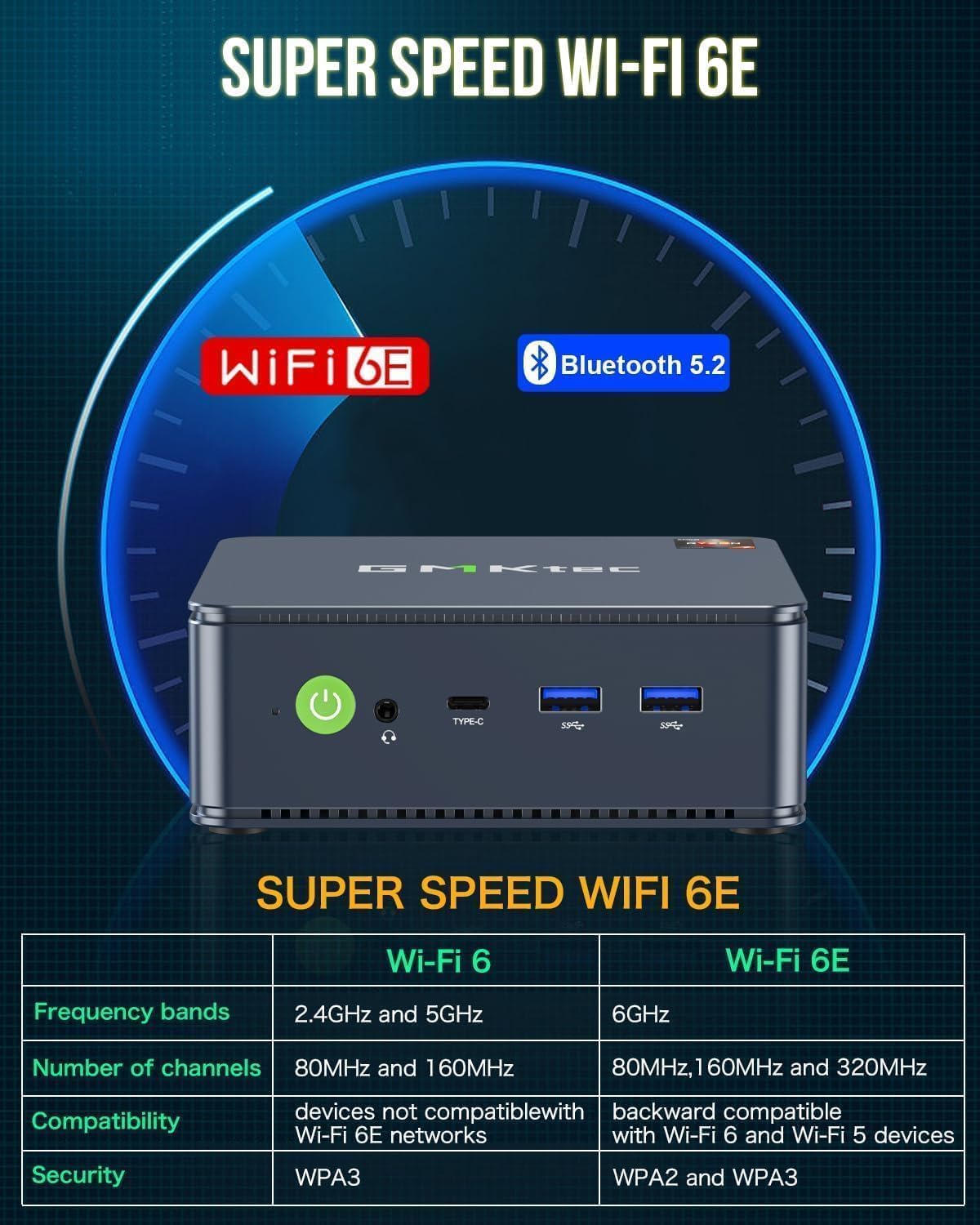
Image 4.3: Super Speed WiFi 6E and Bluetooth 5.2 features.
4.4 Espansione di memoria e archiviazione
The GMKtec M5 Pro comes with 32GB DDR4 RAM and a 1TB PCIe 3.0 SSD. The system supports expansion up to 64GB RAM (via two DDR4 slots) and up to 4TB SSD (via dual M.2 2280 PCIe slots). Refer to the internal component diagram for slot locations. Upgrades are not included and should be performed by a qualified technician if you are unsure.

Image 4.4: Premium parts and design, illustrating internal components and upgrade options.
5. Manutenzione
5.1 Pulizia
Regularly clean the exterior of the Mini PC with a soft, dry cloth. Use compressed air to gently clear dust from the cooling vents to ensure optimal airflow and prevent overheating. Do not use liquid cleaners directly on the device.
5.2 Aggiornamenti software
Keep your Windows operating system and device drivers updated to ensure system stability, security, and performance. Windows Update can be accessed via 'Settings > Update & Security > Windows Update'.
6. Risoluzione Dei Problemi
- Nessun potere: Assicurarsi che l'adattatore di alimentazione sia collegato saldamente sia al Mini PC sia a una presa di corrente funzionante. Verificare che la spia di alimentazione sia accesa.
- Nessuna visualizzazione: Verify that the HDMI or DisplayPort cable is securely connected to both the Mini PC and the monitor. Ensure the monitor is powered on and set to the correct input source. Try a different cable or monitor if possible.
- Nessuna connessione internet: For wired connections, check the Ethernet cable and router status. For wireless connections, ensure WiFi is enabled, you are connected to the correct network, and the password is correct. Restarting the router and Mini PC can often resolve connectivity issues.
- Prestazioni lente: Close unnecessary applications. Check Task Manager for high CPU or RAM usage. Ensure the system has adequate ventilation. Consider performing a disk cleanup or defragmentation.
- Rumore del ventilatore: Some fan noise is normal under heavy load. If the fan is excessively loud or constantly running at high speed, ensure cooling vents are clear of obstructions and the device is in a well-ventilated area.
For further assistance, refer to the support section or contact GMKtec customer service.
7. Specifiche
| Caratteristica | Dettaglio |
|---|---|
| Processore | AMD Ryzen 7 5700U (8 core/16 thread, fino a 4.50 GHz) |
| Grafica | Scheda grafica AMD Radeon Vega 8 core 1900 MHz |
| Memoria RAM | 32 GB DDR4 (Dual Channel, espandibile a 64 GB) |
| Magazzinaggio | 1TB M.2 2280 PCIe 3.0 SSD (expandable to 4TB via dual slots) |
| Sistema operativo | Windows 11 Pro |
| Connettività wireless | WiFi 6E (2.4G/5G/6G), Bluetooth 5.2 |
| Connettività cablata | 2 x 2.5G RJ45 Gigabit Ethernet |
| Uscita video | 1 x HDMI 2.0, 1 x DisplayPort 1.4, 1 x USB-C (DP Alt Mode) |
| Porte USB | 3 x USB 3.2, 2 x USB 2.0, 1 x USB-C (Data/DP/PD) |
| Audio | 1 x jack audio da 3.5 mm |
| Dimensioni | Circa 3.94 x 3.94 x 3.94 pollici |
| Peso | Circa 9.6 once |
8. Garanzia e supporto
8.1 Informazioni sulla garanzia
GMKtec offre una garanzia limitata di 1 anno per ogni Mini PC, valida dalla data di acquisto. Questa garanzia copre i difetti di progettazione e fabbricazione. Si prega di conservare la prova d'acquisto per eventuali reclami in garanzia.
8.2 Assistenza clienti
For technical support, warranty claims, or any other inquiries, please visit the official GMKtec website or contact their customer service team. Contact information can typically be found on the GMKtec website or on the warranty card included in your package.
Risorse online: GMKtec Amazon Store