
Introduzione
Thank you for choosing the ENHULK PC68 Cordless Pool Vacuum. This manual provides essential information for the safe and efficient use of your new pool cleaner. Please read these instructions carefully before assembly and operation, and retain them for future reference.
Impostare
1. Cosa c'è nella scatola
Prima di iniziare, assicurati che tutti i componenti siano presenti:
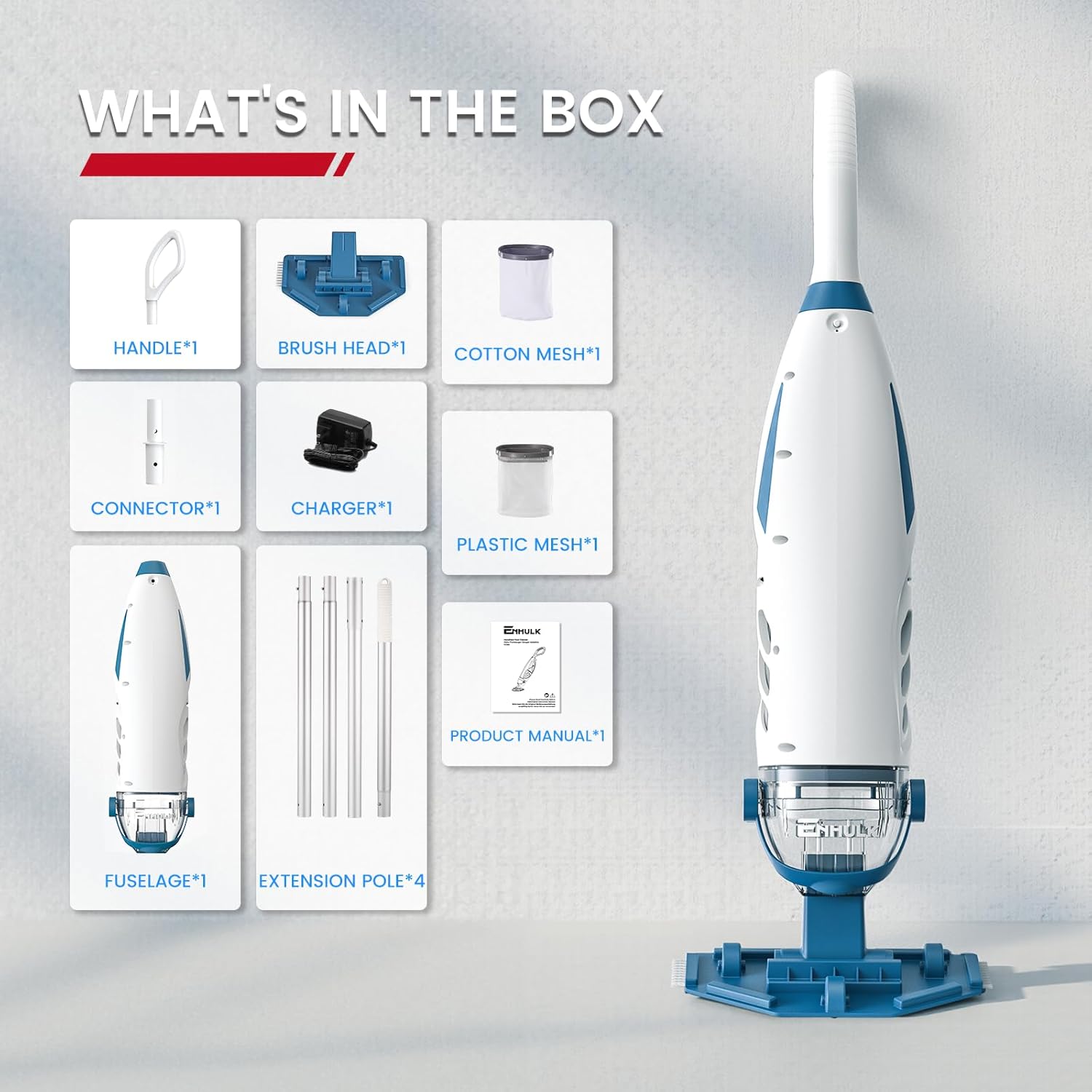
Image: All components included in the ENHULK PC68 package.
- Fuselage (Main Body)
- Testa spazzola
- Maniglia (corta)
- Connettore
- Extension Poles (4 sections)
- Cotton Mesh Filter (25 micron)
- Plastic Mesh Filter (180 micron)
- Caricabatterie
- Manuale del prodotto
2. Istruzioni di montaggio
The ENHULK PC68 features tool-free assembly. Follow these steps:
- Installa il filtro: Open the vacuum body and insert the desired filter bag (cotton mesh for fine debris, plastic mesh for larger debris). Ensure it is securely fitted.
- Connect the Body Parts: Align and connect the two main sections of the vacuum fuselage until they click into place.
- Insert the Vacuum Brush Head: Attach the brush head to the bottom of the main body.
- Attach the Long Handle: Connect the extension pole sections together, then attach the assembled long handle to the vacuum body. The PC68 extension poles provide a 6' (1.83m) reach.
- Attach the Short Handle (Optional): For handheld use or smaller areas, attach the short handle directly to the vacuum body instead of the extension poles.

Image: Step-by-step assembly guide for the ENHULK PC68.
3. Ricarica iniziale
Before first use, fully charge the vacuum. Connect the charger to the vacuum and a power outlet. A full charge takes approximately 4 hours and provides up to 60 minutes of runtime.

Image: The ENHULK PC68 connected to its charger, illustrating charging time and battery life.
Istruzioni per l'uso
1. Accensione/Spegnimento
The ENHULK PC68 features simple one-button operation. Press the power button to turn the vacuum on, and press it again to turn it off.
2. Linee guida per l'utilizzo
The PC68 is designed for efficient cleaning of various pool types and debris:
- Pool Types: Suitable for inground pools, above-ground pools, spas, and hot tubs (water temperature 32–122°F).
- Gamma di profondità: Cleans pools with a water depth ranging from 1.5 ft to 10 ft (0.45 m to 3 m).
- Debris Types: Effectively lifts acorns, twigs, leaves, sand, and silt.
- Superfici: Compatible with multiple pool materials including concrete, vinyl, fiberglass, and ceramic tiles.
- Aree: Designed to clean pool floors, walls, steps, and tight corners.

Image: The ENHULK PC68 demonstrating its powerful suction for various debris types.
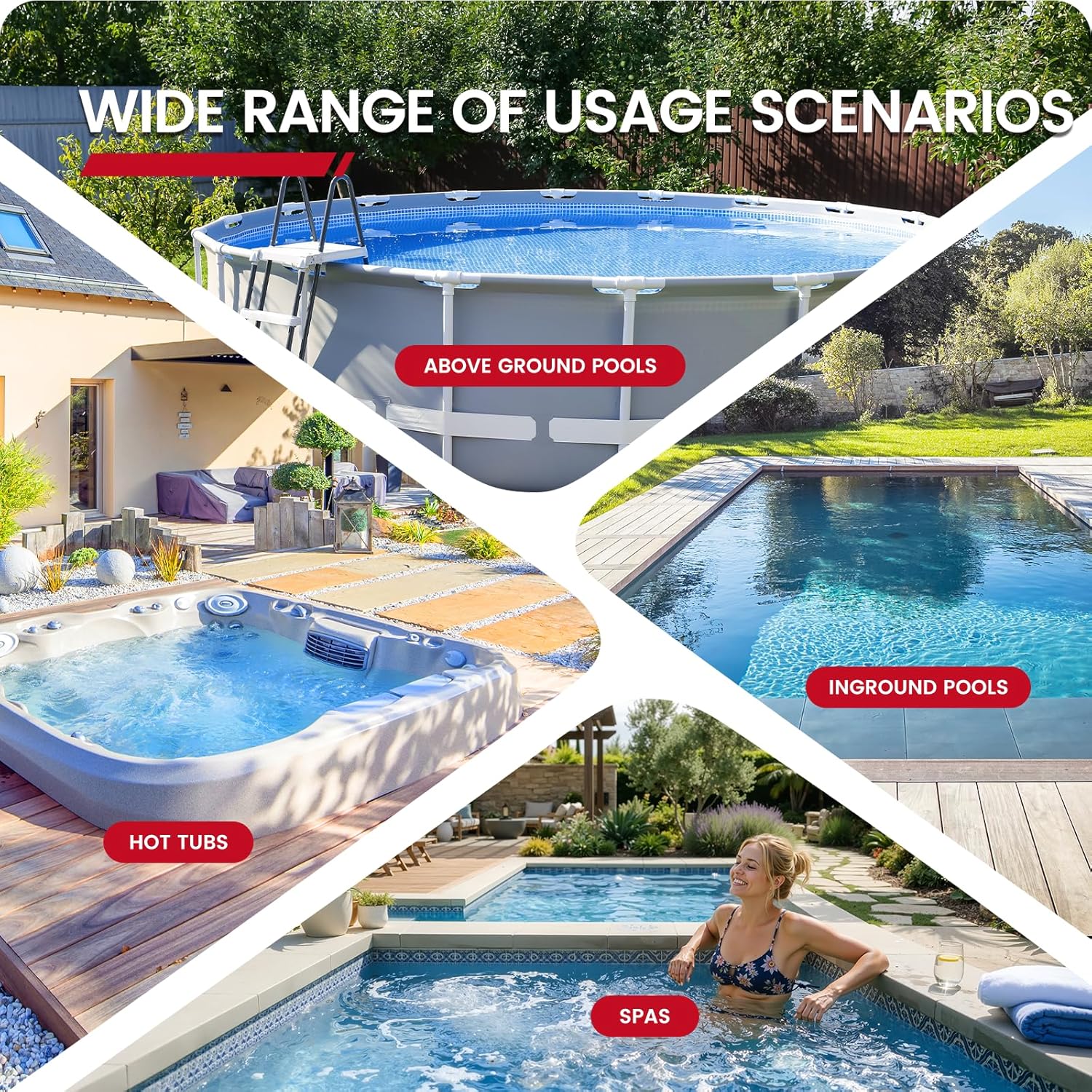
Image: The ENHULK PC68 is suitable for a wide range of usage scenarios, including different pool types.

Image: The ENHULK PC68 is designed for multi-surface cleaning.

Image: The ENHULK PC68 excels at multi-corner cleaning.
3. Note operative importanti
- Ensure the filter bag is properly fitted before use. Operating without a filter bag will result in no suction.
- The vacuum is not suitable for zero-depth shallow areas.
- If the vacuum's outlet is above the water surface during operation, it will lead to a loss of suction. Keep the unit submerged.
- The vacuum operates at an ultra-quiet 60dB, allowing for undisturbed cleaning.
- The ergonomic, non-slip handle is designed for comfortable use and reduced fatigue during extended cleaning sessions.
Manutenzione
1. Pulizia e sostituzione del filtro
The ENHULK PC68 comes with two specialized filters:
- 180-Micron Plastic Mesh Filter: Ideal for larger debris such as small twigs, leaves, and coarse sand.
- 25-Micron Cotton Mesh Filter: Designed for fine particles like fine sand, dust, and silt.
Regularly clean the filter bag after each use to maintain optimal suction performance. To clean, remove the filter bag from the vacuum and rinse thoroughly with water. Replace the filter bag if it shows signs of wear or damage.

Image: Guide to choosing the correct filter screen for different debris types.
2. Quick Drain System
The vacuum features a quick drain system that releases clean water upon lifting the unit from the pool. This simplifies removal and reduces mess.

Image: The quick drain system in action, releasing water upon lifting.
3. Assistenza generale
After each use, rinse the exterior of the vacuum with fresh water to remove any pool chemicals or debris. Store the unit in a cool, dry place away from direct sunlight.
Risoluzione dei problemi
- Nessuna aspirazione: Ensure the filter bag is correctly installed and not clogged. Also, verify that the vacuum's outlet remains submerged during operation.
- Aspirazione ridotta: A dirty or full filter bag can reduce suction. Clean or empty the filter bag. Check for any blockages in the brush head or intake.
- Wand Breaks Easily: Do not attempt to lift the pool vacuum horizontally by the extension wand. This can cause the wand to break. Always lift the unit vertically or support the main body.
- Ineffective on Fine Particles: The vacuum is most effective on larger debris. For extremely fine sand or silt, some cloudiness may occur as the vacuum processes the water. Ensure you are using the 25-micron cotton mesh filter for the finest particles.
- Durata breve della batteria: Ensure the unit is fully charged (4 hours for a full charge). Battery performance can be affected by extreme temperatures.
Specifiche
| Caratteristica | Dettaglio |
|---|---|
| Marca | Enhulk |
| Nome del modello | PC68 Pool Vacuum |
| Colore | Bianco |
| Fonte di alimentazione | Alimentato a batteria |
| Peso dell'articolo | 6.4 libbre |
| Caratteristiche speciali | Cordless, Handheld |
| Metodo di controllo | Premere il pulsante |
| Tipo di batteria | Ioni di litio (5200 mAh) |
| Tempo di ricarica | 4 ore |
| Durata | Fino a 60 minuti |
| Suction Rate | 26.5 GPM (galloni al minuto) |
| Drainage Rate | 6000 litri/ora |
| Lunghezza del palo di prolunga | 6' (1.83 metri) |
| Assemblaggio richiesto | SÌ |
| Tipo di installazione | Manuale |
| Numero di parte del produttore | Enhulk-PC68 |
| Numero di modello | PC-68 |
Garanzia
The ENHULK PC68 Cordless Pool Vacuum comes with a Garanzia di 2 anno. Additionally, Enhulk offers a 12-Months Unconditional Replacement policy for product dissatisfaction. Please contact customer support for warranty claims or replacement requests.
Assistenza clienti
For any questions, assistance, or support regarding your ENHULK PC68 pool vacuum, please contact Enhulk customer service:
- Telefono: Numero di parte 1-877-750-3787
- E-mail: service@enhulktools.com
- Ore: Monday - Friday, 9 AM - 5 PM PST

Image: Enhulk customer support details and contact information.