
GOBOULT Tuff Hawk Smart Watch User Manual
Model: Tuff Hawk
Introduzione
This manual provides essential instructions for setting up, operating, and maintaining your GOBOULT Tuff Hawk Smart Watch. Please read this guide thoroughly before using your device to ensure optimal performance and longevity.

Image: The GOBOULT Tuff Hawk Smart Watch, highlighting its design and features.
Cosa c'è nella scatola
Verifica che tutti gli articoli siano presenti nella confezione del prodotto:
- GOBOULT Tuff Hawk Smart Watch
- Cavo di ricarica
- Manuale utente (questo documento)
Impostare
1. Ricarica dello Smart Watch
Before initial use, fully charge your GOBOULT Tuff Hawk Smart Watch. Connect the provided charging cable to the charging port on the watch and a compatible USB power source. A full charge takes approximately 150 minutes.

Image: The GOBOULT Tuff Hawk Smart Watch connected to its charging cable, illustrating the charging process and battery indicator.
2. Accensione/Spegnimento
To power on the watch, press and hold the Power button until the screen illuminates. To power off, press and hold the Power button, then select "Power Off" on the screen.
3. Associazione con lo smartphone
The GOBOULT Tuff Hawk Smart Watch uses Bluetooth 5.3 for connectivity. Follow these steps to pair your watch with your smartphone:
- Assicurati che l'orologio sia carico e acceso.
- Abilita il Bluetooth sul tuo smartphone.
- Download and install the companion application (refer to the watch screen or packaging for app name) from your phone's app store.
- Apri l'app e segui le istruzioni sullo schermo per aggiungere il tuo dispositivo.
- Select "GOBOULT Tuff Hawk" from the list of available Bluetooth devices in the app to establish a one-click connection.

Image: The GOBOULT Tuff Hawk Smart Watch showing an incoming call notification, demonstrating its Bluetooth calling feature with a dedicated speaker and microphone.
Utilizzo dello Smart Watch
1. Display e navigazione
The watch features a 1.39-inch TFT HD display with a 240x240 resolution and 450 nits brightness for clear visuals. Navigate the interface using the touchscreen or the working crown.
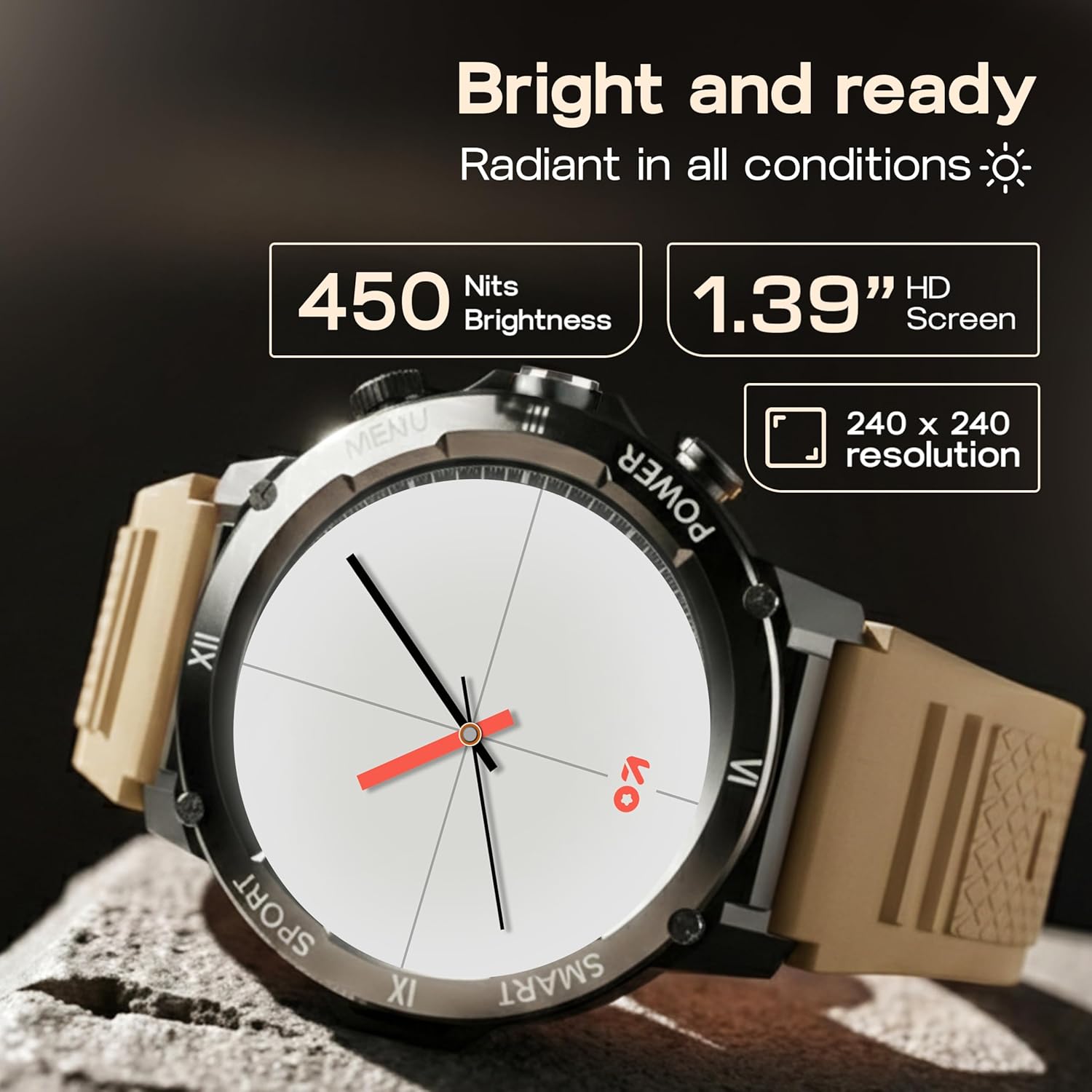
Image: Close-up of the GOBOULT Tuff Hawk Smart Watch display, highlighting its 1.39-inch HD screen, 240x240 resolution, and 450 nits brightness.
2. Using the Working Crown
Rotate the working crown to scroll through menus, lists, and adjust settings effortlessly. Press the crown to select items or return to the home screen.

Image: The GOBOULT Tuff Hawk Smart Watch interface with app icons, demonstrating how to use the rotating working crown for navigation.
3. Chiamate Bluetooth
With Bluetooth 5.3 and a single-chip design, the Tuff Hawk Smart Watch allows you to make and receive calls directly from your wrist. It includes a dedicated speaker and microphone for clear communication.
4. Assistente vocale AI
Access your AI Voice Assistant (compatible with Google Assistant and Siri) directly from your watch. Simply activate the feature and speak your commands for hands-free assistance.
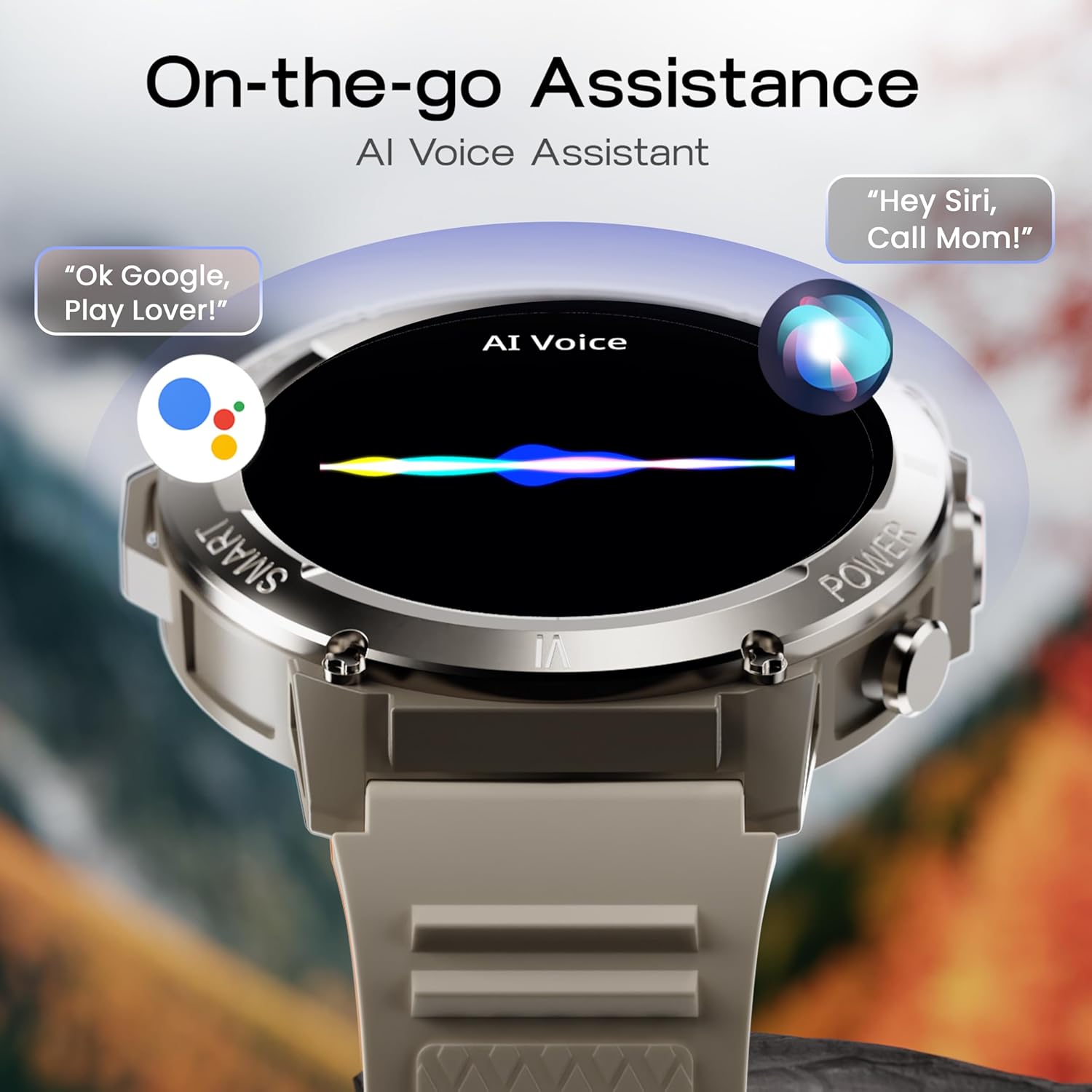
Image: The GOBOULT Tuff Hawk Smart Watch screen showing the AI Voice Assistant in action, with examples of voice commands for Google Assistant and Siri.
5. Sports Modes and Health Tracking
The watch supports over 120 sports modes for various activities. It also provides comprehensive health monitoring features:
- Misuratore della pressione sanguigna: Tieni traccia dei tuoi livelli di pressione sanguigna.
- Cardiofrequenzimetro: Monitora costantemente la tua frequenza cardiaca.
- Monitoraggio del sonno: Analizza i tuoi schemi di sonno.
- Monitor SpO2: Misura la saturazione di ossigeno nel sangue.
- Monitoraggio attività: Records steps taken, calories burned, and distance covered.
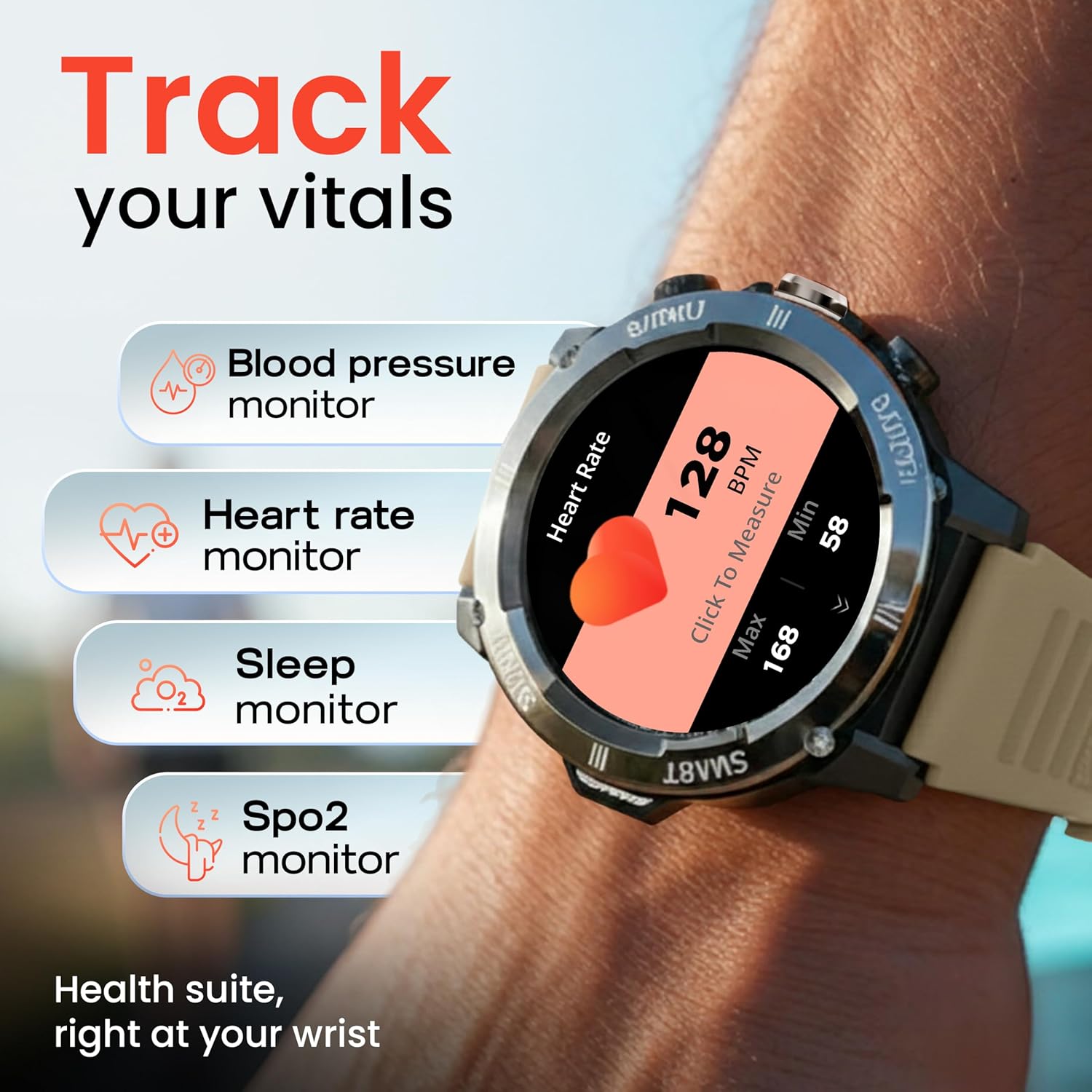
Image: The GOBOULT Tuff Hawk Smart Watch displaying various health tracking features such as blood pressure, heart rate, sleep, and SpO2 monitoring.

Image: The GOBOULT Tuff Hawk Smart Watch on a user's wrist, illustrating the availability of over 120 sports modes for diverse activities.
6. Quadranti dell'orologio
Personalize your watch with over 150 available watch faces to match your style or activity.

Image: The GOBOULT Tuff Hawk Smart Watch showcasing a selection of over 150 customizable watch faces.
7. Dedicated Flashlight
Activate the quick access flashlight feature for instant illumination when needed.

Immagine: un primo piano view of the GOBOULT Tuff Hawk Smart Watch demonstrating its dedicated flashlight feature, providing instant light.
8. Funzionalità aggiuntive
L'orologio include diverse funzioni utili:
- Trova il mio telefono: Individua lo smartphone associato.
- Orologio mondiale: View orario in fusi orari diversi.
- Dettagli meteo: Ottieni informazioni meteo aggiornate.
- Controllo remoto della telecamera: Controlla la fotocamera del tuo telefono da remoto.
- Calcolatrice: Eseguire calcoli di base.

Image: The GOBOULT Tuff Hawk Smart Watch screen showing the 'Find My Phone' feature, alongside icons for world clock, weather details, remote camera, and calculator.
Manutenzione
1. Resistenza all'acqua
The GOBOULT Tuff Hawk Smart Watch is IP68 water resistant, making it suitable for rain, dust, and rugged outdoor conditions. It can withstand immersion up to 1.5 meters. Avoid prolonged exposure to hot water or steam.

Image: The GOBOULT Tuff Hawk Smart Watch partially submerged in water, highlighting its IP68 water resistance for protection against rain and dust.
2. Pulizia
Pulire regolarmente l'orologio e il cinturino con un panno morbido e asciutto. Se necessario, utilizzare un panno leggermenteamp panno e sapone neutro, quindi asciugare accuratamente. Evitare prodotti chimici aggressivi o materiali abrasivi.
3. Conservazione
When not in use for extended periods, store the watch in a cool, dry place. Ensure it is partially charged to prevent battery degradation.
Risoluzione dei problemi
1. L'orologio non si accende
- Assicurati che l'orologio sia completamente carico. Collegalo al cavo di ricarica e lascialo caricare per almeno 30 minuti prima di riprovare ad accenderlo.
- Per eseguire un riavvio forzato, tenere premuto il pulsante di accensione per 10-15 secondi.
2. Impossibile associare allo smartphone
- Assicurati che il Bluetooth sia abilitato sullo smartphone e sull'orologio.
- Assicurati che l'orologio si trovi nel raggio di azione del Bluetooth del tuo telefono (in genere 10 metri).
- Riavvia sia lo smartphone che l'orologio.
- Svuota la cache Bluetooth sul telefono oppure elimina il dispositivo e riprova ad associarlo.
- Assicurati che l'app complementare sia aggiornata all'ultima versione.
3. Dati sanitari inesatti
- Assicurati che l'orologio sia indossato comodamente al polso, ma non troppo stretto.
- Pulisci il sensore sul retro dell'orologio.
- Evitare movimenti eccessivi durante le misurazioni.
- Si prega di notare che l'orologio non è un dispositivo medico; le letture sono solo di riferimento.
4. Durata breve della batteria
- Ridurre la luminosità dello schermo.
- Disattiva le notifiche non necessarie.
- Limitare il monitoraggio continuo della frequenza cardiaca o altre funzioni intensive.
- Assicurarsi che l'orologio sia completamente carico ogni volta.
Specifiche
| Caratteristica | Dettaglio |
|---|---|
| Nome del modello | Tuff Hawk |
| Dimensioni dello schermo | 1.39 pollici |
| Tipo di visualizzazione | Schermo a colori |
| Risoluzione | 240x240 |
| Luminosità massima del display | 450 nit |
| Tecnologia di connettività | Bluetooth 5.3 |
| Composizione delle celle della batteria | Polimero di litio |
| Tempo di carica della batteria | 150 minuti |
| Durata della batteria | Fino a 7 giorni |
| Valutazione della resistenza all'acqua | IP68 (1.5 Metres depth) |
| Materiale della cassa | Zink Alloy |
| Materiale della fascia | Silicone |
| Peso | 48 grammi |
| Input dell'interfaccia umana | Touchscreen, Working Crown |
| Tipo di controllore | Assistente Google, Siri |
| Metriche misurate | Blood Oxygen (SpO2), Calories Burned, Sleep Duration, Step Count |
| Dispositivi compatibili | Smartphone Android e iOS |
| Contenuto della confezione | Cavo di ricarica, Manuale utente |
Garanzia e supporto
Informazioni sulla garanzia
Your GOBOULT Tuff Hawk Smart Watch comes with a Garanzia del produttore di 1 anni dalla data di acquisto. La presente garanzia copre i difetti di fabbricazione. Si prega di conservare la prova d'acquisto per eventuali reclami in garanzia.
Assistenza clienti
For technical assistance, warranty claims, or product inquiries, please contact GOBOULT customer support. Refer to the product packaging or the official GOBOULT websito per le informazioni di contatto più aggiornate.
Produttore: Exotic Mile Private Limited, Boult Audio, B-67 Wazirpur Industrial Area, New Delhi 110052