
1. Introduzione
Thank you for choosing the GOBOULT Tenet TWS Earbuds. This manual provides essential information to help you set up, operate, and maintain your earbuds for an optimal audio experience. Please read this manual thoroughly before use and retain it for future reference.
Cosa c'è nella scatola
- GOBOULT Tenet TWS Earbuds (Left and Right)
- Custodia di ricarica
- Cavo di ricarica USB di tipo C.
- Cuscinetti auricolari (varie misure)
- Manuale d'uso
- Scheda di garanzia
2. Prodotto finitoview
Familiarize yourself with the components of your GOBOULT Tenet TWS Earbuds and charging case.
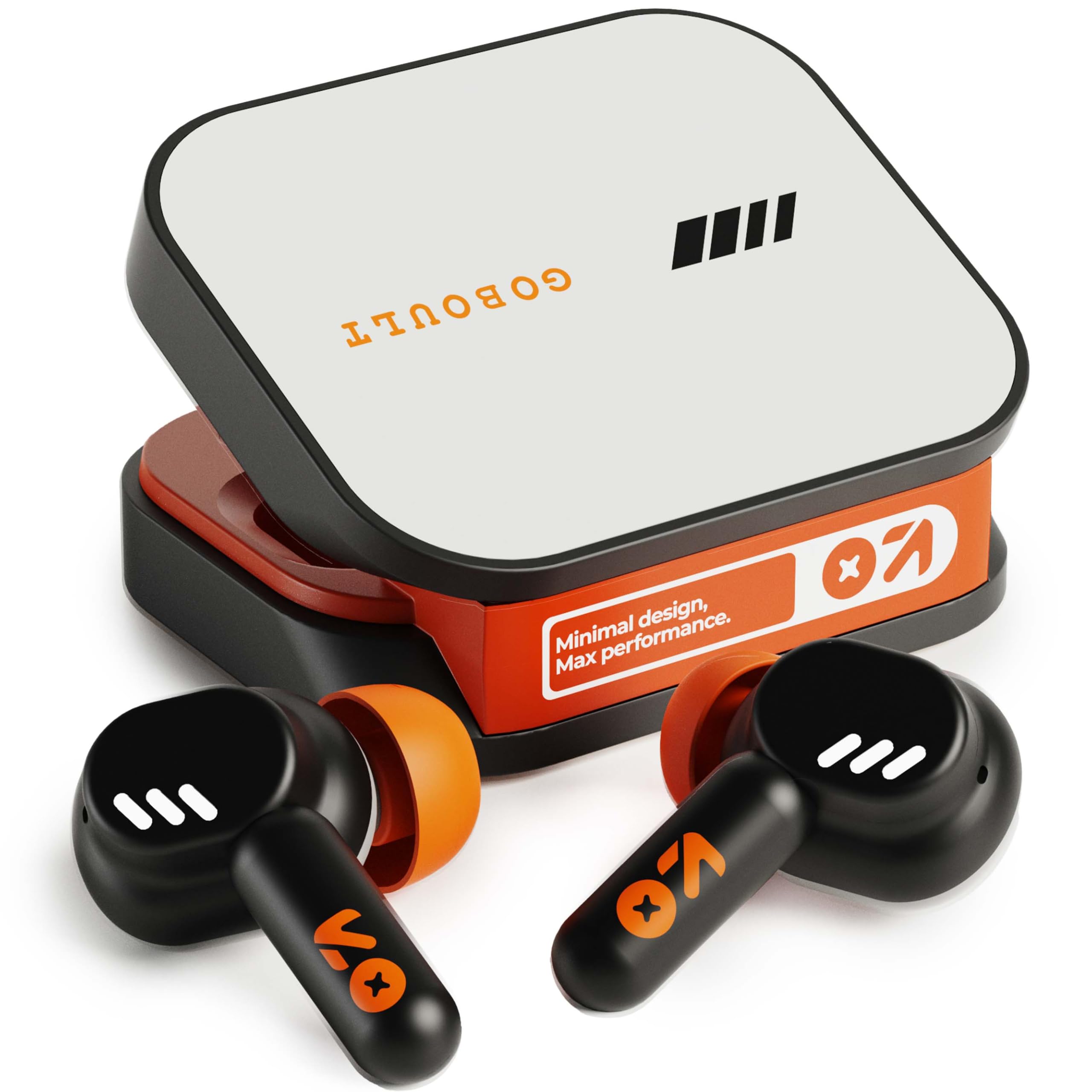
Image: GOBOULT Tenet TWS Earbuds in their charging case, showcasing the Turbo Orange color variant.

Immagine: Varie views of the GOBOULT Tenet charging case, highlighting its minimal design and Type-C charging port.
Caratteristiche principali
- 75 ore di gioco totali: Durata prolungata della batteria per un utilizzo prolungato.
- Ricarica rapida: 10 minutes of charge provides up to 120 minutes of playtime.
- Amp Supporto per l'app: Customize EQ settings and controls via the dedicated application.
- Quad Mic ENC: Cancellazione del rumore ambientale per chiamate nitide.
- Driver dinamici da 13 mm: Delivers deep bass and balanced audio.
- Connettività per doppio dispositivo: Passa senza problemi da un dispositivo all'altro.
- Bluetooth 5.4: Stable connection with low latency.
- Resistenza all'acqua IPX5: Splash and sweat-ready design.
3. Impostazione
3.1 Ricarica degli auricolari e della custodia
Prima del primo utilizzo, caricare completamente gli auricolari e la custodia di ricarica.
- Inserire gli auricolari nella custodia di ricarica. Assicurarsi che siano posizionati correttamente.
- Connect the USB Type-C charging cable to the charging port on the case and plug the other end into a power source.
- L'indicatore LED sulla custodia mostrerà lo stato di carica. Una volta completata la carica, l'indicatore cambierà o si spegnerà a seconda del modello.
Ricarica rapida: A 10-minute charge provides approximately 120 minutes of playtime.

Image: The GOBOULT Tenet earbuds in their charging case, connected via a Type-C cable, illustrating the charging process and fast charging capability.
3.2 Associazione con un dispositivo
For first-time use, follow these steps to pair your earbuds with your device.
- Aprire la custodia di ricarica. Gli auricolari si accenderanno automaticamente ed entreranno in modalità di associazione.
- Sul tuo dispositivo (smartphone, tablet, laptop), attiva il Bluetooth.
- Cercare available Bluetooth devices and select "GOBOULT Tenet" from the list.
- Una volta effettuata la connessione, un messaggio vocale confermerà l'avvenuta associazione.
Connettività per doppio dispositivo: The earbuds support simultaneous connection to two devices. After pairing with the first device, disable Bluetooth on it. Pair with the second device. Then, re-enable Bluetooth on the first device. The earbuds should now be connected to both, allowing seamless switching.

Image: The GOBOULT Tenet earbuds and case positioned between a smartphone and a laptop, illustrating the dual device connectivity feature.
4. Istruzioni per l'uso
4.1 Accensione/spegnimento
- Accensione: Aprire la custodia di ricarica o tenere premuta l'area touch su entrambi gli auricolari per 3 secondi.
- Spegni: Riposizionare gli auricolari nella custodia di ricarica e chiudere il coperchio, oppure tenere premuta l'area touch su entrambi gli auricolari per 5 secondi.
4.2 Comandi touch
The GOBOULT Tenet earbuds feature intuitive touch controls for various functions.

Image: A close-up of an earbud in an ear, detailing the touch control functions for music, calls, and activation of AI assistance.
| Funzione | Azione |
|---|---|
| Riproduci/Pausa musica | Tocca una volta su uno degli auricolari |
| Traccia successiva | Tocca due volte l'auricolare destro |
| Traccia precedente | Tocca due volte l'auricolare sinistro |
| Rispondi/Termina chiamata | Tocca una volta su uno degli auricolari |
| Rifiuta chiamata | Premere a lungo su uno degli auricolari per 2 secondi |
| Attiva l'Assistente Vocale (Siri/Assistente Google) | Triplo tocco su uno degli auricolari |
| Toggle Gaming Mode (Combat Mode) | Tocca quattro volte uno degli auricolari |
4.3 GOBOULT Amp Supporto app
Enhance your listening experience by downloading the GOBOULT Amp App. The app allows for personalized audio settings and controls.
- Modalità EQ personalizzate: Regola le frequenze audio in base alle tue preferenze.
- Rename Earbuds: Personalize the Bluetooth name of your earbuds.
- Tailored Widgets: Access quick controls and information.
- Espulsione dell'acqua: Utilize this feature to clear water from the earbuds after exposure.

Image: A smartphone displaying the GOBOULT Amp App interface with equalizer settings, alongside the earbuds, demonstrating app customization.
4.4 Indossare gli auricolari
Per una qualità audio e un comfort ottimali, assicurarsi che le cuffie siano indossate correttamente.
- Select the ear tips that best fit your ear canal. Experiment with different sizes for the best seal.
- Gently insert the earbud into your ear, then twist it slightly to secure a snug fit. The "Vacuum Lock Earshell" design is engineered for an air-tight seal.

Image: Diagrams and an illustration showing the proper way to wear the GOBOULT Tenet earbuds for a secure and comfortable fit, highlighting the Vacuum Lock Earshell technology.
4.5 Combat Gaming Mode (Low Latency)
Activate Combat Gaming Mode for a low-latency audio experience, ideal for gaming.
- Attivazione: Tocca quattro volte su uno degli auricolari.
- This mode reduces audio delay to approximately 45ms, providing synchronized sound with on-screen action.
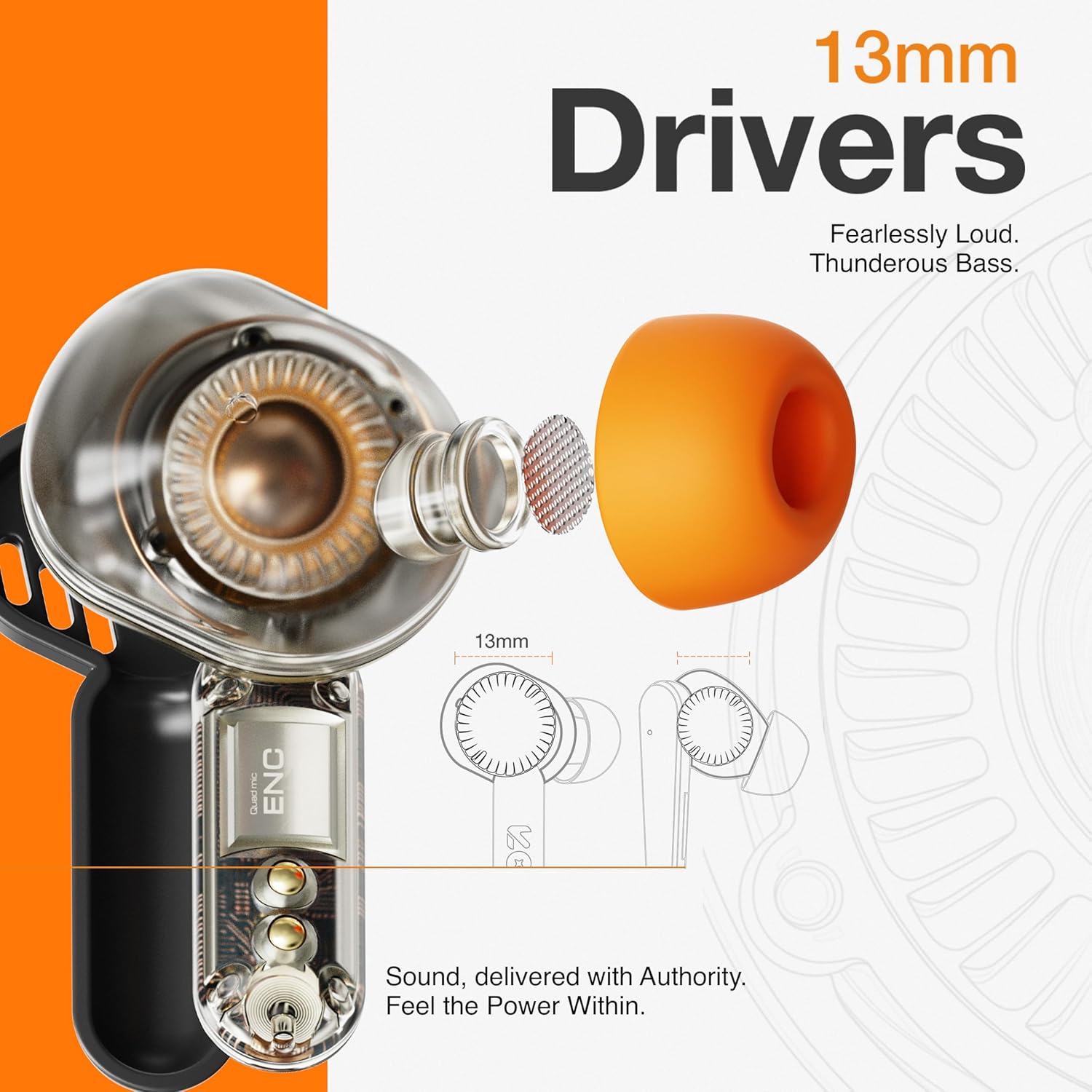
Image: The GOBOULT Tenet earbuds and charging case next to a smartphone and game controller, illustrating Bluetooth 5.4 connectivity and the 45ms ultra-low latency Combat Gaming Mode.
5. Manutenzione
5.1 Pulizia
Una pulizia regolare aiuta a mantenere la qualità del suono e l'igiene.
- Per pulire gli auricolari e la custodia di ricarica, utilizzare un panno morbido, asciutto e privo di lanugine.
- Rimuovere i gommini auricolari e pulirli con acqua e sapone neutro, quindi asciugarli accuratamente prima di riapplicarli.
- Use a cotton swab or a small, soft brush to gently clean the speaker mesh and charging contacts.
- Evitare l'uso di materiali abrasivi, alcol o detergenti chimici.
5.2 Conservazione
Quando non li usi, riponi gli auricolari nella custodia di ricarica per proteggerli e mantenerli carichi.
- Conservare in un luogo fresco e asciutto, lontano da temperature estreme e dalla luce solare diretta.
5.3 Resistenza all'acqua
The GOBOULT Tenet earbuds are IPX5 water resistant, meaning they are protected against low-pressure water jets from any direction. This makes them suitable for workouts and light rain.
- Non immergere gli auricolari in acqua.
- La custodia di ricarica non è resistente all'acqua.
- Se gli auricolari si bagnano, asciugarli accuratamente prima di riporli nella custodia di ricarica.
6. Risoluzione Dei Problemi
Se riscontri problemi con gli auricolari, fai riferimento alle seguenti soluzioni comuni.
| Problema | Soluzione |
|---|---|
| Gli auricolari non si accoppiano | Ensure earbuds are charged. Turn off and on Bluetooth on your device. Forget "GOBOULT Tenet" from your device's Bluetooth list and re-pair. |
| Un solo auricolare funzionante | Place both earbuds back in the case, close the lid, then open again. Ensure both earbuds are charged. Perform a factory reset if the issue persists. |
| Volume basso o scarsa qualità del suono | Adjust volume on both earbuds and your connected device. Ensure ear tips provide a snug fit. Clean earbud speaker meshes. Check EQ settings in the Amp Applicazione. |
| Gli auricolari non si caricano | Ensure charging cable is securely connected. Check if the charging port is clean. Verify the power source is working. Ensure earbuds are correctly seated in the case. |
| La connettività si interrompe frequentemente | Ensure your device is within the 10-meter Bluetooth range. Avoid obstacles between earbuds and device. Disconnect from other Bluetooth devices. |
6.1 Ripristino delle impostazioni di fabbrica
If issues persist, a factory reset may resolve them. Refer to the specific reset procedure in the Amp App or contact customer support.
7. Specifiche
Technical specifications for the GOBOULT Tenet TWS Earbuds.
| Caratteristica | Dettaglio |
|---|---|
| Marca | GOBOULT |
| Nome del modello | Tenet (Airbass Earbuds) |
| Posizionamento dell'orecchio | Nell'orecchio |
| Controllo del rumore | Environmental Noise Cancellation (ENC), Sound Isolation |
| Versione Bluetooth | 5.4 |
| Portata Bluetooth | 10 metri |
| Dimensioni del driver audio | 13 millimetri |
| Risposta in frequenza | 20 Hz - 20,000 Hz |
| Durata media della batteria | 75 ore (tempo di gioco totale) |
| Tempo di carica della batteria | 10 Minutes (for 120 mins playtime) |
| Metodo di controllo | Tocco |
| Livello di resistenza all'acqua | IPX5 (resistente all'acqua) |
| Dispositivi compatibili | Desktops, Gaming Consoles, Laptops, Smart Watch, Tablets |
| Peso dell'articolo | 54.5 Grams (Carrying Case Weight) |
| Materiale di recinzione | Plastica |
8. Garanzia e supporto
8.1 Informazioni sulla garanzia
The GOBOULT Tenet TWS Earbuds come with a Garanzia del produttore di 1 anno dalla data di acquisto. La presente garanzia copre i difetti di fabbricazione. Si prega di conservare la prova d'acquisto per eventuali reclami in garanzia.
La garanzia non copre i danni causati da uso improprio, incidenti, modifiche non autorizzate o normale usura.
8.2 Assistenza clienti
For any product-related queries, technical assistance, or warranty claims, please contact GOBOULT customer support through the official websito o le informazioni di contatto fornite sulla scheda di garanzia.