
1. Introduzione
This manual provides detailed instructions for the installation, operation, and maintenance of your Rosewill VNG 650W ATX 3.1 Power Supply. Please read this manual thoroughly before installation and keep it for future reference. The Rosewill VNG 650W is an 80+ Gold Certified, non-modular power supply compatible with ATX 3.0 & 3.1 standards, featuring a 450W PCIe 5.1 12V-2x6 connector for modern graphics cards.
2. Informazioni sulla sicurezza
- Scollegare sempre il cavo di alimentazione dalla presa a muro prima di installare, rimuovere o pulire l'alimentatore.
- Non aprire l'alimentatore. Alto volumetagAll'interno sono presenti componenti difettosi e non ci sono parti riparabili dall'utente. L'apertura dell'unità invaliderà la garanzia.
- Ensure the power supply is installed in a well-ventilated area, away from heat sources, direct sunlight, and moisture.
- Use only the cables provided with your power supply. Using third-party cables may cause damage to your system and void the warranty.
- Collegare l'alimentatore a una presa di corrente dotata di messa a terra.
- Do not force connectors. Ensure proper orientation before plugging in any cables.
3. Contenuto della confezione
Verifica che tutti i componenti siano presenti nel tuo pacchetto:
- Rosewill VNG 650W Power Supply Unit
- Cavo di alimentazione CA
- Viti di montaggio
- Manuale d'uso
- Fascette fermacavi (per la gestione dei cavi)

Figure 3.1: Rosewill VNG 650W Power Supply with its bundled, non-modular cables.
4. Configurazione e installazione
Follow these steps to install your Rosewill VNG 650W Power Supply:
- Prepara il tuo sistema: Ensure your computer case is open and accessible. Disconnect all power from your existing power supply and remove it if necessary.
- Montare l'alimentatore: Carefully slide the Rosewill VNG 650W into the power supply bay of your computer case. Secure it with the provided mounting screws.
- Collegare l'alimentazione della scheda madre: Connect the 24-pin ATX motherboard power cable to your motherboard.
- Collegare l'alimentazione della CPU: Collegare i cavi di alimentazione della CPU a 4+4 pin alla scheda madre.
- Collegare l'alimentazione della scheda grafica: For modern graphics cards, use the dedicated PCIe 5.1 12V-2x6 connector. For older or less demanding cards, use the 6+2 pin PCIe connectors. Ensure all necessary power connectors for your graphics card(s) are securely attached.
- Connetti le periferiche: Connect SATA power cables to your storage drives (HDDs/SSDs) and Molex connectors to any other peripherals requiring them.
- Gestione dei cavi: Organize the non-modular cables using the included cable ties to improve airflow and aesthetics within your case.
- Collegare l'alimentazione CA: Once all internal connections are made, connect the AC power cord to the power supply and then to a grounded wall outlet.
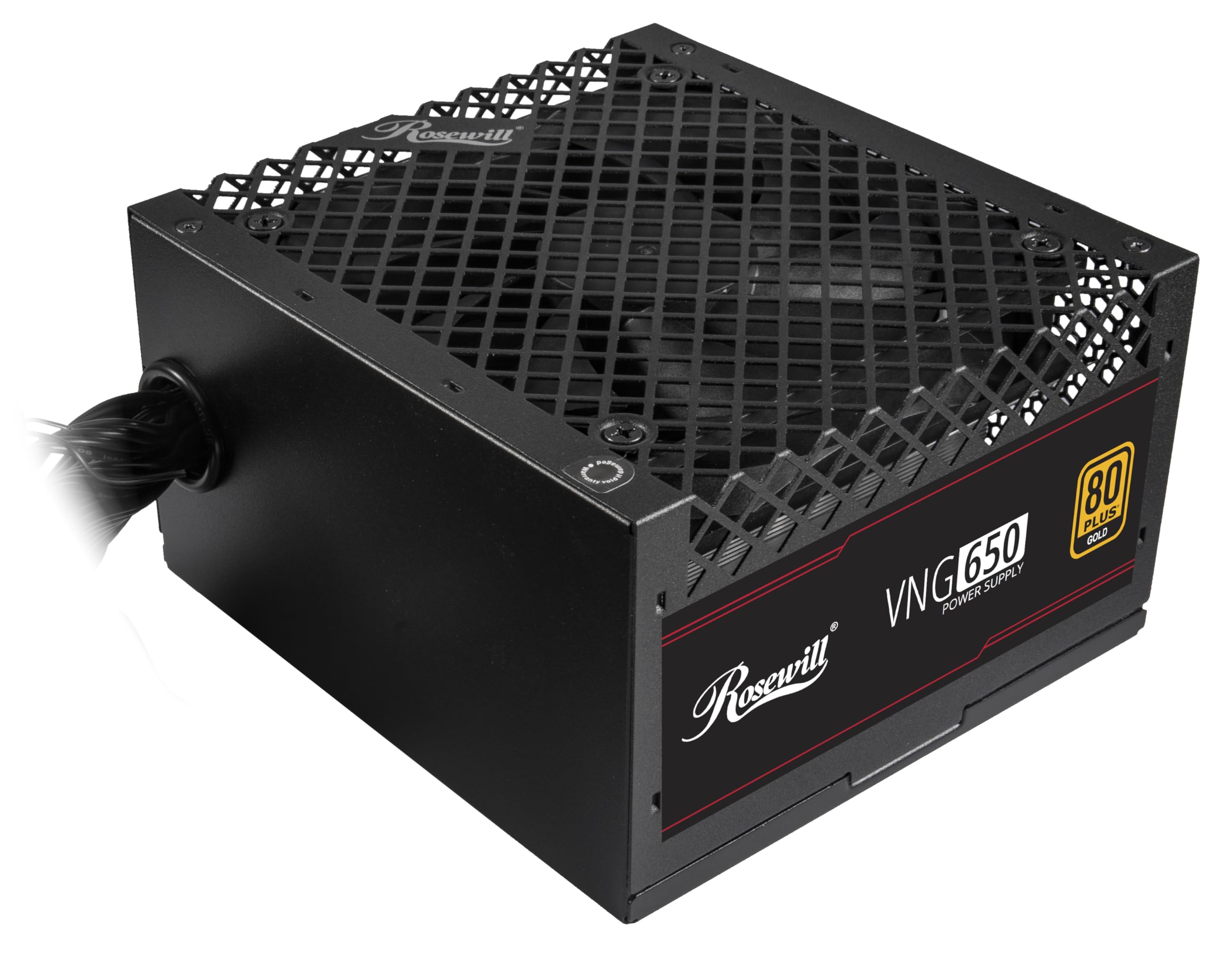
Figure 4.1: Rosewill VNG 650W Power Supply overview.

Figure 4.2: Rear panel with power switch and AC input.

Figure 4.3: Available Power Supply Connectors.
5. Istruzioni per l'uso
Once installed, the Rosewill VNG 650W Power Supply operates automatically. Its 80 PLUS Gold certification ensures high efficiency, converting more AC power into usable DC power and reducing wasted heat. The low-noise design helps maintain a quiet computing environment. The power supply is designed to handle power excursions up to 235% and GPU power excursions up to 300%, providing stable power delivery for demanding components.

Figura 5.1: in alto view che mostra la ventola di raffreddamento.
6. Manutenzione
To ensure optimal performance and longevity of your Rosewill VNG 650W Power Supply:
- Mantienilo pulito: Periodically clean the exterior of the power supply and the fan grill with a soft, dry cloth. Use compressed air to gently remove dust from the fan and internal components, ensuring the system is powered off and unplugged before cleaning.
- Garantire un flusso d'aria adeguato: Make sure there is adequate space around the power supply for proper ventilation. Avoid blocking the intake or exhaust vents.
- Controllare le connessioni: Occasionally check that all power cables are securely connected to the power supply and your components.
7. Risoluzione Dei Problemi
If you encounter issues with your Rosewill VNG 650W Power Supply, refer to the following common troubleshooting steps:
- Nessun potere:
- Ensure the AC power cord is securely plugged into both the power supply and a working wall outlet.
- Verificare che l'interruttore di alimentazione sul retro dell'alimentatore sia in posizione "ON".
- Verify all internal power connections (24-pin, CPU, PCIe) are firmly seated.
- Prova la presa a muro con un altro dispositivo per verificare che sia alimentata.
- Instabilità/arresti anomali del sistema:
- Assicurarsi che i requisiti di alimentazione del sistema non superino la capacità di 650 W dell'alimentatore.
- Check for loose power connections to components.
- Monitorare le temperature del sistema per assicurarsi che i componenti non si surriscaldino.
- Rumore insolito:
- A slight fan noise is normal during operation. If the noise is excessive or unusual, ensure the fan is not obstructed by dust or cables.
- Se il rumore persiste, contattare l'assistenza clienti.
If these steps do not resolve your issue, please refer to the Support section.
8. Specifiche

Figure 8.1: Electrical Specifications Label.
| Caratteristica | Descrizione |
|---|---|
| Nome del modello | VNG650 |
| Marca | Rosato |
| Dispositivi compatibili | Personal computer |
| Tipo di connettore | ATX |
| Uscita Wattage | 650 Watt |
| Fattore di forma | Mini-ITX |
| Metodo di raffreddamento | Aria |
| Dimensioni articolo (L x P x A) | 5.9 x 5.51 x 3.38 pollici |
| Peso dell'articolo | 2.8 libbre |
| Progettazione dell'alimentatore | Non modulari |
| Volume massimo in ingressotage | 240 Volt (CA) |
| Volume minimo di ingressotage | 240 Volt (CA) |
| System Bus Connector Type | ATX |
| Codice UPC | 840951136676 |
| Numero parte produttore | VNG650 |
9. Informazioni sulla garanzia
The Rosewill VNG 650W Power Supply comes with a Garanzia del produttore di 5 anni. Please retain your proof of purchase for warranty claims. For detailed terms and conditions, refer to the official Rosewill websito o contattare l'assistenza clienti.
10. Supporto
For technical assistance, warranty claims, or further inquiries, please visit the official Rosewill website or contact their customer support team. You can often find FAQs and additional resources online.
Rosewill Official Websito: www.rosewill.com