
1. Introduzione
This manual provides detailed instructions for the Donner DEK-630 61-Key Electronic Keyboard. Please read this manual thoroughly before using the instrument to ensure proper operation and to maximize your musical experience. The DEK-630 is designed for beginners and music enthusiasts, featuring lighted keys, various tones and rhythms, and learning modes to support your musical journey.

Image 1.1: The Donner DEK-630 61-Key Electronic Keyboard Set, including the keyboard, Z-stand, and bench.
2. Cosa c'è nella scatola
Verificare che tutti i componenti siano presenti nella confezione:
- Donner DEK-630 Electric Keyboard
- Z-shaped Stand
- Panca per pianoforte
- Riposo musicale
- Adesivi per appunti
- Adattatore di alimentazione
- Manuale di istruzioni (questo documento)
3. Impostazione
3.1 Assembling the Z-shaped Stand
- Unfold the main frame of the Z-stand.
- Attach the horizontal support bars to the vertical frames using the provided screws and knobs. Ensure they are securely tightened.
- Adjust the height of the stand to your preferred playing position using the adjustment knobs.
Video 3.1: Official Donner Music video demonstrating the assembly of the DEK-630 keyboard stand.
3.2 Assembling the Piano Bench
- Unfold the legs of the piano bench.
- Ensure all locking mechanisms are engaged for stability.
3.3 Placing the Keyboard and Music Rest
- Carefully place the DEK-630 keyboard onto the assembled Z-stand. Ensure it is stable and centered.
- Insert the music rest into the designated slots on the top panel of the keyboard.

Image 3.1: The Donner DEK-630 keyboard fully set up with the Z-stand and piano bench.
3.4 Collegamento di alimentazione
- Connect the provided power adapter to the DC 12V input jack (8) on the rear panel of the keyboard.
- Collega l'alimentatore a una presa elettrica standard.

Image 3.2: Close-up of the DEK-630's rear panel, highlighting the power adapter input and other connectivity options.
4. Istruzioni per l'uso
4.1 Accensione/spegnimento
Premere il tasto ENERGIA button located on the control panel to turn the keyboard on or off. The LCD display will illuminate upon power-on.
4.2 Display LCD finitoview
The LCD display provides visual feedback on the current tone, rhythm, tempo, and learning mode status. Use the navigation buttons to browse through options.

Image 4.1: The DEK-630's LCD display, showing active settings for tones, rhythms, and learning modes.
4.3 Tone Selection (300 Tones)
To select a tone:
- Premere il tasto TONO pulsante.
- Use the number pad or the +/- buttons to select from 300 available tones. The selected tone number and name will appear on the LCD.
4.4 Rhythm Selection (256 Rhythms)
To select a rhythm:
- Premere il tasto RITMO pulsante.
- Use the number pad or the +/- buttons to select from 256 available rhythms.
- Premere AVVIO/ARRESTO per iniziare o terminare la riproduzione del ritmo.
4.5 Demo Songs (40 Songs)
The keyboard includes 40 demo songs for listening and practice.
- Premere il tasto CANZONE DIMOSTRATIVA pulsante.
- Utilizzare il +/- buttons to cycle through the demo songs.
- Premere GIOCARE to start the selected demo song.
4.6 Learning Modes
The DEK-630 offers built-in learning modes to assist beginners, including lighted keys, auto-chord, and metronome functions.
- Tasti illuminati: Keys illuminate to guide you during learning exercises.
- Auto-Chord: Automatically plays chords based on single key presses, simplifying accompaniment.
- Metronomo: Provides a steady beat to help develop rhythm and timing. Activate by pressing the METRONOMO pulsante.

Image 4.2: A user's hands playing the DEK-630, demonstrating the lighted key feature for learning.
4.7 Registrazione e riproduzione
Per registrare la tua performance:
- Premere il tasto RICORDA button. The REC indicator will light up.
- Suona la melodia desiderata.
- Premere GIOCARE to stop recording and listen to your recorded performance.
4.8 Dual Keyboard / Split Functions
- Doppia tastiera: Allows two different voices to be layered and played simultaneously.
- Funzione di divisione: Divides the keyboard into two sections, each with its own tone, allowing two different instruments to be played at once. Refer to the full manual for detailed activation steps.
4.9 Controllo del volume
Regolare il volume principale utilizzando il VOLUME PRINCIPALE knob or buttons on the control panel.
4.10 Opzioni di connettività
The DEK-630 offers various ports for expanded functionality:
- Sustain Pedal Jack (1): Connect an optional sustain pedal for expressive playing.
- MIDI Port (2): Connect to computers or other MIDI devices for music production and learning software.
- Porta USB (3): For USB MIDI connectivity.
- Audio Input Line (4): Collega sorgenti audio esterne (ad esempio un lettore MP3) per suonare insieme.
- Output (L/R) (5): Connetti a esterno ampmixer o console di missaggio.
- Mic Jack (6): Collegare un microfono per l'accompagnamento vocale.
- Presa per cuffie (7): Connect headphones for private practice. Headphones need to be purchased separately.
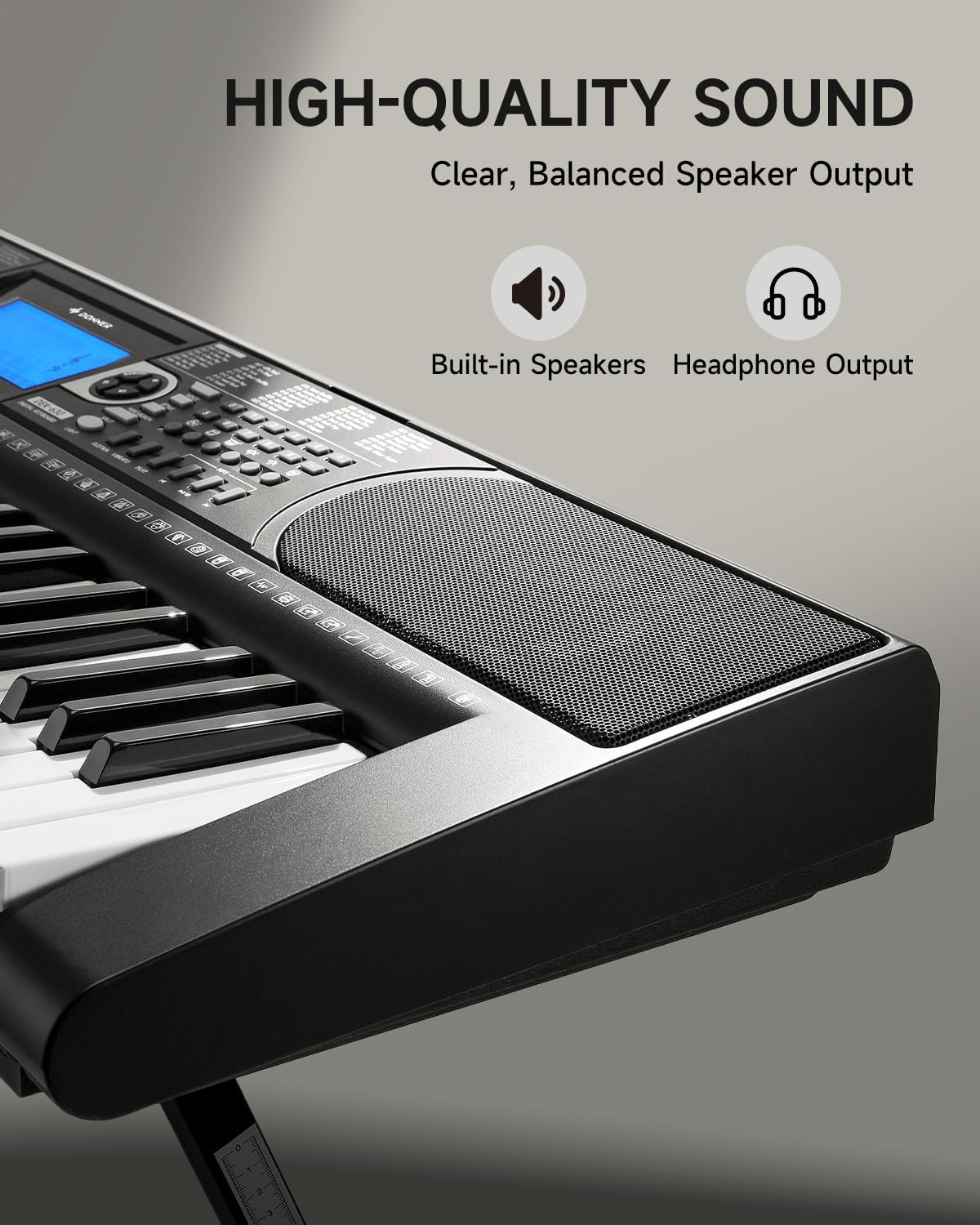
Image 4.3: The DEK-630's built-in speaker and headphone output for versatile sound options.
5. Manutenzione
5.1 Pulizia
- Wipe the keyboard and stand with a soft, dry cloth.
- Per lo sporco ostinato utilizzare una spugna leggermente damp panno e poi asciugare accuratamente.
- Evitare l'uso di detergenti abrasivi, solventi o cere, poiché potrebbero danneggiare la finitura.
5.2 Conservazione
- Conservare la tastiera in un luogo fresco e asciutto, lontano dalla luce solare diretta e da temperature estreme.
- Se si prevede di non utilizzarlo per un periodo prolungato, scollegare l'adattatore di alimentazione.
6. Risoluzione Dei Problemi
| Problema | Possibile causa | Soluzione |
|---|---|---|
| Nessun suono |
|
|
| I tasti non rispondono |
|
|
| Il display LCD è vuoto |
|
|
7. Specifiche
- Modello: DEK-630
- Numero di chiavi: 61
- toni: 300
- ritmi: 256
- Brani demo: 40
- Caratteristiche speciali: Built-In Speaker, Lighted Keys, Portable, LCD Display, Learning Modes (Auto-Chord, Metronome)
- Connettività: USB MIDI, Audio Input, Output (L/R), Mic Jack, Headphone Jack, Sustain Pedal Jack
- Energia: Adattatore di alimentazione CC 12V
- Dimensions (Keyboard without stand): 37.80 x 11.81 x 3.54 pollici (96 x 30 x 9 cm)
- Componenti inclusi: Electric Keyboard, Z-shaped Stand, Piano Bench, Music Rest, Note Stickers
8. Garanzia e supporto
8.1 Informazioni sulla garanzia
The Donner DEK-630 Electronic Keyboard comes with a Garanzia di 2 anno dalla data di acquisto. La presente garanzia copre difetti di fabbricazione e malfunzionamenti in condizioni di normale utilizzo. Si prega di conservare la prova d'acquisto per eventuali reclami in garanzia. La garanzia non copre danni causati da uso improprio, incidenti, modifiche non autorizzate o normale usura.
8.2 Assistenza clienti
For technical assistance, troubleshooting, or warranty inquiries, please contact Donner customer support. Visit the official Donner websito per informazioni di contatto e risorse aggiuntive.
Donner Official Websito: www.donnerdeal.com