
1. Introduzione
This manual provides detailed instructions for the installation, operation, maintenance, and troubleshooting of your Jufodrca 10.1-inch 8-Core 4G+64G Car Radio. This unit is specifically designed for Honda Accord 9th EX-L models from 2013 to 2015. Please read this manual thoroughly before using the product to ensure proper function and safety.
2. Contenuto della confezione
Verifica che tutti gli articoli elencati di seguito siano inclusi nel pacco. Se alcuni articoli risultano mancanti o danneggiati, contatta l'assistenza clienti.
- 10.1-inch Car Radio Head Unit with Frame
- Cablaggio del cavo di alimentazione
- 20-pin RCA Cable
- Microfono da 3.5 mm
- Cavo USB a 4 pin
- Cavo USB a 6 pin
- Antenna GPS
- Backup Camera Signal Wire (10-pin)
- Canbus Box (8-pin connector)
- Telecamera di backup
- Cavo di prolunga per telecamera di backup
- Strumento di rimozione del telaio
- Manuale utente e guida all'installazione

3. Compatibilità
Questa autoradio è compatibile con 2013, 2014, and 2015 Honda Accord 9th EX-L models with Auto A/C. It includes a Canbus for integration. Please note the following compatibility exclusions:
- Non supportato: OEM Multimedia Control, OEM Side Camera, Dynamic Guide Lines, OEM Subwoofer.
- Not Fit: Original Radio with Manual A/C or Full Touch Screen.
Confirm your radio type and CD plug before ordering or attempting installation.

4. Configurazione e installazione
Si raccomanda l'installazione da parte di un professionista. Assicurarsi che la batteria del veicolo sia scollegata prima di iniziare l'installazione.
4.1 Smontaggio
- Using the provided frame removal tool, carefully pry off the trim panels around the existing radio unit.
- Unscrew any retaining screws holding the factory radio in place.
- Gently pull out the factory radio and disconnect all wiring harnesses.
4.2 Collegamenti di cablaggio
Connect the new Jufodrca head unit's wiring harnesses to the vehicle's corresponding connectors. Ensure all connections are secure.
- Connect the main power cable harness.
- Connect the Canbus box to the designated 8-pin connector.
- Connect the 20-pin RCA cable for audio/video inputs/outputs.
- Connect the 4-pin and 6-pin USB cables.
- Collegare l'antenna GPS. Posizionare l'antenna in un luogo con una vista libera view del cielo per una ricezione ottimale del segnale.
- Connect the 3.5mm external microphone for improved call quality.
- Connect the backup camera signal wire and the backup camera.

4.3 Riassemblaggio
- Carefully slide the new head unit into the dashboard opening.
- Fissarlo con le viti di fissaggio.
- Riposizionare i pannelli di rivestimento, assicurandosi che scattino saldamente in posizione.
- Ricollegare la batteria del veicolo.
5. Istruzioni per l'uso
5.1 Accensione/spegnimento
The unit will power on automatically when the vehicle's ignition is turned on. To power off, turn off the vehicle's ignition. The unit supports an auto-sleep function to quickly resume operation.
5.2 CarPlay wireless e Android Auto
Connect your smartphone wirelessly for seamless integration with CarPlay or Android Auto. This allows access to navigation, calls, messages, and music directly from the head unit's display.
- Assicurati che Bluetooth e Wi-Fi siano abilitati sul tuo smartphone.
- Sull'unità principale, aprire l'applicazione CarPlay o Android Auto.
- Cercare the head unit's Bluetooth name on your phone and pair.
- Seguire le istruzioni visualizzate sullo schermo per completare la connessione.

5.3 Navigazione GPS
The unit features built-in GPS navigation with support for both online and offline maps. Connect to 5G WiFi for real-time traffic updates and accurate route planning.
- Tap the 'Navi' icon on the home screen to launch the navigation app.
- Inserisci la tua destinazione utilizzando la tastiera touchscreen o i comandi vocali.
- The system will provide turn-by-turn directions and real-time traffic information (with 5G WiFi connected).

5.4 FM/AM RDS Radio & HiFi Sound
Enjoy high-quality audio with the built-in FM/AM RDS radio and 36-band EQ DSP for optimal sound customization.
- Tap the 'Radio' icon to access FM/AM tuner.
- Utilizzare i pulsanti di ricerca per trovare le stazioni o sintonizzarle manualmente.
- Access the EQ settings to adjust audio frequencies and sound profiles.

5.5 1080P Rear View Fotocamera e SWC
The unit supports a 1080P AHD backup camera with night vision and a 170° wide viewing angle. Steering Wheel Controls (SWC) are also supported for convenience.
- La telecamera di retromarcia view will automatically display when the vehicle is shifted into reverse.
- Utilize existing steering wheel controls to adjust volume, change tracks, and answer calls without taking your hands off the wheel.

6. Impostazioni
Access the 'Settings' menu from the home screen to customize various aspects of your car radio.
- Rete e Internet: Configure Wi-Fi and hotspot settings for internet access.
- Dispositivi connessi: Manage Bluetooth pairings for phones and other devices.
- Auto: Access vehicle-specific settings, including navigation application options, amplifier settings, and driving settings.
- Display: Adjust brightness, wallpaper, and other visual preferences.
- Extra Settings: Advanced options such as shutdown delay, reversing volume, and parking radar display.
- Impostazioni di fabbrica: (Password protected) For advanced configuration. Consult the troubleshooting section or customer support before making changes here.
7. Manutenzione
Regular maintenance ensures optimal performance and longevity of your car radio.
- Pulizia dello schermo: Utilizzare un panno morbido e privo di lanugine per pulire delicatamente il touchscreen. Evitare detergenti abrasivi o solventi.
- Aggiornamenti software: Periodically check for Over-The-Air (OTA) software updates to ensure your unit has the latest features and bug fixes. Connect to 5G WiFi to download updates.
- Connessioni via cavo: Assicurarsi che tutti i collegamenti elettrici siano sicuri e privi di danni.

8. Risoluzione Dei Problemi
If you encounter issues with your Jufodrca car radio, refer to the following common troubleshooting steps:
- L'unità non si accende: Controllare tutti i collegamenti dei cavi di alimentazione. Assicurarsi che la batteria del veicolo sia carica.
- Nessun suono: Verificare i collegamenti degli altoparlanti e amplifier settings. Check volume levels on both the unit and your connected device.
- Perdita del segnale GPS: Assicurarsi che l'antenna GPS sia collegata correttamente e abbia una visuale libera view del cielo.
- Problemi di connessione CarPlay/Android Auto: Ensure Bluetooth is paired correctly and Wi-Fi is active. Try forgetting the device on your phone and re-pairing.
- Comandi al volante non funzionanti: Check Canbus connections and ensure SWC settings are correctly configured in the unit's settings.
- La telecamera di backup non viene visualizzata: Verify the camera's power and signal connections. Check the reversing signal wire connection.
- Audio Delay with Wireless CarPlay/Android Auto: This is a known characteristic of some wireless aftermarket solutions. While often minimal, it can occur.
For persistent issues, consult the detailed troubleshooting guide provided in your package or contact customer support.
9. Specifiche
| Marca | Jufodrca |
| Nome del modello | Jufodrca |
| Dimensioni dello schermo | 10.1 pollici |
| Tipo di visualizzazione | Touch Screen (Capacitive) |
| Risoluzione | Risoluzione 1280*800 |
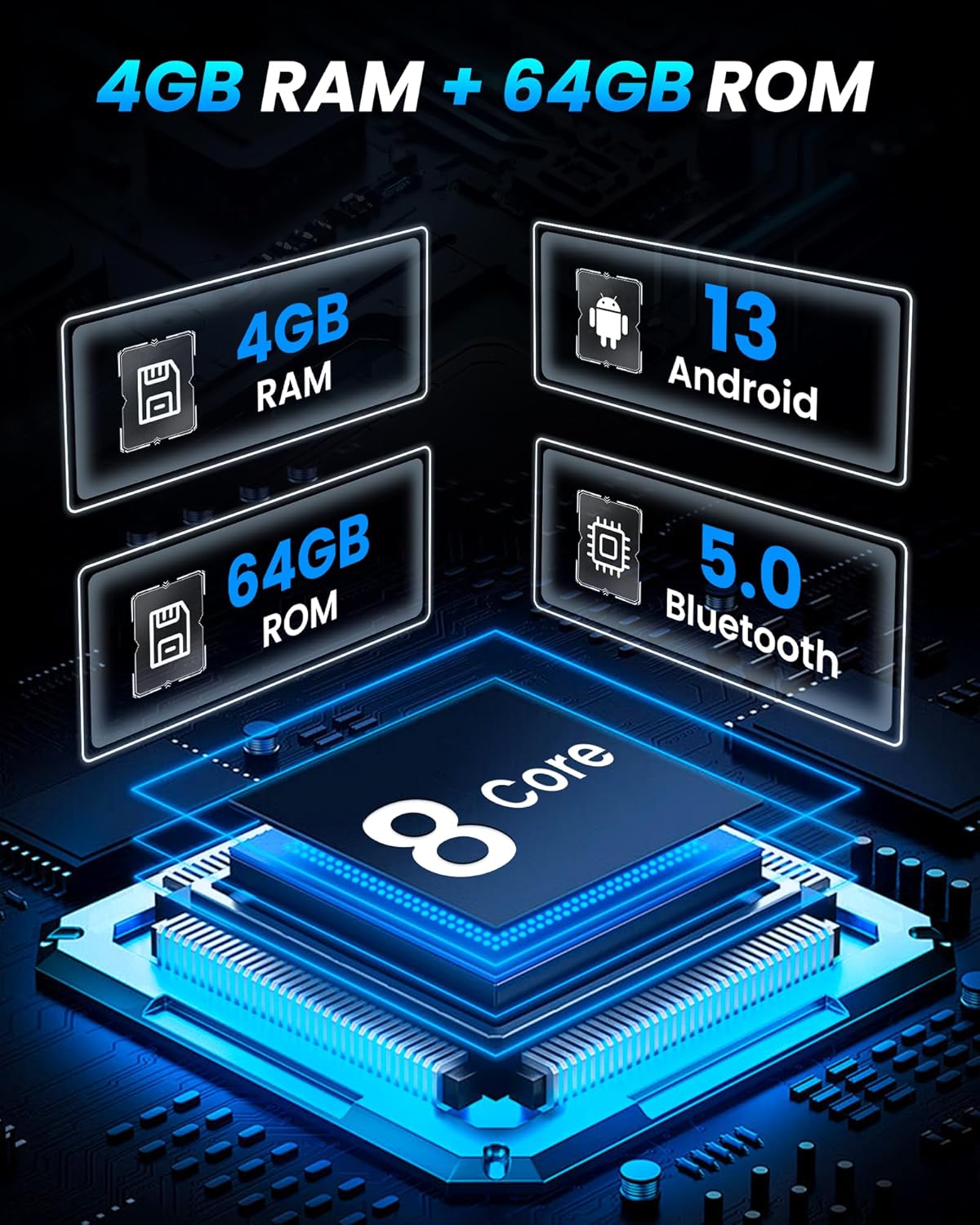
| Processore | 8-Nucleo |
| Memoria RAM | 4 GB |
| Memoria interna | 64 GB |
| Sistema operativo | Androide 15 |
| Connettività | Bluetooth, USB, 5G Wi-Fi |
| Caratteristiche speciali | Wireless CarPlay, Android Auto, GPS Navigation, FM AM RDS Radio, 36-band EQ DSP, 1080P Rear View Camera, Mirror Link, Split-screen, SWC |
| Dimensioni del prodotto | 3.3 cm L x 6.3 cm P x 16.4 cm A |
| Peso dell'articolo | 4 libbre |
10. Garanzia e supporto
For warranty information, please refer to the documentation included in your product package. For technical support, troubleshooting assistance, or any inquiries regarding your Jufodrca car radio, please contact Jufodrca-US customer service.
Jufodrca-US Customer Service:
- Refer to the contact information provided in your product's installation guide or user manual.
- Visit the official Jufodrca Store on Amazon for additional resources and support.