
1. Introduzione
This manual provides detailed instructions for the safe and proper installation, operation, and maintenance of your LOKLNEYK Universal TV Bracket, Model liangwei 90. This low-profile wall mount is designed for most 14-60 inch flat or curved TVs with a maximum VESA compatibility of 200x200mm and a maximum load capacity of 40kg.
Please read this manual thoroughly before installation and retain it for future reference. Ensure all components are present and undamaged before proceeding.
2. Informazioni sulla sicurezza
AVVERTIMENTO: Improper installation may result in serious personal injury or damage to your TV and property. If you do not understand these instructions or have doubts about the safety of the installation, please contact a qualified installer.
- Non superare la capacità di carico massima di 40 kg (88 libbre).
- Assicurarsi che la struttura della parete possa sostenere in modo sicuro il peso combinato del supporto e della TV.
- Utilizzare sempre un cerca-montanti per individuare i montanti della parete e garantire un montaggio sicuro. In caso di montaggio su cemento o mattoni, utilizzare tasselli adeguati (non sempre inclusi).
- Durante l'installazione, indossare dispositivi di sicurezza adeguati, tra cui protezioni per gli occhi.
- Tenere lontani bambini e animali domestici durante l'installazione.
- Non stringere eccessivamente le viti, poiché ciò potrebbe danneggiarle.
- Questo prodotto è destinato esclusivamente all'uso in ambienti interni.
3. Specifiche del prodotto
| Tipo di prodotto | TV Mount Accessories |
| Compatibilità delle dimensioni dello schermo | 14-60 inches (Flat/Curved TVs) |
| Compatibilità VESA | Max VESA 200x200mm |
| Peso massimo del carico | 40 kg (88 libbre) |
| Regolazione | Fixed with 0-15° tilting angle |
| Tipo di installazione | Montaggio a parete |
| Materiale | Acciaio laminato a freddo |
| Peso dell'articolo | 1.76 once (0.05 kg) |
| Numero di modello | liangwei 90 |
Note: The product is designed for a low-profile installation, keeping your TV close to the wall.
4. Contenuto della confezione
Please verify that all parts are included before installation. If any parts are missing or damaged, do not proceed with installation and contact customer support.
- Piastra da muro (1)
- Bracci per supporto TV (2)
- Mounting Hardware (Screws, Washers, Spacers, Wall Anchors - specific quantities may vary)
- Bubble Level (1) (Often included for installation)

Figure 1: Mount Dimensions and VESA Compatibility. This image illustrates the overall dimensions of the mount (440mm width, 417mm height) and indicates compatibility for 26-60 inch TVs. While the image shows VESA up to 400x400mm, please adhere to the product specification of Max VESA 200x200mm.
5. Configurazione e installazione
Follow these steps carefully to install your LOKLNEYK Universal TV Bracket.
5.1 Strumenti necessari (non inclusi)
- Matita
- Trapano
- Cacciavite con testa Phillips
- Stud Finder (per pareti con montanti in legno)
- Nastro di misurazione
- Livello (spesso è inclusa una piccola livella a bolla)
5.2 Fissaggio delle staffe TV al televisore
- Posizionare con cautela il televisore a faccia in giù su una superficie morbida e pulita per evitare di danneggiare lo schermo.
- Identifica i fori di montaggio VESA sul retro del televisore.
- Select the appropriate screws, washers, and spacers from the provided hardware that fit your TV's mounting holes. Ensure the screws are long enough to securely fasten the brackets but not so long that they damage internal components.
- Attach the two vertical TV bracket arms to the back of your TV using the selected hardware. Ensure the hooks on the bracket arms are facing upwards and the arms are centered and level. Do not overtighten.
5.3 Montaggio della piastra a parete
- Determine the desired height for your TV. Mark the center of where you want the TV to be.
- Hold the wall plate against the wall at the desired height and use a level to ensure it is perfectly horizontal. Mark the drilling locations through the holes on the wall plate.
- Per pareti con montanti in legno: Use a stud finder to locate the center of two adjacent wood studs. Drill pilot holes at the marked locations. Secure the wall plate to the studs using the provided wood screws and washers.
- Per muri in cemento/mattoni: Drill pilot holes at the marked locations. Insert the plastic wall anchors into the drilled holes. Secure the wall plate using the provided concrete screws and washers.
- Verify the wall plate is securely fastened and level before proceeding.

Figure 2: Wall Plate Installation. This image shows the main wall plate securely mounted to a wall, ready for the TV to be attached.

Figure 3: Mount Construction Detail. This image emphasizes the cold-rolled steel material, indicating durability, and shows a built-in bubble level for accurate installation.
5.4 Appendere la TV
- With assistance, carefully lift the TV with the attached bracket arms.
- Hook the TV bracket arms onto the top edge of the wall plate.
- Gently lower the TV until the bracket arms fully engage with the wall plate.
- Secure the TV to the wall plate using the safety screws or locking mechanisms located at the bottom of the TV bracket arms. This prevents accidental dislodging.
- Check that the TV is level and securely mounted.
6. Funzionamento
The LOKLNEYK Universal TV Bracket is a low-profile wall mount designed for a fixed position with a slight tilting capability.
- Posizione fissa: Once installed, your TV will be held securely in a fixed position close to the wall, optimizing space.
- Angolo di inclinazione: This mount allows for a 0-15° tilting adjustment. To adjust the tilt, loosen the tilt adjustment screws on the side of the TV bracket arms, set the desired angle, and then securely tighten the screws. This feature helps reduce glare and provides a comfortable viewing experience from various positions.
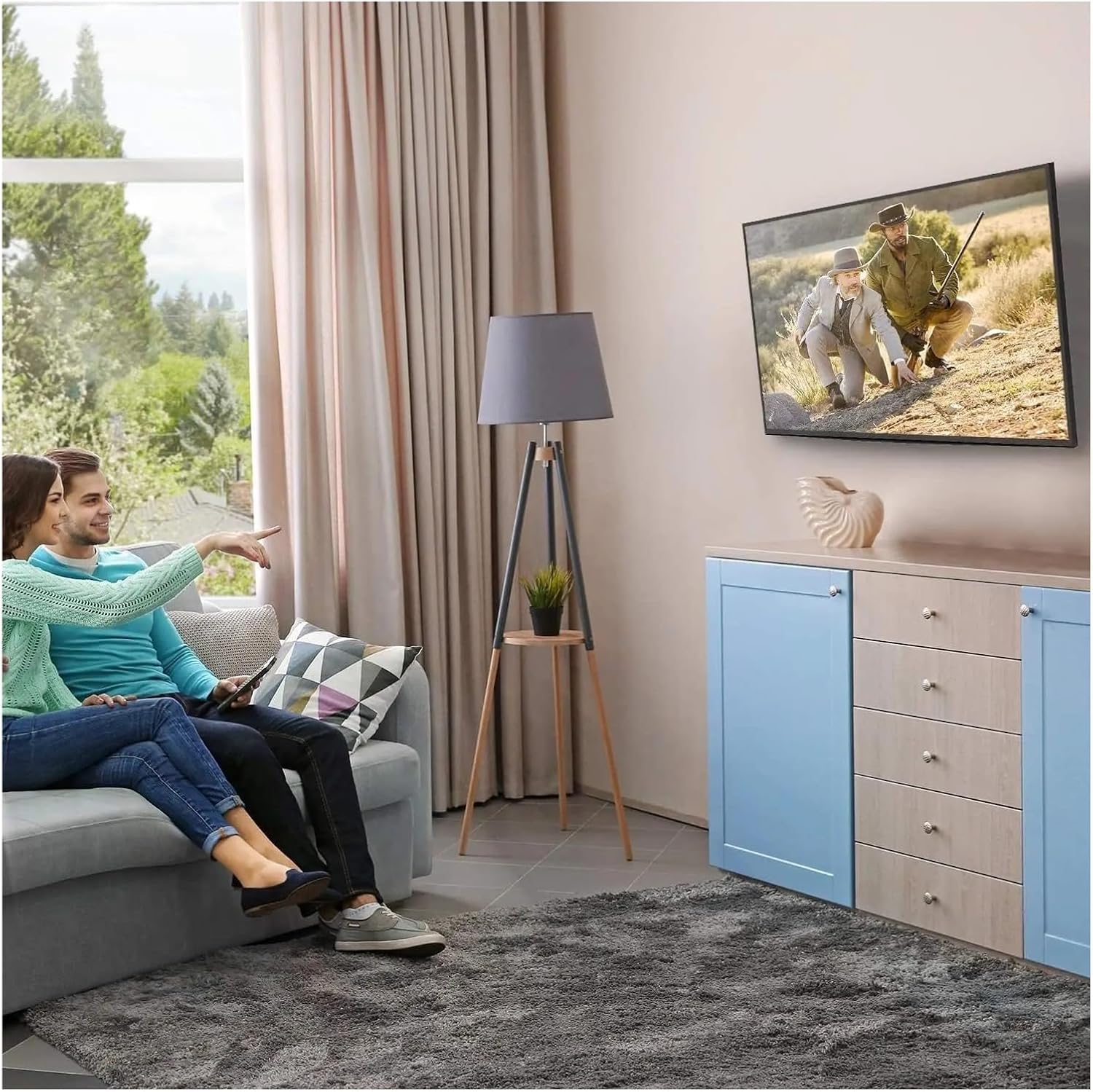
Figura 4: Ottimale Viewing Experience. This image demonstrates the TV mounted on the wall, providing an enhanced viewing experience and saving space.
7. Manutenzione
Regular maintenance ensures the longevity and safety of your TV mount.
- Pulizia: Spolverare periodicamente la montatura con un panno morbido e asciutto. Evitare detergenti abrasivi o solventi.
- Controllare le connessioni: Annually, or if you notice any instability, check all screws and bolts to ensure they are securely tightened. Do not overtighten.
- Ispezionare per danni: Periodically inspect the mount for any signs of wear, corrosion, or damage. If any damage is found, contact customer support for replacement parts or advice.
8. Risoluzione Dei Problemi
Se si verificano problemi durante o dopo l'installazione, fare riferimento ai seguenti problemi comuni e alle relative soluzioni.
| Problema | Possibile causa | Soluzione |
|---|---|---|
| La TV non è in piano | Piastra a muro non livellata durante l'installazione. | Remove TV, adjust wall plate to be level, re-mount TV. Use a level during installation. |
| TV feels unstable | Screws not fully tightened; incorrect wall anchors used; wall structure insufficient. | Ensure all screws are tightened. Verify wall type and use correct anchors. Consult a professional if wall structure is questionable. Do not exceed weight capacity. |
| Cannot attach TV bracket arms to TV | Schema VESA errato; viti sbagliate utilizzate. | Verify your TV's VESA pattern matches the mount's compatibility (max 200x200mm). Ensure correct screw diameter and length are used for your TV. |
| TV does not tilt | Le viti di regolazione dell'inclinazione sono troppo strette. | Loosen the tilt adjustment screws slightly, adjust the angle, then re-tighten. |
9. Garanzia e supporto
For warranty information or technical support, please refer to the documentation included with your purchase or contact LOKLNEYK customer service directly. Please have your model number (liangwei 90) and purchase details ready when contacting support.
Manufacturer: LOKLNEYK
Data di prima disponibilità: 10 gennaio 2026