
1. Introduzione
This manual provides detailed instructions for the installation, operation, and maintenance of your CARabc Wireless CarPlay & Android Auto Retrofit Kit Decoder. This device integrates advanced smartphone connectivity into your Ford vehicle's existing Sync2 system, enhancing your driving experience with features like wireless CarPlay, Android Auto, Mirrorlink, navigation, and voice control.
Please read this manual thoroughly before installation and use to ensure proper functionality and to avoid any damage to the product or your vehicle.
2. Compatibilità
This CarPlay Retrofit Kit Decoder is specifically designed for Ford vehicles manufactured between 2013 and 2015 that are equipped with the Sync2 System and a factory 8-inch LCD screen. Compatible models include, but are not limited to, C-max, Edge, Escape, Expedition, Explorer, F-150, Fiesta, Flex, and Focus.
Nota importante:
Prima dell'acquistoasing or installing, it is crucial to verify that your car's system is Sync2 and features an 8-inch LCD screen. This device is not compatible with Sync3 or other Ford systems. Please refer to the images below to confirm your vehicle's system type.
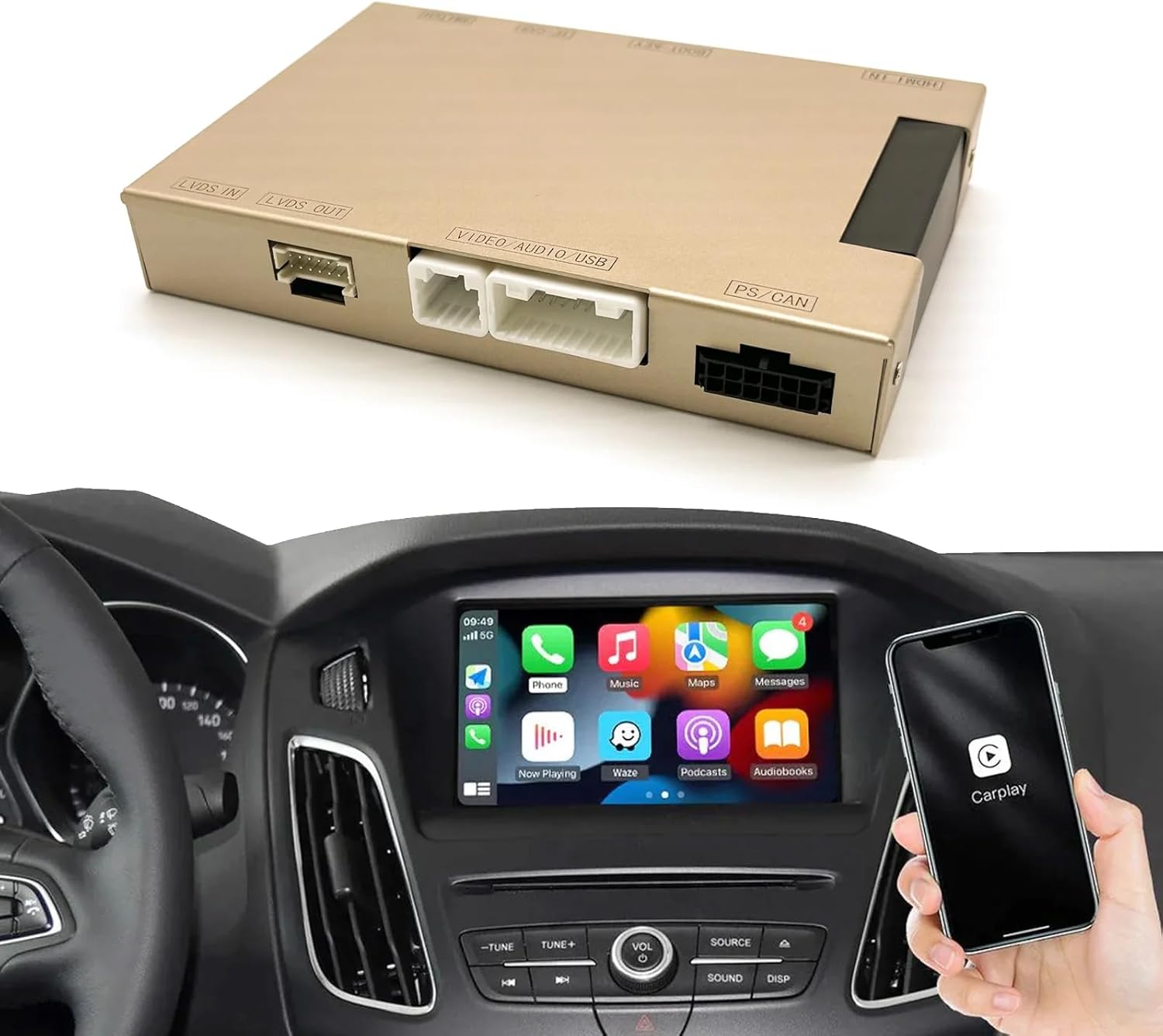
Image: Visual guide for identifying compatible Ford Sync2 8-inch LCD screens versus incompatible Sync3 or smaller screens.
3. Prodotto finitoview e cosa c'è nella scatola
The CARabc Retrofit Kit Decoder is an interface box designed to add CarPlay and other functions to your original car system without replacing the factory screen. It integrates seamlessly, allowing your car to retain its original system while gaining new capabilities.
Contenuto della confezione:
- CarPlay Interface Box
- Cavo di alimentazione
- Cavo CAN
- Scheda PCB
- LVDS Cable
- Microfono esterno
- Cavo della telecamera di retromarcia
- Davanti View Cavo della fotocamera
- 360 Cavo fotocamera
- Car Knob Control Cable
- Other necessary installation cables and adapters
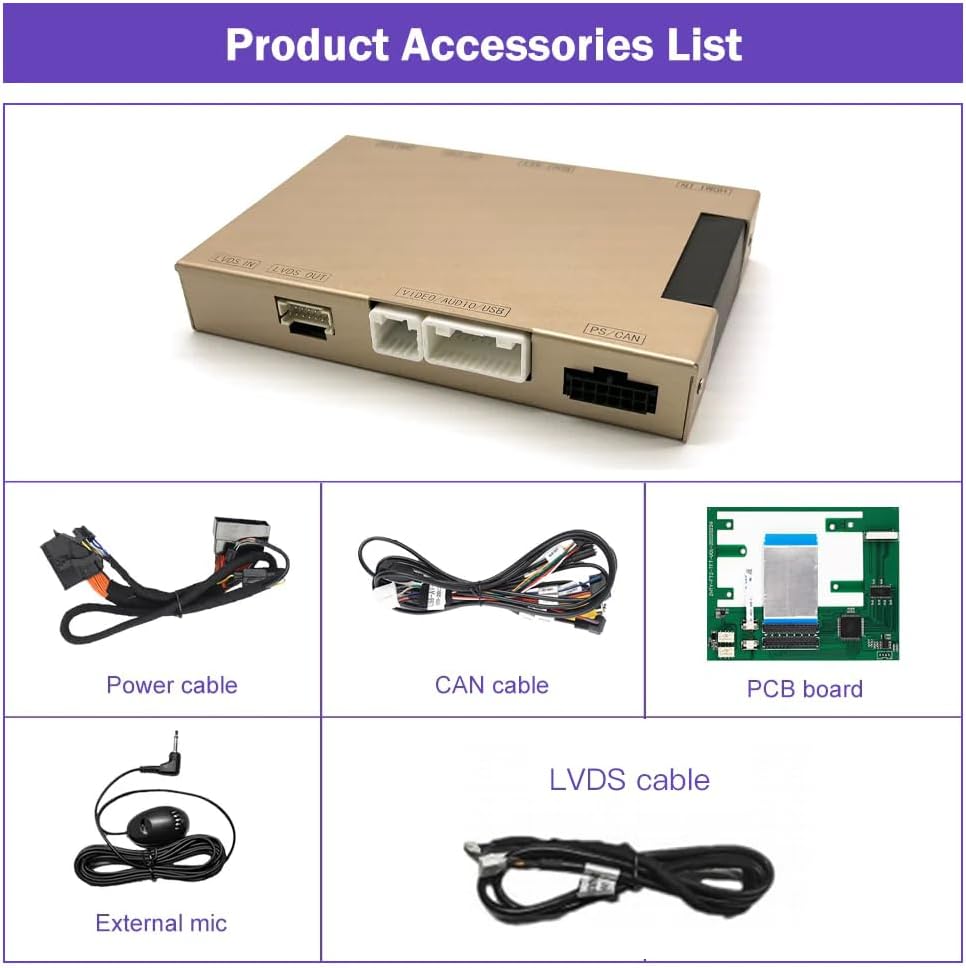
Image: Contents of the CARabc Retrofit Kit package, including the main unit and connecting cables.
4. Caratteristiche principali
- CarPlay e Android Auto wireless/cablati: Seamless integration for navigation, music, calls, and more.
- Funzionalità Mirrorlink: Visualizza lo schermo del tuo smartphone direttamente sul display dell'auto.
- Controllo vocale: Supporta Siri e Google Assistant per l'utilizzo a mani libere.
- Riproduzione multimediale: Enjoy YouTube, TV news, photos, and other media.
- Supporto per fotocamera: Compatible with factory original reverse cameras, parking radar, aftermarket reverse cameras, 360 cameras, and front view telecamera DVR (ingresso CVBS).
- Mantenimento del controllo originale dell'auto: Maintains functionality of original car knob controls and steering wheel buttons for voice control and telephone functions.

Image: Demonstration of various features including CarPlay, Android Auto, Mirrorlink, and reverse camera display.

Immagine: dettagliata view of Apple CarPlay, Android Auto, and Mirror Link functionalities.
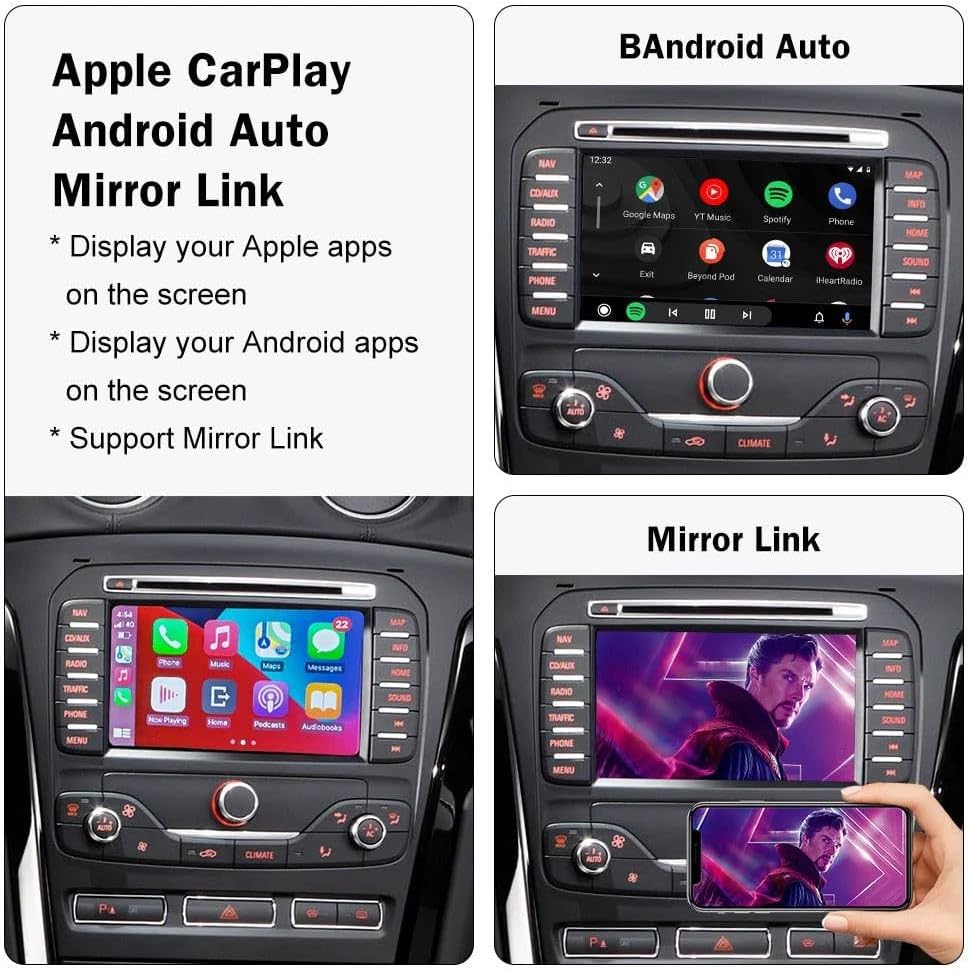
Image: Voice assistant capabilities for navigation and music control.
5. Istruzioni per la configurazione e l'installazione
Installation of the CARabc Retrofit Kit Decoder requires removal of the vehicle's dashboard to access the original car CD player and connect the provided cables. This process involves working with vehicle electronics and interior components. It is highly recommended that installation be performed by a qualified professional to ensure correct wiring and prevent damage to your vehicle or the product.
After installation, ensure all functions are working correctly before reassembling the dashboard. Incorrect cable connections or improper settings are common causes of issues, which can often be resolved by re-checking the installation steps.
Fasi generali di installazione (si consiglia l'installazione professionale):
- Carefully remove the vehicle's dashboard trim and access the original car CD player/head unit.
- Disconnect necessary factory cables from the head unit.
- Connect the CARabc interface box using the provided power, CAN, LVDS, and other specific cables, ensuring secure connections.
- Integrate any optional camera inputs (reverse, front, 360) as required.
- Test all functionalities (CarPlay, Android Auto, Mirrorlink, audio, steering wheel controls, cameras) before fully reassembling the dashboard.
- Rimontare saldamente i componenti del cruscotto.
6. Istruzioni per l'uso
6.1. Collegamento wireless di CarPlay/Android Auto
To connect your smartphone wirelessly, ensure Bluetooth and Wi-Fi are enabled on your phone. Pair your phone with the CARabc device via Bluetooth. Once paired, the system will automatically initiate the CarPlay or Android Auto connection. Follow any on-screen prompts on your phone or the car's display.
Video: Demonstration of connecting a smartphone to the CARabc system for wireless CarPlay functionality, including music playback and navigation.
6.2. Using Mirrorlink
The Mirrorlink function allows you to display your smartphone's screen directly onto the car's 8-inch LCD. To activate, select the Mirrorlink option from the CARabc interface. Ensure your phone is connected to the device's Wi-Fi network. Follow your phone's instructions for screen mirroring (e.g., AirPlay for iOS, Smart View per Android).
6.3. Controllo vocale (Siri / Assistente Google)
Utilize your car's original steering wheel voice control button to activate Siri or Google Assistant. This allows for hands-free commands for navigation, making calls, sending messages, and controlling music playback, enhancing safety while driving.
6.4. Original Car Knob and Steering Wheel Controls
The CarPlay interface decoder box supports the voice control button and telephone (Tel) button on your steering wheel. Other steering wheel buttons may not be fully supported for CarPlay/Android Auto functions but will retain their original functionality within the Sync2 system.
7. Supporto della fotocamera
The CARabc Retrofit Kit Decoder offers extensive camera compatibility:
- Telecamera posteriore originale di fabbrica: Seamlessly integrates with your vehicle's existing reverse camera and parking radar system.
- Telecamere aftermarket: Supports the addition of aftermarket reverse cameras and 360-degree camera systems.
- Davanti View Videocamera DVR: Provides support for front view camera Digital Video Recorders (DVRs) with CVBS input.
Ensure all camera connections are made correctly during installation for optimal performance.
8. Risoluzione Dei Problemi
If you encounter issues with your CARabc Retrofit Kit Decoder, please review i seguenti passaggi comuni per la risoluzione dei problemi:
- Nessuna visualizzazione/schermo nero:
- Verify all power and LVDS cables are securely connected.
- Ensure the correct input source is selected on your car's Sync2 system.
- Confirm vehicle compatibility (Sync2 with 8-inch screen).
- CarPlay/Android Auto non si connette:
- Check that Bluetooth and Wi-Fi are active on your smartphone.
- Ensure your phone is paired correctly with the CARabc device via Bluetooth.
- Riavvia sia il telefono che il sistema di infotainment dell'auto.
- Per le connessioni cablate, prova un cavo USB diverso.
- Problemi audio:
- Confirm the car's audio input is set to AUX or the appropriate source for the CarPlay/Android Auto audio.
- Check volume levels on both the car system and your smartphone.
- I comandi al volante non rispondono:
- Only voice control and telephone buttons are supported. Ensure these are connected correctly.
- Other buttons retain original Sync2 functionality.
- Malfunzionamenti generali:
- Many problems stem from incorrect cable connections or improper settings during installation. Re-check all connections.
- If issues persist, contact CARabc customer support for assistance.
9. Specifiche
| Caratteristica | Descrizione |
|---|---|
| Marca | CARabc |
| Nome del modello | CARabc |
| Tipo di servizio del veicolo | Auto |
| Compatibilità delle dimensioni dello schermo | 8 Inches (Ford Sync2) |
| Caratteristica speciale | CarPlay e Android Auto |
| Tecnologia di connettività | Bluetooth, USB |
| Tipo di mappa | In tutto il mondo (tramite smartphone connesso) |
| Tipo di montaggio | Dashboard Mount (internal) |
| Tipo di schermo tattile | Capacitive (utilizes original car screen) |
| Input dell'interfaccia umana | Buttons, Touch Screen (original), Voice |
| Supported Navigation System | GPS (via connected smartphone) |
10. Manutenzione
To ensure the longevity and optimal performance of your CARabc Retrofit Kit Decoder, follow these maintenance guidelines:
- Pulizia: Use a soft, dry cloth to clean the car's display and surrounding areas. Avoid harsh chemicals or abrasive materials.
- Aggiornamenti software: Controllare periodicamente le istruzioni del produttore websito o contattare l'assistenza per eventuali aggiornamenti firmware disponibili per garantire la compatibilità e l'accesso alle nuove funzionalità.
- Connessioni via cavo: If you experience intermittent issues, gently check the visible cable connections to ensure they are secure. Avoid pulling on cables forcefully.
- Condizioni ambientali: Operate the device within standard automotive temperature ranges. Extreme temperatures can affect electronic components.
11. Garanzia e supporto
CARabc products are designed for reliability and performance. For specific warranty information, please refer to the warranty card included with your product or visit the official CARabc websito. Conservare la prova d'acquisto per eventuali reclami in garanzia.
For technical support, installation guidance, or troubleshooting assistance, please contact CARabc customer service through the contact information provided on their official websito o tramite il tuo rivenditore.