
FULLJA B0GH85W9PM
FULLJA 32-inch Digital Picture Frame Instruction Manual
Model: B0GH85W9PM
1. Introduzione
Thank you for choosing the FULLJA 32-inch Digital Picture Frame. This device is designed to display your cherished photos and videos with a vivid 1080p IPS screen. It offers versatile display options, including portrait and landscape modes, and features dual-WiFi connectivity for easy content sharing via the VPhoto app. With 64GB of internal storage and support for external memory, you can keep a vast collection of memories on display. This manual provides detailed instructions to help you set up, operate, and maintain your digital picture frame.
Caratteristiche principali:
- 32-inch FHD IPS Screen with 1920x1080 Resolution and 16:9 Aspect Ratio
- Dual-WiFi (2.4GHz & 5GHz) for fast and reliable connectivity
- 64GB Internal Storage, expandable via Micro SD card and USB drive (up to 32GB recommended)
- VPhoto App (iOS & Android) for secure photo and video sharing from your smartphone
- Automatic Photo Rotation for optimal display in any orientation
- Remote Control for easy navigation and settings adjustment
- Features include Slideshow, Alarm Clock, Music Playback, Sleep Mode, Split-Screen Mode, Weather Station, and Wall-Mounting capabilities
2. Cosa c'è nella scatola
Dopo aver disimballato, assicurarsi che tutti i seguenti articoli siano presenti e in buone condizioni:
- FULLJA 32-inch Digital Picture Frame
- Adattatore di alimentazione
- Telecomando
- Manuale dell'utente (questo documento)
- Wall Mount Kit (if applicable, check packaging)
Note: Specific accessories may vary. Refer to your product packaging for a complete list.
Video: Unboxing the 32-inch Electronic Picture Frame. This video demonstrates the unboxing process and shows the included accessories, providing a visual guide to what you should find in your package.
3. Impostazione
3.1 Accensione iniziale e selezione della lingua
- Collegare l'adattatore di alimentazione al telaio e inserirlo in una presa di corrente.
- La cornice si accenderà automaticamente.
- Use the remote control to select your preferred language from the on-screen options.
Video: Customer Unboxing and Initial Setup. This video guides you through the initial power-on sequence, including language selection and basic navigation.
3.2 Connessione Wi-Fi
- Dal menu principale, vai su "Impostazioni" e seleziona "Wi-Fi".
- Choose your desired 2.4GHz or 5GHz network from the list.
- Enter your Wi-Fi password using the on-screen keyboard and remote control.
- Conferma la connessione. Una connessione riuscita verrà indicata sullo schermo.
3.3 VPhoto App Installation and Pairing
- On your smartphone or tablet, download the 'VPhoto' app from the App Store (iOS) or Google Play Store (Android).
- Open the VPhoto app and create an account or log in.
- On your digital picture frame, navigate to the 'Bind Device' or 'Add Device' section. A QR code or device ID will be displayed.
- In the VPhoto app, select 'Add Device' and scan the QR code displayed on your frame or manually enter the device ID.
- Seguire le istruzioni sullo schermo per completare il processo di associazione.

Image: Sharing Photos and Videos Anytime & Anywhere. This image illustrates the ease of sharing content to the digital frame using the VPhoto app on a smartphone, highlighting the wireless connectivity.
3.4 Posizionamento e montaggio
The FULLJA digital picture frame supports both horizontal and vertical orientations and can be placed on a surface or wall-mounted.
- Posizionamento sulla superficie: Ensure the frame is placed on a stable, flat surface away from direct sunlight or heat sources.
- Montaggio a parete: Use a compatible VESA mount (not always included, check your package) and follow the instructions provided with the mount. The frame features auto-rotation, so it will adjust the display orientation automatically.
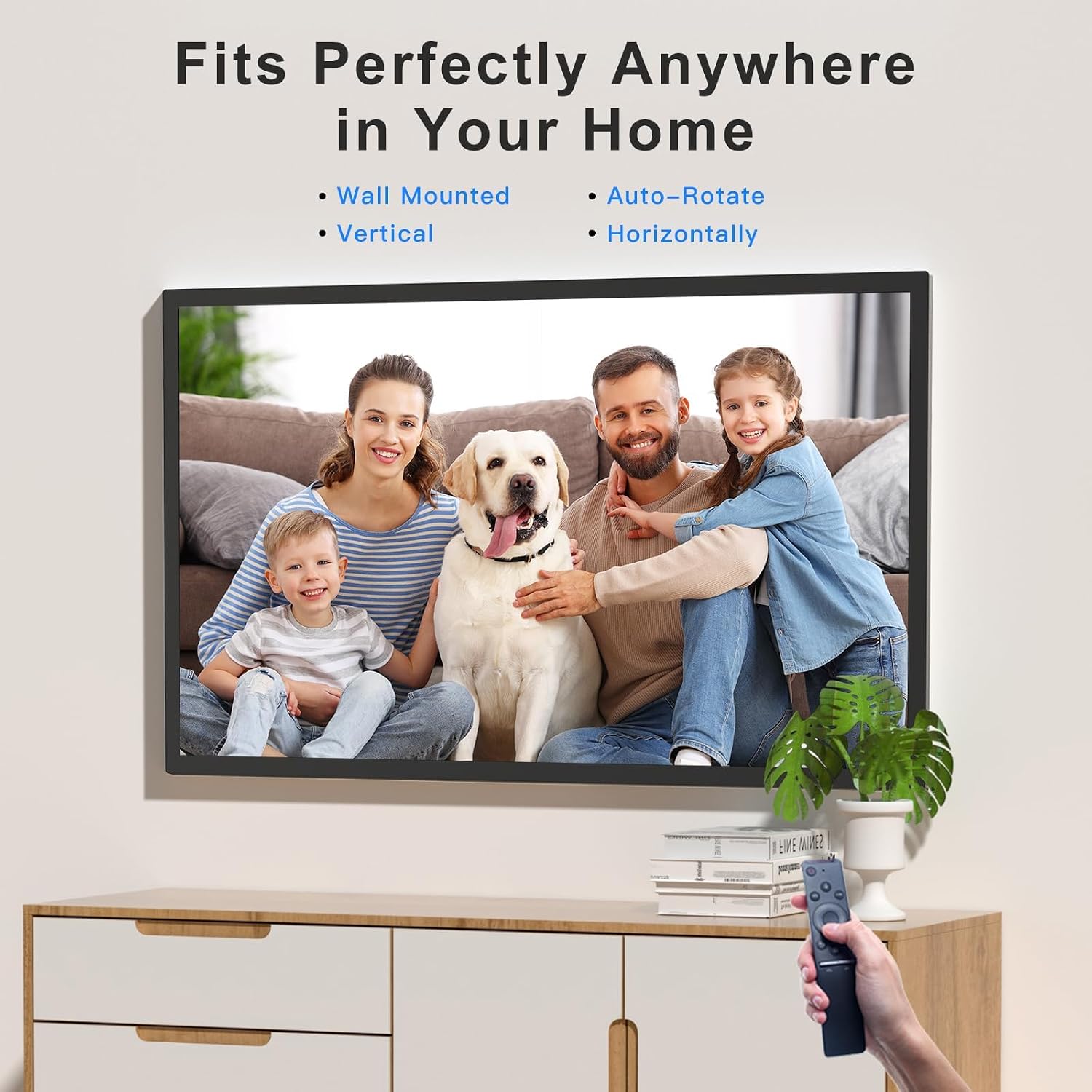
Image: Fits Perfectly Anywhere in Your Home. This image demonstrates the frame's flexibility for placement, showing it both wall-mounted and on a surface, and highlighting its auto-rotate feature for vertical or horizontal display.
Video: Wall-mountable Design. This video showcases the frame's wall-mounting capabilities and its ability to display content in both landscape and portrait orientations.
4. Istruzioni per l'uso
4.1 Condivisione di foto e video
There are multiple ways to add content to your digital picture frame:
- Via VPhoto App: Open the VPhoto app on your smartphone, select the photos or videos you wish to share, choose your connected frame, and send. Content will appear on the frame almost instantly.
- Via e-mail: The frame can be configured to receive photos and videos via email. Refer to the VPhoto app settings for your frame's unique email address and instructions.
- Tramite unità USB o scheda Micro SD: Insert a FAT32-formatted USB drive or Micro SD card (up to 32GB recommended) containing your media files into the designated slot on the frame. The frame will detect the storage and allow you to import or play content directly.

Image: Over 160,000 Stored Photos. This image highlights the frame's substantial 64GB built-in storage capacity, capable of holding a large number of photos and videos.
Video: Showcase of Photos and Videos. This video demonstrates how photos and videos are displayed on the large screen, including slideshow functionality.
Video: Music Playback. This video illustrates the process of playing music on the digital picture frame, including inserting a USB drive.
4.2 Impostazioni di presentazione e visualizzazione
Use the remote control to access the frame's settings and customize your viewesperienza di ing:
- Intervallo presentazione: Regola la durata di visualizzazione di ogni foto.
- Effetti di transizione: Choose from various transition styles between photos.
- Modalità di visualizzazione: Select full-screen or split-screen mode. Split-screen allows displaying multiple items simultaneously.
- Rotazione automatica: The frame automatically adjusts photo orientation based on its physical position.

Image: Screen Mirror. This image demonstrates the screen mirroring capability, showing how content from a smartphone can be displayed on the frame, including automatic rotation.
4.3 funzioni aggiuntive
- Sveglia: Set alarms directly from the frame's interface.
- Stazione metereologica: View current weather conditions and forecasts for your selected location.
- Modalità risparmio: Schedule automatic on/off times to conserve energy and avoid unnecessary display.
- Riproduzione musicale: Play background music during slideshows or as a standalone feature.
Video: Weather and Calendar Functionality. This video demonstrates how to access and use the weather station and calendar features on the digital picture frame.
Video: Alarm Clock Reminder. This video shows how to set and manage alarm clock functions on the digital photo frame.
5. Manutenzione
To ensure the longevity and optimal performance of your FULLJA Digital Picture Frame, follow these maintenance guidelines:
- Pulizia dello schermo: Pulisci delicatamente lo schermo con un panno morbido e privo di lanugine. Per le macchie ostinate, strofina leggermenteampPulisci il panno con acqua o una soluzione detergente adatta allo schermo. Evita prodotti chimici aggressivi o materiali abrasivi.
- Pulizia del telaio: Utilizzare un panno asciutto e morbido per pulire la parte esterna del telaio.
- Magazzinaggio: If storing the frame for an extended period, power it off, unplug it, and store it in a cool, dry place away from direct sunlight and extreme temperatures.
- Aggiornamenti software: Periodically check for firmware updates through the frame's settings or the VPhoto app to ensure you have the latest features and bug fixes.
6. Risoluzione Dei Problemi
Se riscontri problemi con la tua cornice digitale, fai riferimento ai seguenti problemi comuni e alle relative soluzioni:
| Problema | Possibile causa | Soluzione |
|---|---|---|
| Il telaio non si accende. | Adattatore di alimentazione non collegato o difettoso. | Assicurati che l'adattatore di alimentazione sia collegato saldamente al telaio e a una presa di corrente funzionante. Prova una presa diversa. |
| Impossibile connettersi al Wi-Fi. | Password errata, fuori portata o problema di rete. | Verify the Wi-Fi password. Move the frame closer to the router. Restart your router and the frame. Ensure your network is 2.4GHz or 5GHz compatible. |
| Photos/Videos not appearing from VPhoto app. | Telaio non associato, app non connessa o problema di rete. | Ensure the frame is online and correctly paired with your VPhoto app. Check your internet connection on both the frame and your phone. Restart the app and the frame. |
| Email photo transfer fails. | Incorrect email address for the frame, email service issues, or file size limits. | Double-check the frame's unique email address in the VPhoto app. Ensure the file size of the photos/videos is within acceptable limits. Check your email service provider for any sending restrictions. |
| Unità USB/scheda SD non riconosciuta. | Incorrect format, incompatible capacity, or faulty card/drive. | Ensure the USB drive or Micro SD card is formatted to FAT32. Recommended maximum capacity is 32GB. Try a different card or drive. |
| Screen display is dim or distorted. | Brightness settings, faulty display, or external interference. | Adjust brightness settings using the remote control. If the issue persists, contact customer support. |
7. Specifiche
| Caratteristica | Dettaglio |
|---|---|
| Marca | PIENOJA |
| Numero di modello | B0GH85W9PM |
| Dimensioni dello schermo | 32 pollici |
| Risoluzione | 1920x1080 (1080p) |
| Proporzioni | 16:9 |
| Tipo di visualizzazione | Informazione pubblica |
| Capacità di archiviazione della memoria | 64 GB |
| Tecnologia di connettività | USB, Wi-Fi (2.4GHz & 5GHz) |
| Metodo di controllo | Telecomando |
| Dispositivi compatibili | Personal Computer, Smartphone |
| Fonte di alimentazione | Elettrico con cavo |
| Materiale del telaio | Plastica |
| Dimensioni dell'articolo (L x P) | 17.05"L x 29.02"W |
| Codice UPC | 607611394674 |
8. Informazioni sulla garanzia
The FULLJA 32-inch Digital Picture Frame comes with a Garanzia del produttore di 1 anno. This warranty covers defects in materials and workmanship under normal use. It does not cover damage caused by misuse, accidents, unauthorized modifications, or external causes.
Please retain your proof of purchase for warranty claims. For detailed terms and conditions, refer to the warranty card included in your product packaging or contact customer support.
9. Assistenza clienti
If you have any questions, require technical assistance, or need to make a warranty claim, please contact FULLJA customer support through the following channels:
- Fare riferimento alle informazioni di contatto fornite sulla confezione del prodotto.
- Visit the official FULLJA websito per risorse di supporto e recapiti.
- For issues related to the VPhoto app, refer to the app's help section or support contact.
Please have your product model number (B0GH85W9PM) and proof of purchase ready when contacting support.
Ask a question about this manual
Ask about setup, troubleshooting, compatibility, parts, safety, or missing instructions. Manuals+ will review the question and use this page’s manual context to help answer it.