
Introduzione
The Wooask A9 AI Translator Earbuds are designed to provide seamless global communication and connectivity. This device integrates instant translation, 4G calling, mobile hotspot capabilities, and an AI assistant into a single, portable unit. It supports both online and offline translation across numerous languages, making it an essential tool for international travel, business, and daily interactions.
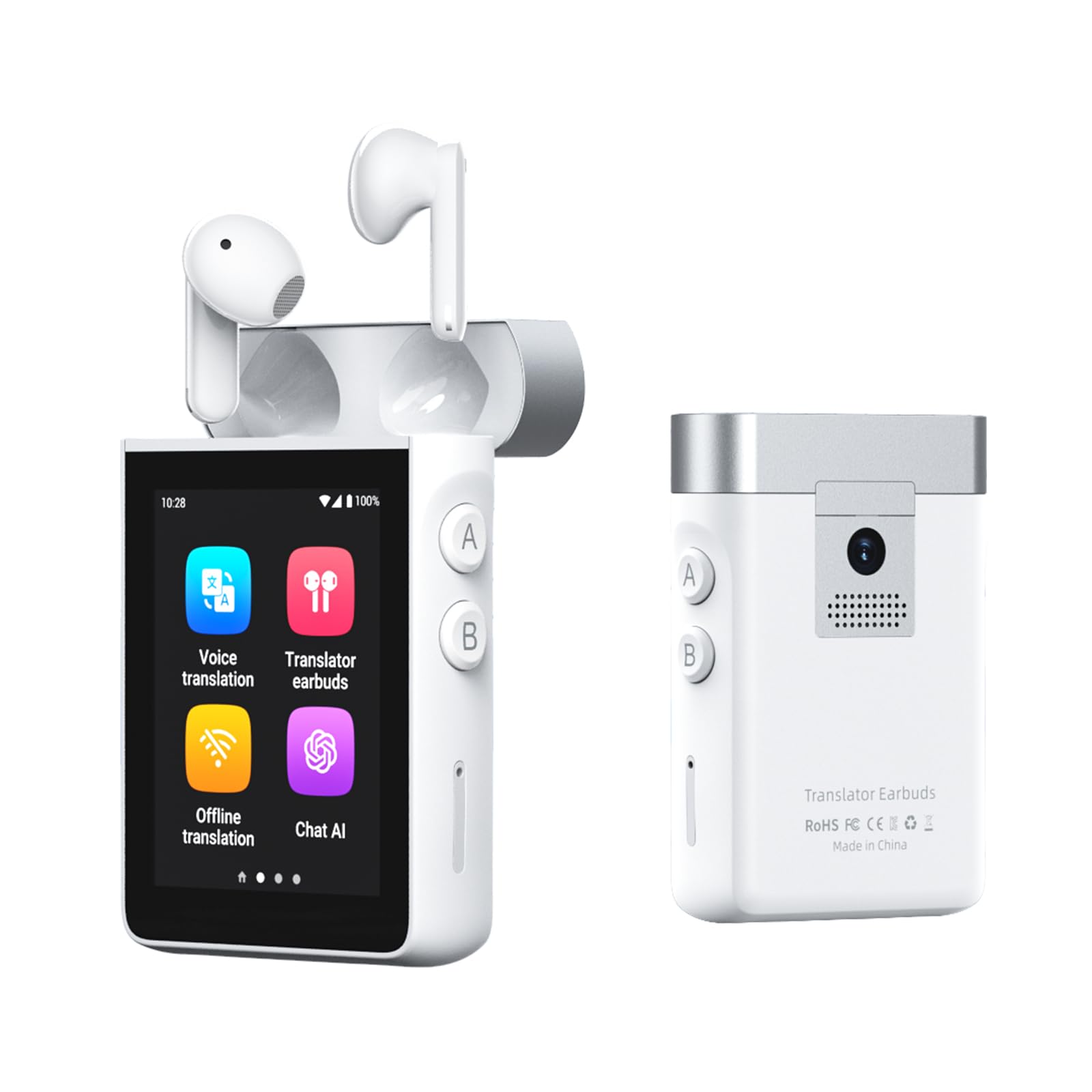
Image: The Wooask A9 AI Translator Earbuds device with its charging case, showcasing il suo design compatto.
Cosa c'è nella scatola
- 2 x A9 Translation Earbuds (Left & Right)
- 1 x A9 Charging Case (Supports 4G + WiFi)
- Cavo di ricarica 1 x USB-C
- 1 strumento di espulsione della scheda SIM
- 1 x Manuale utente

Image: A visual representation of all items included in the Wooask A9 product package.
Impostare
Accensione iniziale
- Press and hold the power button on the side of the A9 device until the screen illuminates.
- Follow the on-screen prompts to select your preferred system language and initial settings.
Abbinamento di auricolari
- Ensure the earbuds are placed inside the charging case.
- Open the charging case. The earbuds will automatically connect to the A9 device. A confirmation message will appear on the screen.
- For first-time use, navigate to the 'Translator Earbuds' application on the A9 screen and confirm pairing.

Image: The Wooask A9 device displaying a 'Connected' status for the earbuds, illustrating the instant pairing feature.
SIM Card Insertion (Optional for 4G/Hotspot/Calls)
- Locate the SIM card slot on the side of the A9 device.
- Use the provided SIM card ejector tool to open the SIM tray.
- Place a local Nano-SIM card into the tray, ensuring correct orientation.
- Spingere delicatamente il vassoio nuovamente nel dispositivo finché non scatta in posizione.
- The device will detect the SIM card and enable 4G connectivity, calling, and hotspot features.

Image: A step-by-step visual guide on inserting a SIM card into the Wooask A9 to unlock advanced features.
Modalità operative
1. Voice Translation Mode
For direct, real-time spoken translation using the device's built-in microphone and speaker.
- Select 'Voice Translation' from the main menu.
- Choose your native language (e.g., English) and the target language (e.g., Spanish).
- Press and hold the corresponding language button (A or B) on the side of the device while speaking. Release the button to hear the translation.

Image: The Wooask A9 device showing a real-time translation of spoken words, highlighting its speed and accuracy.
2. Translator Earbuds Mode
Enables discreet, two-way communication through the included earbuds, ideal for private conversations or noisy environments.
- Select 'Translator Earbuds' from the main menu.
- Ensure earbuds are paired and worn by both participants.
- Speak naturally. The device will translate and deliver audio to each person's earbud in their native language.

Image: Two people engaged in a conversation, each wearing a Wooask A9 earbud for private, real-time translation.
3. Offline Translation Mode
Translate without an internet connection. Supports 16 widely spoken languages.
- Selezionare "Traduzione offline" dal menu principale.
- Choose from the available offline language pairs.
- Proceed with voice translation as described above.

Image: A man and a flight attendant communicating using the Wooask A9 for offline translation during a flight.
4. Modalità di traduzione delle foto
Translate text from images using the built-in 8MP camera.
- Selezionare "Traduzione foto" dal menu principale.
- Point the camera at the text you wish to translate (e.g., menu, sign, document).
- Tap the screen to capture the image. The translated text will appear instantly.

Image: The Wooask A9 device using its integrated 8MP camera to translate text from a sign in a foreign language.
5. 4G Calling & Hotspot (with SIM card)
With a SIM card inserted, the A9 can function as a standalone phone and a mobile hotspot.
- Effettuare le chiamate: Select 'Telephone' from the main menu, dial the number, and make calls directly from the device.
- Sharing Hotspot: Go to 'Settings' > 'Hotspot and network sharing' to activate the 4G mobile hotspot.

Image: The Wooask A9 device acting as a mobile hotspot, providing internet connectivity to a laptop, phone, and tablet.
6. ChatGPT AI Assistant
Access lifetime-free ChatGPT for intelligent queries, travel planning, and more.
- Select 'Chat AI' from the main menu.
- Speak your questions or commands into the device. ChatGPT will provide real-time responses.

Image: The Wooask A9 screen showing an interaction with the built-in ChatGPT AI assistant, providing information about the Eiffel Tower.
7. Media Playback & Recorder
Enjoy online music and video playback, or use the 16GB voice recorder.
- Musica/Video: Select 'Music' or 'Video' from the main menu to access media files o servizi di streaming.
- Registratore: Select 'Recorder' to start, pause, and save voice recordings. The device has 16GB of internal storage.

Image: The Wooask A9 device displaying its recording function during a business meeting, highlighting its 16GB storage.
Manutenzione
Pulizia
- Wipe the device and earbuds with a soft, dry, lint-free cloth.
- Non utilizzare detergenti abrasivi, alcol o solventi chimici.
Cura della batteria
- Per preservare la salute della batteria, caricare regolarmente il dispositivo, anche quando non lo si utilizza.
- Evitare temperature estreme, che possono compromettere le prestazioni della batteria.

Image: Visual representation of the Wooask A9's long-lasting battery life, including single charge, total with case, and standby times.
Risoluzione dei problemi
Il dispositivo non si accende
- Assicurati che il dispositivo sia completamente carico. Collegalo a una fonte di alimentazione utilizzando il cavo USB-C in dotazione.
- Tenere premuto il pulsante di accensione per almeno 10 secondi per tentare un riavvio forzato.
Imprecisione della traduzione
- Speak clearly and at a moderate pace. Avoid speaking too quickly or with heavy accents.
- Assicurati di aver selezionato le lingue di origine e di destinazione corrette.
- For online translation, check your Wi-Fi or 4G connection strength.
- Assicurarsi che il microfono non sia ostruito.
Gli auricolari non si collegano
- Place both earbuds back into the charging case and close it for a few seconds, then reopen.
- Check the Bluetooth settings on the A9 device to ensure Bluetooth is enabled and the earbuds are listed as a paired device.
- Assicurarsi che gli auricolari siano carichi.
Specifiche
| Caratteristica | Dettaglio |
|---|---|
| Marca | Chiedi |
| Numero di modello | Wooask-A9 |
| Colore | Bianco |
| Posizionamento dell'orecchio | Nell'orecchio |
| Fattore di forma | Nell'orecchio |
| Impedenza | 60 Ohm |
| Controllo del rumore | Cancellazione adattiva del rumore |
| Telecamera | 8MP for Photo Translation |
| Connettività | 4G, Wi-Fi, Bluetooth |
| Lingue offline | 16 (English, Spanish, Simplified Chinese, Traditional Chinese, French, German, Japanese, Arabic, Portuguese, Russian, Korean, Thai, Hindi, Vietnamese, Italian, Indonesian) |
| Lingue online | 144 |
| Durata della batteria (continua) | Fino a 5 ore |
| Durata della batteria (totale con custodia) | Fino a 36 ore |
| Tempo di standby | 30 giorni |
| Peso | 118g (device) |
Garanzia e supporto
Garanzia
The Wooask A9 AI Translator Earbuds come with a Garanzia globale di 2 anni, garantendoti la massima tranquillità per il tuo acquisto.
Assistenza clienti
Wooask provides Assistenza clienti 24 ore su 7, XNUMX giorni su XNUMX per qualsiasi domanda o assistenza di cui potresti aver bisogno.
Resi
A Rimborso entro 30 giorni policy is available for eligible returns.
Aggiornamenti software
Beneficiare di Aggiornamenti gratuiti a vita (OTA updates) to ensure your device always has the latest features and language improvements.

Image: The Wooask A9 device highlighting its comprehensive support features: Lifetime Free Updates, 2-Year Global Warranty, 24/7 Support, and 30-Day Refund.