
Introduzione
Thank you for choosing the OneOdio Focus A1Pro Wireless On-Ear Headphones. This manual provides detailed instructions for setting up, operating, maintaining, and troubleshooting your new headphones. Please read this manual thoroughly before use to ensure optimal performance and longevity of your device.
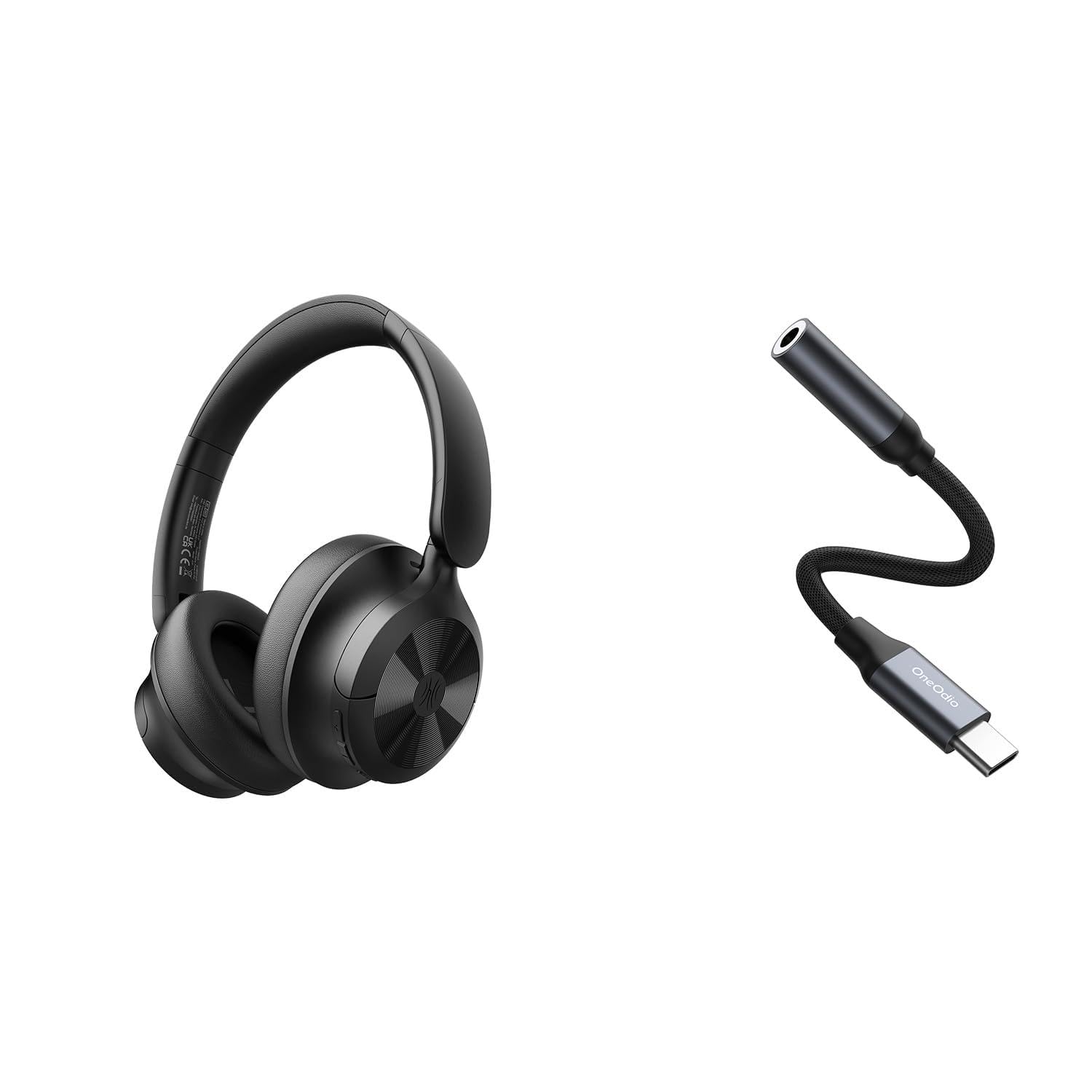
Image: OneOdio Focus A1Pro Wireless On-Ear Headphones. This image displays the headphones in their typical on-ear design, showcasing i padiglioni auricolari e l'archetto.
Contenuto della confezione
Si prega di controllare la confezione per verificare la presenza dei seguenti elementi:
- OneOdio Focus A1Pro Wireless On-Ear Headphones
- Adattatore audio da USB-C a 3.5 mm
- Cavo di ricarica USB-C
- Borsa da trasporto
- Manuale dell'utente (questo documento)
Impostare
1. Carica delle cuffie
Before first use, fully charge the headphones. Connect the USB-C charging cable to the charging port on the headphones and the other end to a USB power source (e.g., computer USB port, wall adapter). The LED indicator will show charging status and turn off or change color when fully charged.

Image: Close-up of the USB-C charging port on the OneOdio Focus A1Pro headphones, with a charging cable connected.
2. Accensione/Spegnimento
- Per accendere: Tenere premuto il pulsante multifunzione per circa 3 secondi finché l'indicatore LED non lampeggia in blu.
- Per spegnere: Tenere premuto il pulsante multifunzione per circa 3 secondi finché l'indicatore LED non lampeggia in rosso e poi si spegne.
3. Accoppiamento Bluetooth
- Assicurati che le cuffie siano spente.
- Press and hold the Multi-function button for 5-7 seconds until the LED indicator flashes red and blue alternately. This indicates pairing mode.
- Sul tuo dispositivo (smartphone, tablet, computer), attiva il Bluetooth e cerca i dispositivi disponibili.
- Select "OneOdio A1Pro" from the list of found devices.
- Una volta connesso, l'indicatore LED lampeggerà lentamente in blu.
- Se è richiesta una password, immettere "0000".
Una volta accese, le cuffie tenteranno automaticamente di riconnettersi all'ultimo dispositivo associato.
4. Wired Connection (using USB-C to 3.5mm Audio Adapter)
For a wired connection, use the provided USB-C to 3.5mm audio adapter. This allows you to connect the headphones to devices with a standard 3.5mm audio jack.
- Plug the USB-C end of the adapter into the USB-C port on the headphones.
- Plug the 3.5mm end of the adapter into the 3.5mm audio jack of your audio source device.
- Ensure the headphones are powered off for wired mode to function correctly and conserve battery.

Image: The OneOdio Focus A1Pro headphones connected to an audio source via the USB-C to 3.5mm audio adapter.
Istruzioni per l'uso
Controlli finitiview
The headphones feature intuitive controls located on the earcup. Familiarize yourself with these buttons for seamless operation.

Image: Diagram showing the location and function of control buttons on the OneOdio Focus A1Pro headphones, including volume, multi-function, and ANC buttons.
Riproduzione musicale
- Riproduci/Pausa: Premi una volta il pulsante Multifunzione.
- Traccia successiva: Tenere premuto il pulsante Volume su per 2 secondi.
- Traccia precedente: Tenere premuto il pulsante Volume giù per 2 secondi.
- Aumenta volume: Premere brevemente il pulsante Volume su.
- Volume basso: Premere brevemente il pulsante Volume giù.
Gestione delle chiamate
- Rispondi/Termina chiamata: Premi una volta il pulsante Multifunzione.
- Rifiuta chiamata: Tenere premuto il pulsante multifunzione per 2 secondi.
- Ricomponi l'ultimo numero: Premi due volte il pulsante Multifunzione.
Active Noise Cancellation (ANC)
The Focus A1Pro headphones feature Active Noise Cancellation to reduce ambient noise.
- Attiva ANC: Press the ANC button once. The ANC indicator light will turn green.
- Disattiva ANC: Press the ANC button once again. The ANC indicator light will turn off.
Indossare le cuffie
Adjust the headband to fit comfortably over your head. The earcups should fully cover your ears for optimal sound quality and noise cancellation. The earcups are typically marked 'L' for left and 'R' for right.
Manutenzione
Pulizia
- Pulisci le cuffie con un panno morbido, asciutto e privo di lanugine.
- Non utilizzare detergenti abrasivi, alcol o solventi chimici.
- Evitare che l'umidità penetri nelle aperture.
- The earpads can be gently wiped with a slightly damp cloth and mild soap solution, then dried thoroughly.
Magazzinaggio
When not in use, store the headphones in the provided carrying pouch to protect them from dust and scratches. Store in a cool, dry place away from extreme temperatures.
Cura della batteria
- Evitare di scaricare completamente la batteria frequentemente.
- Per preservare la salute della batteria, caricare regolarmente le cuffie, anche se non vengono utilizzate per periodi prolungati.
- Do not expose the headphones to high temperatures, as this can degrade battery performance.
Risoluzione dei problemi
Nessun potere
- Assicurarsi che le cuffie siano completamente cariche.
- Press and hold the Multi-function button for 3 seconds to power on.
Nessun suono
- Bluetooth:
- Assicurati che le cuffie siano associate e connesse al tuo dispositivo.
- Controlla il livello del volume sia sulle cuffie che sul dispositivo.
- Prova a disaccoppiare e riassociare le cuffie.
- Wired:
- Ensure the USB-C to 3.5mm adapter is securely connected to both the headphones and the audio source.
- Verificare che la sorgente audio sia in riproduzione e che il volume sia alto.
- Test with a different audio cable or device if possible.
Problemi di connessione Bluetooth
- Ensure the headphones are in pairing mode (red and blue flashing LED).
- Avvicina le cuffie al dispositivo.
- Cancella l'elenco Bluetooth sul tuo dispositivo e prova a eseguire nuovamente l'associazione.
- Evitare interferenze da altri dispositivi wireless.
Reimpostazione delle cuffie
If you experience persistent issues, you can try resetting the headphones to their factory settings. (Note: Specific reset procedures vary by model. A common method is to press and hold the Multi-function and Volume Down buttons simultaneously for 5-10 seconds while powered on, or connect to power while holding a button. Refer to the manufacturer's official support for exact steps if this general method does not work.)
Specifiche
| Nome del modello | Focus A1Pro |
| Versione Bluetooth | 5.0 (Estimated, common for modern headphones) |
| Diametro del driver | 40 mm (stimato) |
| Risposta in frequenza | 20Hz - 20kHz (Tipico) |
| Capacità della batteria | 500mAh (stimato) |
| Tempo di ricarica | Circa 2-3 ore |
| Tempo di riproduzione | Fino a 30 ore (Varies with volume and ANC usage) |
| Peso | Approx. 250g (stimato) |
Note: Specifications are subject to change without notice. Actual performance may vary.
Garanzia e supporto
Informazioni sulla garanzia
OneOdio products are covered by a limited warranty from the date of purchase. This warranty covers manufacturing defects in materials and workmanship. It does not cover damage caused by misuse, accidents, unauthorized modifications, or normal wear and tear. Please retain your proof of purchase for warranty claims.
Assistenza clienti
For technical support, warranty inquiries, or other assistance, please contact OneOdio customer service through their official websito o il rivenditore presso cui hai acquistato il prodotto.
Ufficiale Websito: www.oneodio.com
Supporto via e-mail: support@oneodio.com