1. Importanti istruzioni di sicurezza
Si prega di leggere attentamente tutte le istruzioni prima di utilizzare questa cyclette. Conservare il manuale per riferimento futuro.
- Consultare il proprio medico prima di iniziare qualsiasi programma di esercizi.
- Tenere i bambini e gli animali domestici lontani dall'apparecchiatura durante l'uso.
- Posizionare la cyclette su una superficie piana e stabile. Assicurarsi che vi sia spazio sufficiente attorno alla cyclette.
- Regularly inspect the equipment for wear and tear. Tighten any loose bolts or nuts before each use.
- The maximum user weight capacity is 350 libbreNon superare questo limite.
- Indossare abbigliamento e calzature sportive adeguati.
- Use the emergency stop knob to immediately halt the flywheel if needed.
2. Contenuto della confezione
Verificare che tutti i componenti siano presenti prima del montaggio:
- Main Frame with Flywheel and Belt Drive
- Front Stabilizer Bar with Transport Wheels
- Barra stabilizzatrice posteriore
- Reggisella e sella
- Manubrio e reggisella
- Left and Right Pedals with Straps
- Monitor LCD
- Porta borraccia
- Assembly Tool Kit (wrenches, Allen key, bolts, washers)
- Manuale d'uso
3. Istruzioni di montaggio
The Wenoker Exercise Bike is designed for quick and easy assembly, with most major components pre-assembled. Follow these steps:
Step 1: Attach Stabilizer Bars
- Allega il rear stabilizer bar to the main frame using the provided bolts and washers. Tighten securely with the wrench.
- Allega il front stabilizer bar (with transport wheels) to the main frame using the provided bolts and washers. Ensure the wheels face forward. Tighten securely.
Fase 2: Installare i pedali
- Identificare il Sinistra (L) E Destra (R) pedals. The right pedal screws in clockwise, and the left pedal screws in counter-clockwise.
- Carefully thread each pedal into its corresponding crank arm. Tighten firmly with the wrench.
- Attach the foot straps to the pedals, ensuring they are secure.
Step 3: Assemble Seat and Handlebars
- Inserire il sedile into the main frame. Secure it at your desired height using the adjustment knob.
- Allega il posto a sedere to the seat post. Adjust its forward/backward position and angle for comfort, then tighten the bolts.
- Inserire il palo del manubrio into the main frame. Secure it at your desired height using the adjustment knob.
- Allega il manubrio to the handlebar post using the provided bolts. Tighten securely.
Step 4: Install LCD Monitor and Water Bottle Holder
- Connect the sensor wire from the main frame to the back of the Monitor LCD.
- Mount the LCD monitor onto the handlebar post.
- Install 2 AAA batteries (not included) into the LCD monitor.
- Allega il portabottiglie to the designated area on the frame using the provided screws.
Video di assemblaggio
Official video guide: How to Assemble Wenoker Exercise Bike. This video provides visual instructions for a smooth assembly process.
4. Regolazioni
Regolazione del sedile
- Altezza: Loosen the adjustment knob on the vertical seat post, raise or lower the seat to your desired height, and then tighten the knob securely.
- Avanti indietro: Loosen the adjustment knob located under the seat. Slide the seat forward or backward to achieve a comfortable pedaling position, then tighten the knob.
Regolazione del manubrio
- Loosen the adjustment knob on the handlebar post. Raise or lower the handlebars to a comfortable height that supports your riding posture, then tighten the knob.
Regolazione della resistenza
- The red knob on the main frame controls the resistance. Turn it clockwise to aumentare la resistenza for a more challenging workout.
- Turn it counter-clockwise to diminuire la resistenza for an easier ride.
- Press the red knob down firmly to activate the arresto di emergenza function, which will quickly halt the flywheel.

Image: The red knob for infinite resistance adjustment and emergency stop.
5. Istruzioni per l'uso
Funzioni del monitor LCD
Il monitor LCD multifunzione tiene traccia dei dati del tuo allenamento:
- SCANSIONE: Automatically cycles through all display modes every few seconds.
- TEMPO: Visualizza la durata del tuo allenamento.
- VELOCITÀ: Mostra la velocità attuale della tua pedalata.
- DISTANZA: Tiene traccia della distanza percorsa durante l'allenamento.
- CALORIE: Stima le calorie bruciate.
- CONTACHILOMETRI (ODO): Registra la distanza totale accumulata.
- PULSE (Heart Rate): Displays your heart rate when holding the pulse sensors (if available).
Utilizzare il MODALITÀ button to select a specific display function or activate SCAN mode. Press and hold RESET to clear all workout data.
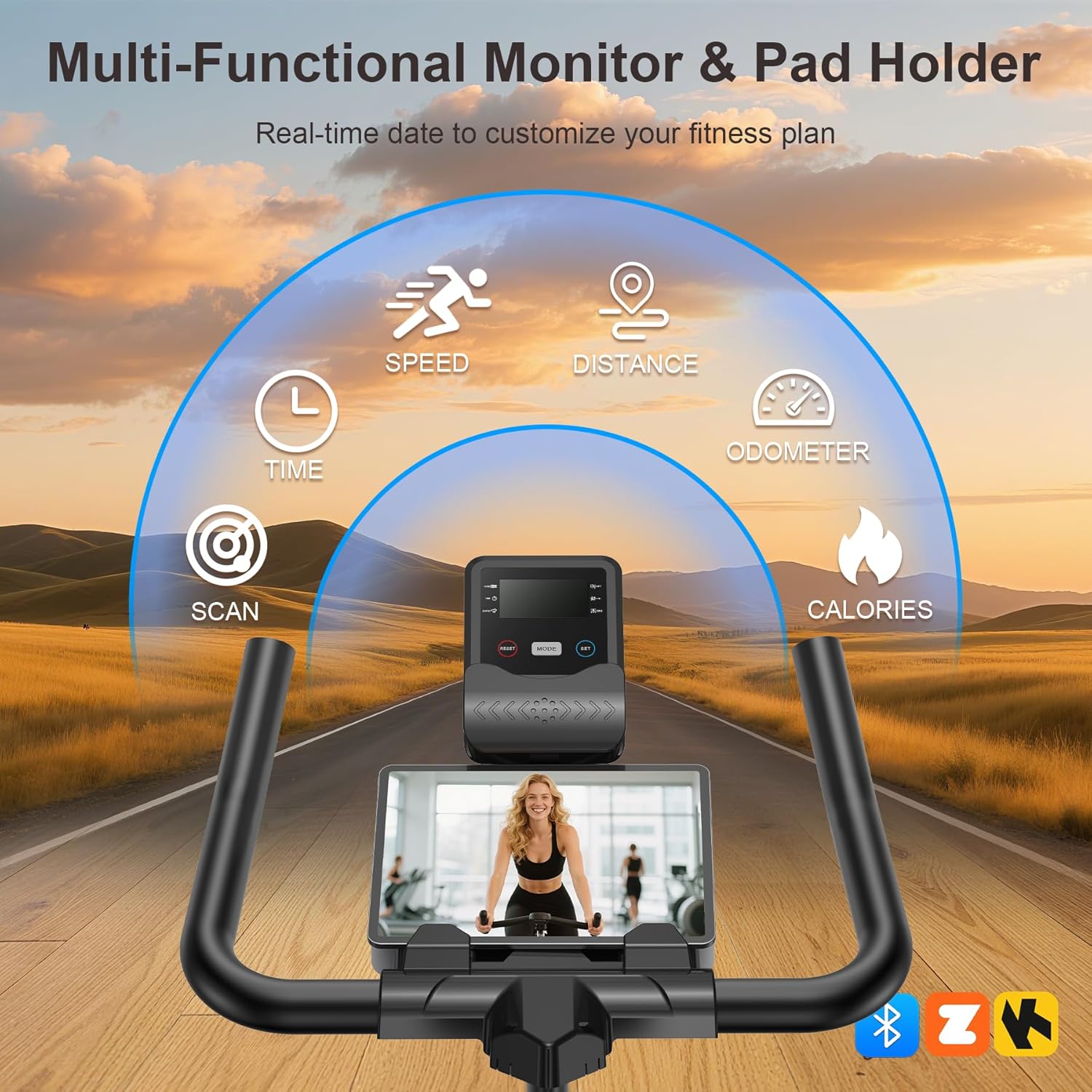
Image: The multi-functional LCD monitor provides real-time workout data.
App Sync & Bluetooth Tracking
Connect your Wenoker Exercise Bike to compatible fitness apps via Bluetooth for enhanced workout experiences:
- Download a compatible fitness app (e.g., Zwift, Kinomap) on your smartphone or tablet.
- Abilita il Bluetooth sul tuo dispositivo.
- Open the fitness app and follow the in-app instructions to pair with your Wenoker bike.
- Enjoy virtual rides, coaching programs, and real-time data tracking directly on your device.
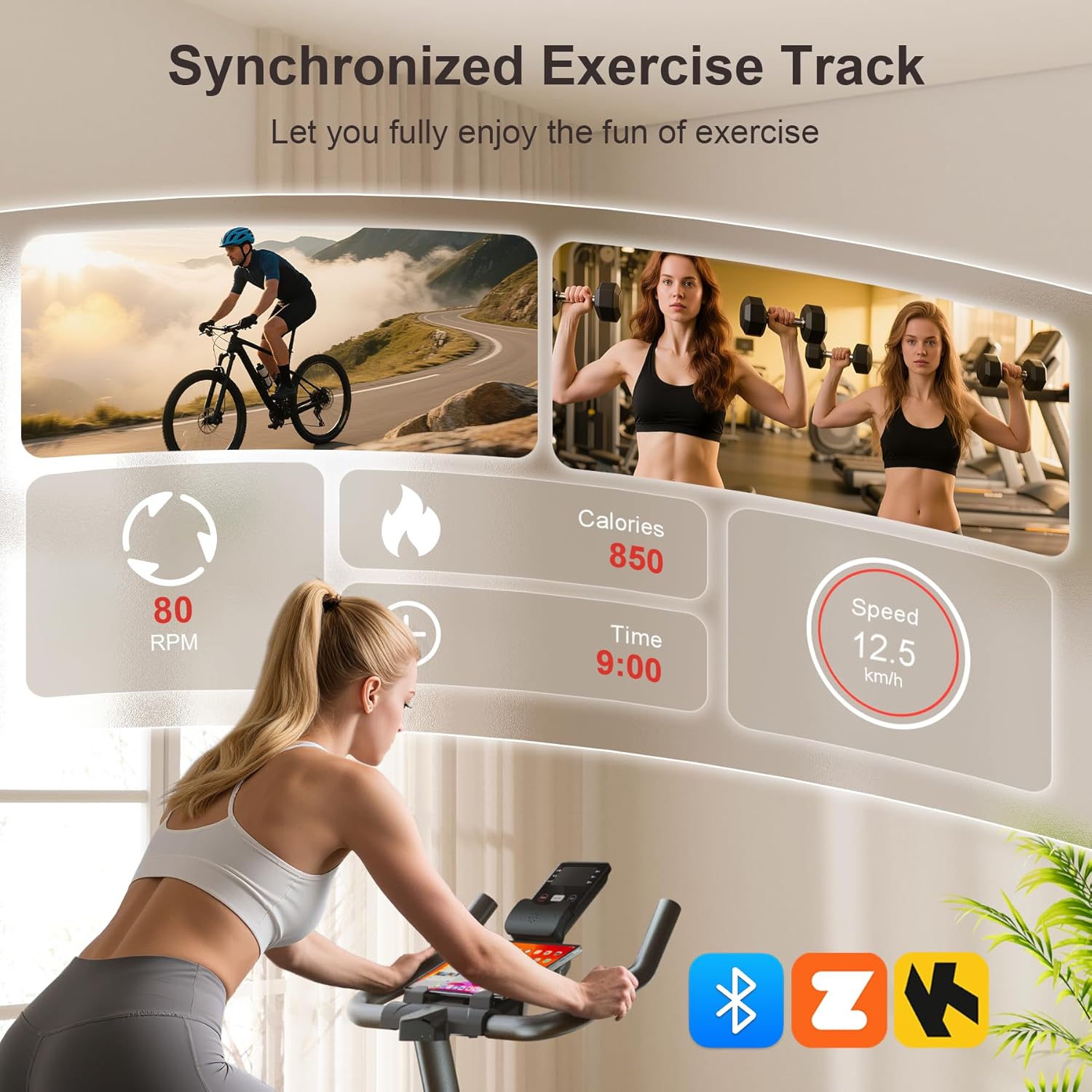
Image: Smart APP and Bluetooth connectivity for tracking workouts and engaging with fitness programs.
6. Manutenzione
Una manutenzione regolare garantisce la longevità e il funzionamento sicuro della vostra cyclette:
- Pulizia: Pulisci la bici con la pubblicitàamp Dopo ogni utilizzo, pulire con un panno per rimuovere sudore e polvere. Evitare detergenti abrasivi.
- Ispezione: Controllare periodicamente il serraggio di tutti i bulloni, dadi e parti mobili. Serrare nuovamente se necessario.
- Lubrificazione: The belt drive system is designed for low maintenance. Do not lubricate the belt or flywheel unless specifically instructed by customer support.
- Magazzinaggio: Store the bike in a dry, cool place away from direct sunlight and moisture. Use the transport wheels to move it easily.

Image: The built-in transport wheels allow for easy movement and storage of the exercise bike.
7. Risoluzione Dei Problemi
- Rumore durante il funzionamento: Check all bolts and nuts for tightness. Ensure the bike is on a level surface. If the noise persists, contact customer support.
- Corsa instabile: Adjust the leveling knobs on the stabilizer bars to ensure the bike is stable on uneven floors.
- LCD monitor not working: Check if the batteries are correctly installed and have sufficient charge. Ensure the sensor wire is securely connected.
- Resistenza non variabile: Verificare che la manopola della resistenza funzioni correttamente e non sia bloccata.
8. Specifiche
| Caratteristica | Specificazione |
|---|---|
| Marca | Wenoker |
| Nome del modello | WF-WSWG-1G4V |
| Materiale | Acciaio legato |
| Meccanismo di resistenza | Attrito |
| Sistema di azionamento | Cintura |
| Dimensioni del prodotto | 37.4"P x 7.48"L x 29.92"A |
| Peso massimo raccomandato | 350 libbre |
| Livello di rumore | Sotto i 25 dB |
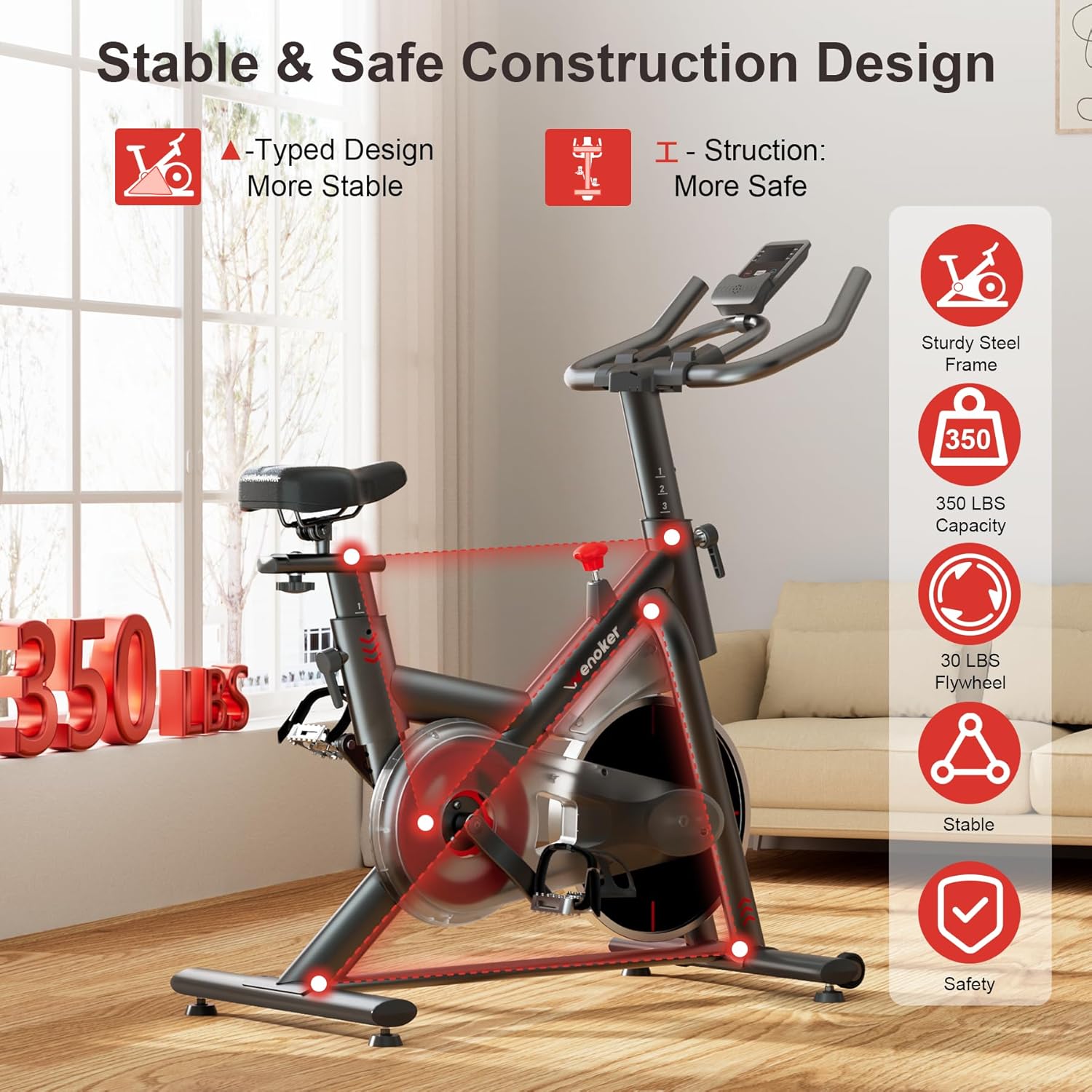
Image: Heavy-duty steel frame and reinforced triangle structure ensure stability and durability.
9. Garanzia e supporto
For any questions, concerns, or warranty claims, please contact Wenoker customer support.
- E-mail: wenokerdirect@outlook.com
- Orari di apertura: Monday-Friday, 9:00 AM - 5:00 PM PST/PDT
Si prega di conservare la ricevuta d'acquisto come prova d'acquisto ai fini della garanzia.