
Introduzione
Welcome to your new Yamaha YDP105 Digital Piano. This manual provides essential information for setting up, operating, maintaining, and troubleshooting your instrument. Please read it thoroughly to ensure proper use and to maximize your playing experience.
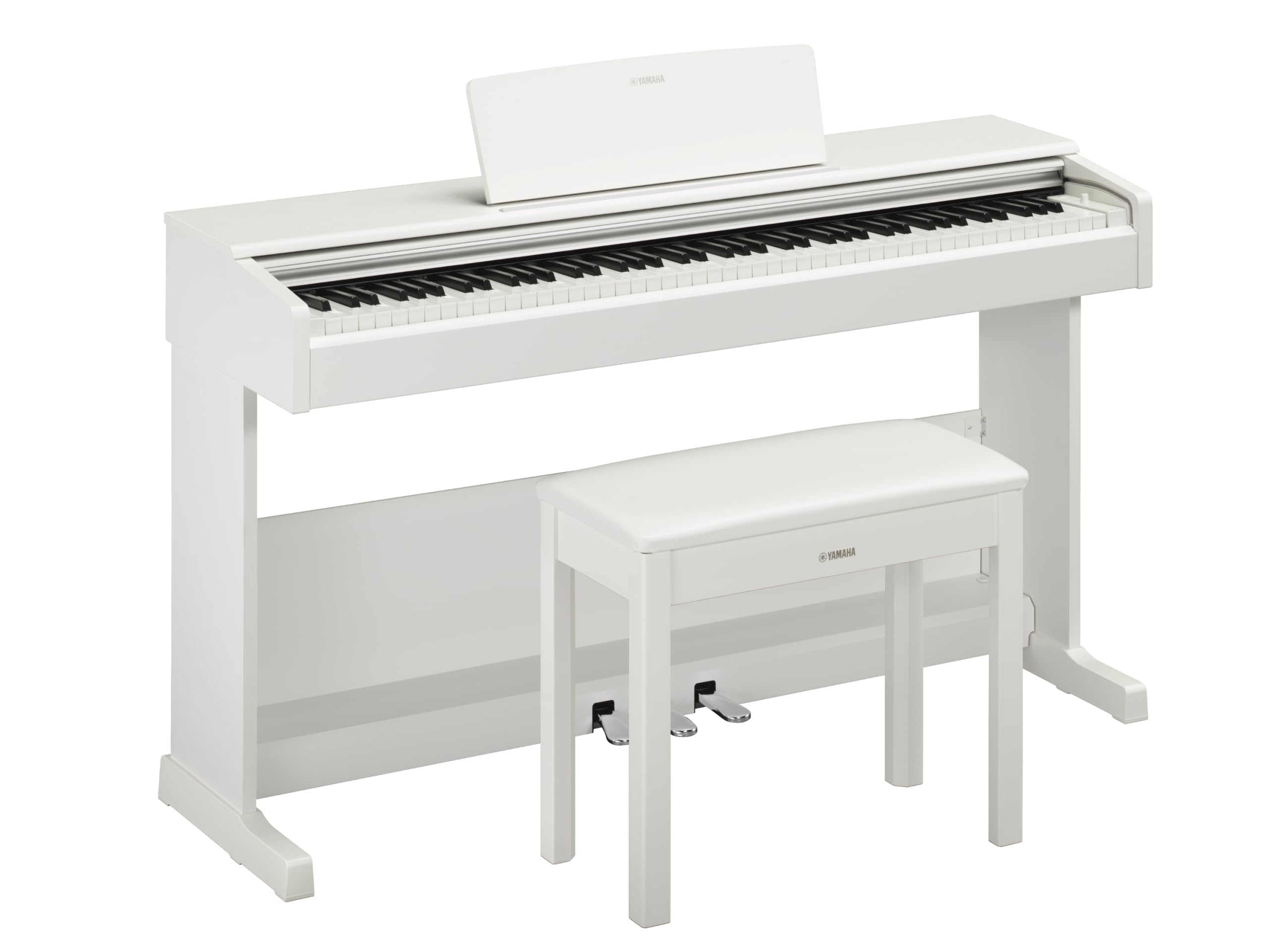
This image shows the Yamaha YDP105 digital piano in a white finish, positioned in a modern living room environment, highlighting its elegant design.
Importanti istruzioni di sicurezza
- Alimentazione elettrica: Utilizzare solo l'adattatore di alimentazione specificato. Assicurarsi che il volumetage corrisponde all'alimentazione elettrica locale.
- Acqua e umidità: Do not expose the instrument to rain, moisture, or excessive humidity. Keep liquids away from the piano.
- Ventilazione: Assicurare un'adeguata ventilazione attorno allo strumento. Non ostruire le aperture di ventilazione.
- Posizione: Place the piano on a stable, level surface. Avoid direct sunlight, heat sources, and areas with excessive dust or vibrations.
- Gestione: Maneggiare lo strumento con cura. Evitare di farlo cadere o di sottoporlo a forti urti.
- Manutenzione: Non tentare di riparare lo strumento da soli. Affidare qualsiasi intervento di manutenzione a personale qualificato.
Impostare
Disimballaggio
Carefully remove all components from the packaging. Ensure all included items are present: the piano unit, bench, 3-pedal unit, power adapter, and music rest.
Assemblea
The Yamaha YDP105 requires some assembly. Follow these steps:
- Attach the side panels to the main keyboard unit using the provided screws.
- Secure the pedal unit to the assembled frame.
- Attach the backboard.
- Place the music rest into its slot on the keyboard unit.
- Assemble the bench according to its separate instructions.

This image shows the fully assembled Yamaha YDP105 digital piano in white, complete with its matching bench and music rest.
Collegamento di potenza
Connect the supplied power adapter to the DC IN jack on the rear of the piano and then to a standard AC outlet.
Pedal Unit Connection
Ensure the 3-pedal unit cable is securely connected to the corresponding jack on the piano.

This image displays a close-up of the three-pedal unit, showing the sustain, sostenuto, and soft pedals.
Istruzioni per l'uso
Accensione/spegnimento
Premere il tasto ENERGIA button to turn the instrument on or off.
Controllo del volume
Utilizzare il VOLUME PRINCIPALE manopola per regolare il livello sonoro complessivo.
Selecting Voices (Instrument Sounds)
The YDP105 features 10 instrument voices. To select a voice:
- Premere il tasto VOCE pulsante.
- Use the keyboard keys to select the desired voice as indicated in the manual's voice list.

This image shows a close-up of the control panel on the left side of the keyboard, highlighting the "GRAND PIANO" and "FUNCTION" buttons.
Utilizzo delle cuffie
The piano includes dual headphone jacks for private practice or duets. Connect standard 3.5mm headphones to either jack.

This image shows a pair of headphones resting on the top surface of the digital piano, near the keys.
Smart Pianist App Integration
Enhance your experience by connecting the YDP105 to the Yamaha Smart Pianist app. This app allows for intuitive control of piano functions, access to scores, and learning tools. Refer to the Smart Pianist app's documentation for detailed connection and usage instructions.

This image displays the icon for the Yamaha Smart Pianist App, featuring a stylized piano keyboard and musical notes.
Manutenzione
Pulizia
Pulire lo strumento con un panno morbido e asciutto. Per lo sporco ostinato, utilizzare un panno leggermenteamp cloth and then wipe dry. Avoid abrasive cleaners, solvents, or polishes.
Magazzinaggio
Store the piano in a stable environment, away from direct sunlight, extreme temperatures, and high humidity.
Moving the Instrument
Quando si sposta il pianoforte, assicurarsi che sia spento e scollegato dalla presa di corrente. Maneggiare con cura per evitare danni.
Risoluzione dei problemi
Nessun suono
- Controllare che la corrente sia accesa.
- Assicurati che il volume sia alzato.
- Se sono collegate le cuffie, scollegarle per controllare l'uscita degli altoparlanti.
- Verificare che tutti i cavi siano collegati saldamente.
I tasti non rispondono
- Spegnere e riaccendere lo strumento (spegnerlo e riaccenderlo).
- Ensure no objects are obstructing the keys.
Pedals Not Working
- Check the pedal unit cable connection.
- Ensure the pedal unit is correctly assembled and positioned.
Specifiche
| Caratteristica | Dettaglio |
|---|---|
| Nome del modello | YDP-105 |
| Numero di chiavi | 88 |
| Tipo di chiave | Graded Hammer Standard (GHS) keyboard with matte black keytops |
| Risposta al tocco | Duro/Medio/Morbido/Fisso |
| Voci | 10 (including Grand Piano) |
| Polifonia | 64 note |
| Pedali | 3 (damper with half pedal effect, Sostenuto, Soft) |
| Connettività | USB to Host, Headphone Jacks (2 x Standard Stereo Phone Jack) |
| Altoparlanti | 12 cm x 2 |
| Amppiù vivace | 8 L x 2 |
| Dimensioni (L x P x A) | 1357 mm x 422 mm x 815 mm (53.44" x 16.63" x 32.09") |
| Peso | 37.5 kg (82.7 libbre) |
| Alimentazione elettrica | PA-150B or an equivalent recommended by Yamaha |
Informazioni sulla garanzia
The Yamaha YDP105 Digital Piano comes with a 1-year manufacturer warranty. Yamaha Corporation of America is committed to the quality and craftsmanship of its products. This limited warranty applies only to products purchased from an authorized Yamaha retailer in the fifty United States (including the District of Columbia) and used within this area. For complete warranty details and terms, please refer to the official Yamaha website or contact Yamaha customer support.
Assistenza clienti
For further assistance, technical support, or service inquiries, please visit the official Yamaha websito o contattare il loro servizio clienti.