
MIKUSO KB-C026 Wireless Keyboard and Mouse Combo User Manual
1. Introduzione
This manual provides instructions for the setup, operation, and maintenance of your MIKUSO KB-C026 Wireless Keyboard and Mouse Combo. This combo set offers a reliable 2.4G wireless connection, providing a full-size keyboard with a numeric keypad and an ergonomic mouse for efficient computing tasks. It is designed for ease of use and a clutter-free workspace.
2. Informazioni sulla sicurezza
- Do not expose the devices to liquids or excessive moisture.
- Evitare temperature estreme.
- Non tentare di smontare o riparare i dispositivi autonomamente. Rivolgersi a personale qualificato.
- Tenere fuori dalla portata dei bambini.
- Smaltire le batterie secondo le normative locali.
3. Contenuto della confezione
Si prega di controllare la confezione per verificare la presenza dei seguenti elementi:
- MIKUSO Full-Size Wireless Keyboard
- MIKUSO Ergonomic Wireless Mouse
- Ricevitore wireless USB 2.4G
- Manuale dell'utente (questo documento)
4. Impostazione
Follow these steps to set up your MIKUSO Wireless Keyboard and Mouse Combo:
- Inserire le batterie: Open the battery compartments on the underside of both the keyboard and the mouse. Insert the required batteries (typically AA or AAA, not included) according to the polarity indicators.
- Collegare il ricevitore USB: Locate an available USB port on your computer. Plug the USB 2.4G wireless receiver into the USB port.
- Accensione: Turn on the keyboard and mouse using their respective power switches, usually located on the underside of each device.
- Connessione automatica: The keyboard and mouse should automatically connect to your computer. No additional software installation is required. Your computer will recognize the devices and install necessary drivers.
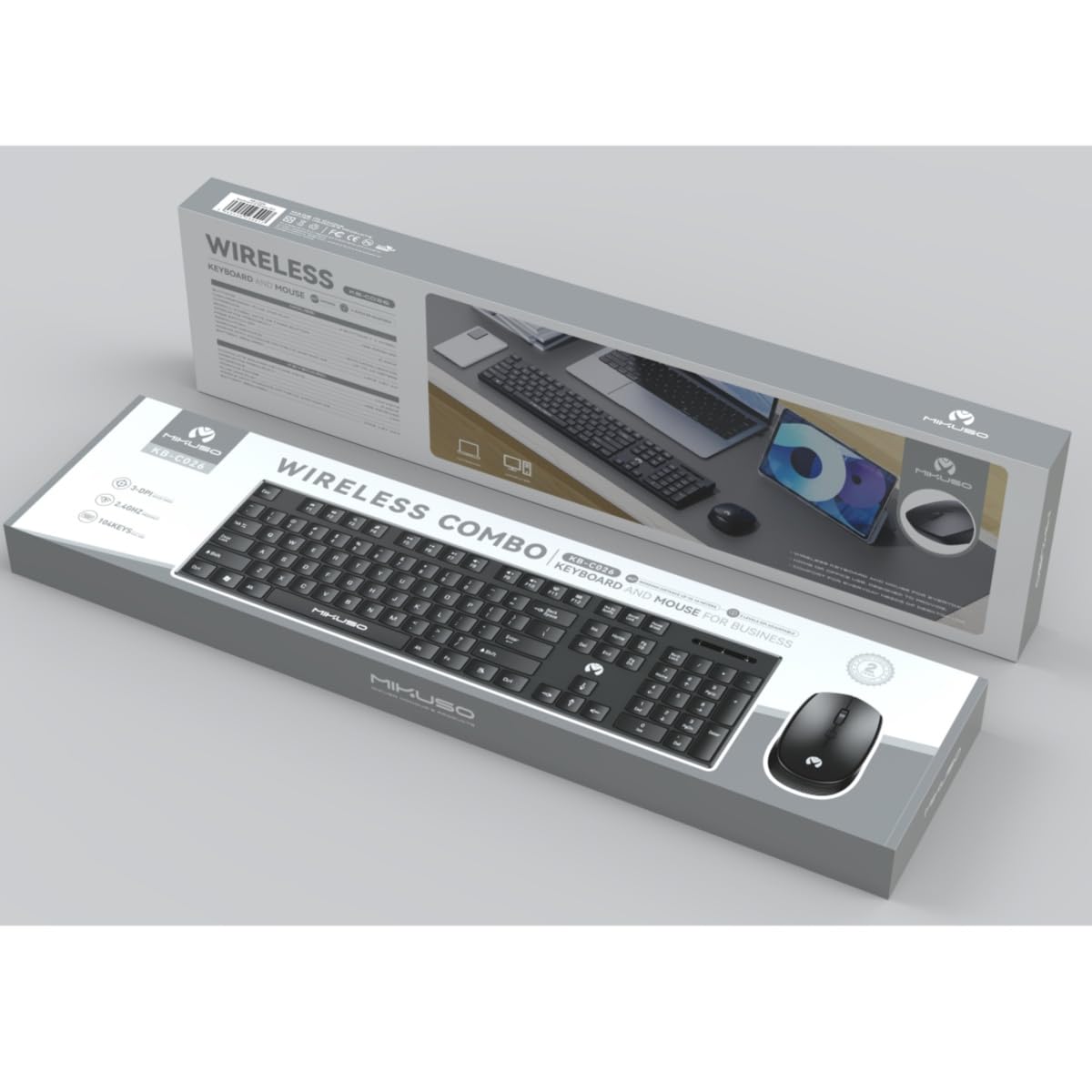
Image 1: MIKUSO KB-C026 Wireless Keyboard and Mouse Combo. This image displays the full-size keyboard, ergonomic mouse, and the compact USB receiver, illustrating the components included in the set.
5. Istruzioni per l'uso
5.1. Utilizzo della tastiera
- Digitando: Use the full QWERTY layout for standard typing.
- Tastiera numerica: The dedicated numeric keypad on the right side is ideal for data entry and calculations. Ensure the 'Num Lock' key is active if numbers are not registering.
- Tasti funzione (F1-F12): Questi tasti svolgono varie funzioni, spesso in combinazione con il tasto "Fn", a seconda del sistema operativo e del software in uso.
5.2. Utilizzo del mouse
- Clic sinistro: Azione primaria, selezione.
- Clic destro: Apre i menu contestuali.
- Rotella di scorrimento: Scorrere i documenti e web pages. The scroll wheel may also function as a middle click.
- Movimento: Sposta il mouse su una superficie piana per controllare il cursore sullo schermo.
6. Manutenzione
- Pulizia: Utilizzare un panno morbido e asciutto per pulire le superfici della tastiera e del mouse. Per lo sporco ostinato, un panno leggermenteamp è possibile utilizzare un panno imbevuto di sapone neutro, assicurandosi che nessun liquido penetri nei dispositivi.
- Sostituzione della batteria: When the devices become unresponsive or exhibit delayed input, replace the batteries. Ensure correct polarity.
- Magazzinaggio: Quando non vengono utilizzati per lunghi periodi, spegnere i dispositivi per preservare la durata della batteria. Conservare in un luogo fresco e asciutto.
7. Risoluzione Dei Problemi
| Problema | Soluzione |
|---|---|
| Tastiera/mouse non rispondono |
|
| Connessione lenta o intermittente |
|
| Il tastierino numerico non funziona |
|
8. Specifiche
- Modello: KB-C026
- Connettività: Senza fili 2.4G
- Portata wireless: Fino a 10 metri (33 piedi)
- Layout della tastiera: Full-size QWERTY with Numeric Keypad
- Tipo di mouse: Ergonomic, Optical
- Ricevitore: Ricevitore nano USB
- Compatibilità: Windows 7, Windows 8, Windows 10, Windows 11 (Desktop and Laptop Computers)
- Fonte di energia: Batteries (not included, typically AA/AAA for devices)
9. Garanzia e supporto
This product is covered by a standard manufacturer's warranty. For specific warranty terms and conditions, please refer to the documentation provided at the time of purchase or contact your retailer. If you encounter any issues or require technical assistance, please contact the seller or manufacturer's customer support through the details provided on your purchase receipt or the product packaging.