
1. Introduzione
The Cellularline NEBIT TWS Earbuds are designed to facilitate seamless communication and productivity through advanced AI features. These earbuds offer real-time translation in over 100 languages, instant transcription, AI-generated summaries, and photo translation. Their open-ear design ensures comfort and environmental awareness, making them suitable for various daily activities, travel, work, and study.
This manual provides detailed instructions on how to set up, operate, and maintain your NEBIT earbuds to ensure optimal performance and longevity.
2. Cosa c'è nella scatola
Si prega di controllare il contenuto della confezione per assicurarsi che siano presenti tutti gli articoli:
- Cellularline NEBIT TWS Earbuds
- Custodia di ricarica
- Cavo di ricarica USB
- Manuale d'uso
3. Impostazione
3.1. Ricarica iniziale
Before first use, fully charge your NEBIT earbuds and charging case. Place the earbuds into the charging case. Connect the USB charging cable to the case and a power source. The LED display on the case will indicate the charging status.
3.2. Downloading the NebulaBuds App
The NebulaBuds App is essential for unlocking all features of your NEBIT earbuds. It is available for free on both the Apple App Store and Google Play Store.

Image: A smartphone scanning a QR code to download the NebulaBuds App. The image highlights that the app is 100% free and unlocks all translation features.

Image: A smartphone screen displaying the NebulaBuds App with options to download from the App Store and Google Play. Text confirms no subscription is required.
- Open the packaging and locate the QR code for the NebulaBuds App.
- Scan the QR code with your smartphone camera, or search for "NebulaBuds" directly in the Apple App Store or Google Play Store.
- Scarica e installa l'app.
3.3. Associazione e attivazione
Follow these steps to pair your NEBIT earbuds with your smartphone and activate them within the app:
- Open the NebulaBuds App.
- Grant necessary permissions for location access to enable all functions.
- Assicurati che il Bluetooth sia abilitato sul tuo smartphone.
- Take the NEBIT earbuds out of their charging case. They will automatically enter pairing mode.
- In the NebulaBuds App, navigate to the device connection section.
- The app will prompt you to connect. You can either scan the QR code provided in the manual or manually enter the activation code.
- Tap "Connect" to complete the pairing process.
- Log in or create a new account within the app to finalize setup.
Video: A step-by-step guide on how to connect and activate the Cellularline NEBIT TWS Earbuds with the NebulaBuds App, including app download, Bluetooth pairing, and device activation via QR code or manual entry.
4. Istruzioni per l'uso
The Cellularline NEBIT earbuds offer multiple modes to enhance communication and productivity. Once connected, select your desired mode within the NebulaBuds App.
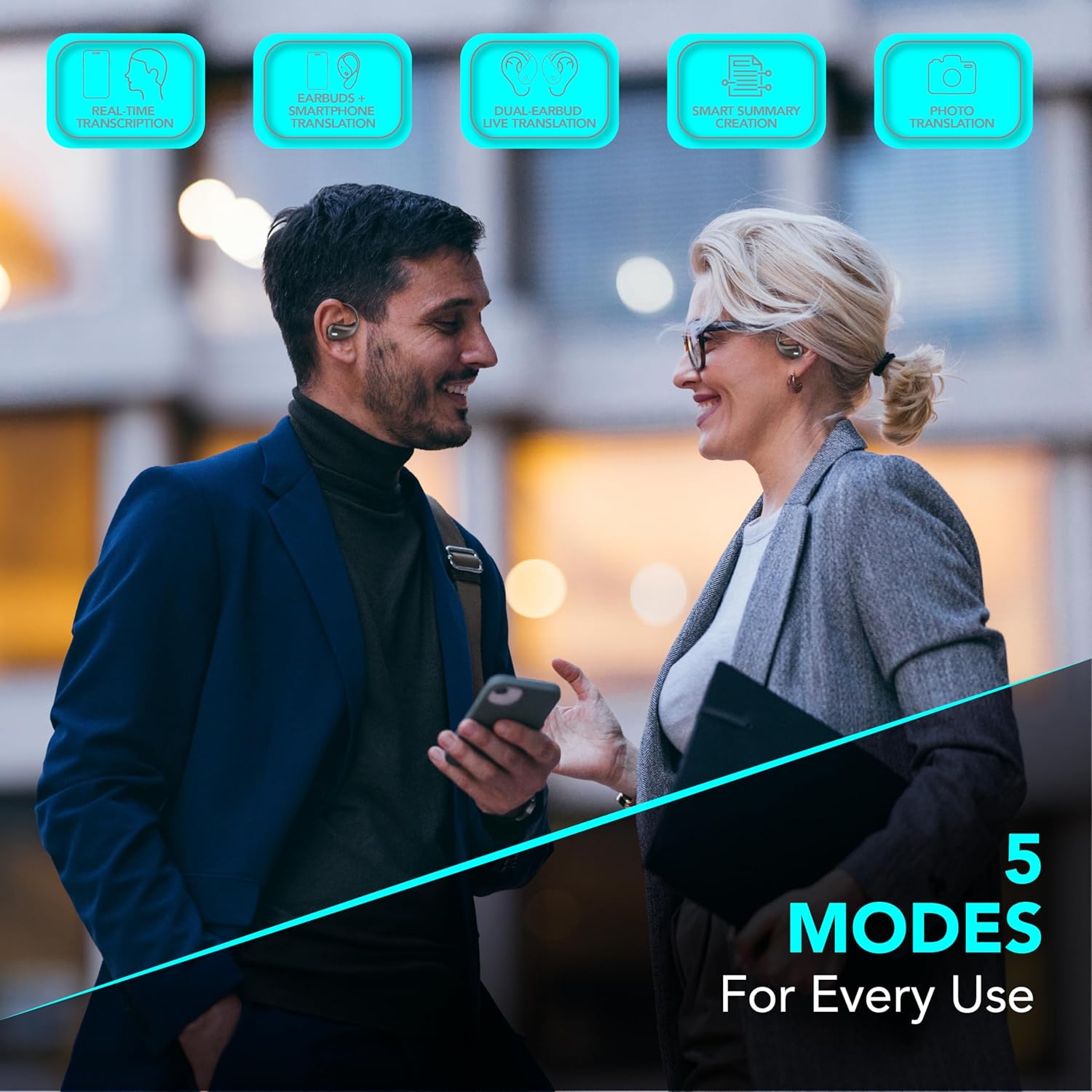
Image: Two individuals using the NEBIT earbuds and a smartphone, illustrating the five operational modes: Real-time transcription, Earbuds + phone translation, Dual-earbud live translation, Smart summary creation, and Photo translation.
4.1. Traduzione in tempo reale
Engage in conversations across over 100 languages with instant translation. This feature allows for natural and immediate dialogue, ideal for travel, business, or study.
- Earbuds + Phone Translation: Use one earbud while speaking into your phone's microphone for guided conversations.
- Dual-Earbud Live Translation: Share an earbud with another person for seamless two-way translation during face-to-face interactions.
4.2. Instant Transcription and AI Summaries
Transform spoken words into text and generate concise summaries of your recordings.
- Instant Transcription: Converts voice to text in real-time, perfect for taking notes during meetings, lectures, or important conversations.
- Riepiloghi AI: Automatically generates key points from your recorded transcriptions, enhancing productivity and retention.
4.3. Traduzione fotografica
Translate text from images quickly and efficiently.
- Use your smartphone camera through the NebulaBuds App to capture text from signs, menus, or documents. The app will provide an instant translation.
4.4. Open-Ear Design and Touch Control
The open-ear design provides comfort for extended wear and allows you to remain aware of your surroundings. The earbuds feature intuitive touch controls for managing calls, music, and AI functions.

Image: Two individuals wearing the NEBIT open-ear earbuds, emphasizing the design's benefits for full awareness, all-day comfort, and hygienic sharing.

Image: The NEBIT earbuds in their charging case, with text indicating '18 Hours Total Play Time' and 'Touch control' pointing to the earbud's surface.
4.5. Musica e chiamate
Enjoy your music and manage calls safely while maintaining awareness of your environment.
Video: Un video promozionale mostraasing the various features of the NEBIT earbuds, including real-time translation, transcription, and the open-ear design for safe listening during activities like running.
5. Manutenzione
5.1. Pulizia
- Pulisci regolarmente gli auricolari e la custodia di ricarica con un panno morbido, asciutto e privo di lanugine.
- Non utilizzare detergenti abrasivi, alcol o solventi chimici.
- Assicurarsi che i contatti di ricarica siano privi di polvere e detriti.
5.2. Conservazione
- Quando non li usi, riponi gli auricolari nella custodia di ricarica per proteggerli e mantenerli carichi.
- Conservare in un luogo fresco e asciutto, lontano da temperature estreme e dalla luce solare diretta.
5.3. Cura della batteria
- Evitare di scaricare completamente la batteria frequentemente.
- Charge the earbuds regularly, even if not in frequent use, to maintain battery health.
6. Risoluzione Dei Problemi
If you encounter issues with your Cellularline NEBIT earbuds, please refer to the following common solutions:
| Problema | Possibile soluzione |
|---|---|
| Gli auricolari non si accoppiano |
|
| Nessun suono o volume basso |
|
| Le funzionalità dell'app non funzionano |
|
| Translation inaccuracies |
|
7. Specifiche
| Caratteristica | Dettaglio |
|---|---|
| Marca | linea cellulare |
| Nome del modello | BTNEBITTWSK |
| Colore | Nero |
| Posizionamento dell'orecchio | In-ear |
| Fattore di forma | Orecchio aperto |
| Impedenza | 20 Ohm |
| Controllo del rumore | Nessuno |
| Tecnologia di connettività | Wireless (Bluetooth) |
| Tecnologia di comunicazione wireless | Bluetooth |
| Caratteristiche del prodotto | AI-generated smart summaries, Real-time translation, Instant transcription, Image translation |
| Usi consigliati | Meetings, Study, Travel |
| Dispositivi compatibili | Mobile phones, Tablets, Music production equipment |
| Livello di resistenza all'acqua | Non resistente all'acqua |
| Durata media della batteria | 18 ore |
8. Garanzia e supporto
8.1. Garanzia del produttore
The Cellularline NEBIT TWS Earbuds come with a Garanzia del produttore di 2 anni dalla data di acquisto. La presente garanzia copre i difetti di materiali e di fabbricazione in condizioni di normale utilizzo. Non copre i danni causati da uso improprio, incidenti, modifiche non autorizzate o normale usura.
8.2. Assistenza clienti
For technical assistance, warranty claims, or further information, please visit the official Cellularline websito o contattare direttamente il loro supporto clienti. Puoi anche visitare il Cellularline Store on Amazon per dettagli sul prodotto e risorse di supporto.