
Introduzione
The Roku Hiro 32-inch 720p HD Smart TV offers an integrated Roku streaming experience. This television features an HD display for clear picture quality and speakers with enhanced audio. It supports Bluetooth for private listening with headphones and includes Wi-Fi for internet connectivity. The Roku operating system provides a customizable home screen, access to numerous streaming channels, and automatic updates, making it suitable for various living spaces.
Cosa c'è nella scatola
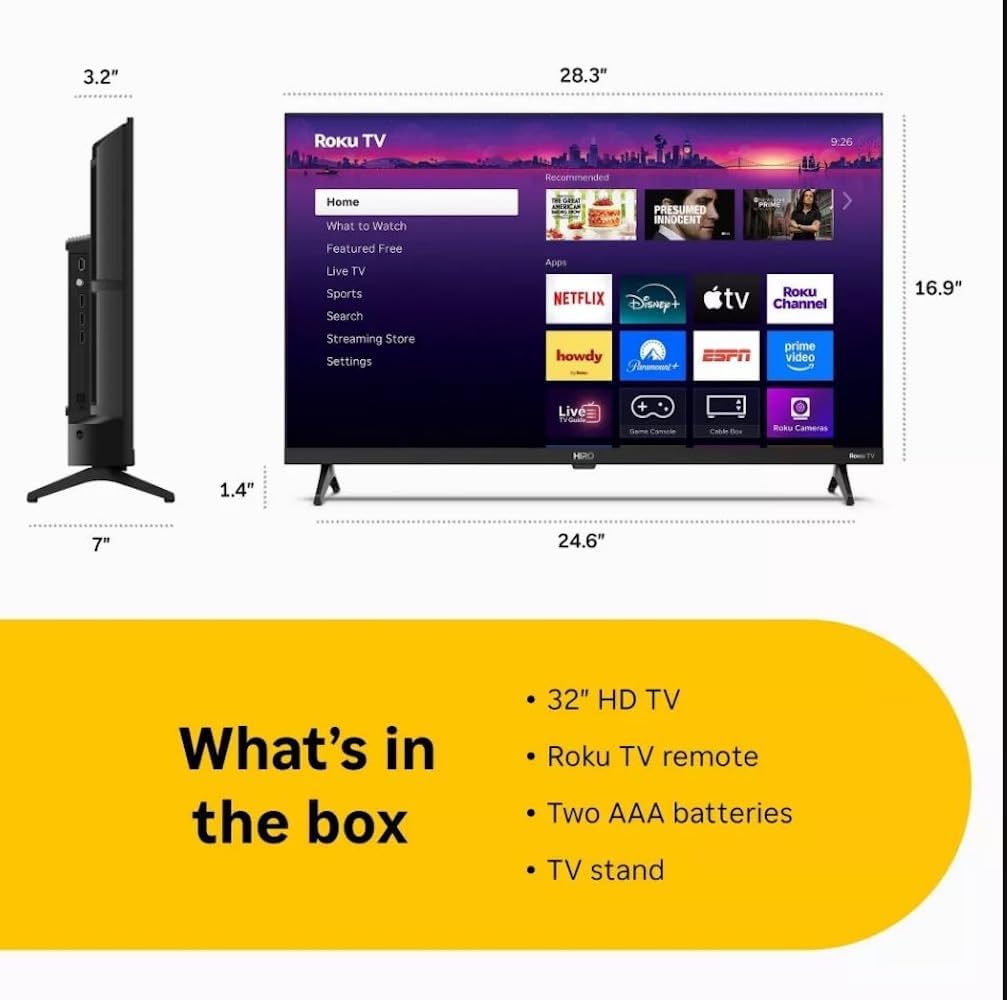
Diagram showing the dimensions of the Roku Hiro 32-inch TV and a list of included accessories: 32-inch HD TV, Roku TV remote, two AAA batteries, and TV stand.
- Hiro 32" 720p HD Smart TV Flat Screen LED Television with Roku TV
- Telecomando
- Supporto della televisione
- Cavo di alimentazione
- Guida per l'utente
Impostare
1. Installazione dello stand
Carefully place the TV screen-down on a soft, clean surface to prevent damage. Align the TV stand with the designated slots on the bottom of the TV. Secure the stand using the provided screws. Ensure the stand is firmly attached before proceeding.
2. Collegamento dei dispositivi

Posteriore view of the Roku Hiro TV, showing the input/output ports including USB, HDMI, and antenna connections.
- Energia: Collegare il cavo di alimentazione all'ingresso di alimentazione del televisore e poi a una presa a muro.
- HDMI: Connect external devices such as Blu-ray players, game consoles, or cable boxes to the HDMI ports. This TV features 3 HDMI ports.
- USB: Utilizzare la porta USB per la riproduzione di contenuti multimediali da un'unità USB.
- Audio ottico: Connect an external sound system using an optical audio cable for enhanced sound.
- Antenna/cavo: Collegare un'antenna o un segnale TV via cavo all'ingresso RF per i canali via etere o via cavo.
3. Configurazione iniziale
After connecting all necessary cables, power on the TV. Follow the on-screen instructions to:
- Seleziona la tua lingua.
- Connettiti alla tua rete Wi-Fi.
- Attiva il tuo account Roku (o creane uno nuovo).
- Scan for available channels if an antenna is connected.
Istruzioni per l'uso
Funzioni del telecomando

Close-up of the Roku TV remote control, highlighting buttons for TV power, volume, mute, sleep timer, instant replay, options, and app shortcuts.
- Pulsante di accensione: Accende o spegne la TV.
- Pad direzionale (D-Pad): Consente di navigare nei menu e selezionare le voci.
- Pulsante OK: Conferma le selezioni.
- Pulsante Home: Ritorna alla schermata iniziale di Roku.
- Pulsante Indietro: Ritorna alla schermata precedente.
- Volume su/giù: Regola il volume del televisore.
- Tasto muto: Disattiva o riattiva l'audio della TV.
- Pulsanti di scelta rapida delle app: Direct access to popular streaming services (e.g., Netflix, Disney+, Apple TV+, Prime Video).
- Sveglia: Imposta un timer per lo spegnimento automatico della TV.
- Replay istantaneo: Jumps back a few seconds in supported content.
- Opzioni: Accesses additional settings or information for the current content.
Navigating the Roku OS

The Roku TV home screen interface, showing recommended content and various streaming applications.
The Roku home screen provides access to all your streaming channels, inputs, and settings. Use the D-Pad on your remote to navigate through the menu options on the left and the app grid on the right. You can customize the order of your channels by highlighting an app, pressing the * (Options) button, and selecting 'Move channel'.
Contenuti in streaming
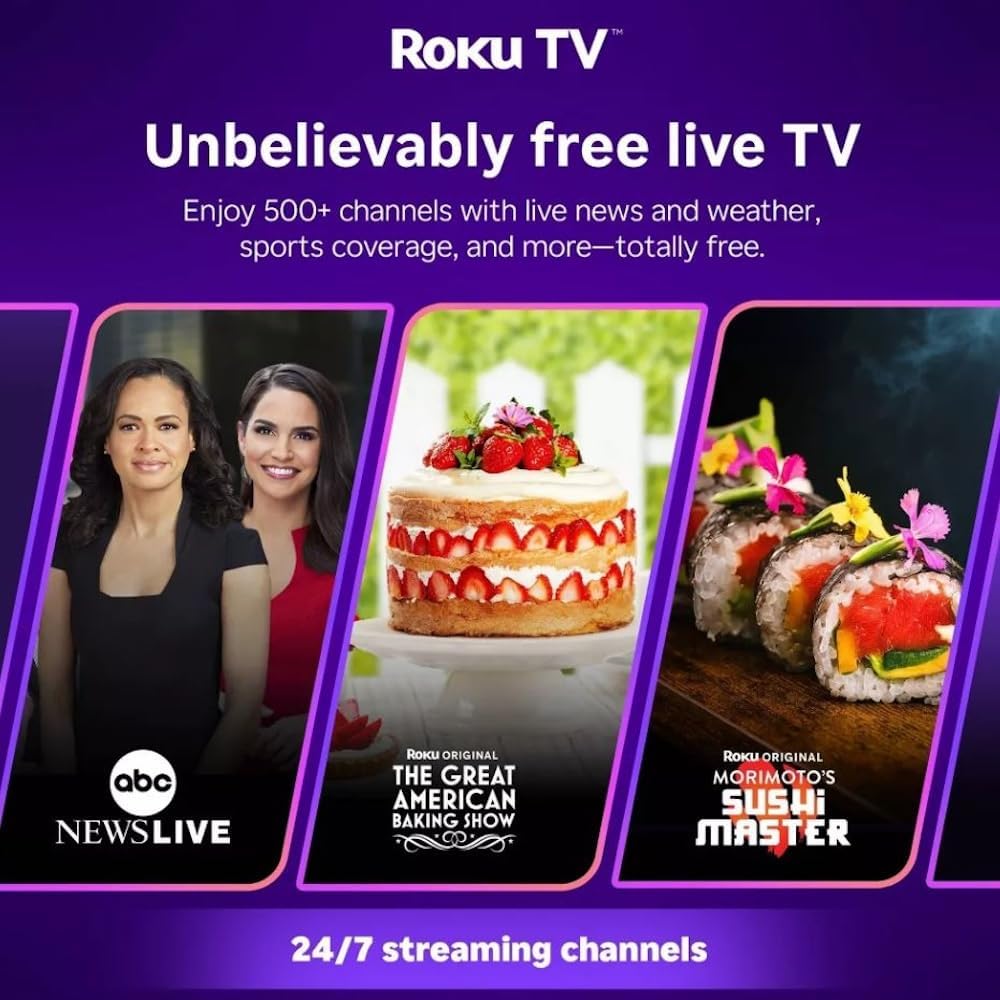
Roku TV interface promoting free live TV channels, featuring examples like ABC News Live, The Great American Baking Show, and Morimoto's Sushi Master.
Access a wide range of streaming services and free content through the Roku Channel Store. The Roku platform offers over 500 free channels, including live television, movies, and news. Use the 'Search' function on the home screen to find specific titles or channels.
Caratteristiche audio

Roku Hiro TV displaying the home screen with various streaming apps, emphasizing enhanced audio quality.
The TV features enhanced audio quality. For private listening, you can pair Bluetooth headphones directly with the TV. Navigate to Settings > Remotes & devices > Bluetooth devices > Pair new device to connect your headphones.
Manutenzione
Pulizia del televisore
- Scollegare sempre la TV prima di pulirla.
- Utilizzare un panno morbido e privo di lanugine per pulire delicatamente lo schermo e il telaio.
- Per segni ostinati, leggermente dampImmergere il panno in acqua o in un detergente per schermi delicato e non abrasivo. Non spruzzare il detergente direttamente sullo schermo.
- Evitare l'uso di prodotti chimici aggressivi, spugne abrasive o solventi.
Aggiornamenti software
The Roku TV automatically checks for and installs software updates when connected to the internet. To manually check for updates, go to Impostazioni > Sistema > Aggiornamento software.
Risoluzione dei problemi
| Problema | Soluzione |
|---|---|
| Nessun potere | Assicurati che il cavo di alimentazione sia collegato saldamente sia al televisore che a una presa elettrica funzionante. Prova una presa diversa. |
| Nessuna immagine, ma l'audio è presente | Controllare la sorgente di ingresso. Premere il tasto Casa button on the remote and select the correct input. Ensure all HDMI cables are securely connected. |
| Nessun suono, ma l'immagine è presente | Check the volume level and ensure the TV is not muted. If using external audio, verify connections and settings. |
| Impossibile connettersi al Wi-Fi | Verify your Wi-Fi password. Restart your router and modem. Go to Impostazioni > Rete > Configura connessione to reconfigure. |
| Il telecomando non funziona | Sostituisci le batterie del telecomando. Assicurati che non ci siano ostacoli tra il telecomando e il sensore IR del televisore. |
Specifiche
| Nome del modello | H32C2C4 |
| Dimensioni dello schermo | 32 pollici |
| Tecnologia di visualizzazione | GUIDATO |
| Risoluzione | Formato: 720p |
| Frequenza di aggiornamento | Frequenza 60 Hz |
| Sistema operativo | Sistema operativo Roku |
| Tecnologia di connettività | Bluetooth, HDMI, Optical Audio, USB, Wi-Fi |
| Numero totale di porte HDMI | 3 |
| Porte USB totali | 1 |
| Dimensioni del prodotto (P x L x A) | 3.2"P x 28.3"L x 16.9"A |
| Peso dell'articolo | 7.5 libbre |
| Voltage | 120 Volt (CA) |
| Tipo di montaggio | Montaggio da tavolo |
| Colore | Nero |
Informazioni sulla garanzia
This Roku Hiro TV is covered by a 90-day Replacement Warranty. Please retain your proof of purchase for any warranty claims. For detailed terms and conditions, refer to the warranty documentation included with your product or visit the official Roku support websito.
Supporto
For further assistance, troubleshooting guides, or to contact customer support, please visit the official Roku support website. You can find comprehensive FAQs and contact information there.