
1. Introduzione
Questo manuale fornisce informazioni essenziali per l'uso sicuro ed efficiente del tuo Blackview Wave7C SIM-Free Smartphone. Please read it carefully before using your device and keep it for future reference.
Il Neroview Wave7C is a feature-rich smartphone designed for daily use, offering a large display, efficient performance, and a long-lasting battery.
2. Impostazione
2.1. Installazione della scheda SIM e della scheda TF
Il Neroview Wave7C supports dual SIM cards and a TF (microSD) card for expandable storage. Use the provided SIM ejector tool to open the SIM tray.

Image: SIM tray showing slots for two SIM cards and one TF card.
- Individuare il vassoio della SIM sul lato del dispositivo.
- Inserire lo strumento di espulsione della SIM nel piccolo foro accanto al vassoio e spingere delicatamente finché il vassoio non fuoriesce.
- Place your Nano-SIM cards and TF card into the designated slots on the tray, ensuring the gold contacts face downwards.
- Reinserire con attenzione il vassoio nel dispositivo.
Importante: Prima dell'acquistoasing, verify your SIM card's frequency bands are compatible with the device (2G: B2/B3/B5/B8; 3G: B1/B8; 4G: B1/B3/B7/B8/B19/B20). After inserting the SIM card, APN settings may need to be configured for internet access. Refer to your mobile carrier for specific APN settings.
2.2. Accensione iniziale e impostazioni di base
- Premere e tenere premuto il pulsante di accensione finché il neroview appare il logo.
- Segui le istruzioni sullo schermo per selezionare la lingua, connetterti al Wi-Fi e configurare il tuo account Google.
- The device comes with a pre-applied screen protector and a dedicated protective case.
3. Funzionamento
3.1. Display e interfaccia utente
The Wave7C features a 6.56-inch HD+ display with a resolution of 720x1612 pixels, providing clear visuals. The 180Hz touch sampling rate ensures responsive interaction.

Image: The 6.56-inch HD+ display with specifications like 720*1612 resolution, 430 nits brightness, 178° wide viewing angle, and 269 PPI.
The device includes three eye-friendly modes to reduce strain during prolonged use:
- Modalità di lettura: Optimizes the screen for reading.
- Luce notturna: Riduce l'emissione di luce blu per un comfort viewin condizioni di scarsa luminosità.
- Modalità scura: Inverts colors for a darker interface, reducing eye fatigue.

Immagine: un utente viewing the Blackview Wave7C in a dark environment, illustrating the eye-friendly display modes.
3.2. Prestazioni e archiviazione
The Wave7C runs on the latest Android 16 with Blackview's Doke OS 5.0, offering an enhanced user experience. It is equipped with 16GB RAM (4GB physical RAM + 12GB virtual RAM expansion) and 64GB internal storage, expandable up to 2TB via a TF card.

Image: Visual representation of 16GB RAM (4GB physical + 12GB expansion) and 64GB ROM with support for up to 2TB TF card.
The Unisoc Tiger T310 processor ensures smooth operation for daily tasks and multitasking. Doke OS 5.0 optimizes RAM usage, improving app launch speeds by approximately 10% and overall response speed by about 18%.

Image: Diagram illustrating the Unisoc Tiger T310 processor and its core specifications.
4. Macchina fotografica
The Wave7C is equipped with a 13MP front camera and a 32MP dual rear camera system. It supports various photography modes including Night Mode, Panorama, and Portrait.
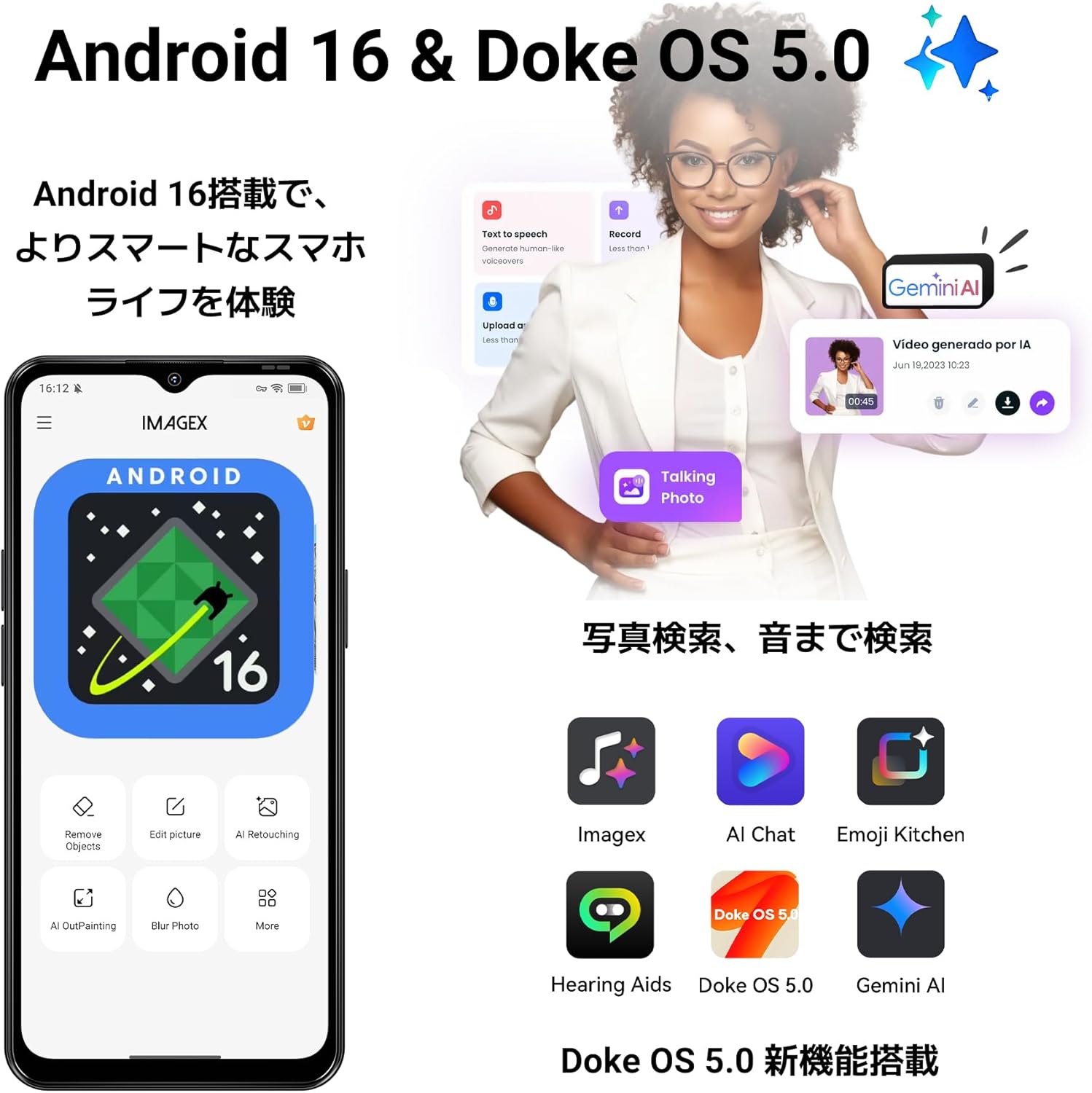
Immagine: Primo piano del Neroview Wave7C camera module with details on front and rear camera megapixels and sensor specifications.
AI camera features enhance your photos:
- AI Inpaint: Intelligently removes unwanted objects from your photos.
- Bellezza AI: Migliora i tratti del viso per ritratti migliori.

Immagine: Examples of AI Inpaint removing objects from a scene and AI Beauty enhancing a portrait.
Video recording is supported at 1080p resolution at 30 frames per second.

Image: Illustrations of Live Photo, 1080p video recording, and AI Camera capabilities.
5. Batteria
Il Neroview Wave7C is powered by a 5000mAh large-capacity battery, providing extended usage times. It supports 10W fast charging via a Type-C port.

Image: Visual of the 5000mAh battery and estimated usage times for talk, music, video, and standby.
Doke OS 5.0 includes a deep power-saving mode that reduces standby power consumption by approximately 72%, ensuring the battery lasts longer, even overnight.

Image: Illustration of power-saving mode benefits, including extended usage and standby times.
6. Funzionalità aggiuntive
6.1. Operating System Enhancements
Doke OS 5.0 introduces several enhancements for a smoother and more intuitive experience:
- Smart App Drawer: Organizes applications for easy access.
- Large Capacity Folder: Allows for better organization of apps.
- Scorciatoie per la schermata di blocco: Accesso rapido alle funzioni utilizzate più di frequente.
- Widget della schermata iniziale: Customizable widgets for information at a glance.

Image: Screenshots demonstrating the Smart App Drawer, Large Capacity Folder, Lock Screen Shortcuts, and Home Screen Widgets.
6.2. Modalità di gioco
Game Mode 2.0 in Doke OS 5.0 enhances your gaming experience by blocking notifications, preventing accidental touches, and boosting frame rates for more immersive gameplay.

Image: Screenshots showing Game Mode settings for blocking notifications, preventing mistouches, and performance optimization.
6.3. Durability and Navigation
The Wave7C is IP54 rated for dust and water resistance, making it suitable for various environments. It also features wet touch technology, allowing for comfortable operation even with wet hands.

Immagine: Il Neroview Wave7C with water droplets, highlighting its IP54 dust and water resistance.
For navigation, the device supports four major positioning systems: GPS, GLONASS, Galileo, and BeiDou.
Other features include face recognition for secure unlocking and OTG (On-The-Go) support for connecting external USB devices.
7. Manutenzione
7.1. Pulizia del dispositivo
Per pulire il tuo Blackview Wave7C, use a soft, lint-free cloth. Avoid using abrasive cleaners or solvents that may damage the screen or casing. The IP54 rating provides protection against dust and splashes, but the device is not designed for submersion in water.
7.2. Aggiornamenti software
Ensure your device's software is up to date to benefit from the latest features, security patches, and performance improvements. You can check for updates in the device settings under "System" or "About phone."
8. Risoluzione Dei Problemi
8.1. Problemi comuni e soluzioni
- No Network/Internet after SIM Insertion: Verify your SIM card's frequency band compatibility. Configure APN settings manually if necessary. Contact your mobile carrier for correct APN details.
- Slow Performance/App Lags: While the device features 16GB virtual RAM, the physical RAM is 4GB. For demanding applications or heavy multitasking, performance may be limited. Close unnecessary background apps. Consider clearing cache or performing a factory reset if issues persist.
- Disconnessioni Wi-Fi: Some users have reported Wi-Fi connectivity issues. Try restarting your router and the phone. Ensure the phone is within range of the Wi-Fi signal. If the problem persists, try resetting network settings on the phone.
- La batteria si scarica rapidamente: Check for background apps consuming excessive power. Adjust screen brightness and use power-saving modes. If the issue is severe, a factory reset might be needed.
8.2. Ripristino delle impostazioni di fabbrica
If you encounter persistent software issues, a factory reset can often resolve them. Avvertimento: A factory reset will erase all data on your phone. Back up important data before proceeding. To perform a factory reset, go to Impostazioni > Sistema > Opzioni di ripristino > Cancella tutti i dati (ripristino delle impostazioni di fabbrica).
9. Specifiche
| Marca | Neroview |
| Modello | Wave7C |
| Sistema operativo | Android 16, Doke OS 5.0 |
| Memoria RAM | 16 GB (4 GB fisici + 12 GB di espansione) |
| Memoria interna | 64 GB |
| Archiviazione espandibile | Fino a 2 TB (scheda TF) |
| Processore | Tigre Unisoc T310 |
| Dimensioni dello schermo | 6.56 pollici |
| Risoluzione dello schermo | 720 x 1612 pixel (HD+) |
| Frequenza di aggiornamento | Frequenza 60 Hz |
| Tocca S.amptasso di ling | Frequenza 180 Hz |
| Telecamera posteriore | 32 MP (Dual Camera) |
| Fotocamera frontale | 13 MP |
| Registrazione video | 1080p a 30 fps |
| Capacità della batteria | 5000 mAh |
| Ricarica | Ricarica rapida da 10 W (USB Type-C) |
| Slot per schede SIM | Doppia SIM |
| Connettività | 4G LTE, Wi-Fi, Bluetooth, USB Type-C, 3.5mm Headphone Jack |
| Navigazione | GPS, GLONASS, Galileo, BeiDou |
| Durata | IP54 Polvere e acqua resistente |
| Sicurezza biometrica | Riconoscimento facciale |
| Accessori inclusi | USB Cable, Protective Case, Japanese Manual, Power Adapter |
10. Garanzia e supporto
Il tuo neroview Wave7C smartphone comes with a Garanzia del produttore di 2 anniInoltre, un Politica di reso gratuita entro 30 giorni è disponibile.
10.1. Assistenza clienti
For any inquiries or issues, Blackview offers comprehensive customer support:
- 24/7 Online Call Center: Support is available anytime.
- Tempo di risposta: Inquiries are typically responded to within 24 hours on weekdays, and within 48-72 hours on weekends/holidays.
- Centri di riparazione: Access to nationwide repair centers with skilled technicians and genuine parts.
- Aggiornamenti OTA: Regular over-the-air updates ensure your device is always up-to-date with the latest features and security.
To contact support, navigate to the product page, click on the seller name "Blackview Japan Official Store" below the "Add to Cart" button, and then click "Ask a question" in the top right corner to send an email.

Image: Illustration of Blackview's customer support services, including online support and repair centers.
11. Contenuto della confezione
Il Neroview Wave7C package includes the following items:
- Neroview Wave7C Smartphone
- Cavo USB
- Strumento di espulsione della SIM
- Manuale utente (giapponese)
- Adattatore di alimentazione
- Dedicated Protective Case

Image: All items included in the Blackview Wave7C retail package.